DussehraFestive scholarship on Skill-Lync courses, this week onlyFestive scholarship is openOffer ends Wed, 21 Oct, 11:59 pm IST.
Dussehra 2026

Start your next chapter this Dussehra

Tell us where you want to work. A counsellor will match you to the right course and confirm the festive scholarship you qualify for.

  • Festive scholarship on course fees, confirmed on your call
  • Free 20-minute call to map the right course to your goal
  • Real industry projects and placement support with every course

Offer ends Wed, 21 Oct, 11:59 pm IST

3,905 engineers placed since 2019 · 1,277 hiring companies

By submitting you agree to our Terms and Privacy Policy.

You're on the list

Browse courses
Mechanical · Course

AutoCAD Essentials for Mechanical Engineers

A comprehensive course on drafting using AUTOCAD. This course is highly suited for beginners

Duration
12 weeks
Content
20 hours
Projects
2
Mode
Online
Overview

What you'll
be able to do.

  • In this course you will get hands-on experience on AutoCAD
  • You will learn all major tools of AutoCAD from line to polyline to trims and many more
  • This course will help you in understanding the perspective, limits and units which is required for drafting a 2D drawing with AutoCAD
  • You will also cover advanced tools like pedit and fillet, you will also learn tools that you can use to improve your productivity
Tools you'll use
AutoCAD
Curriculum

7 modules,
built with industry.

Get the full syllabus ↓
  1. 01AutoCAD Essentials for Mechanical Engineers7 modules
    1. Course IntroductionW01
      • In this session, you will learn
        • Overview of AutoCAD & drafting principles
        • The interface of AutoCAD – New file, Save, and open DWG files.
        • Drafting fundamentals: Line, circle, arc, ellipse, erase, oops
    2. Coordinate Systems & Editing FundamentalsW02
      • In this session, you will learn
        • Introduction to coordinate systems
        • Absolute, relative rectangular, relative polar coordinate systems
        • Perspectives
        • Drafting settings
        • Object snap
        • Dynamic inputs
        • Limits and units
        • Editing fundamentals: Move, copy, array, break, Mirror, offset, etc.
    3. Navigation & Selection TechniquesW03
      • In this session, you will learn
        • Navigation techniques – Zoom, pan, steering wheels
        • Selection techniques – Box, fence, group, multiple, single, auto
        • More drafting: Solid, donut
    4. EmendW04
      • Here is a list of features that you will learn in this course.
        • Editing techniques: Text, mtext, styles, color, line type, line weight
        • Editing with grips -Stretch, scale, extend, join, trim, rotate, trim, lengthen
    5. ManufacturabilityW05
      • The following key concepts are covered to teach you how to implement techniques that make your designs manufacturable.
        • Bhatch, Pline, Pedit, Fillet, chamfer, spline
        • Inquiry techniques: Id, list, dist, radius, angle, area, volume
    6. Quality AssuranceW06
      • In order to produce quality parts, a set of specifications that are logical, needs to exist.
      • These are called GD&T requirements.
      • In this module, we will first give you an overview of GD&T and teach you different Dimensioning techniques that need to be followed to make designs more readable by the Manufacturing, Assembly and Quality Control teams.
      • We will also teach you additional quality and file management tools such as, Tolerance, Leader, multileader, revcloud, Dimensioning edits
    7. Collaborate effectively, Broadcast your work and Productivity EnhancementsW07
      • Once we have completed the core fundamentals, we will teach you tools that you can use to focus on improving your productivity.
      • The following key tools and techniques are covered to help you with this.
        • External referencing - xref, xbind, AutoCAD design centre, tool pallets, Xplode
        • Plotting, plot styles and publish drawings
        • Layout management, model space and paper space, floating viewports
Industry projects

2 projects
you'll ship.

Our projects are designed by experts in the industry to reflect industry standards. By working through our projects, Learners will gain a practical understanding of what they will take on at a larger-scale in the industry. In total, there are 2 Projects that are available in this program.

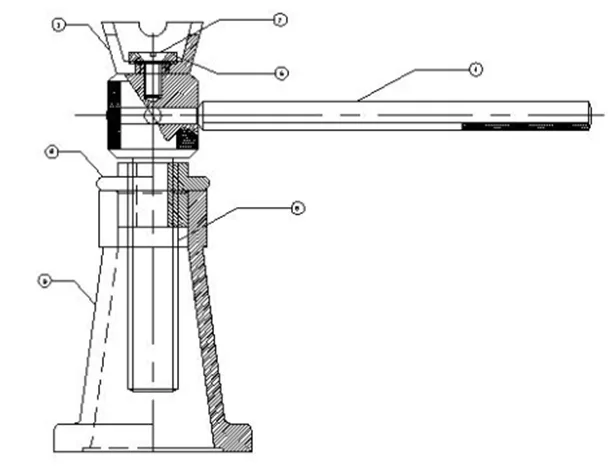
Draw the components of a Screw jack and Assemble it

Draw the components of a Screw jack and Assemble it

You will draw the components of a screw jack and assemble it and will learn important tools of AutoCAD
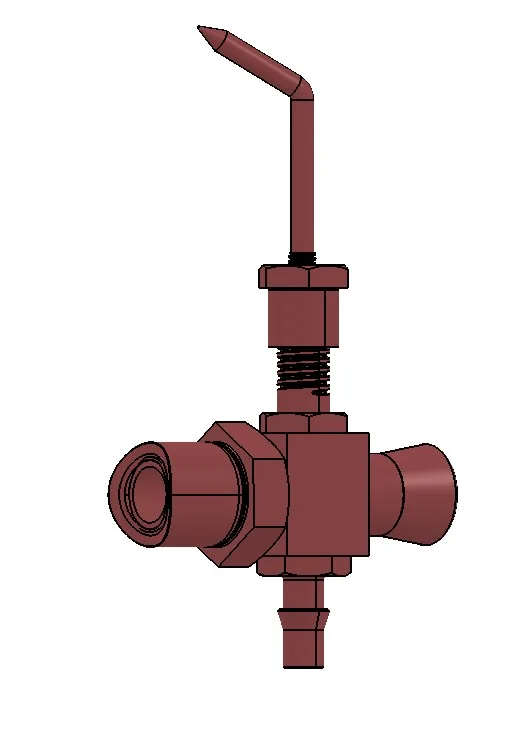
Captsone Project - Venturi Sub Assembly Creation

Captsone Project - Venturi Sub Assembly Creation

Create a Venturi sub-assembly, its standard views and eventually finding the cross-sectional area of the sub-assembly

Fee

One fee.
Everything included.

Become job ready with our comprehensive industry focused curriculum for freshers & early career professionals

Premium
₹40,000
Inclusive of all charges
  • 1 Year Access
  • Personalized Page
  • Live Individual & Group Sessions
  • Personalized & Hands-On
  • Job-Oriented Industry Relevant Curriculum
Check eligibility →
FAQ

Questions,
answered.

Who can take up this AutoCAD online course?

Students and graduates of mechanical engineering can enrol in this AutoCAD online course

Is this AutoCAD course an online program?

Yes, this AutoCAD course is a 100% online course.

What is the duration of this AutoCAD course?

This is a 12-week program

What are the plans available for this AutoCAD online certification course?

The basic plan would give you two months of access, the pro plan would give you four months of access, and the premium plan would provide you with lifetime access. You can choose a plan based on your requirements.

Is there any certificate for completing this AutoCAD course?

Yes, After completing this AutoCAD certification online, you shall be given a course completion certificate. The top 5% of the scorers will be given a merit certificate alongside the course completion certificate. This is one of the best online AutoCAD courses. 

How can I clear my queries if got doubts while pursuing this AutoCAD for mechanical engineering course?

You can clear your queries with email and forum support.

Who has designed this AutoCAD online course for mechanical engineering?

Industry experts in this domain have designed this AutoCAD course to make it industry-relevant.

Will I work on projects during this AutoCAD online course?

Yes, you will work on two industry projects in the program making it one of the best online AutoCAD courses.

Next step

Not sure it's
the right fit?

A counsellor will walk you through the syllabus, projects and fee options — and tell you honestly if another course suits you better.

Get the syllabus + a call back

We'll email the full syllabus and call within one working day.

By submitting you agree to our Terms and Privacy Policy.

Call usEnquire

Talk to a career counsellor

Free 20-minute call. We'll map the right course to where you want to work.

By submitting you agree to our Terms and Privacy Policy.