DussehraFestive scholarship on Skill-Lync courses, this week onlyFestive scholarship is openOffer ends Wed, 21 Oct, 11:59 pm IST.
Dussehra 2026

Start your next chapter this Dussehra

Tell us where you want to work. A counsellor will match you to the right course and confirm the festive scholarship you qualify for.

  • Festive scholarship on course fees, confirmed on your call
  • Free 20-minute call to map the right course to your goal
  • Real industry projects and placement support with every course

Offer ends Wed, 21 Oct, 11:59 pm IST

3,905 engineers placed since 2019 · 1,277 hiring companies

By submitting you agree to our Terms and Privacy Policy.

You're on the list

Browse courses
Civil · PG program

Post Graduate Program inBuildings - Engineering Design and Project management

A Post Graduate program with a combination of 6 courses to help you become proficient in construction planning and project management

Duration
48 weeks
Content
168 hours
Courses
7
Projects
16
Mode
Online
Overview

What you'll
be able to do.

  • This program covers the design of RCC and Steel structures.
  • Students will gain a thorough knowledge of Project Management, Membrane and Lightweight structures.
  • After completing this course, students will have a practical understanding of analysis and design of multi-storey buildings located in high-risk seismic zones.
  • Students will acquire hands-on experience in using various software and advanced knowledge on every stage of a construction project.

Why this program

You will learn:

  • Designing RCC and Steel buildings
  • Analysing and designing a multi-storey building in a seismic zone
  • Designing membranes and lightweight structures

Can apply for job roles related to Design and Project management in top consultancy and EPC companies like

  • Tata projects
  • L&T Construction
  • TCE consulting engineers
  • Mott MacDonald
  • Shapoorji & Pallonji

This course will get you into top universities around the world

Tools you'll use
ETABSSAFERFEMRevitSTAAD.ProRhinoGrasshopperPrimavera P6
Curriculum

7 courses,
83 modules.

Get the full syllabus ↓
  1. 01Drafting and Design Using Revit12 modules
    1. Introduction to Autodesk RevitW01

      Coming up with an executable and a defect-free design plan is a crucial step in the process of building structures. Autodesk Revit is a design and modeling tool that can efficiently generate 3D models of proposed structures. It is important for learners to understand the fundamentals of modeling using Autodesk Revit.

      This week will cover

      • Fundamentals of Autodesk Revit
      • Basics of modeling
      • Use of Autodesk Revit for drawings
    2. Building Information ModellingW02

      Building Information Modeling (BIM) is the virtual procss of planning, designing, and overseeing data throughout the course of a construction project. This uses a wide array of tools and technologies. An optimized design plan for buildings is modeled via BIM. This is one of the primary areas in which Autodesk Revit is used. It is important for learners to know the basics of BIM and its workflow in Autodesk Revit.

      This week will cover

      • Building Information Modeling (BIM)
      • Working with Autodesk Revit
      • Families and categories in Autodesk Revit
      • Setting up projects modeling in Autodesk Revit
      • Levels and grids in Autodesk Revit
      • Conceptualizing layout
    3. Project Model and Design ElementsW03

      Modeling of a residential unit, is essentially the process of digitally representing all the features and facilities that the building will have. This includes the windows, stairs, doors and other minor details. It is essential for learners to understand how these models are generated in Autodesk Revit.

      This week will cover

      • 3D Modeling of Residential Unit
      • Modeling of floors and walls
      • Parametric modeling of basic components
      • Annotation styles and drafting methods
    4. Project Design and Presentation MethodsW04

      Autodesk Revit offers an array of options that help generate a 3D model with intricate details. There are several ways of representing the details of a model. It is important for learners to understand how models can be rendered with different views and styles.

      This week will cover

      • Modeling of residential units
      • Detailed modeling
      • Detailing design with components
      • Rendering views
      • Presentation styles
    5. Project Design with Building CodesW05

      Following design codes is essential in ensuring the quality and safety of buildings. Buildings are to strictly adhere to the standards given. It is therefore important for learners to know the requirements stated under the National Building Codes of India when remodeling residential structures.

      This week will cover

      • Modeling with design codes
      • National Building Code (NBC) of India
      • Purpose of building codes
      • Design team and management team
      • Limitations and special requirements for modeling
    6. Cloud based 3D ModelingW06

      Cloud-based 3D modeling is an efficient and reliable way of generating models. It allows for collaboration between engineers and designers while drafting the project plan. It is important for learners to know the basics of cloud-based 3D modeling.

      This week will cover

      • Using NBC for modeling
      • Setting up collaborate for 3D Modeling
      • Cloud based Modeling
      • Accessibility Components Modeling
    7. Multiple Discipline Project Design (Part 1)W07

      Cloud-based 3D modeling integrates BIM, data management systems, collaborations, and analytical tools on a single online platform. Since Autodesk Revit is a cloud-based software, it is essential for learners to understand the features and functionalities of cloud-based modeling.

      This week will cover

      • Features of cloud based model
      • Project based shared parameters
      • Origin coordinates setting up
      • Classification and modeling of structural elements
      • Working in cloud
    8. Multiple Discipline Project Design (Part 2)W08

      An optimal design of a residential unit involves a series of considerations. To ensure that all of these have been included, integrity and strength of the modeled structure is analyzed through structural analysis. It is therefore a fundamental requirement for learners to understand structural analysis in this process.

      This week will cover

      • Expanding cloud-based modeling
      • Basics of design and modeling for Heating, Ventilation and Air Conditioning (HVAC)
      • Considerations for detailed design
      • Concepts of structural analysis
      • Detailed explanations on design
    9. Introduction to DynamoW09

      To assess the energy performance of a building, also called its relative energy efficiency, the model is subjected to energy analysis. It is important for learners to know the shortcuts in Autodesk Revit in order to effectively use it during analysis.

      This week will cover

      • Introduction to energy analysis
      • Shortcuts in Autodesk Revit
      • Parametric design using Dynamo
      • Parametric Shelters
    10. Parametric Design Using DynamoW10

      Dynamo is an open source platform that allows us to write the codes for rendering the visual output of the model. It is essential for learners to understand the basics of visual programming, the parameters involved and how this is integrated with Autodesk Revit for generating 3D models.

      This week will cover

      • Expansion of modeling using Dynamo
      • Concept of visual programming
      • Modeling of parametric shelters.
      • Integrating Dynamo and Autodesk Revit for modeling
    11. Design and Review using NavisworksW11

      Autodesk Navisworks is a review package that facilitates real-time navigation through 3D models for analytical purposes. Reviewing the models using this tool requires learners to understand the features, functionalities and workflow in Autodesk Navisworks.

      This week will cover

      • Basics of Autodesk Navisworks
      • Purpose of Autodesk Navisworks
      • Project viewing and reviewing
      • Coordination and clash detection
      • Scheduling and simulation using Autodesk Navisworks
    12. Analyzing Data and Information using RevitW12

      Autodesk BIM 360, is a cloud-based platform for managing construction projects. This platform helps in enhancing the results and outcomes of the project. Autodesk Revit can be used to understand the patterns in structural behaviors using predictive analysis. It is therefore important for learners to understand the basics of Autodesk BIM 360 when it comes to industry level construction projects.

      This week will cover

      • Autodesk BIM 360
      • Prediction Analysis using Autodesk Revit - viewing and reviewing projects
      • Benefits of BIM
  2. 02Analysis and Design of High Rise Buildings using ETABS and Foundation Design using SAFE for Seismic Loads11 modules
    1. Overview of Seismic DesignW01

      Earthquakes generate a seismic load that can be destructive to structures. Seismic design is essential in ensuring that buildings remain functional even after earthquakes. It is important for learners to understand the effects of earthquakes on structures, and the design considerations that go into the development of a high-rise building.

      This week will cover

      • Seismic design philosophy and limit states
      • Earthquake and their geotechnical and structural effects
      • Capacity design philosophy
    2. Fundamentals of Structural Dynamics and its Applications in Earthquake Engineering – Part 1W02

      Earthquakes are considered dynamic loads as their force varies overtime. Structural dynamics focuses on the response of structures that experience these dynamic loads. When designing high-rise buildings, structural dynamics and earthquake engineering assess how a structure responds under seismic loads. In order to design high-rise buildings to be earthquake resistant, it is important for learners to understand concepts related to structural dynamics and earthquake engineering.

      This week will cover

      • Force displacement system
      • Damping Force
      • Equation of motion – external force
      • Equation of motion – earthquake excitation
      • Undamped free vibration systems
      • Viscously damped free damping
      • Earthquake response of linear systems
      • Response spectrum concept
      • Deformation, pseudo-velocity and pseudo-acceleration response spectra
      • Peak structural response from the response spectrum
    3. Fundamentals of Structural Dynamics and its Applications in Earthquake Engineering – Part 2W03

      Civil engineers consider the forces buildings are subjected to during an earthquake in order to reduce associated damage. The system of forces can be represented as a continuous system with partial differential equations. It is important to understand the mathematical models behind the forces acting on buildings during an earthquake to predict their behavior, and effectively design them to withstand these forces.

      This week will cover

      • Multi degree of freedom systems
      • Discretization of structural systems
      • Elastic, damping & inertia forces
      • Damping force
      • Equation of motion
      • Free vibration – Systems without damping
      • Modal response spectrum analysis
      • Equivalent lateral force method
    4. Conceptual Design of Concrete Buildings for Earthquake Resistance - Part 1W04

      Buildings are commonly made with concrete because of its ability to absorb strong impacts and withstand large forces. Concrete buildings specifically undergo a seismic design process that makes them resilient to earthquakes. It is important for learners to understand the theory behind the design of concrete buildings in terms of earthquake resistance.

      This week will cover

      • General principles of conceptual seismic design
      • Regularity and irregularity of building structures
    5. Conceptual Design of Concrete Buildings for Earthquake Resistance - Part 2W05

      The tensile strength of buildings can be improved by using reinforced concrete (RC) that has metal bars or wires integrated within. This increases the structure’s stiffness, ductility, and strength to make it earthquake resistant. RC frame systems have columns and beams connected together to make the skeleton of a building. These systems are used for their global ductility and deformation capacity that improves their resistance to earthquakes. It is important for learners to understand the RC systems and their properties in the design of earthquake resistant structures.

      This week will cover

      • Essentials of structural system for seismic resistance - RC frame systems, wall systems, and dual systems
      • The Capacity Design philosophy
      • The role of a stiff and strong vertical spine in the building
      • Ductility as an alternative to strength
    6. Detailed Design of Concrete Buildings - Part 1W06

      IS 13920 elaborates on the ductile detailing of RC structures that experience seismic forces. This code focuses on ensuring that buildings are designed to withstand large shocks from earthquakes without collapsing. It is important for learners to understand how RC beams are designed in accordance with IS 13920.

      This week will cover

      • Design of beams with reference to IS 13920
    7. Detailed Design of Concrete Buildings - Part 2W07

      IS 13920 is also applied to the design of RC columns. It is important for learners to understand how both RC columns and beams are designed in accordance with IS 13920.

      This week will cover

      • Design of columns and beam - column joints with reference to IS 13920
    8. Detailed Design of Concrete Buildings - Part 3W08

      IS 13920 is also applied to the design of shear walls. It is important for learners to understand how shear walls are designed in accordance with IS 13920.

      This week will cover

      • Design of shear walls with reference to IS 13920
    9. ETABS ModelingW09

      ETABS is a software tool used to design, analyze, and model whole structures, specifically multistory structures, and their individual parts. By using ETABS, engineers can understand how different buildings respond to varying loads. It is important for learners to understand how to use ETABS in the modeling and analysis of structures.

      This week will cover

      • Architectural drawings - a cost efficient load path carved out using ETABS 2016.
      • From identifying loads, to creating an ETABS model
      • Complete analysis and design of RCC building in zone 5 will be demonstrated
    10. Foundation Design - Part 1W10

      The foundation of all buildings is essential in supporting and stabilizing the superstructure by transferring its load to the earth. As high-rise buildings are large structures, their foundation is designed to support heavy loads. Pile foundations are commonly used in high-rise buildings as they offer a deep foundation that strongly anchors the structure. It is important for learners how the foundations of high-rise buildings are designed to maximize the safety of the structure.

      This week will cover

      • Foundation structures for frames and structural walls
      • Footing & pile design using Excel spreadsheet
    11. Foundation Design - Part 2W11

      Liquefaction happens when the stiffness and strength of soil decreases by sudden loading or intense shaking. This is common in the case of earthquakes. When liquefaction happens, the foundation may sink into the ground and collapse. Raft foundations are resistant to liquefaction, and can be designed by SAFE software. This tool is used in the drawing and design of concrete foundations and floors. It is important for learners to understand what liquefaction is, and how foundations are designed to resist this phenomenon.

      This week will cover

      • Check for liquefaction
      • Design of raft foundation using SAFE
  3. 03Analysis and Design of Industrial Structures using STAAD.Pro12 modules
    1. Introduction to Industrial StructuresW01
      • In this session, you will learn
        • Steel structures in the industry
        • The stress-strain behaviour of structural steel
        • The properties of steel & shapes
        • Types of industrial structures
        • The key design factors
        • Types of structural systems in steel building
        • The general loads on industrial structures
        • Basic structural steel elements
        • Gravity and lateral load path
        • Structural redundancy
        • General design procedure
        • Iterative design process
    2. Design of Tension MemberW02
      • In this session, you will learn
        • The types of tension members
        • The behaviour of tension member
        • Failure mode possibilities
        • The design strength of tension members
        • Factors affecting member strength
        • Shear Lag
        • Sections used for the tension member
        • Design of tension member
    3. Design of Compression MemberW03
      • In this session, you will learn
        • The types of compression member
        • The behaviour of compression member
        • Failure mode possibilities
        • Sections used for compression member
        • The effective length of compression member
        • Design of compression member
        • Design of Built-up compression member
    4. Design of Beams W04
      • In this session, you will learn about
        • Types of beam
        • The loads on Beam
        • Section classification
        • Lateral stability of beams
        • The effective length of beams
        • The design of laterally restrained beams
        • The design of laterally supported and unsupported beams
        • Design of purlins (Hot rolled)
    5. Design of Plate GirderW05
      • In this session, you will learn
        • The types of sections
        • Elements of plate girder
        • General considerations
        • The proportioning of section
        • Preliminary sizing
        • Design of plate girder using IS 800:2007
    6. Structural System of Industrial StructureW06
      • In this session, you will learn about the
        • Lateral load resisting system
        • Vertical load resisting system
        • Flooring system (Plating grating & Deck Beam)
        • Grating & chequered plate
        • Composite floor deck
    7. Modelling of Structure in STAAD.ProW07
      • In this session, you will learn
        • Introduction to STAAD.Pro
        • Modelling nodes and beam element
        • Generating model geometry
        • Viewing geometry
        • Creating groups
        • Assigning properties
        • Assigning specification
        • Modelling tapered members
        • Assigning custom sections using user table
        • Member material specification
        • Modelling Finite elements
        • Modelling in physical modeller
    8. Loading, Analysis and Design Procedure in STAAD.ProW08
      • In this session, you will learn
        • To create load cases
        • To apply self-weight
        • Modelling member loads and Floor loads
        • Application of load (vertical/lateral)
        • Modelling reference loads
        • Modelling of moving loads
        • Seismic load generation
        • Wind load generation
        • Application of design parameters
        • Performing simple analysis
        • Post-processing result interpretation
    9. Analysis & design of Typical Steel Frame structure using STAAD. ProW09
      • In this session, you will learn
        • Input preparation
        • General modelling
        • Load & load calculations
        • Analysis of structure
        • The application of design parameters
        • Design of structure
        • The interpretation of post-processing results
    10. Modelling , Analysis & Design of Industrial building (PEB) in STAAD.Pro.W10
      • In this session, you will learn about
        • Introduction to Pre-engineered building
        • the comparison of PEB over conventional building
        • Various components of PEB
        • General loads on PEB
        • Load combination as per IS 800: 2007 & AISC ASD
        • Input preparation
        • Load & Load calculations
        • Analysis of structure
        • The application of design parameters
        • Design of structure
    11. Analysis & design of Pipe Rack structures using STAAD.ProW11
      • In this session, you will learn
        • Introduction to pipe racks
        • The components of pipe racks
        • The types of pipe racks
        • Loads on pipe racks
        • Load combination as per AISC, LRFD, ASD
        • Design criteria of structure
        • Case Study of pipe rack structure
    12. Design of Foundation using STAAD.FoundationW12
      • In this session, you will learn
        • Introduction to STAAD.Foundation
        • Modelling supports
        • Modelling support loading
        • Importing information from STAAD.Pro
        • To design isolated footing
        • To design eccentric isolated footing
        • To design continuous footing
        • To design pile cap
        • To design soil supported mat foundation
        • To design pile-supported mat foundation
  4. 04Construction Planning using Primavera P612 modules
    1. Fundamentals of Project Planning & ManagementW01
      • In this session, you will learn
        • About project management
        • Career Perspectives
        • What is Planning?
        • Planning Parameters
        • Iron Triangle
        • Project Lifecycle
        • Terminologies
        • Basic of Primavera P6
        • The outputs of Primavera P6
    2. Project StructuringW02
      • In this session, you will learn
        • About projects, programs and portfolio
        • In detail about Contracts
        • Project Case Study : Introduction
        • In detail about Portfolio and Organisational Structure
    3. Project ConfigurationW03
      • In this session, you will learn
        • Projects in P6
        • Calendars in P6
        • Calendar - Types and uses
        • Calendar - Project study
        • Work Breakdown Structure
        • WBS - Representation
        • Layout and Views
    4. Activities and RelationshipsW04
      • In this session, you will learn
        • In detail about activities
        • Sequencing in construction
        • Sequencing in demolition
        • How to Add activities
        • Activity steps and codes
        • User defined fields
        • User preferences
    5. Schedule ImplementationW05
    6. Grouping, Filtering and FormattingW06
      • In this session, you will learn
        • Group and sort
        • Filters
        • How to Customize activity IDs
        • About global change
        • Tracing logic
        • Tables and fonts
    7. BaselinesW07
      • In this session, you will learn
        • In detail about baselines
        • Types of Baselines
          • Creating Baselines
          • Assigning Baselines
          • Restoring Baselines
        • In deatil about budgeting
    8. Resource and CostsW08
      • In this session, you will learn
        • About Resource Management Process
        • The Responsibility of Project Managers
        • Resource Types
        • Resource Assignments
        • How to Create Resource
        • Levelling Resource
        • Resource Profiles and Spreadsheets
    9. Updating and TrackingW09
      • In this session, you will learn
        • How to Update Progress
        • Mode of Updating
        • Automatic and Manual Updating
        • In detail about graphical progress indicators
        • The basic of tracking
    10. Risks, Issues and ThresholdW10
      • In this session, you will learn
        • Risk Definition
        • How to Add Risk and Types
        • P6 Risk Categories
        • P6 Risk Analysis
        • P6 Risk score calculations
        • Threshold
        • Issues
    11. Oracle P6 VisualizerW11
      • In this session, you will learn
        • Visualizer and its types
        • Visualizer Layouts
        • Customizing and Formatting
        • Reflections
    12. Generating Outputs and ReportsW12
      • In this session, you will learn
        • Report and its types
        • How to Batch Reports
        • How to Customize Reports
        • Level of Effort
        • Import and Export
        • How to Use Curtains in P6
        • Check In / Check Out
  5. 05Design of Tensile Structures12 modules
    1. Course overview, History & EvolutionW01
      • In this session, you will learn
        • Overview of tensile membrane structures
        • History & evolution
        • Types of tensile structures
        • Behaviour and mechanism of membrane structures
    2. Conceptual understanding of FEM ElementsW02
      • In this session, you will learn
        • Introduction to Finite Element Analysis
        • FEA elements & their behavior - 1D, 2D, & 3D
        • Degrees of freedom
        • Stages of FEM - Pre-processing, computation, & post-processing
        • Types of loads
        • Types of supports
        • Concept of stiffness and stiffness matrix formulation
        • Understanding results
        • FEM for tensile membrane structures
        • Types of analysis
    3. Introduction to RFEM ProgramW03
      • In this session, you will learn
        • Introduction to RFEM
        • Modelling, analysis, & design of steel structure
    4. Form finding methodology and MethodsW04
      • In this session, you will learn
        • Conceptual Development of Tensile Membrane Structures
        • Continuum Mechanics
        • Principle of Virtual Work
        • Finite element discretization of membrane structures
        • Form Finding
        • Structural Analysis
        • Cutting Patterns
        • Module Requisites
    5. Form Finding MethodsW05
      • In this session, you will learn
        • Concept of Minimal Surface
        • Methodologies - Physical Models, Soap films, & Computational methods
        • Geometric Non-linearity
        • Categorising Form-finding methods
        • Force Density Method
        • Assumed Geometric Stiffness Method
        • Updated Reference Strategy Method
        • Form-finding Vs Form-dictating
        • Searching for equilibrium prestress
          • Number of form-finding steps
          • Elastic Control
          • Element Size Control
        • Projection Method
        • Tension Method
    6. Implementation of RFEMW06
      • In this session, you will learn
        • Prelimnary Form-finding
        • Default Form-finding
        • Comparison of GSM Method, Hybrid Method, and Analytical Method
        • Form-finding of Cone structure Demonstration
    7. Materials W07
      • In this session, you will learn about
        • Isotropic and Orthotropic materials and its applications
        • Different materials available in the market
        • Demonstration with different materials
    8. Structural AnalysisW08
      • In this session, you will learn
        • Structural Analysis of membrane structure for dead, live, and wind loads
        • The wrinkling phenomenon of membrane structures
        • Demonstration of Analysis of membrane structures for a existing structure
    9. PatternsW09
      • In this session, you will learn
        • Cutting Pattern Phenomenon
        • Approach
        • Cutting Lines
          • Planar
          • Geodesic lines
        • Flattening Procedure
          • Mathematical flattening
          • Physical flattening
        • Special requirements of flattening procedure
          • Effect of Orthotropic directions
          • Seamlines compatibility
          • Compensation
          • Assembly Allowanes - Welding Requirements
        • Evaluation of cutting patterns
    10. Examples on PatterningW10
      • In this session, you will learn
        • Patterning procedure with RFEM
        • Demonstrating Patterning of a Cone structure
    11. Tensile Structures under uncertaintiesW11
      • In this session, you will learn
        • Understanding on CFD
        • Theoretical Wind Simulation using CFD on membrane structures
    12. One Complex ExampleW12
      • In this session, you will learn
        • Modelling & Form finding
        • Results & Patterning
  6. 06Usage of Rhino & Grasshopper for Energy analysis12 modules
    1. Introduction to Rhino W01
      • In this section, the student will be taught the basic commands in Rhino for constructing a standard model.
    2. Introduction to GrasshopperW02
      • In this section, the student will be taught the basic commands in Grasshopper.
    3. Usage of Rhino Forums and food4rhinoW03
      • In this week, rhino forums and food4rhino websites will be introduced to the students.
      • The students will be taught to download and install the required plugins.
    4. Usage of Predefined Materials for the ComponentsW04
      • In this week, the students will learn to use materials for multi-layered components (if any).
    5. Construction of Zone Masses and Glazing in Rhino and GrasshopperW05
      • In this session, the steps in converting the rhino model into a grasshopper Brep will be taught.
      • The students will also learn to create glazing in the rhino model and convert it into a grasshopper Brep.
    6. Modelling the Steps and Providing Inputs for Running the Energy ModellingW06
      • Before the energy modelling, certain inputs must be provided for the same, which will be taken up in this section.
      • Inputs like zone conditioning, constructions, ventilation, etc., will also be taught this week.
    7. Creation of Materials and Components in Climate StudioW07
      • The students will learn to create materials for multi-layered components (if any).
      • The steps in the climate studio will also be explained in the section.
    8. Schedules and Custom Created SchedulesW08
      • This session covers a tutorial video showing how to visualize the schedules that are assigned to Zones and convert them into a stream of hourly values.
    9. Running a Basic Energy Simulation Model in Climate StudioW09
      • In this week, a basic energy simulation with the basic inputs and local weather conditions will be taught.
    10. Interpreting Results and Graph Formation in the Parametric SoftwareW10
      • The results from the simulation can be filtered to export the required data (energy results for hourly, daily or yearly). These steps will be included in this section.
      • The results will be shown in other forms like graphs.
    11. Use of Honeybee in the Energy Modelling W11
      • This week covers an introduction to Honeybee for energy modelling in Grasshopper.
      • The session also includes a tutorial similar to climate studio about the processes involved in energy calculation.
    12. Galapagos and Octopus – Their Uses in GrasshopperW12
      • In this week, the following topics are covered.
        • Selection of a minimum/maximum value among a set of parameters
        • Multi-objective and single-objective problems
  7. 07Construction Project Management Fundamentals12 modules
    1. Introduction to Construction ProjectW01
      • What is a Project?
      • Project Vs Operations or Manufacturing
      • Project Stakeholders
      • Project Process Group
      • Project Lifecycle processes
      • Typical Construction Organization Structure
    2. Tendering and ContractsW02
      • Tendering Process
      • Bid and Budget Preparation
      • What is a Contract?
      • Different Construction Contracts
      • Different Forms of Contract
      • Important Clauses of the Contract
    3. EngineeringW03
      • Stages of Engineering
      • Types of Structures and Design Methods
      • Deliverables of Engineering
      • Different Disciplines of Design
      • Types of Drawings
      • Drawings Content and Management
      • Prominent Software for Design
    4. Procurement ProcessW04
      • Material Take-off from Drawings or Model
      • Types of Procurement
      • Pre-requisites of the Procurement Process
      • Procurement Process
      • Subcontract Procurement
      • Logistics of Procurement
      • Long Lead and Special Items Procurement Process
      • Procurement of Imported Items

    5. Material Management in StoreW05
      • Material Management at the Project Store
      • Material Stored at the Site
      • Site Store Activities
      • Storage Requirement for Materials
      • Inventory Management
      • Material Reconciliation
      • Physical Verification
      • Waste Management and Scrap
    6. P&M Management on ProjectW06
      • Introduction to P&M
      • Types of Construction Equipment (P&M)
      • Equipment Management at Site
      • Selection Criterion for Equipment
      • Hire or Procure Decision
      • Depreciation of Asset
      • Efficiency of Machinery
    7. Project Planning and SchedulingW07
      • Importance of Project Schedule
      • Levels of Schedule
      • Baseline Schedule
      • Schedule Preparation Requirements
      • Schedule Basis Document
      • Actual Progress Update
      • Labor Productivity Measurement
      • Schedule Change Management (MOC and Change Document)
    8. Project Cost Management and ControlW08
      • Importance of Cost Management
      • Budget for the Project
      • Cost Booking Methodology
      • Cost Change Management
      • Earned Value Management
      • Forecasting
      • Delay Analysis and Extension of Time Claims
    9. Vendor and Client InvoicingW09
      • Client Billing
        • Request for Inspection
        • Invoice Process
        • Deductions, Recoveries, and Retentions
        • Advances
        • Memorandum of Payment
      • Vendor Bill Certification
    10. Health, Safety, and Environment in Infrastructure ProjectsW10
      • Introduction to HSE on Construction Projects
      • HSE Plan
      • HSE Management System
      • HSE Practices
      • HSE Monitoring Process
      • HSE Response Management
    11. Quality Management on Construction ProjectW11
      • Quality Management System
      • Developing a Project Quality Plan (PQP)
      • Inspection Test Plans (ITPs)
      • Quality Assurance Vs Quality Controls
      • Quality Controls at Site
    12. Digital Technologies in ConstructionW12
      • Introduction to Technology in Construction
      • Current Status of Technology Usage in Industry
      • Different Tools and Technologies
        • Common Data Environment (CDE)
        • 5D BIM
        • Scan to BIM
        • IoT - Equipment Monitoring and RFID for Workforce
        • Data Analytics - Real-time Progress Reporting and Dashboard
        • ML For Subcontract
Industry projects

16 projects
you'll ship.

Our projects are designed by experts in the industry to reflect industry standards. By working through our projects, Learners will gain a practical understanding of what they will take on at a larger-scale in the industry. In total, there are 16 Projects that are available in this program.

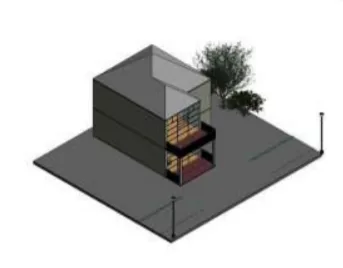
Building 3D Model from Concept Stage to Design using Revit
Drafting and Design Using Revit

Building 3D Model from Concept Stage to Design using Revit

Learners will be required to create a model of a simple structure using the drafting concepts learned in this course.

Creating Architectural and Structural Models, Detecting Clashes using Naviswork
Drafting and Design Using Revit

Creating Architectural and Structural Models, Detecting Clashes using Naviswork

Learners will have to develop an architecture model by implementing the concepts of collaboration, coordination and parametric designs of BIM software.
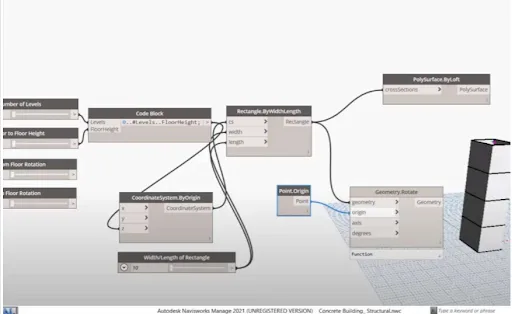
Integrating Dynamo and Autodesk Revit to Design a 3D Model
Drafting and Design Using Revit

Integrating Dynamo and Autodesk Revit to Design a 3D Model

Learners will have to create and design a 3D model by integrating Dynamo and Autodesk Revit.
Preparing a Schedule and Cost Estimation Report using Revit
Drafting and Design Using Revit

Preparing a Schedule and Cost Estimation Report using Revit

Learners will have to generate a schedule report of the project, and render its construction staging progress using Autodesk Navisworks.

Proposed Coil Center (Industrial Building) with Crane Load at Chennai using STAAD. Pro
Analysis and Design of Industrial Structures using STAAD.Pro

Proposed Coil Center (Industrial Building) with Crane Load at Chennai using STAAD. Pro

In this project, A trussed roof structure of 30m span is analyzed and designed including crane load using STAAD.Pro and the complete project report should be created for the same.
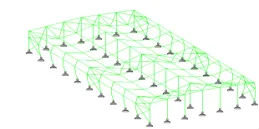
Proposed PEB warehouse (Industrial Building) at Coimbatore using STAAD. Pro
Analysis and Design of Industrial Structures using STAAD.Pro

Proposed PEB warehouse (Industrial Building) at Coimbatore using STAAD. Pro

In this project, the student is asked to design a PEB for a proposed warehouse using STAAD.Pro along with the complete project report. From the above two projects, students come to…
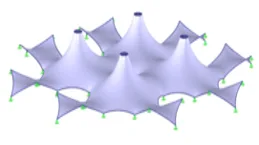
Perform Form-finding and Structural Analysis Structure of Multiple Masts
Design of Tensile Structures

Perform Form-finding and Structural Analysis Structure of Multiple Masts

This project will teach the students, how to find the geometric position of a membrane where the surface stress is in equilibrium with the natural and geometric boundary conditions…
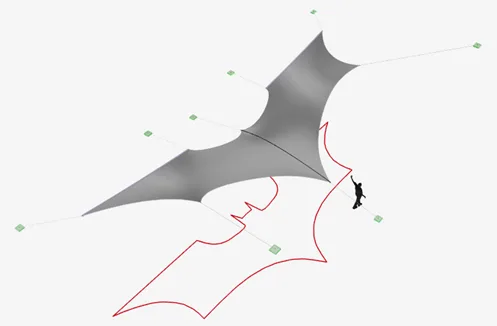
Model a Membrane Roof with Cables
Design of Tensile Structures

Model a Membrane Roof with Cables

In this project, the students will be asked to model using form-finding tools and create the cutting patterns for a structure. This will help them to gain knowledge on planar cutti…
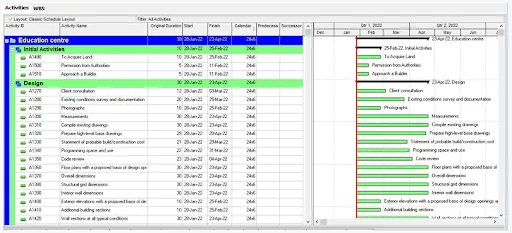
Developing a realistic schedule to construct a main school building (G+2)
Construction Planning using Primavera P6

Developing a realistic schedule to construct a main school building (G+2)

In this project, Students need to develop a realistic schedule to construct a main school building (G+2). It will have a parking facility with internal roads and main building comp…
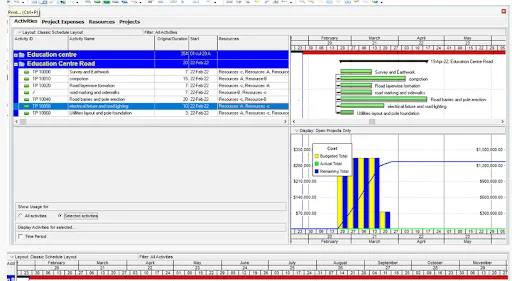
Developing the project schedule of the 100m WBM road construction project
Construction Planning using Primavera P6

Developing the project schedule of the 100m WBM road construction project

In this project, students need to plan and develop a resource loaded schedule of a 100 m WBM road constructed inside the Skill Lync Education center premises to allow access to the…
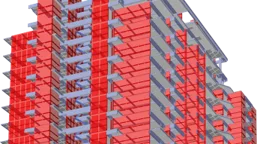
Comparative Study of Different Storey Buildings for Various Seismic Parameters using ETABS Software
Analysis and Design of High Rise Buildings using ETABS and Foundation Design using SAFE for Seismic Loads

Comparative Study of Different Storey Buildings for Various Seismic Parameters using ETABS Software

Learners are required to analyze structural systems using ETABS software and extract the output. They are also required to study the effect of seismic loads on multistory buildings…
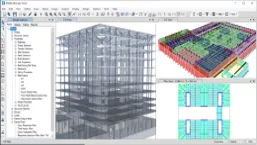
Analyze and Design a Hostel Building in Guwahati, Assam (Zone V)
Analysis and Design of High Rise Buildings using ETABS and Foundation Design using SAFE for Seismic Loads

Analyze and Design a Hostel Building in Guwahati, Assam (Zone V)

Learners are required to design and analyze a multi storey RCC building in the seismic zone V area using ETABS software. They will also have to design the substructure and superstr…

+ 4 more projects in the full syllabus

Fee

One fee.
Everything included.

Become job ready with our comprehensive industry focused curriculum for freshers & early career professionals

Premium
₹2,75,000
Inclusive of all chargesEMI from ₹14,375/month
  • Career Service Assurance
  • Personalized Career Services Mentorship
  • 1 Year Access
  • Personalized Page
  • Live Individual & Group Sessions
  • Personalized & Hands-On
  • Job-Oriented Industry Relevant Curriculum
Check eligibility →
Next step

Not sure it's
the right fit?

A counsellor will walk you through the syllabus, projects and fee options — and tell you honestly if another course suits you better.

Get the syllabus + a call back

We'll email the full syllabus and call within one working day.

By submitting you agree to our Terms and Privacy Policy.

Call usEnquire

Talk to a career counsellor

Free 20-minute call. We'll map the right course to where you want to work.

By submitting you agree to our Terms and Privacy Policy.