Wiring harness routing & packaging Rules Week 3 Challenge
Q1. Download following cad data & define it as Electrical support using Electrical Part design Workbench. Define all the necessary properties.
Given Data:
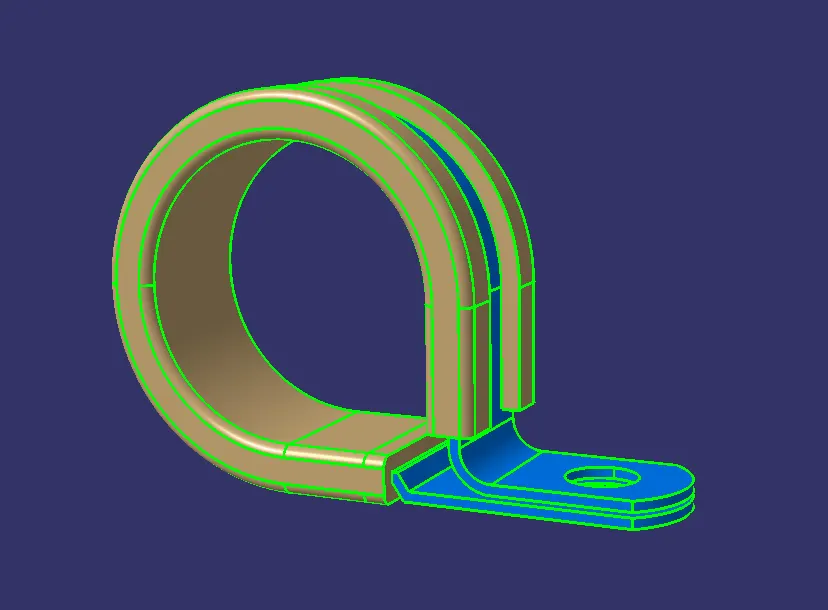
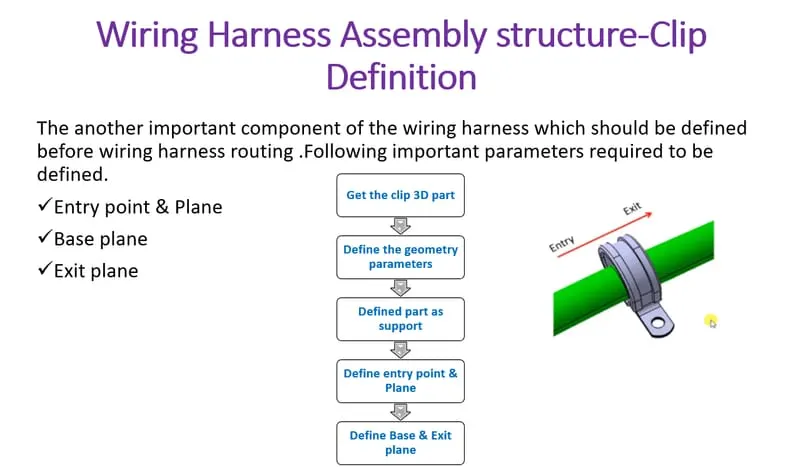
Steps to define it as Electrical support using Electrical Part design Workbench,
1.First create a point by using circle center on the two sides of the clamp.
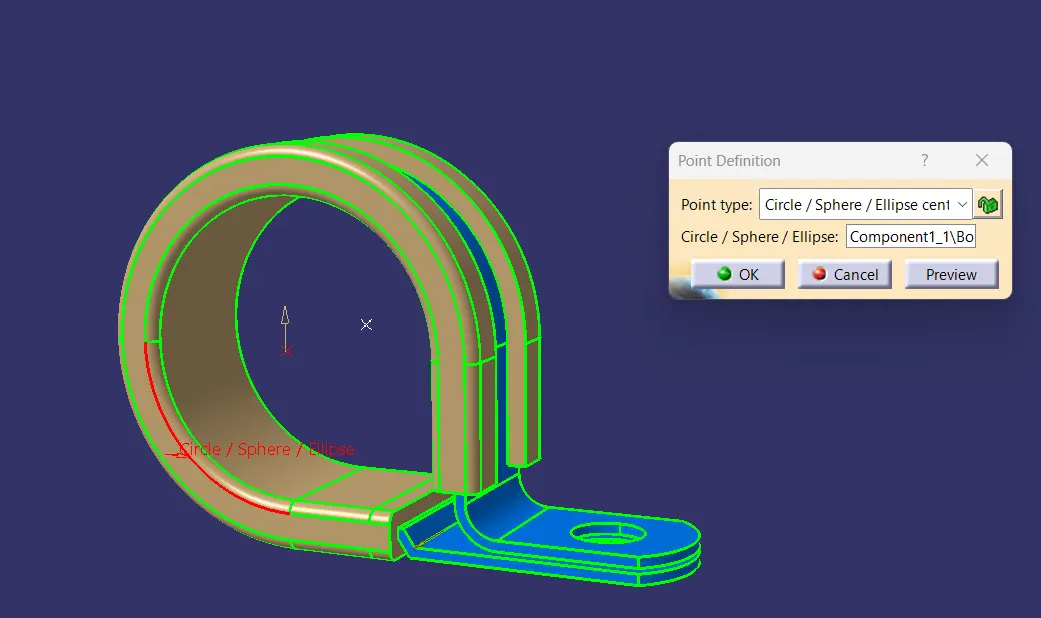
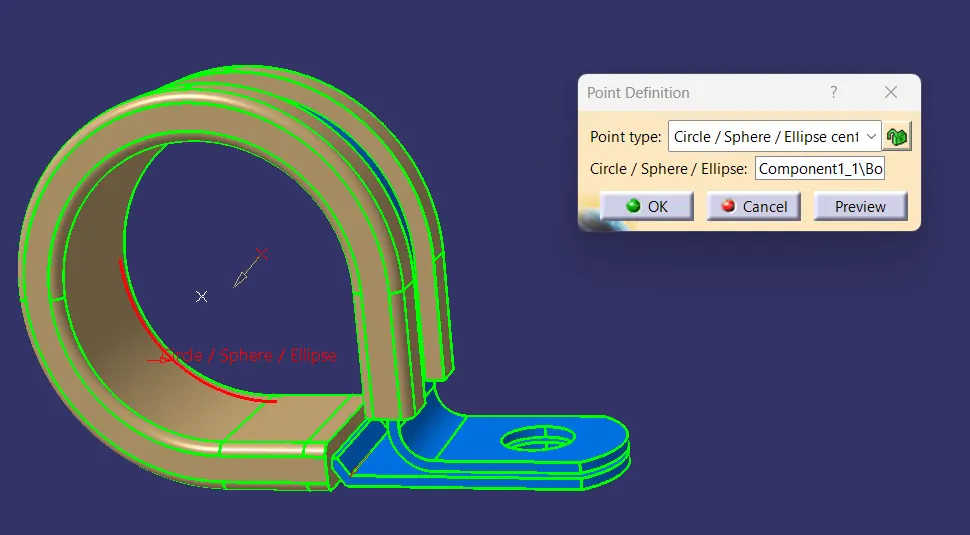
2.Then create a plane on the entry point, exit plane and in the base of the clamp.
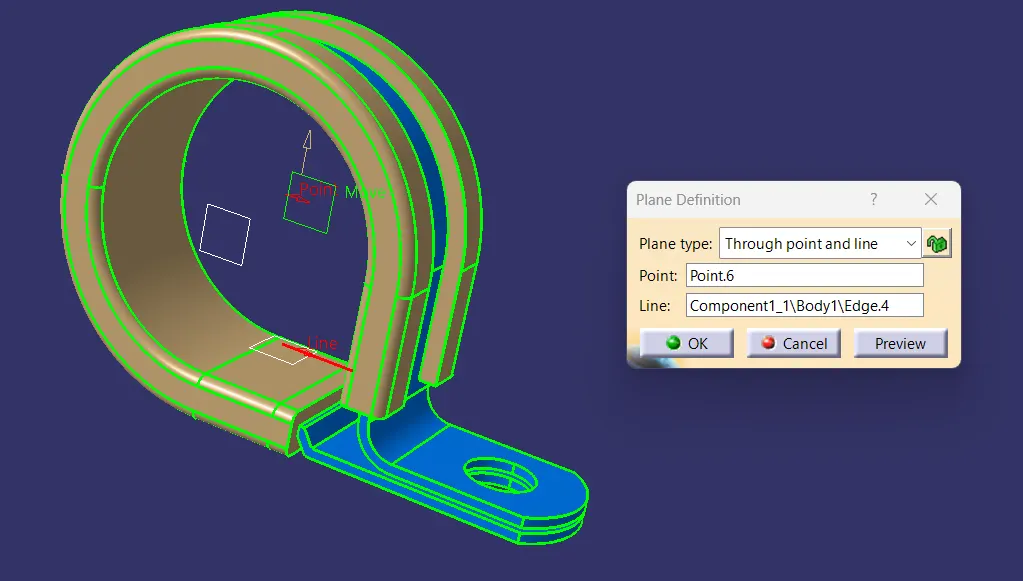
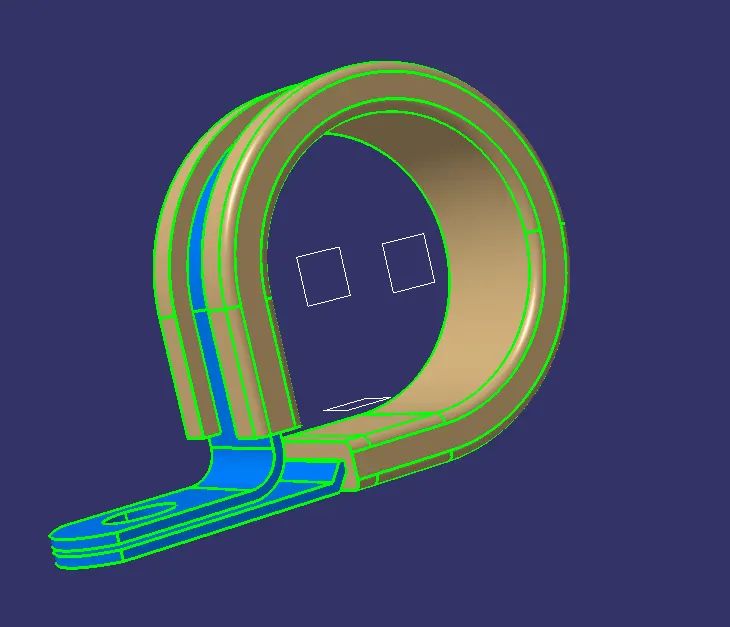
3.Then switch to electrical part design.
4.Click on support definition - select part - select entry point - select entry plane, exit and base plane.
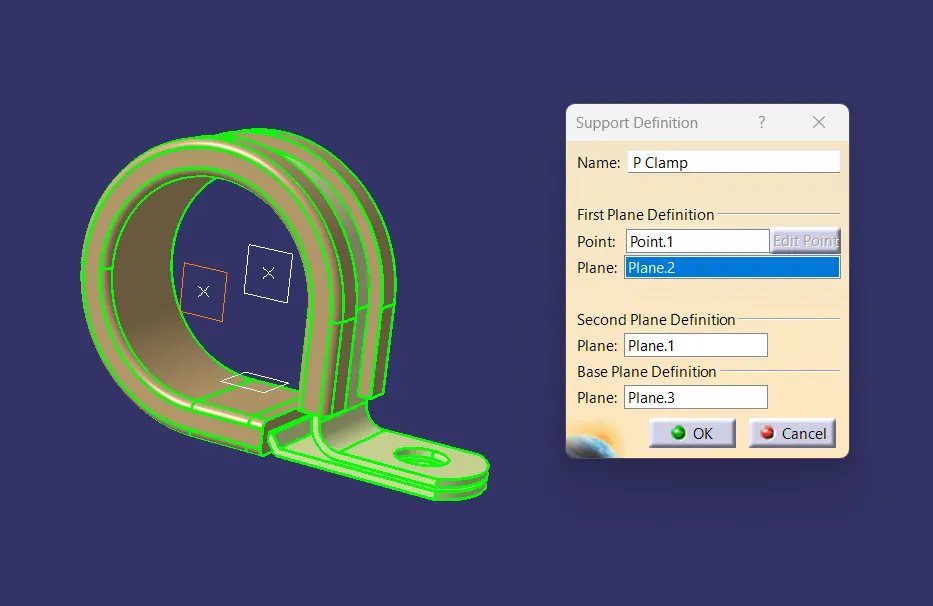
5.Again Click on support definition - select part - select exit point - select exit plane and base plane as secondary plane is automatically taken.
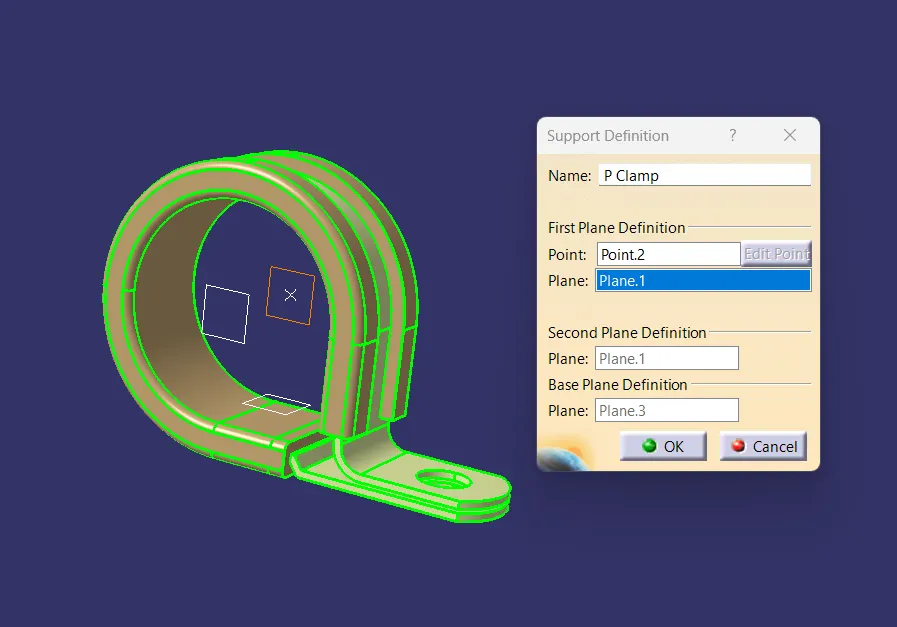
Q2. Download following Back shell cad data & define it as Electrical back shell using Electrical Part design Workbench. Define all the necessary properties.
Steps to define define it as Electrical support using Electrical Part design Workbench,
1.create Back shell entry point.
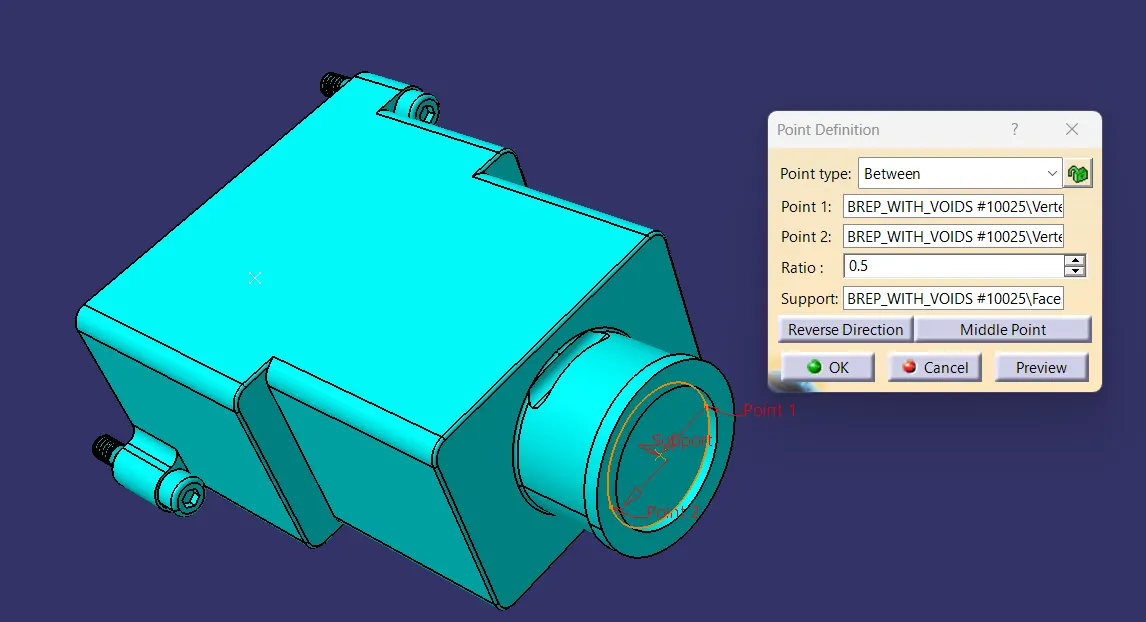
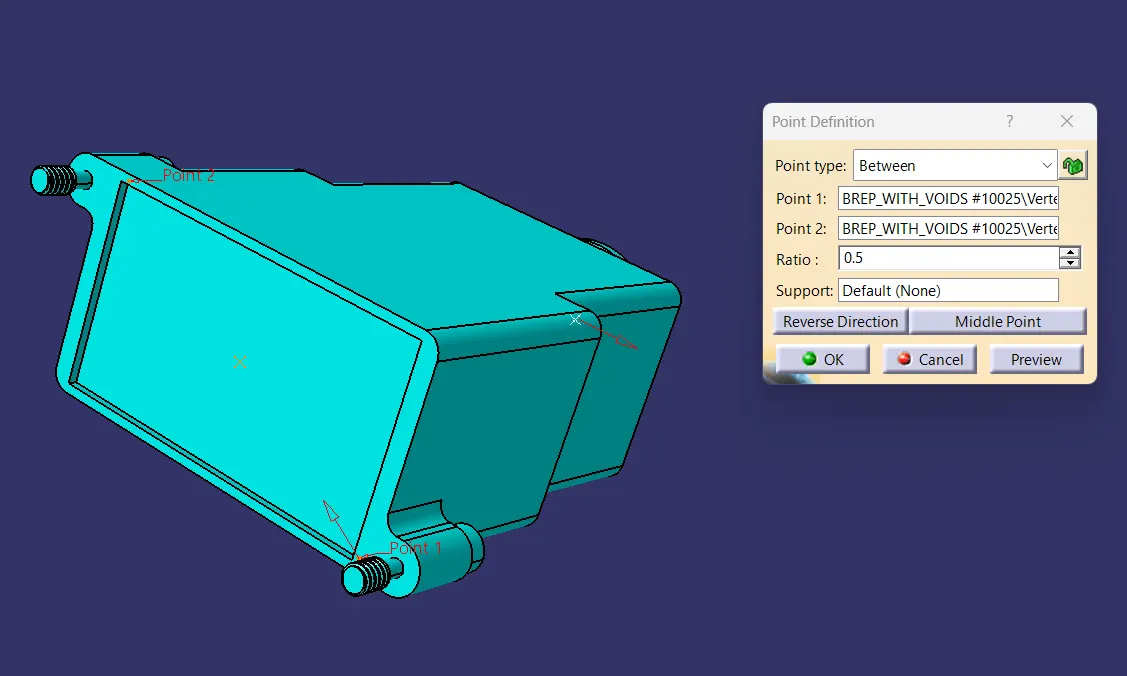
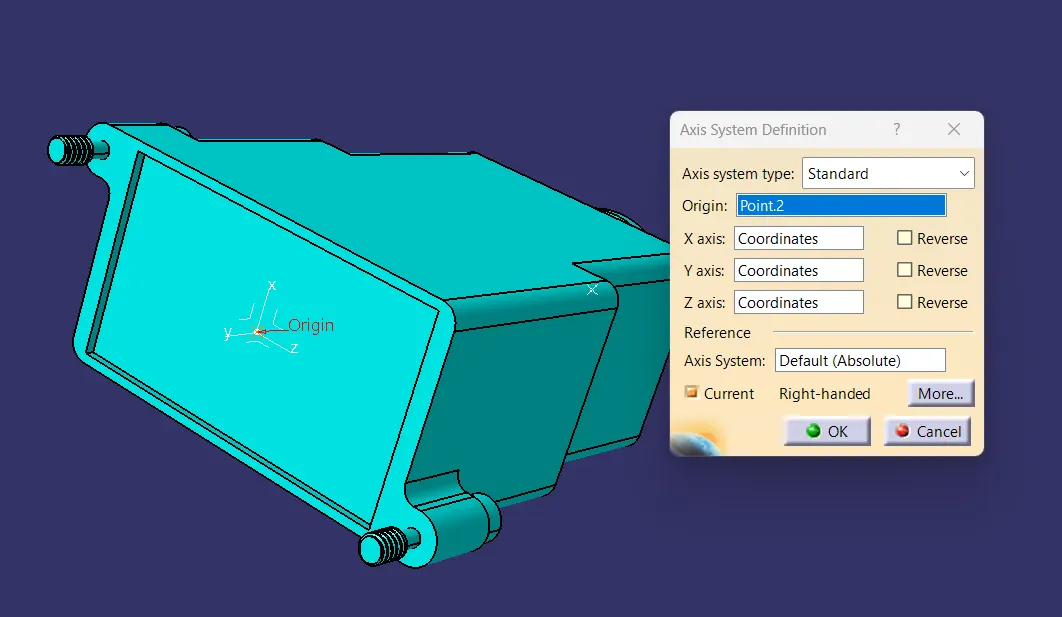
2.create axis system for back shell entry.
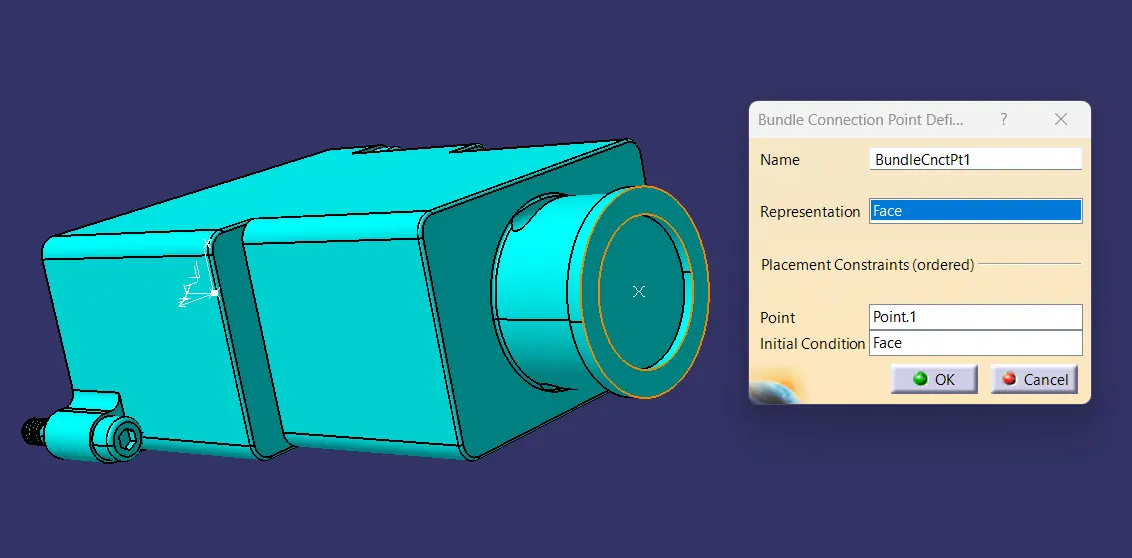
3.create bundle connection point.
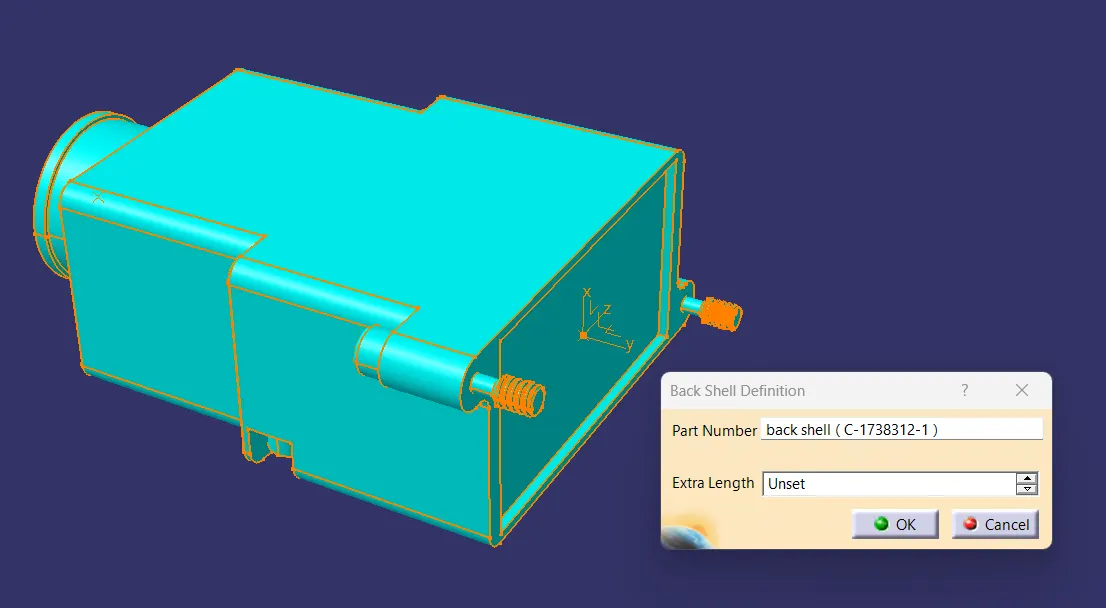
4.Define part electrically as back shell.
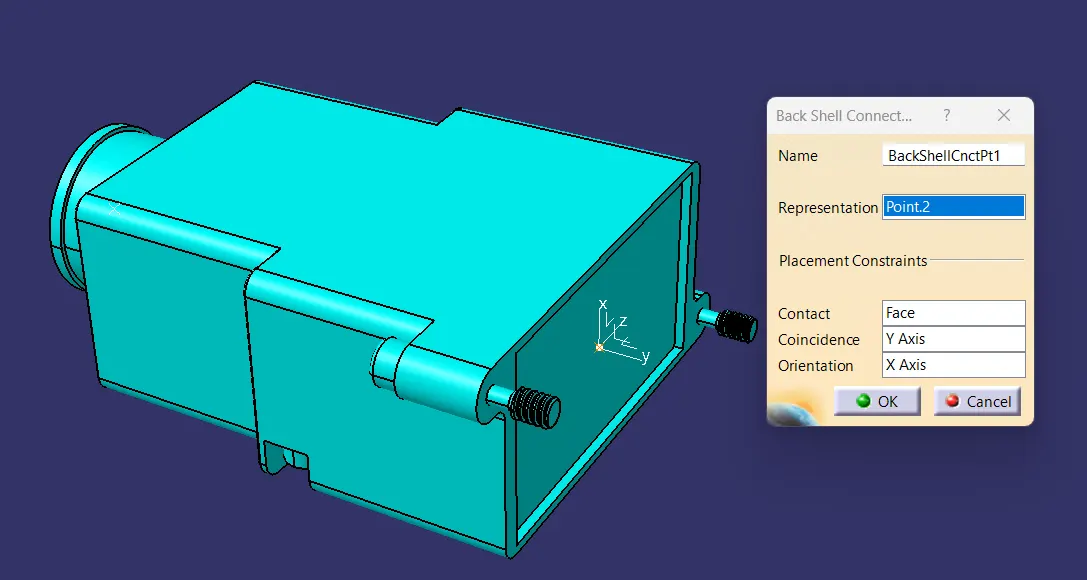
5.Then define Back shell connection point.
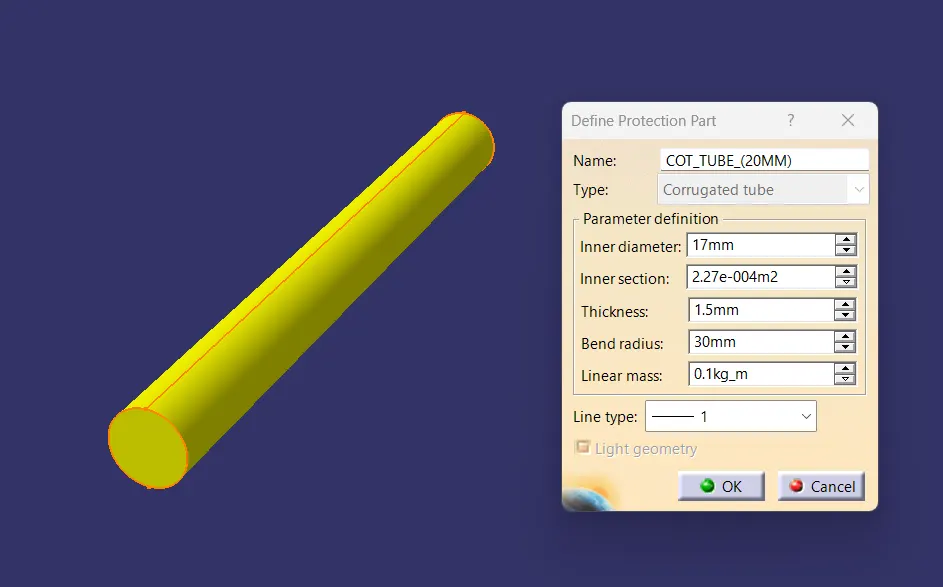
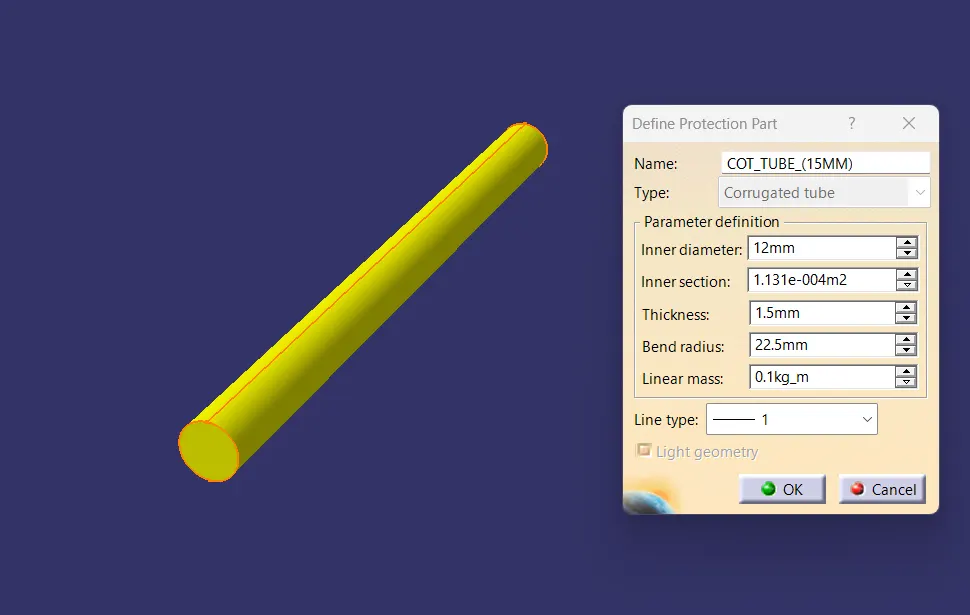
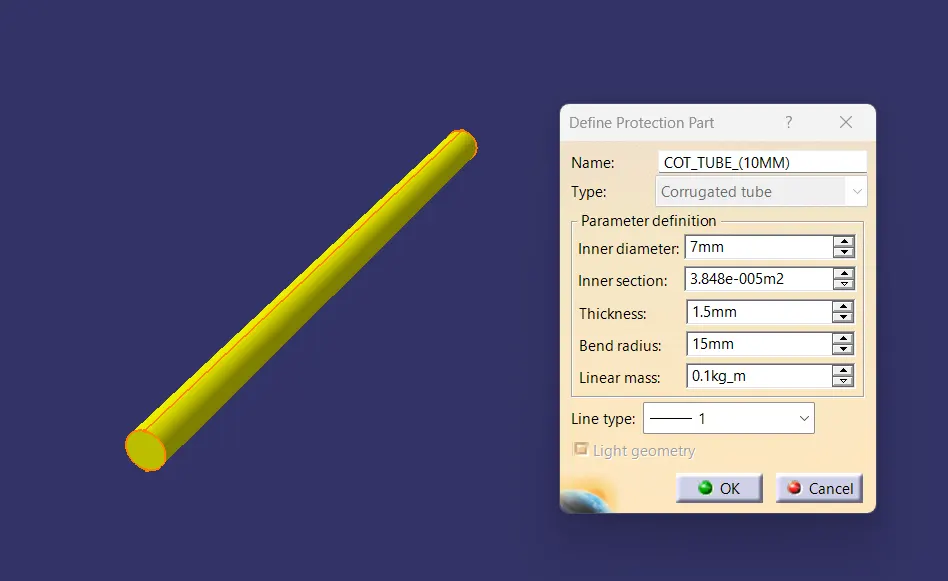
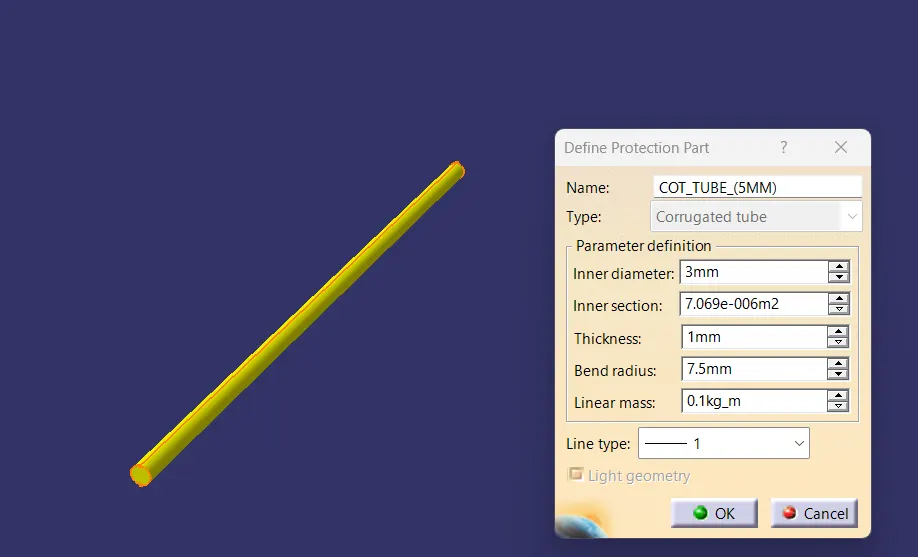
Q3. Create Following Corrugated tubes & Add them in Catalogue under “Slit COT” family.
|
Name |
ID (mm) |
OD (mm) |
Thickness (mm) |
|
15mm COT |
12 |
15 |
1.5 |
|
20mm COT |
17 |
20 |
1.5 |
|
35mm COT |
32 |
35 |
1.5 |
|
10mm COT |
7 |
10 |
1.5 |
|
5mm COT |
3 |
5 |
1 |
Create Following Corrugated tubes & add them in Catalogue under “Slit COT” family.
Process:
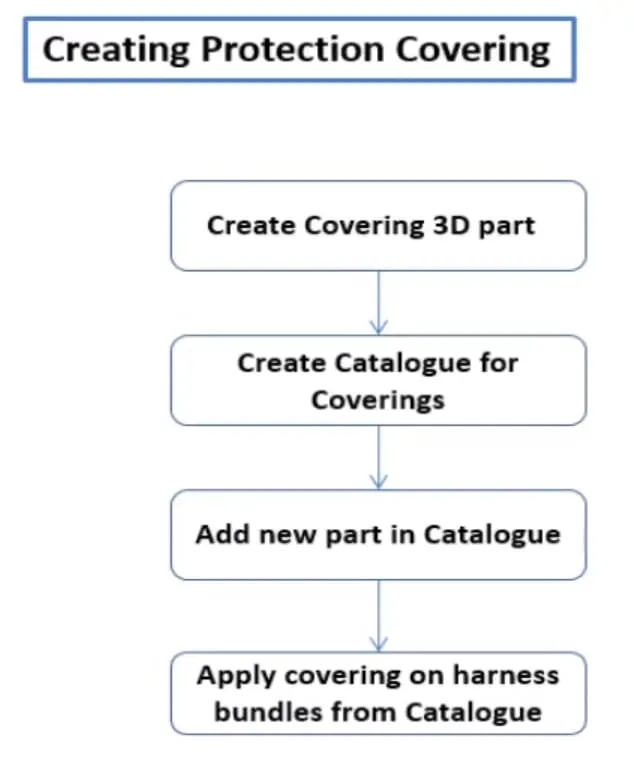
- Switch to Electrical part design
- Select Define protection Part
- Click on part on the design tree.
- Provide required dimensions to the create the part.
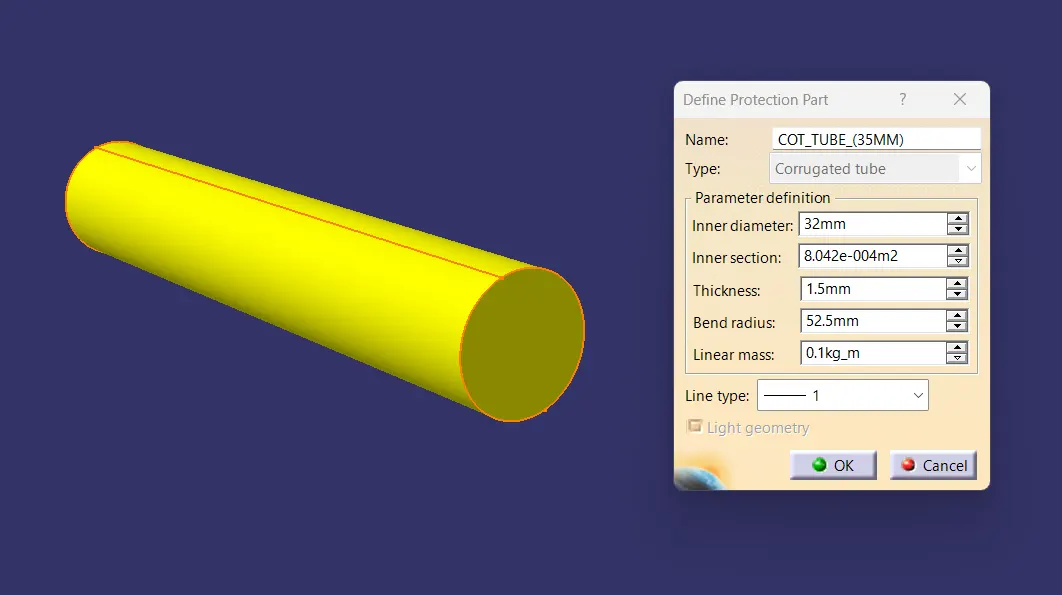
Catalogue Creation:
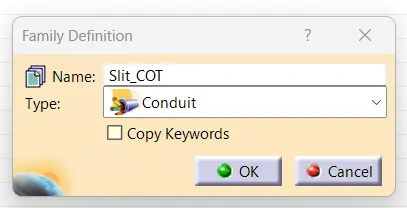
- created a new catalog document with name Slit_COT
- define family as conduit
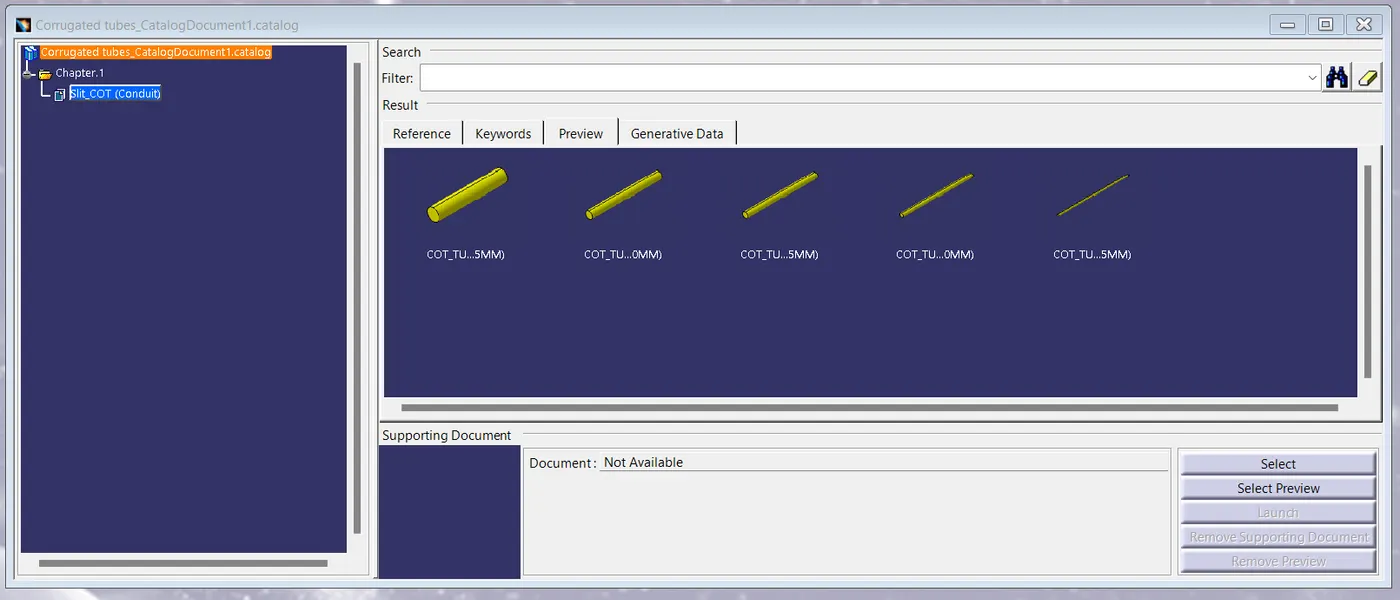
- added all the COT tubes into the catalog document
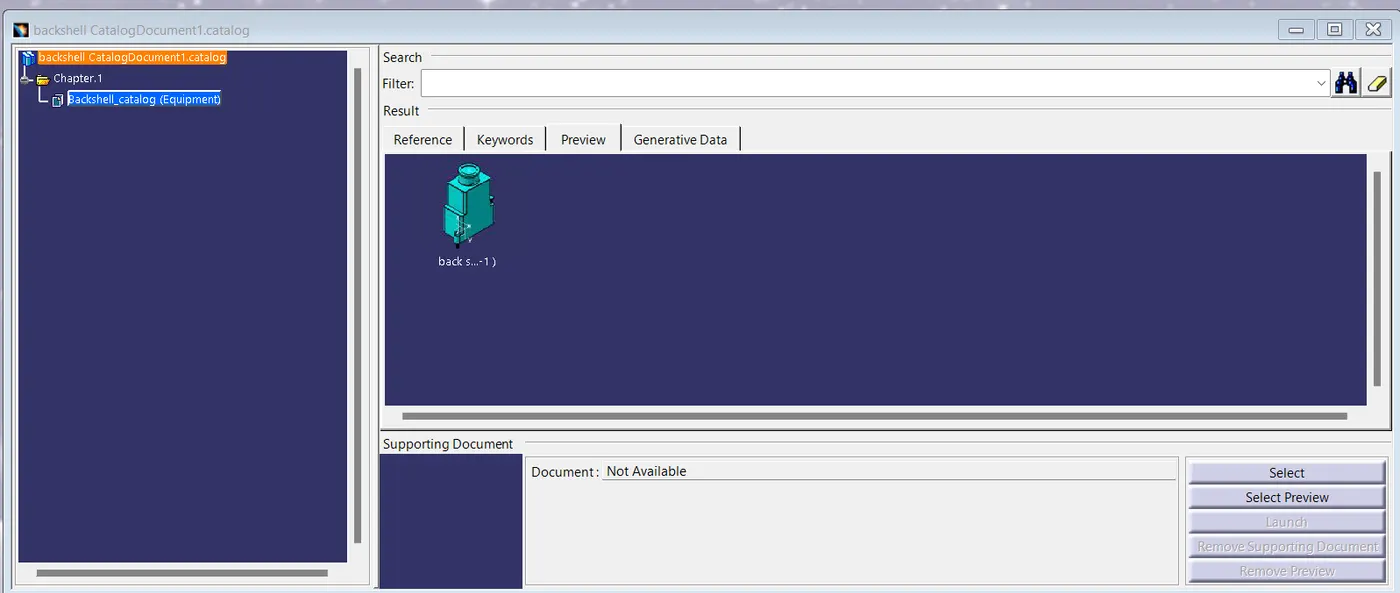
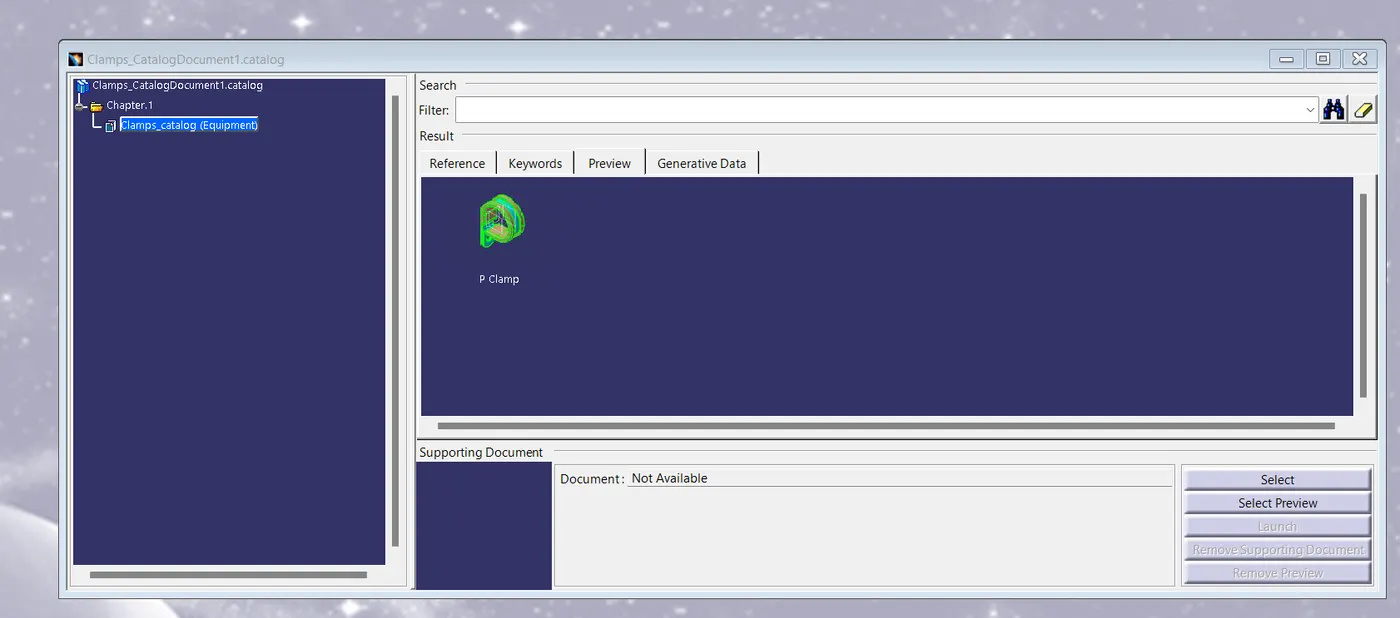
- same way to creating the catalog for p Clamp, Back shell
 Conclusion
CAD parts have been successfully given electrical properties and COT tubes are created with required dimensions and also added every parts to respective catalog documents for future accessibility.