Wiring harness design in CATIA V5 - 3D modeling Week 7 Challenge
To create a flattening drawing :-
- Create new electric harness flattening file and save at the same location where wiring harness assembly is stored.
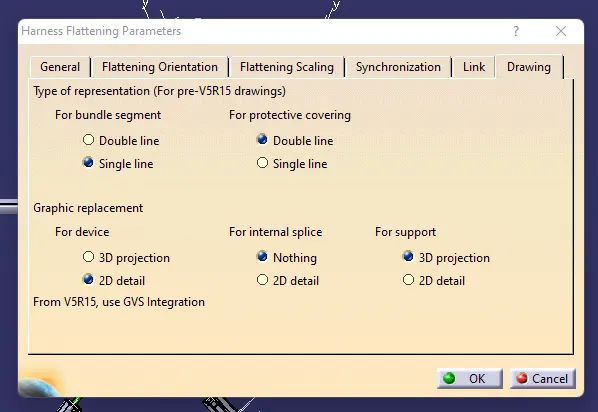
- define harness flattening parameters.
- While defining in drawing section select single line for bundle section and double line for protective covering to differntiate between wiring bundle and cot tube in drafting.
Now,
Select Extract option and select geometrical bundle file to import harness assembly.
Then select flattern option and select active plane and select all branches make sure all branches are connected.
now save using save managment to avoid errors.
For drafting
Create new drafting file
Insert title block template
then add front view by selecting same face which we use to flatten the harness asembly.
now go to properties of view and select 3D wiredrame on and is always visible option in order to see the wire bundle, connector and protecting covering properly.
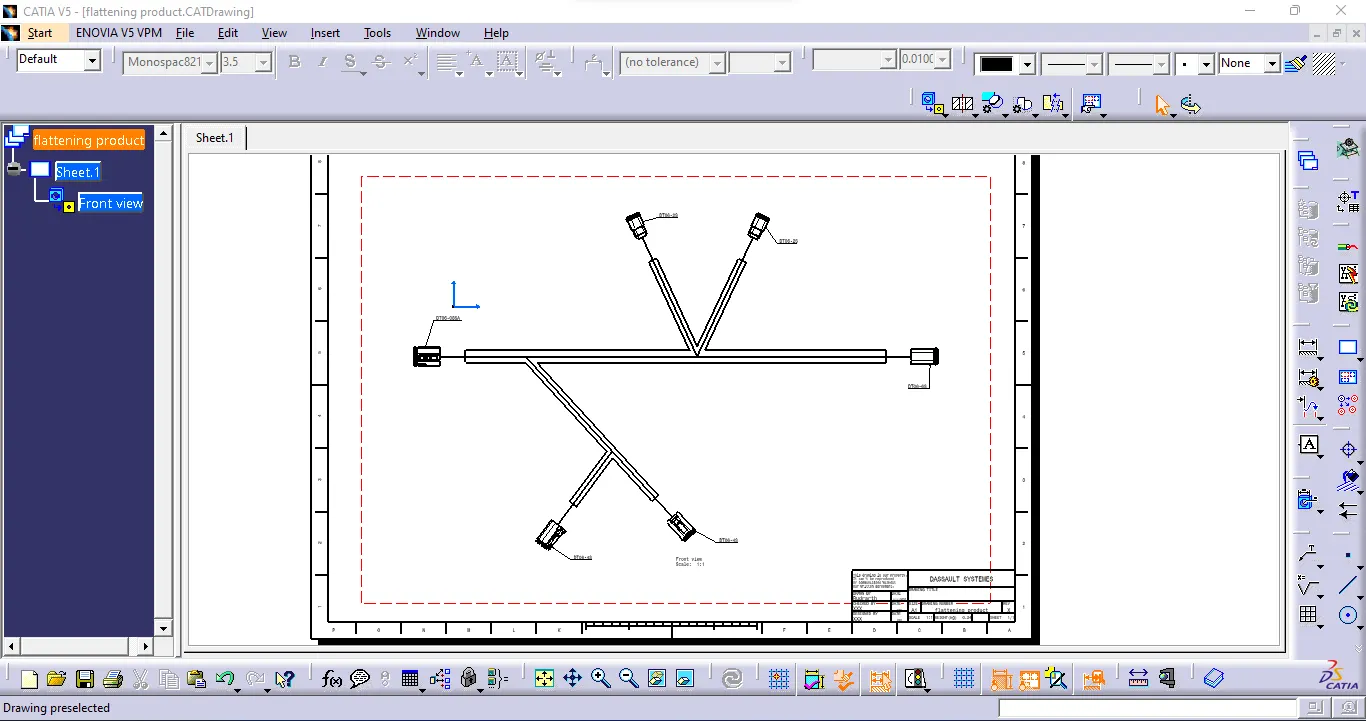
PDF file of drafting is attached.