Wiring harness design in CATIA V5 - 3D modeling Week 7 Challenge
Wiring harness design in CATIA V5 - 3D modeling Week 7 Challenge
Q1. Flatten the harness assembly completed in “ week 4 challenge”. Place the flattened view on drawing sheet. Ensure bundles with protective coverings has different visuals on drawing view.
-> FLATTENING
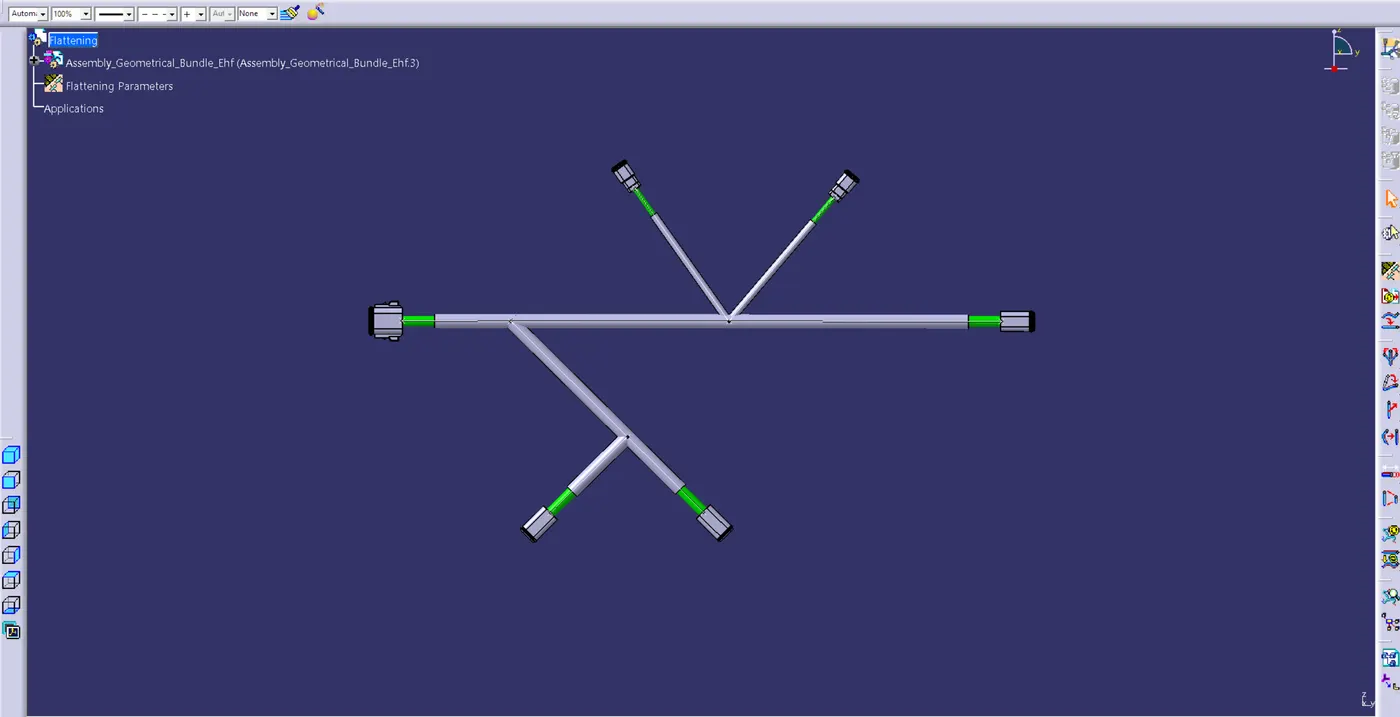
To flatten a wire harness, create a new product file, select Electrical Harness Flattening, and save it in the same location as the flattening product.
Navigate to the constructed part in a new window and pick the harness flattening parameters. Click the extract button in the flattening product first, then select the final product (upper left corner) in the actual product file to import the product. The product is shipped in order to be flattened.
To pick the active plane, click the flatten command, then click the connector face and select "OK"
-> DRAWING
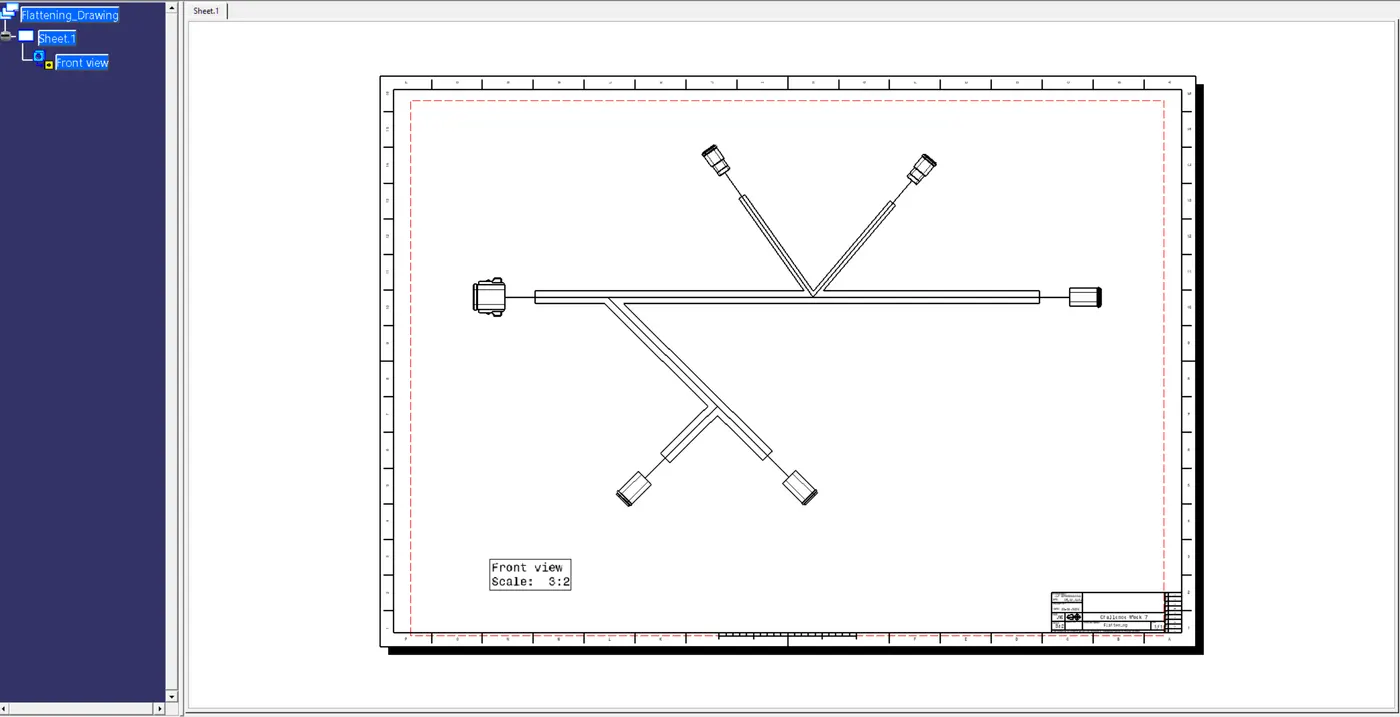
Make a fresh drawing and store the document. Choose front view, return to the flattened model, click on the connector's flat surface, select each bundle individually, and then click "OK." After left-clicking the sheet to correct the image and add the documentation details, a 2D representation is displayed.