Wiring harness design in CATIA V5 - 3D modeling Week 7 Challenge
Wiring harness design in CATIA V5 - 3D modeling Week 7 Challenge.
Q1. Flatten the harness assembly completed in “ week 4 challenge”. Place the flattened view on drawing sheet. Ensure bundles with protective coverings has different visuals on drawing view.
Ans). In this challenge i make wiring harness assembly to flatten with the application of "flatten command  " in "Electrical harness flattening workbench".
Following are the steps to flattening the wiring harness assembly.
- First complete the wiring harness assembly.
- Then open"Electrical harness flattening workbench" which you find in "Electrical harness discipline". Then apply "harness flattening parameter command
 " .
" . - Then open the both Wiring harness assembly and Electrical harness flattening workbench windows vertically side by side. As shown in below image.
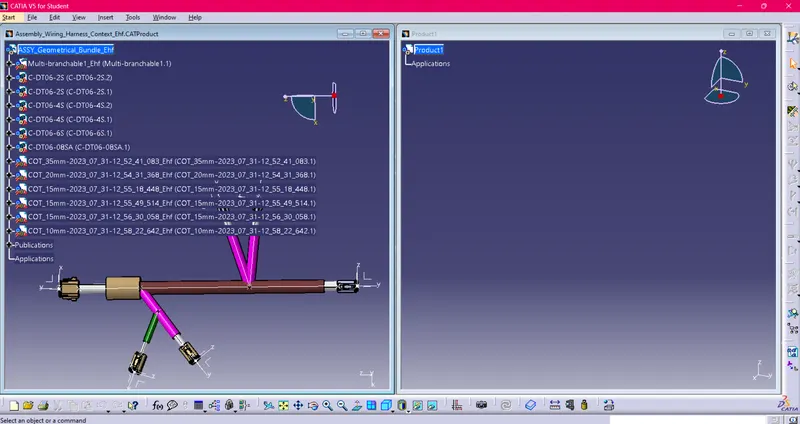
- Then import the Wiring harness assembly to another window for fattening operation and apply the "flatten command
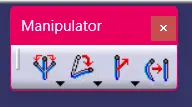
 ". And you can adjust the branchs using of Manipulator command such as Rotate, Bend, Roll, Quick roll and Straight. As shown in below image.
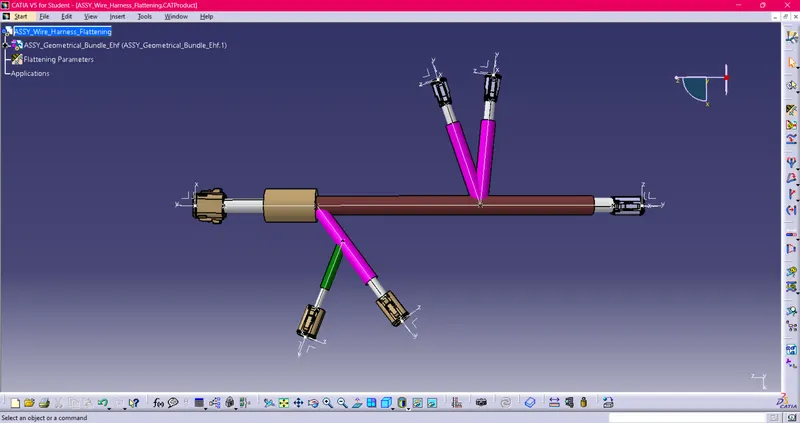
- Place the flattened view on drawing sheet:
And once you done with Electrical harness flattening operation then open the "Drawing workbench". Then select the sheet size as iso standard then agani open the "Electrical harness flattening workbench" and "Drawing workbench" windows vertically in Drawing workbench select the front view command and place the cursor of planar surface of connector click mouse right button. Now Electrical harness flattening view is available on drawing sheet and you can adjust that position with the application of manipulator tool available at right top corner. Once you done with desired positioning click on sheet then you can saw the 2d drawing of electrical harness flattening model make sure you have tick-yes on wireframe always visible option in graphic properties of a sheet properties.
NOTE:
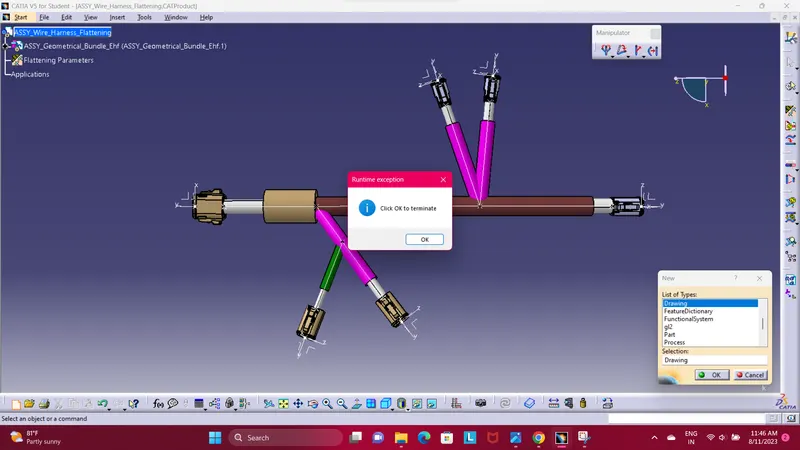
Here in this challenge i am not able to apply DRAWNING Workbench because of catia software error. That why i am not created Drawning Sheet for flatten model. Even i tried uninstalled and reinstalled the software but the same error pop-up. Regarding this error i attend the session but mentor even cant help because it software issue he said, and advice to try uninstalled and reinstalled software. Maybe work.