Wiring harness design in CATIA V5 - 3D modeling Week 7 Challenge
Objective: To Flatten the given harness assembly, Place the flattened view on drawing sheet and Ensure bundles with protective coverings has different visuals on drawing view.
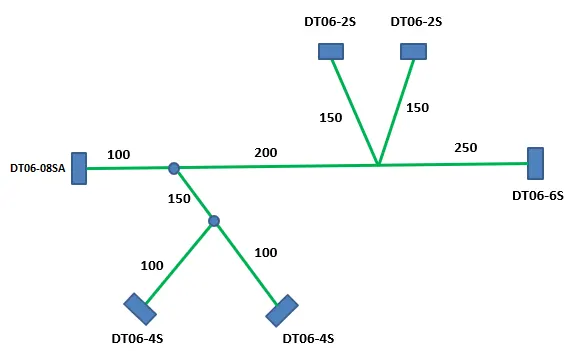
Given data:
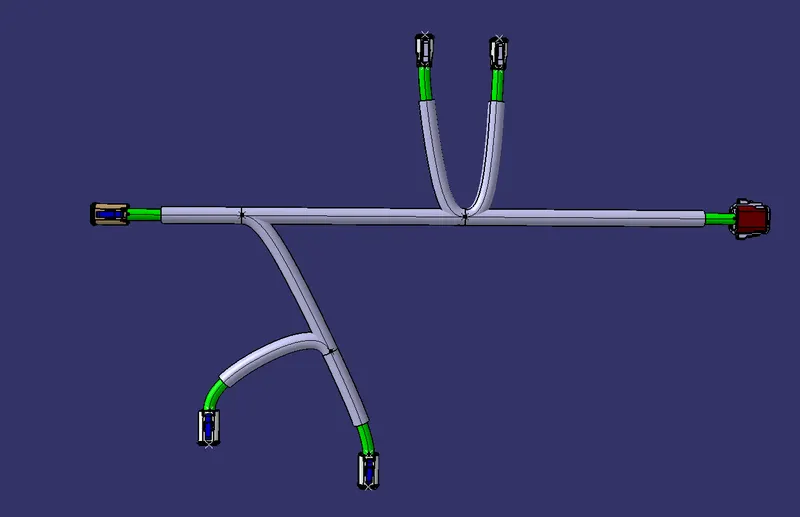
HARNESS ASSEMBLY:
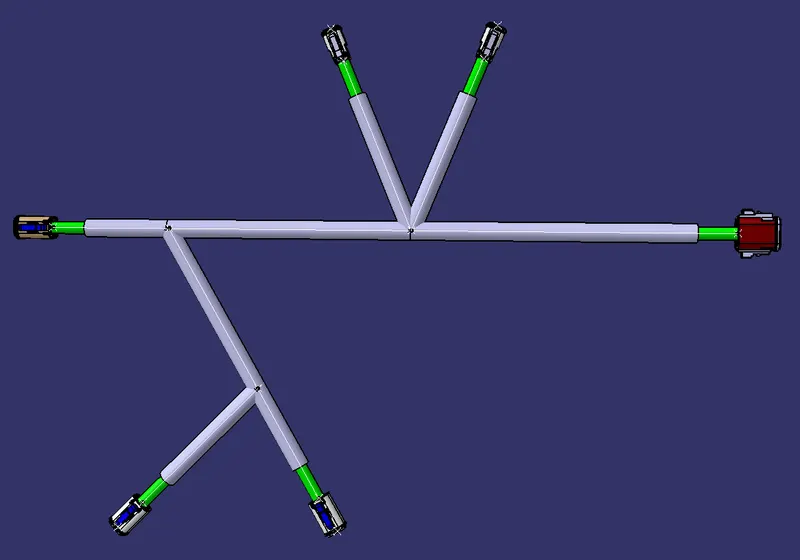
HARNESS FLATTENING:
- We go to the harness flattening workbench and define the flattening parameters.
- We use the extract command to bring the harness assembly to the flattening workbench here.
- Choosing a suitable plane, we flatten the harness assembly.
- Bundle segments are rotated at the required angles. the harness assembly is then drafted.
- Flattening parameters are defined to make the bundle and the corrugated tubes visible in the 3d drawings.
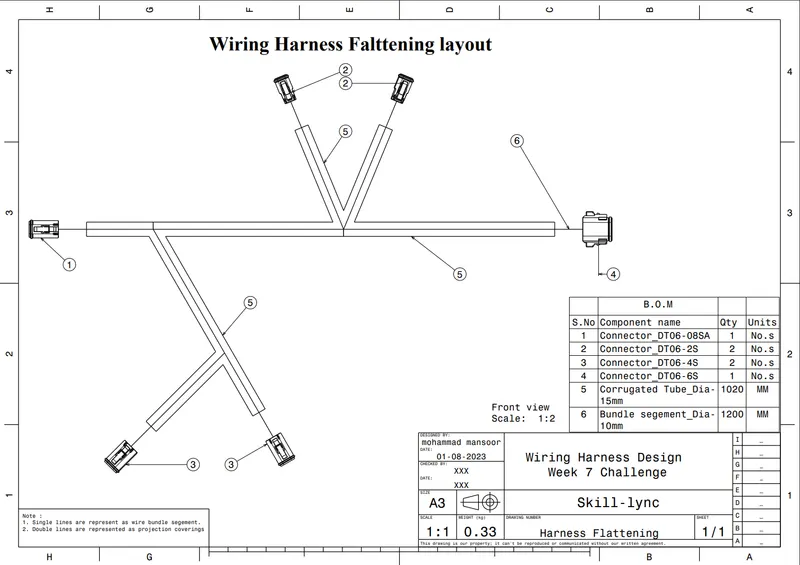
DRAWING REPRESENTATION:
Following data is necessary on OEM harness drawings:
- Drawing templates and details. (parts number, rev, sate holders, sheet details)
- Harness layout/Line drawings or flatten drawings.
- Diemensions.
- Connector views. (Wire entry)
- Fuse and Relay box view and component placement details, Label views.
- Protection and size, location, and representation of type of protection used.
- Bill of material (part number, qty, units)
- Connection table / circuit table with wire specifications (gauge, type colour, length)
- Orientation, position of all fixing parts.
- Generic notes for specifications of devices (CAN cables, Twisting)