Wiring harness design in CATIA V5 - 3D modeling Week 7 Challenge
Electric Harness Flatten
Electric Harness Flatten is product which is intended to flatten 3D Harness in order to create associated 2D drawings and apply dimensions, annotation and dress-up elements to provide more details and improve aesthetic look of drawing to make it easily understandable.
Electric Harness Flattening offer the following main functions:
- Flattens segment, electric products and electric geometrics

- Arrange junction

- Straightens segments

- Rotate and Bend branches

- Rolls branches

- Scale branches

- Update flattened views at any time during the session

- Synchronize the product

Procedure for Electric Harness Flattening:
- Go to electric harness flatten module
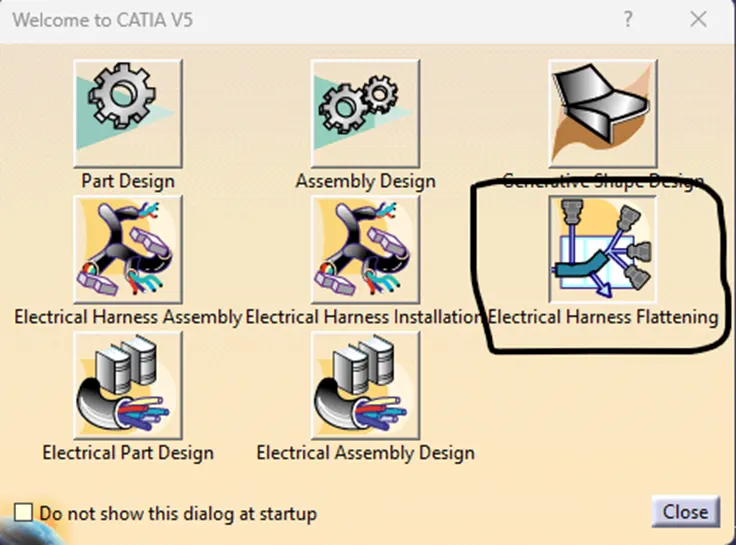
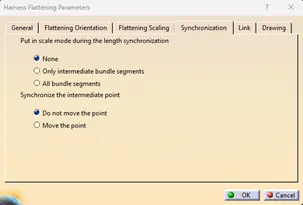
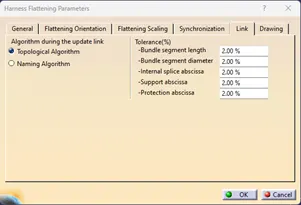
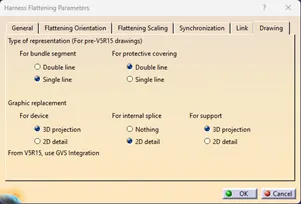
- Select Electric Harness Flatten parameter

- Add all the parameter as required, some normal parameters are shown below
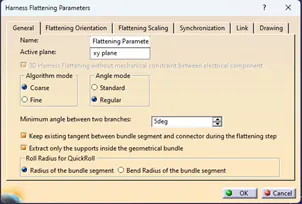
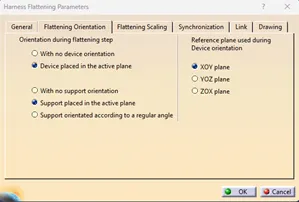
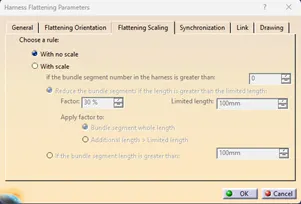
- Select Extract
 and select the harness that is needed to be flattened
 - Select the Flatten command
 and it will open dialog box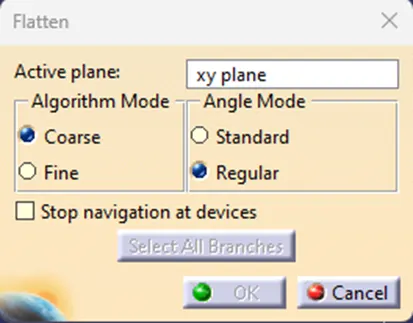
- Here, we select the algorithm mode and angle mode, important is ‘active plane’ because all the harness will be flatten to this plane (We can also use connector surface a plane)
- Once the harness is flattened, we can make the changes in the harness using the Flattening functions
- Save the file in same location as the product file
- We can now create the 2D drawing of the Electric Harness
- Go to ‘File>New>Drawing>Ok’
- Just like normal part drawing insert the front view of the Electric Harness
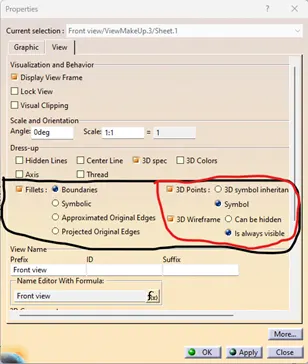
- Right click the Harness drawing>properties, make some properties view changes, so we can see the wires and connectors in drawing
- Add the required details of the Electric Harness Drawing manually and save the file
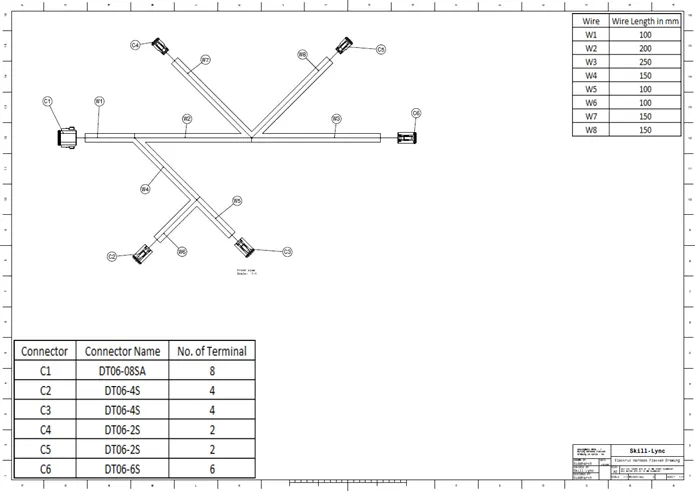
Result: The Electric Harness Flattening is properly created and the drawing of the same is also created with necessary parameter that are needed to include like connectors information, Wire information and Cot-Tubes information.