Wiring harness design in CATIA V5 - 3D modeling Week 7 Challenge
REPORT
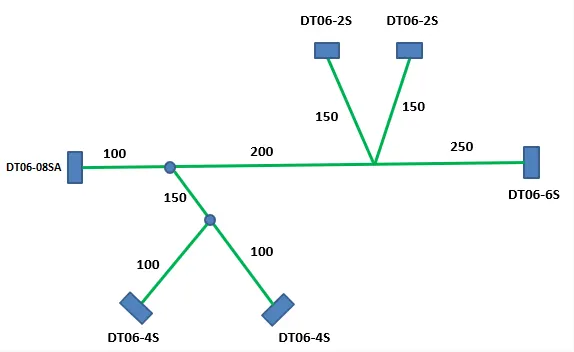
Aim: To Flatten previously made wire harness assembly using the CATIA Electrical Harness Flattening Workbench following the same layout provided and also to place the same in Drawing sheet.
Step_1:
Creating a new product file and enter the Electrical Harness Flattening Workbench. Save it in the same folder where the Harness product is saved.
Step_2:
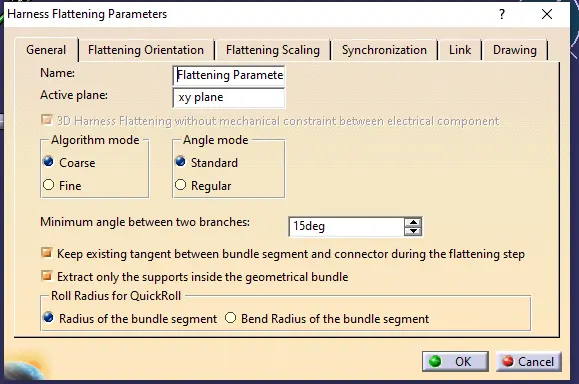
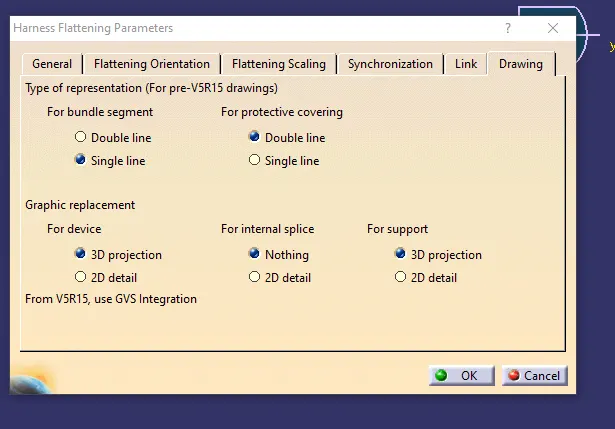
Define the Flattening parameters which is must required before proceeding Flattening. The parameters I used is shown in snip.
Step_3:
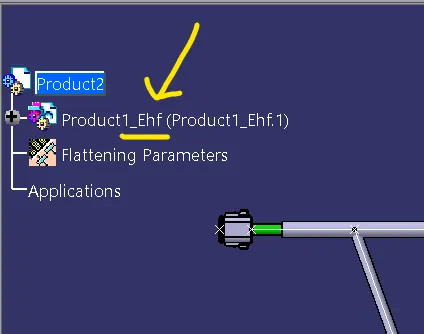
Use Extract option to copy paste our product file here, it is noticed that the original name is being saved with an extension of “_Ehf”.
Step_4:
Now click ‘Flatten’ option and select one Bundle, then in popup menu click ‘select all bundle’ to do the same, this option works only when my Bundle segment is fully connected, hence it should be ensured.
Step_5:
The required structure is made using Rotate and Roll command available in the same workbench.
Step_6:
Now use save management to save in proper folder, I.e in the same directory where my Bundle product file is saved to avoid instance of broken link.
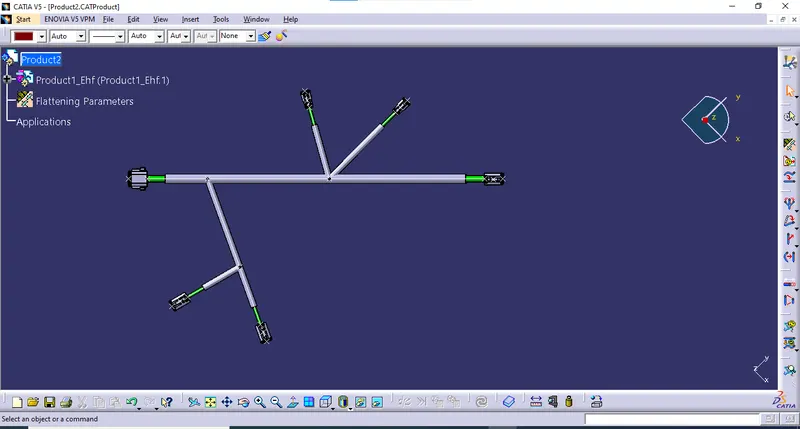
Now for Drafting;
Step_7:
Create new Drawing file, save it in the same folder where Flattened file is saved.
Step_8:
Click on front view option and select the required plane in the Flattened window, it is recommended to select any face on the connector which we used for annotation.
Step_9:
Every time if the main model is changed we need to rebuild the drawing file by checking ‘is always visible’ option available in ‘3D Wireframe’ tool by right click on the drawing layout and inside checking properties.
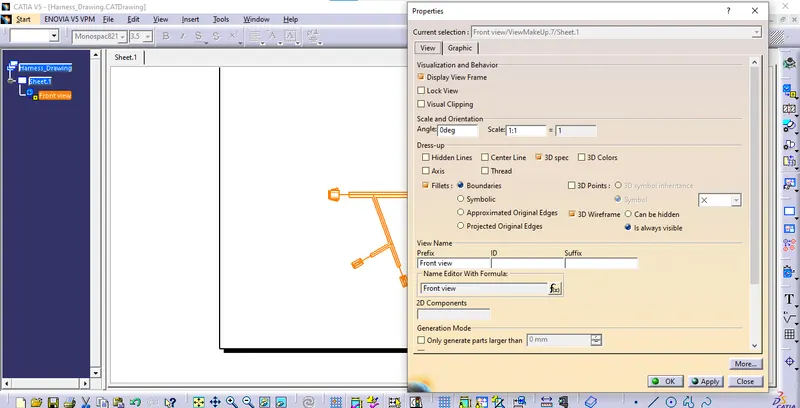
Step_10:
Finally add Annotations for naming connectors and telling umportant notes etc.., and save the all in same files.
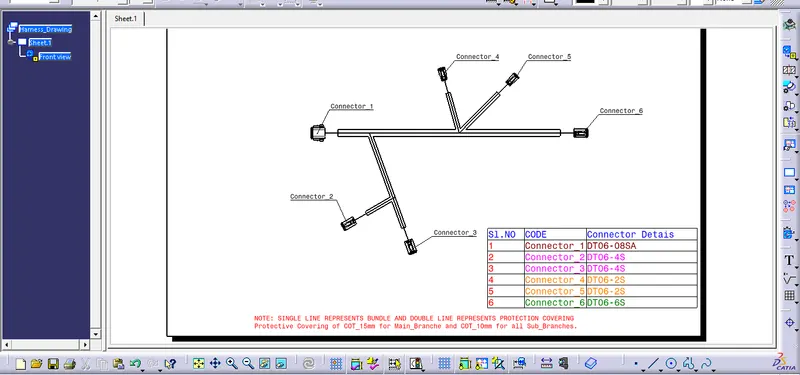
This completes our requirement…