Wiring harness design in CATIA V5 - 3D modeling Week 7 Challenge
Week 7 Challenge
Objectives:
- Flattening the harness assembly completed in “Week 4 challenge”.
- Place the flattened view on drawing sheet (bundles with protective coverings need to be represented with different visuals).
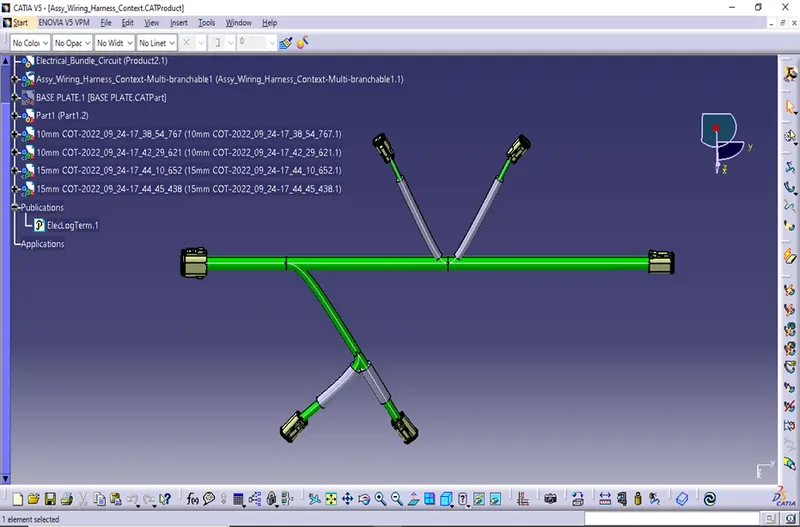
Fig.1
The above figure shows the routing done in week 4 challenge with added protective covering.
- Flattening the given harness layout
First make sure that the flattening file is in the same folder where you have all the parts of the harness assembly.
The following procedure has been adopted to create harness bundle flattening.
- Switch to Electrical Harness Flattening workbench.
- Create new product file and define the Harness flattening parameters.
- Rotate or bend the bundle segments in desired orientation.
- Streamline the flattened bundle segments by using bend or roll features
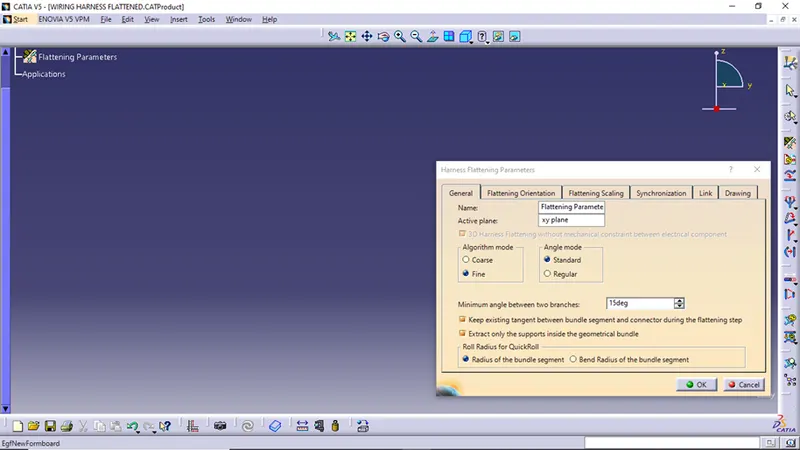
Fig.2
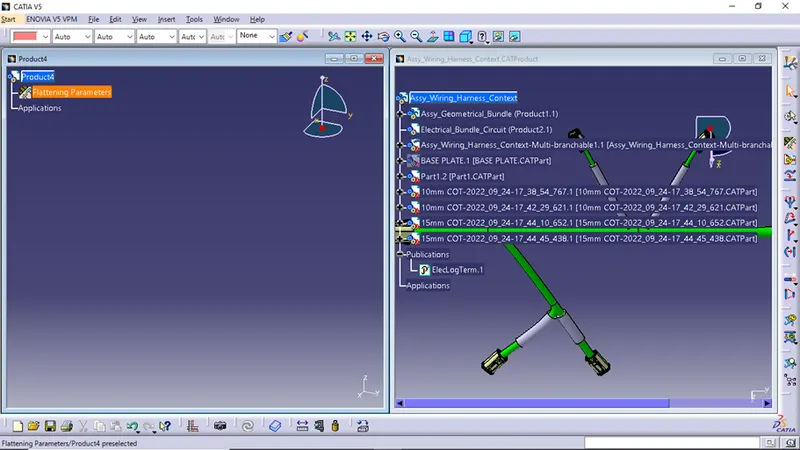
Fig.3 Tile the windows vertically
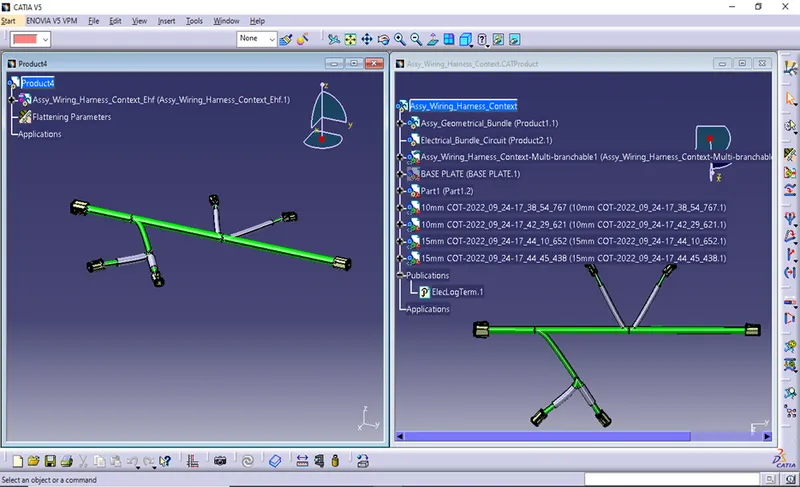
Fig.4 After extracting
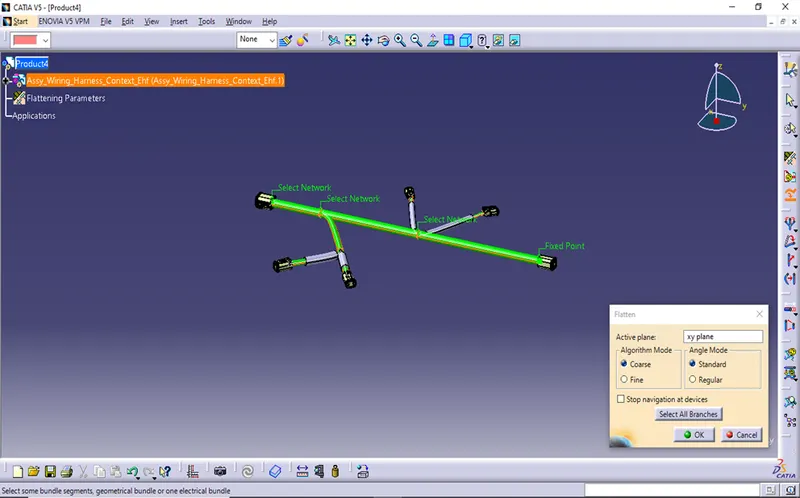
Fig.5 Before flattening
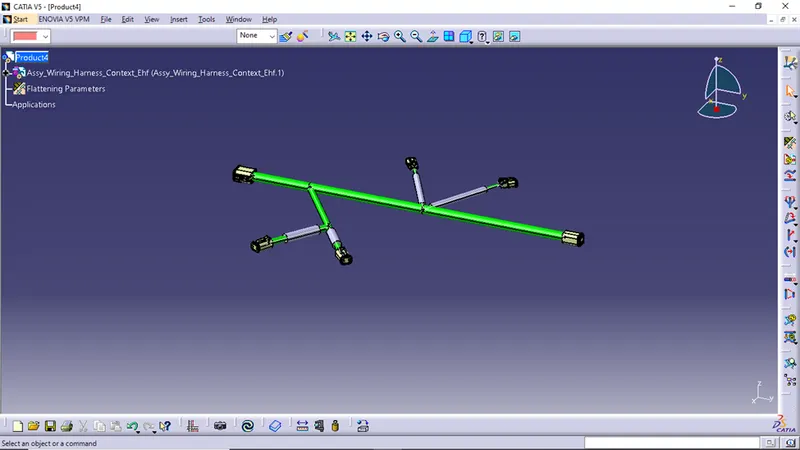
Fig.6: After flattening
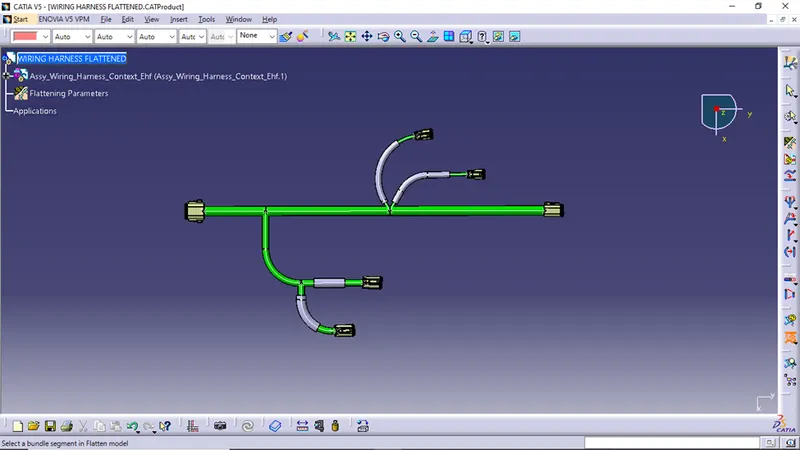
Fig.7: After using the features mentioned in step4
- Placing the flattened view on drawing sheet
The following procedure has been accepted to create drawing of harness bundle flattening.
- Set the necessary parameters in harness flattening.
- Create a new drawing file.
- Insert view of flattened wiring harness into drawing file.
- Define drawing properties.
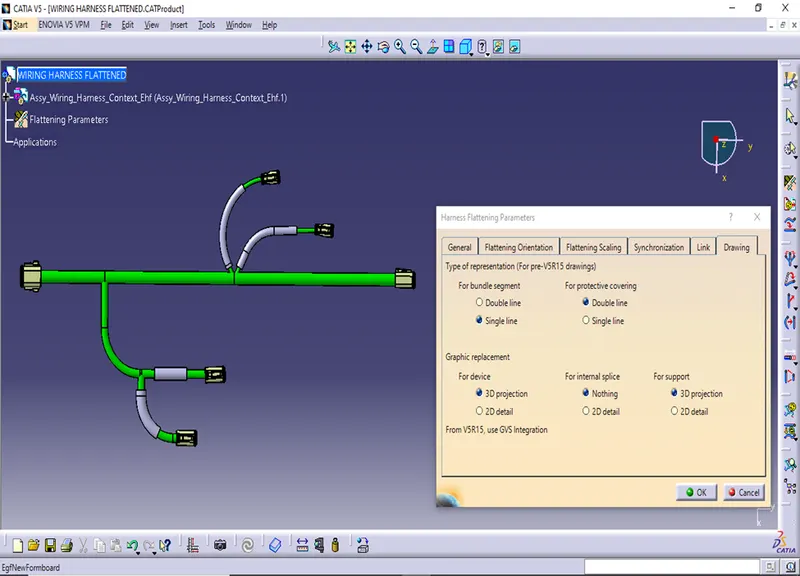
Fig.8: Setting harness flattening parameters
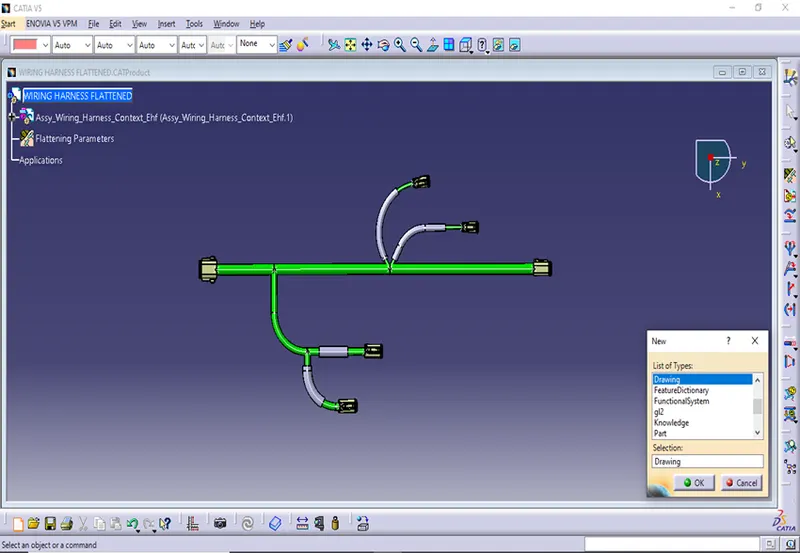
Fig.9 creating drawing file
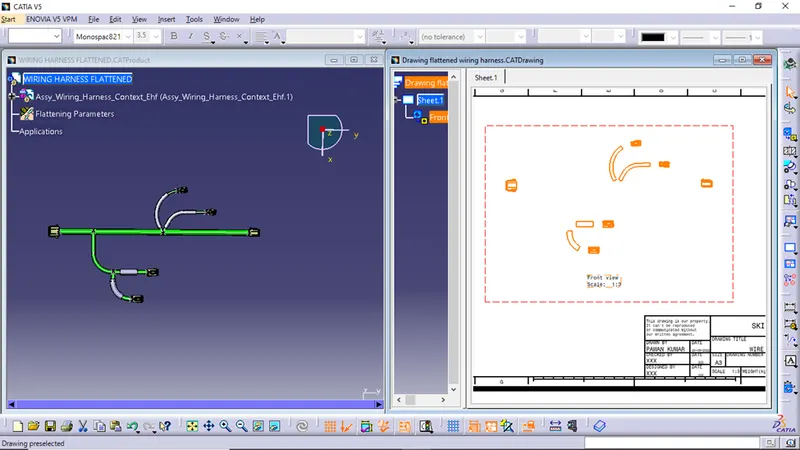
Fig.10 After inserting view
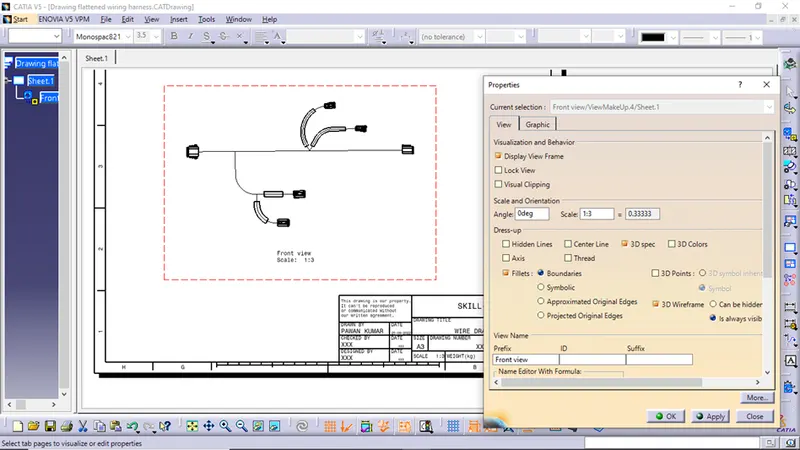
Fig.11: modifications in view properties
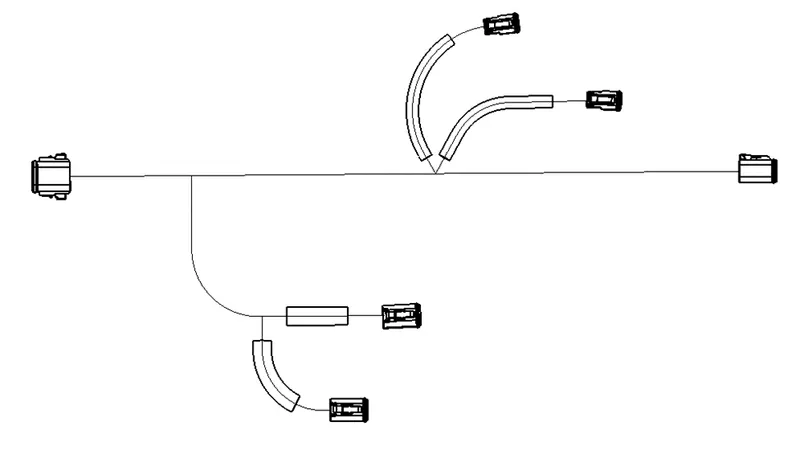
Fig.12: Final drawing view