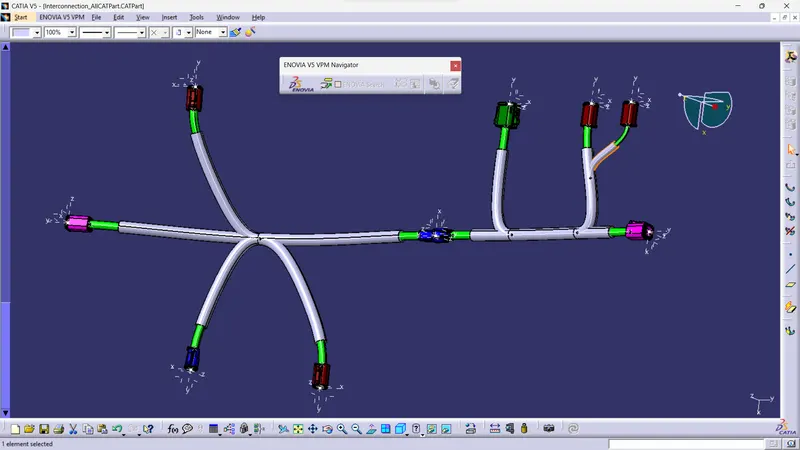
Wiring harness design in CATIA V5 - 3D modeling Week 5 & 6 Challenge
Doownload required cad files of connnectors.
define it as electrical part
arrange according to given diagram
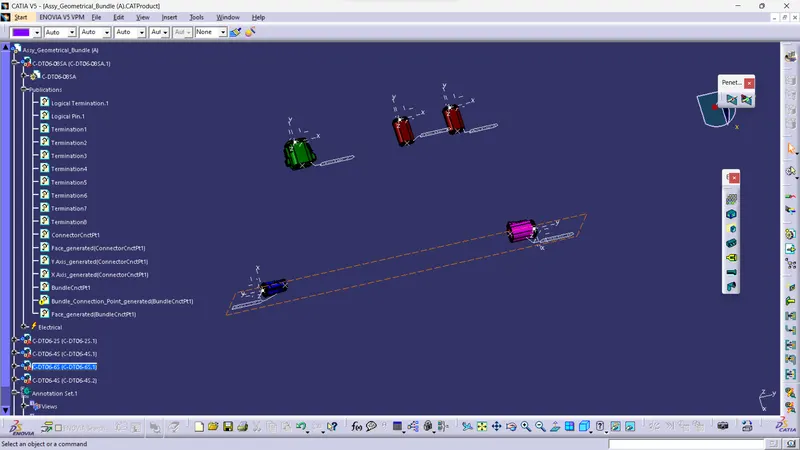
create new product file.
file>new>product>ok
Rename it as requirement
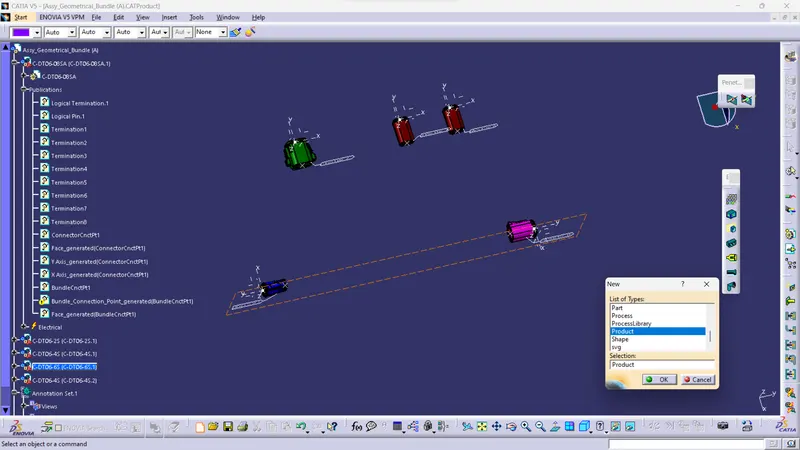
add file wich we created before in it
open it in electrical harness assmbly
define it as geometrical bundle
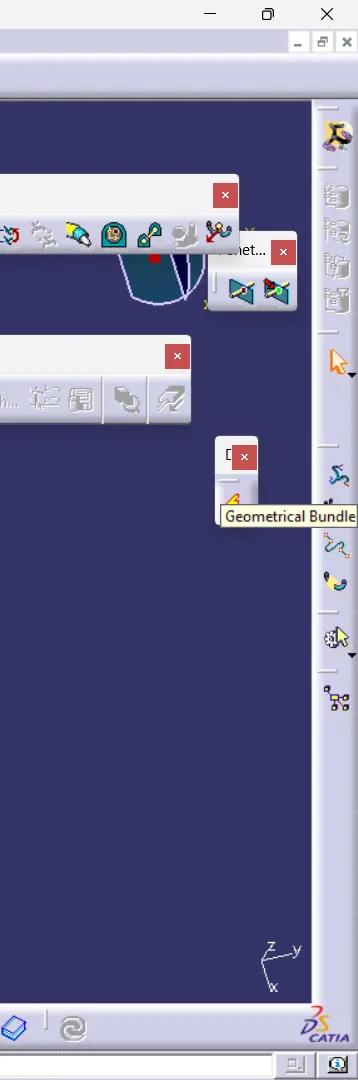
rout harness according to diagram given
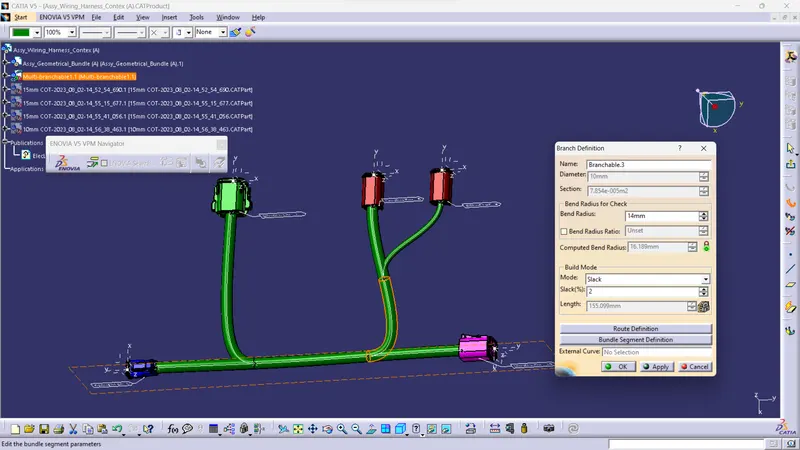
provide protective covering
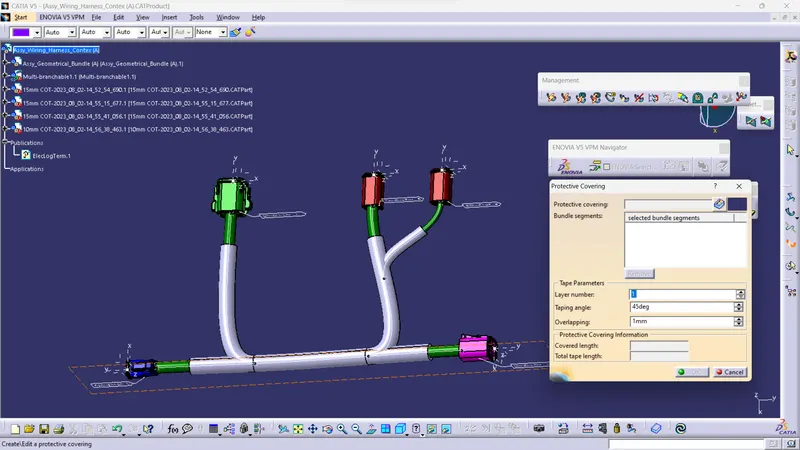
Complete two files for product A and Product B by processes descibe above.
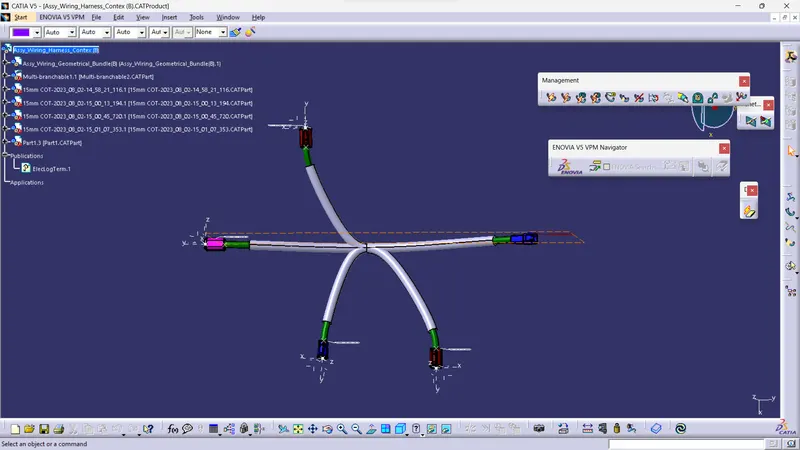
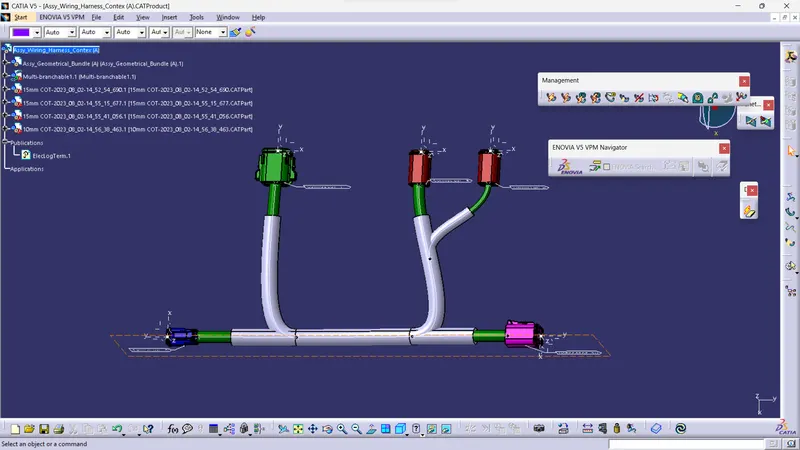
Annote All connnetor using Assembly Design
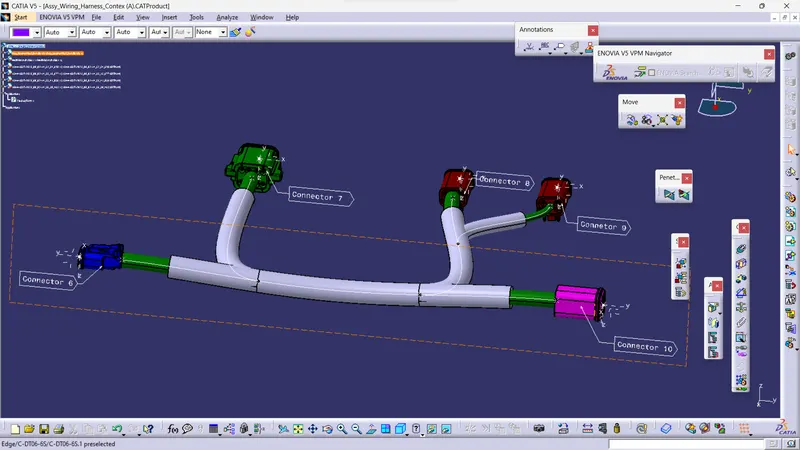
Create new product file and add both A and B file int it
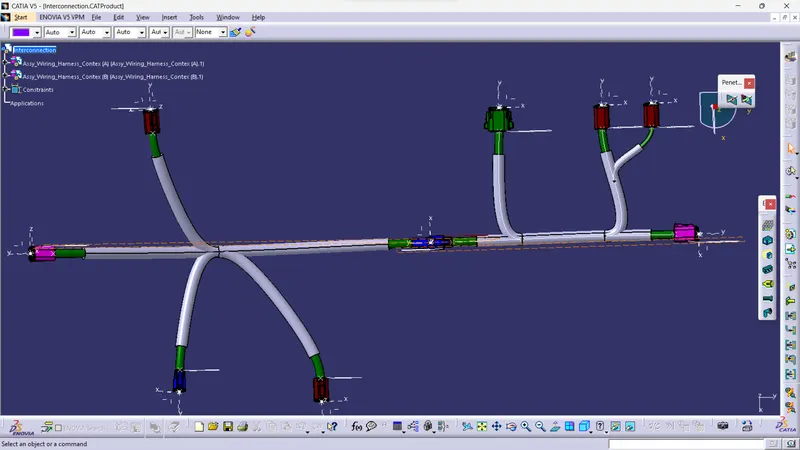
then switch to electrical Assembly Design.
and use connect electrical device command to interconnect A and B file.
Check Wether all Bundle segment is connected or not.
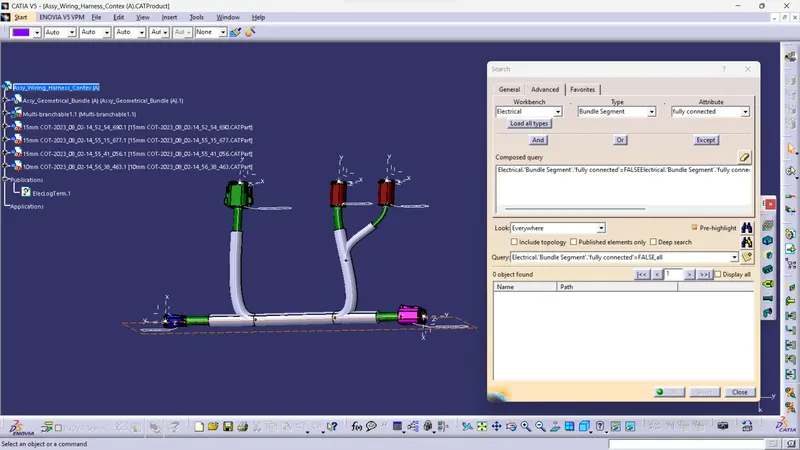
Edit>Search>Advance>Electrical Workbench>Select Bundle Segment>Attribute(Fully Connected)>Attribute (false)>search.
Convert Assembly file in to CATpart (iges)file
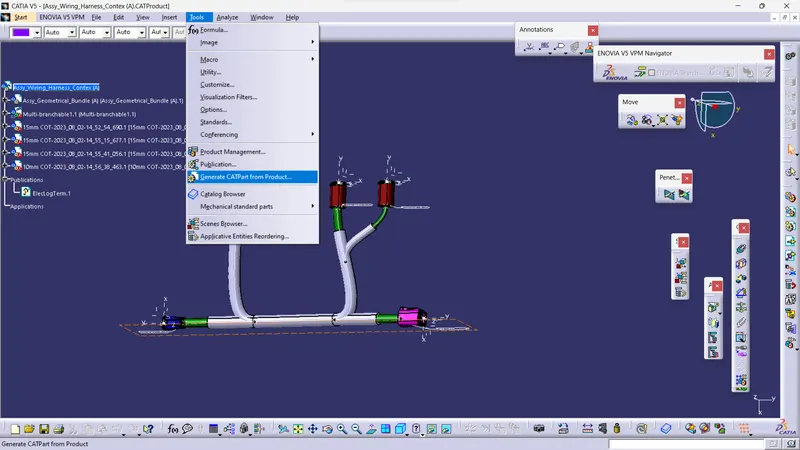
Tool>Gentrate CATpart>rename>ok>save>sellect file type (iges)>save.