Wiring harness design in CATIA V5 - 3D modeling Week 5 & 6 Challenge
Dear Team ,
I have attached cat part and igs file for your reference.
Define Connector:
I defined the mechanical part as electrical connector by providing connector connection point and bundle connection point.
Creating Bundle segment:
In the Electrical harness assembly workbench, making the product to geometric bundle and routing done by using bundle definition command.
Connecting the 2 harness assemblies:
After creating the 2 various harness assemblies , added those into the new assembly . conncted the 2 assemblies using connect device option in the assembly design work bench .
Checking for continuity:
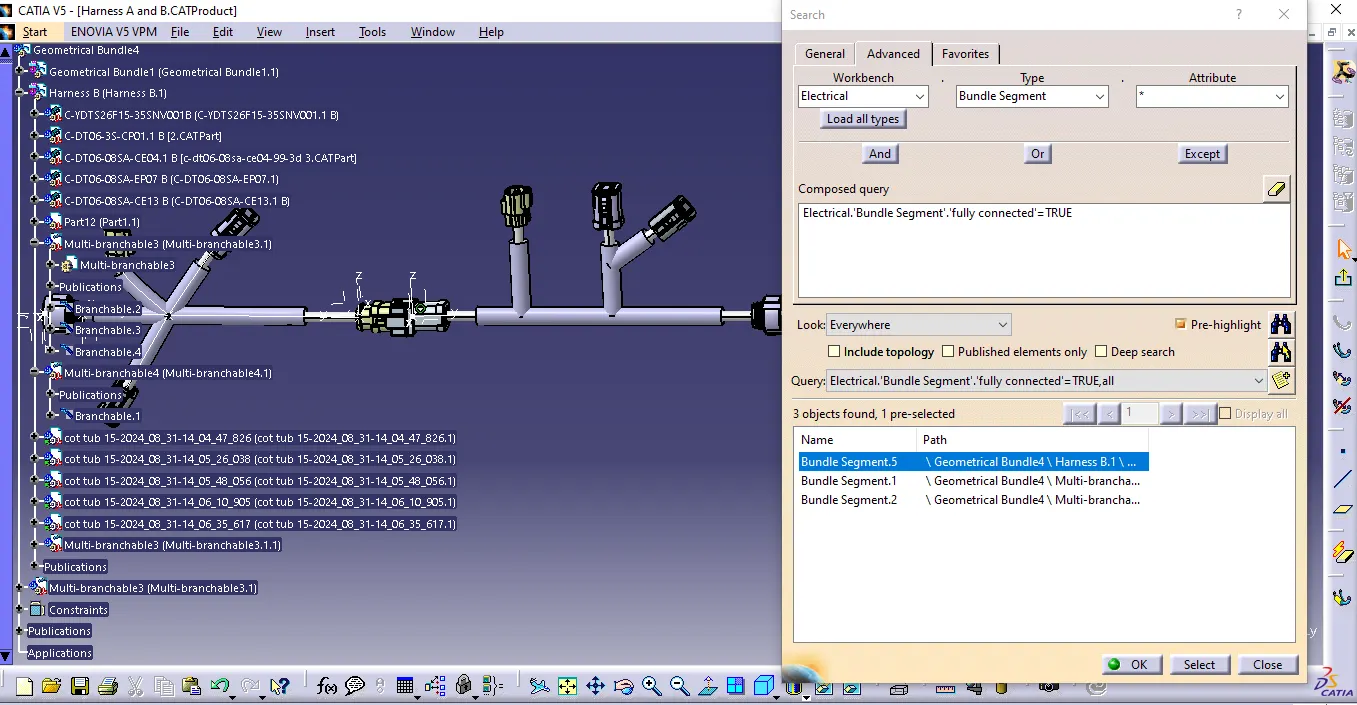
Using search option , the bundle segment continuity verified.
Annotation:
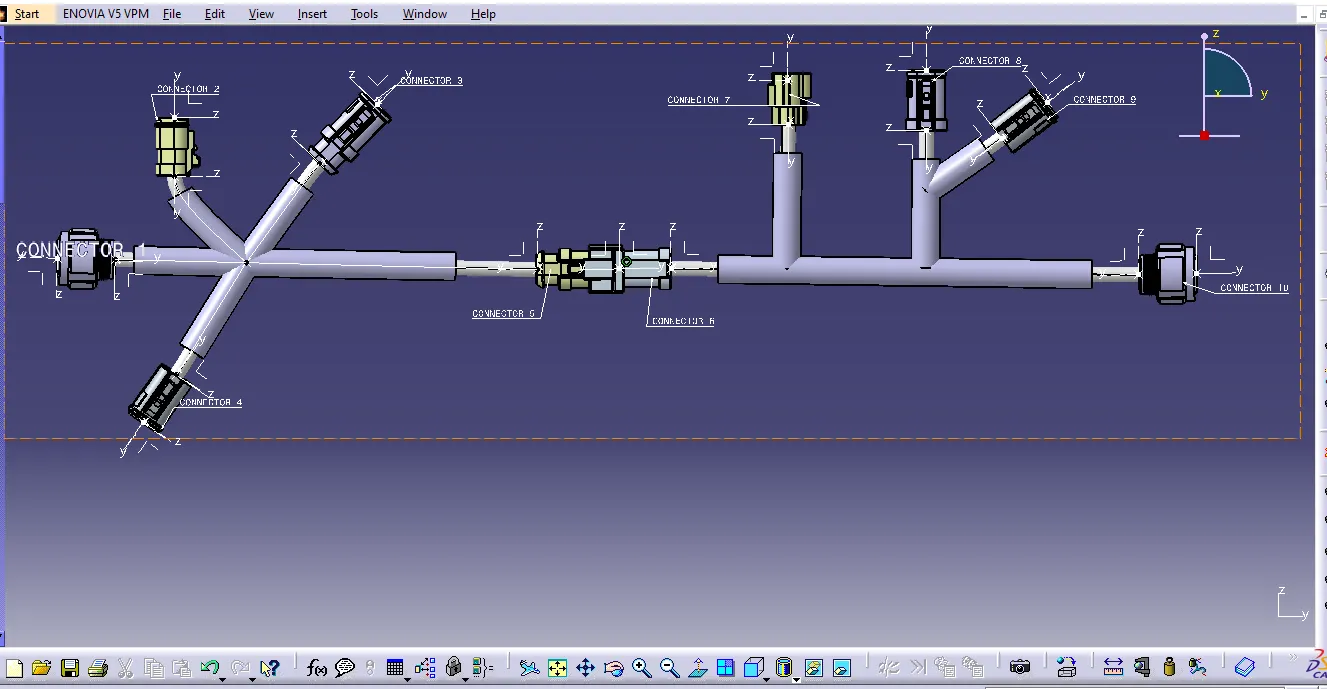
In the Mechanical assembly design workbench, annotation done for all parts using Text leader option.
Geometric bundle warning:
checked for bundle warning and found all bundles ok.
Save as Cat Part.
Product file saved as Cat Part file using Generate part from product option . and also saved as igs format.