Wiring harness design in CATIA V5 - 3D modeling Week 5 & 6 Challenge
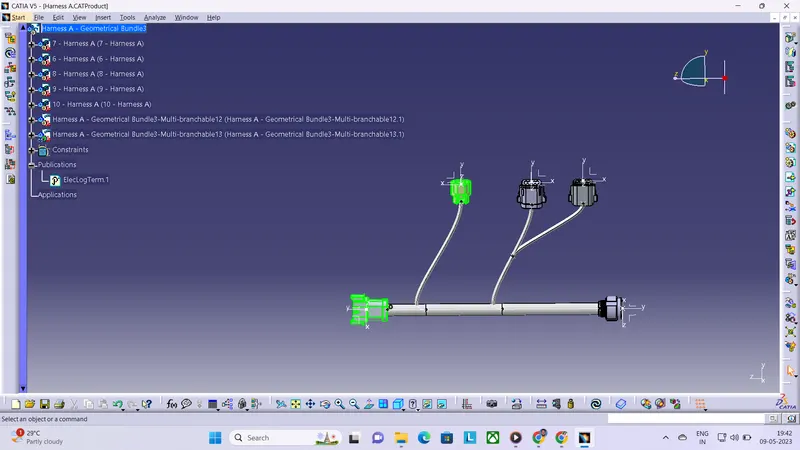
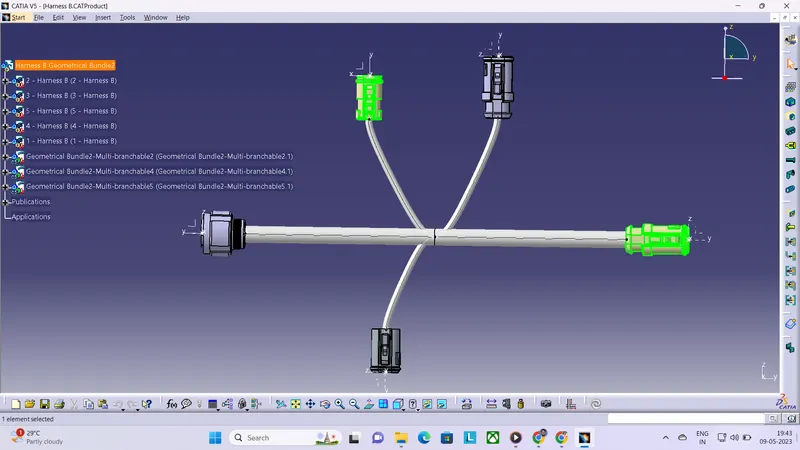
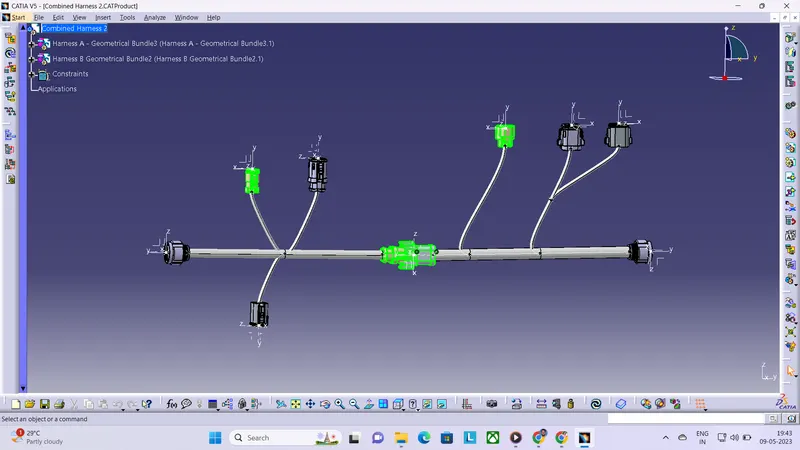
REPORT : In this challenge, we are given with different connectors and we have to assemble them as harness A and harness B as per the routing diagram given. For that, first we have electrically defined all the connectors given in the electrical part design workbench.Before electrically defining the parts, we are creating points and axis systems on these parts and then electrically defining them. Then we are creating specified catalogues and adding these parts onto the respective catalogues.
Now we are creating the wiring harness routing by first making the product file into geometrical bundle in the electrical harness assembly workbench and then for creating branches, we are using multi-branchable document command option and then we are connecting all the connectors together and hence created "Harness A" and similarly we are creating "Harness B". And then taking another product, we are electrically joining "Harness A" and "Harness B" by using connect electrical devices command.And we have checked the continuity of the branches and no imperfections were detected. And finally, we have submitted it successfully.