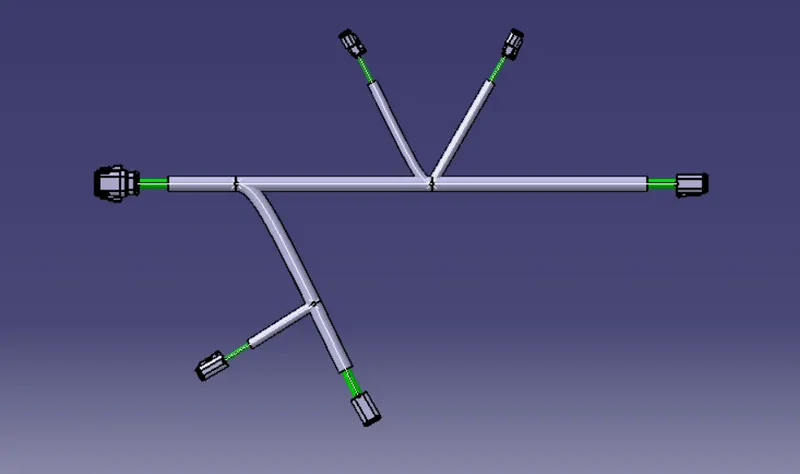
Wiring harness design in CATIA V5 - 3D modeling Week 4 Challenge
CREATING HARNESS ROUTING;
Open a product file ,first create a sketch for to place the connector in requires position,to create a sketch we use part design work bench

After create sub product to make geometric bundle
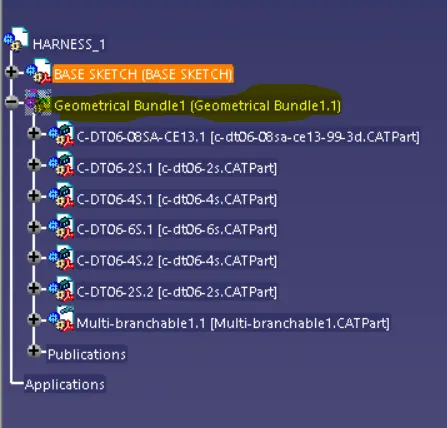
Afterthat add all the connectors what we required for the routing ,in this we used four types of connectors that are
- DT06-4S- 2no's
- DT06-6S-1no
- DT06-2S-2no's
- DT06-08SA-1no
And place all the connectors in required position by using aasembly work bench ,In that there is acommand SNAP and MANUPULATION by using these we move the connectors at required connection

After finishing this we define the geometrical bundle as a electrical product for that we go to electrical harness assembly work bench
In that work bench there is command callled geometrical bundle by using that we define that product as a electrical product

And we create routing for that we use a command called multi branchable  by using this we create branches
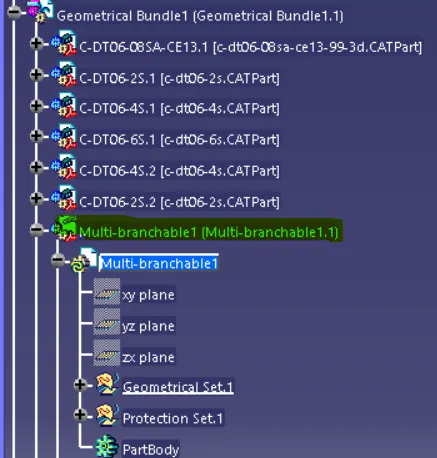
atlast we create protective covering for that we use cot tube ,add cot tube we its required in the catalogue
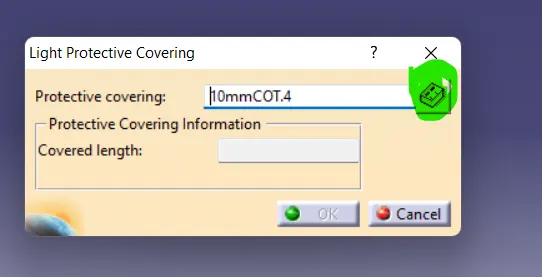
in that our all cot tube available what we added in the catalogue
FINAL HARNESS ROUTING 01;