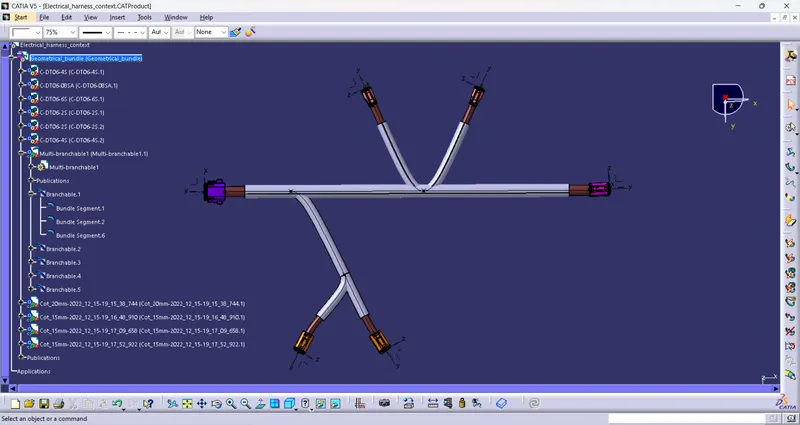
Wiring harness design in CATIA V5 - 3D modeling Week 4 Challenge
Q1. Route the following harness layout in Electrical workbench. Make assumption for harness bundle diameters. Use Following connectors as shown in layout diagram.
Add protective covering on all branches connected to DT06-2S & DT06-4S connectors. Keep end extremity at 30mm (from connectors end)
Download connector 3D data from www.te.com
- First Download the required connectors in 3D Cad file and convert it into electrical part.
1. DT06-4S
2. DT06-6S
3. DT06-2S
4. DT06-08SA
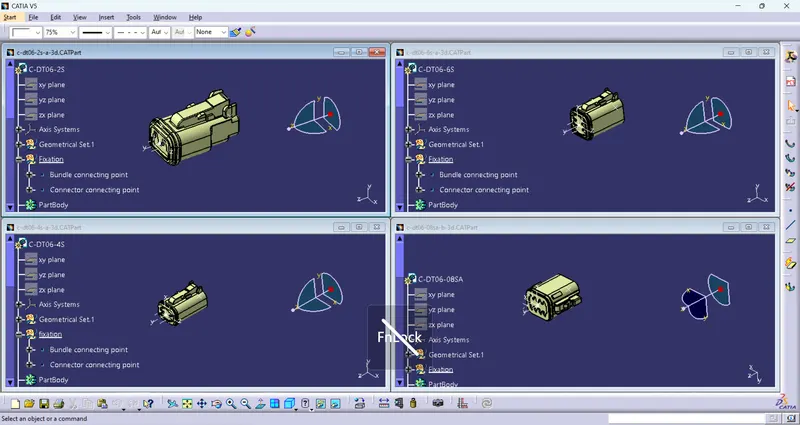
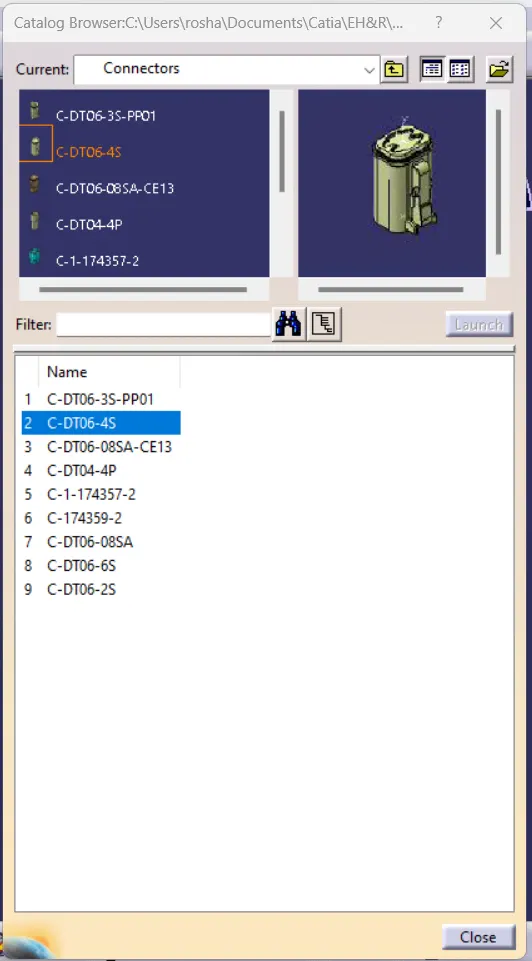
- And then store the connectors into the catalogue.
- Now create a product file named Geometrical bundle and add all the electrically defined connectors part files into it.
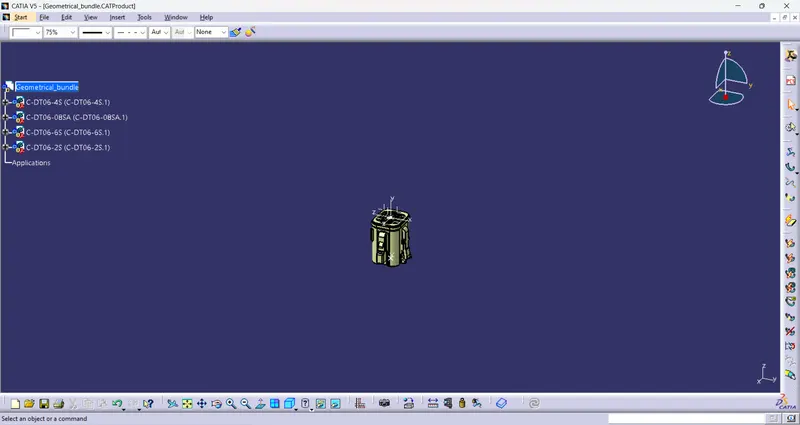
- Manipulate or adjusted all the connectors as per the given harness layout by using move command and compass in Assembly WB.
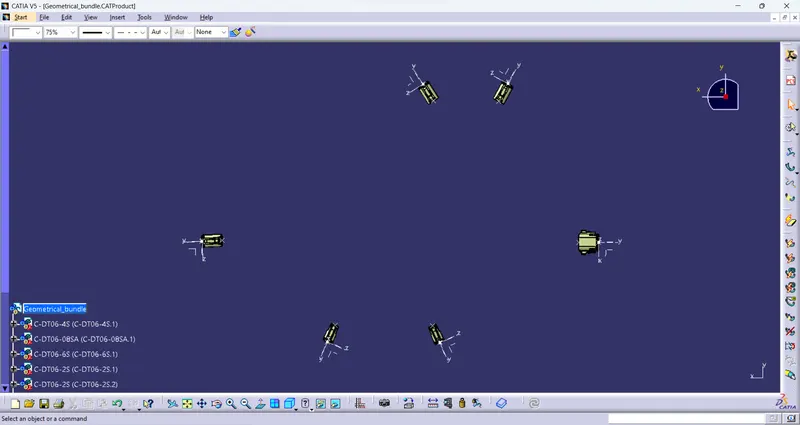
- Now convert the mechanical geometrical bundle product file into electrical product file by using Geometrical Bundle command in Electrical Harness assy WB.
And then create a harness branch between the two coupler by using Branch defination command.
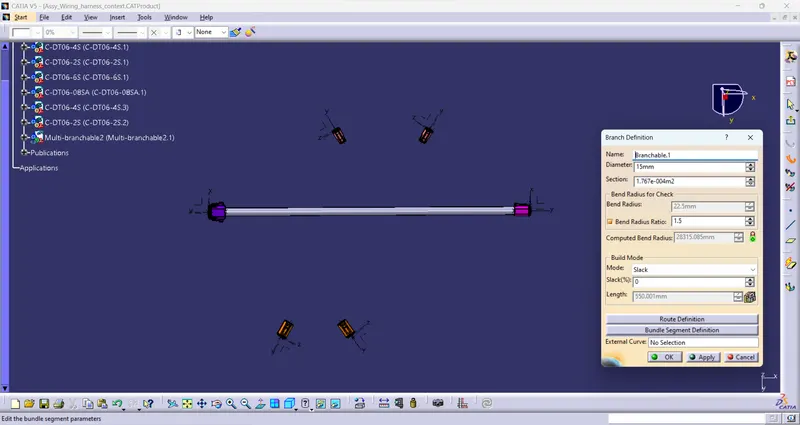
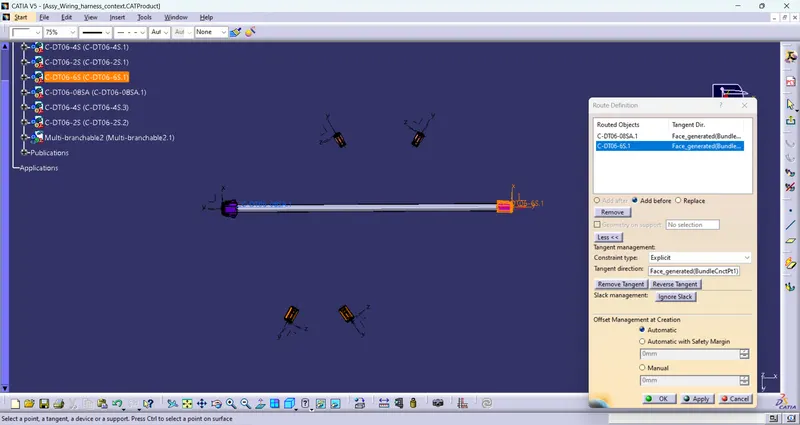
- Split the main harness branch for creating another harness branch at specific point by using Add Branch point command.
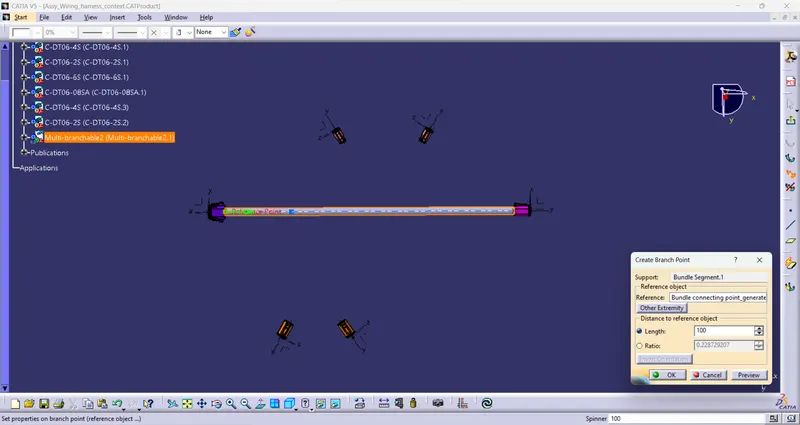
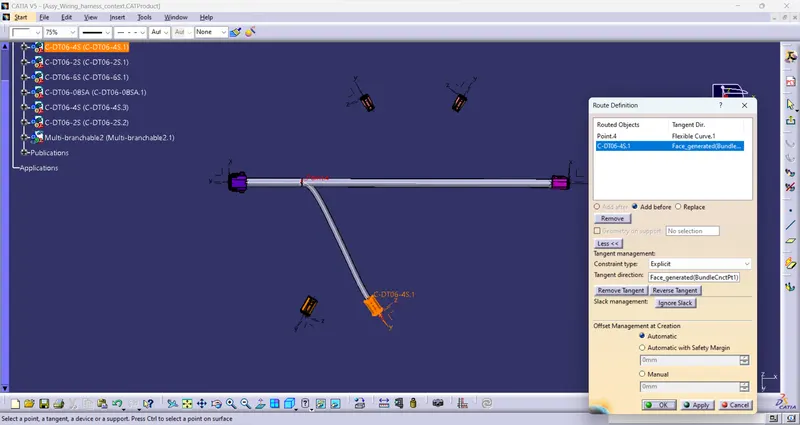
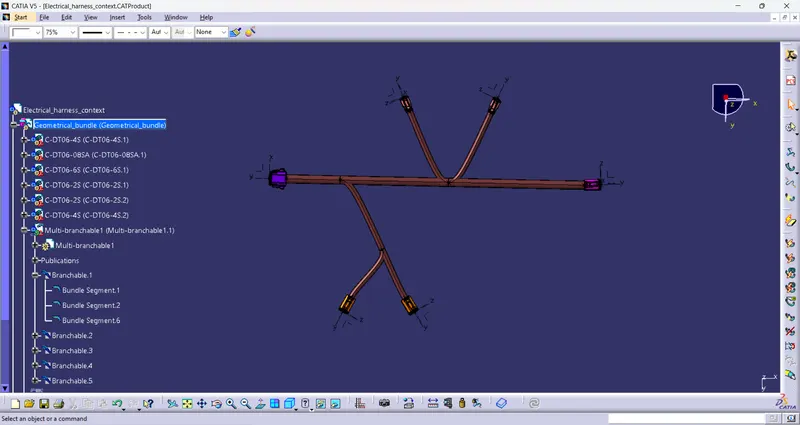
- And now add the protective covering on all branch by using catalogue of COT-Tube.