Wiring harness design in CATIA V5 - 3D modeling Week 4 Challenge
The following steps I have followed to complete this challenge-
After downloading all the required connectors provided in the challenge, I have defined it electrically.
For every connector, I have used the same procedure-
i) Insert a point on the bundle entry side of the connector,
ii) Insert another point on the mating side of the connector (connector entry side) and place an axis system over that point and always ensure that the Y axis should be perpendicular(the coincidence of another connector that is going to mate with this connector)to the surface of the connector and X axis should be taken as orientation os the connector.
iii)After that we have to define it as a connector, which is done with electrical part design workbench,
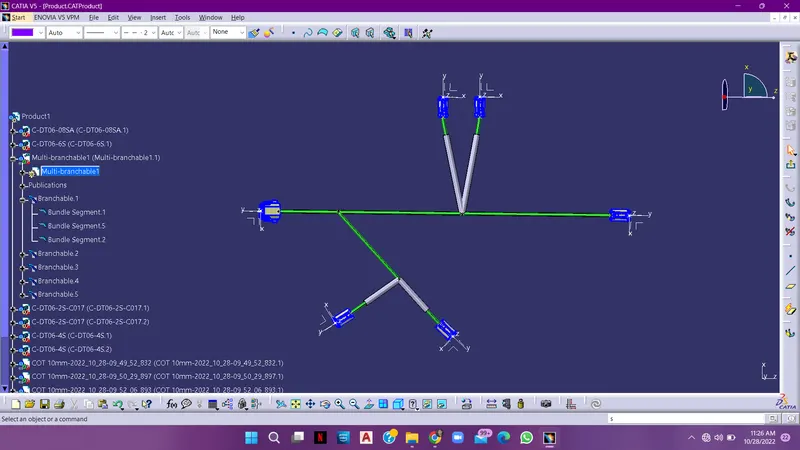
open a new product in catia v5 and add all the required connectors in them and go to electrical harness assembly workbench, and define the present product as a geomentrical biundle and then select a multibrancable bundle command and then start creating a branches by selecting a command called branch point and select the connectors required to add the branches according to the diagram show in this challenge.
and also make use of add branch point command to add the branch in between the existing branch as shown in the figure above.
and at last add protection cover to the branches to protect it. we have to select the protection cover( cot tubes) from the catalogue wich is already been saved in, by prepared with the required diametres as we did in the last challenges.
THE FINAL OUTPUT