Wiring harness design in CATIA V5 - 3D modeling Week 2 Challlenge
Connector Pin assembly
Connector Definition -
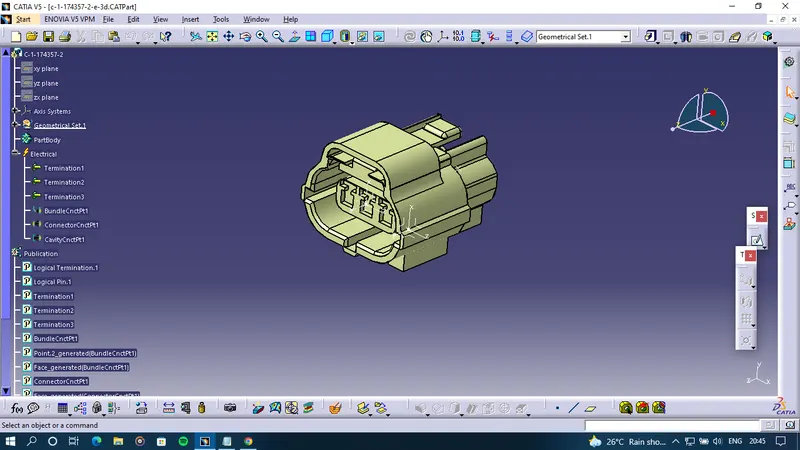
- Created point on the Buddle Entry side and the matting side of the connector.
- Created a standard axis system from the Matting side point with the y-axis showing the matting direction and the x-axis towards the locking mechanism.
-Created a point to the centre of the locking feature for the cavity connection point and created a standard axis system with the same principle of we use a formatting side point. We have to create the same axis system on the clip also.
- Then Defined this part as a connector it is a 3point single insert connector.
- Also, defined the bundle entry connection.
-Further, defined the connector connection point.
-Then defined the connector cavity point.
- By this, we can see that electrical connections are defined as well as the preferences used in the electrical connection shown in the feature tree.
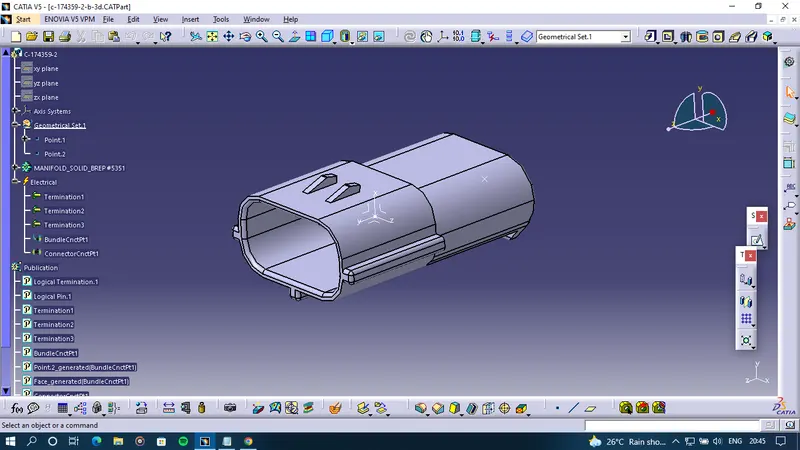
-This hole process is identical for male and female connectors.
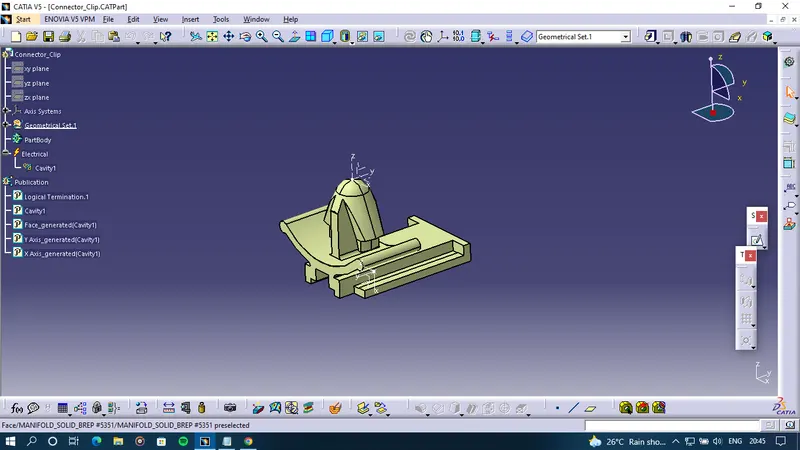
- The Similar properties are mentioned in the clip.
-Made sure that the orientation of the mounting clip and connector should be identical to each other.
- Define the clip as a mounting component.
- The cavity connection point cannot be defined so we have defined it as the hole cavity.
Female Connector after electrically defined
Male Connector after electrically defined
Connector clip after electrically defined
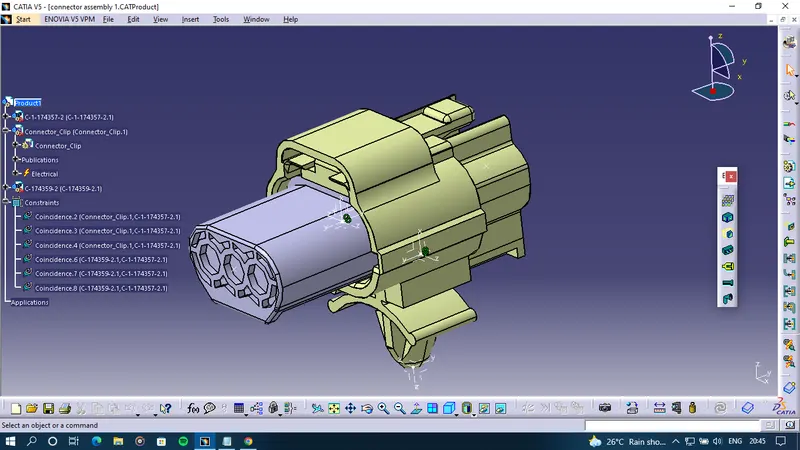
Assembly design
- Import the existing components for the assembly of the Connect Pin assembly.
- Then connected the components by connecting the Electrical devices command.
- CATIA automatically connect the possible connections between two parts of the assembly ie it automatically constraints two parts.
-Before defining the constraints for the assembly one should know how the connector assembly is going to look like, how the orientation will be, what are the snapping position, and how the connector and cavity are provided so that we can define the appropriate face, points and the axis system correctly.