Wiring harness design in CATIA V5 - 3D modeling Week 2 Challenge
Wiring Harness Design in CATIA V5
AIM To define the Electrical Connector using Electrical Part design Workbench and Define all the necessary properties to Connectors & Clip.
- Deutsch DT06
- Tyco 174357-2
- Tyco 85229-1
ELECTRICAL CONNECTOR DEFINITION
Following parameters are required to define for any conncetor
- Creat required Geometrical Parameters
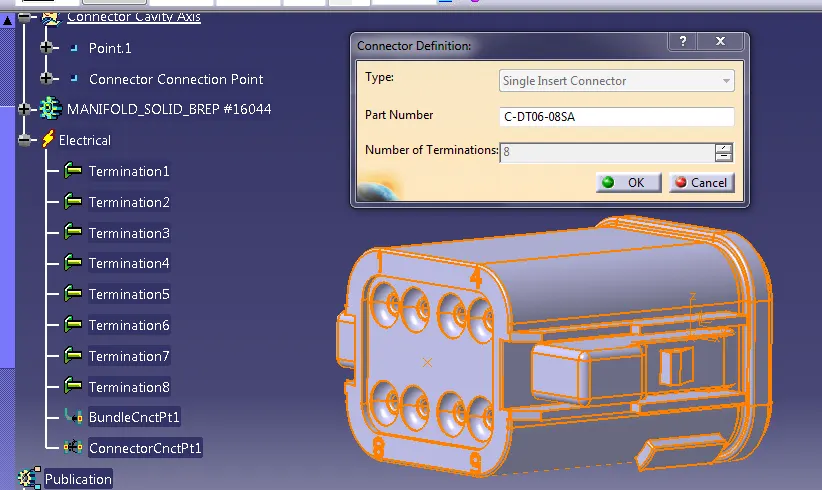
- Define part as connector
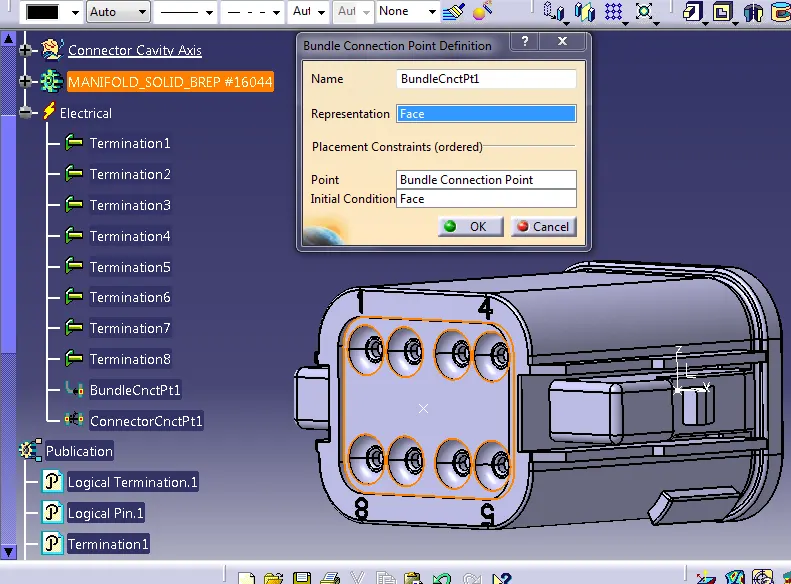
- Define the "Bundle Connection point"
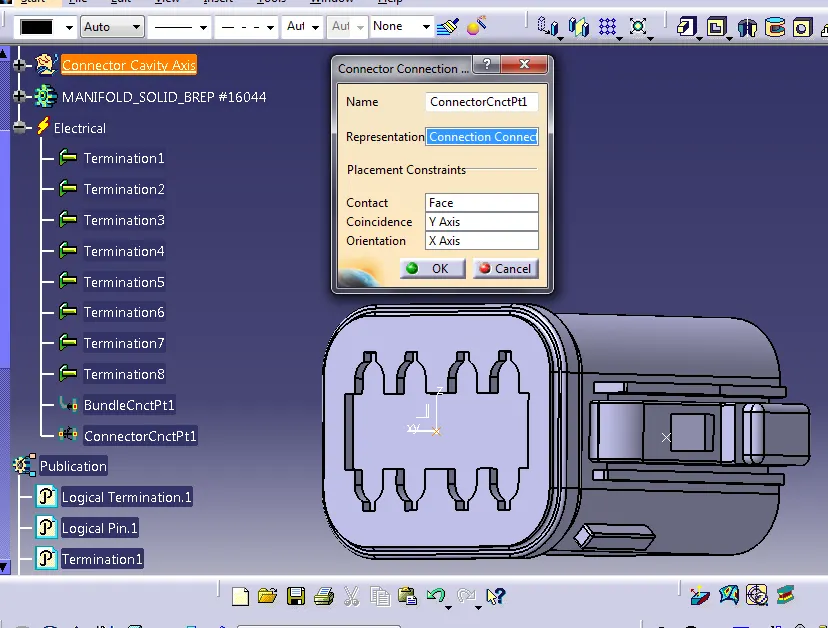
- Define "Connector connection point"
- Define "cavity connecion point"
Deutsch DT06
Create midpoint on the mating face of the connector and create an axis system as shown below by taking y-axis in the direction of mating face, x -axis in the direction of lock side and z- axis in the direction perpendicular to x and y axis respectively.
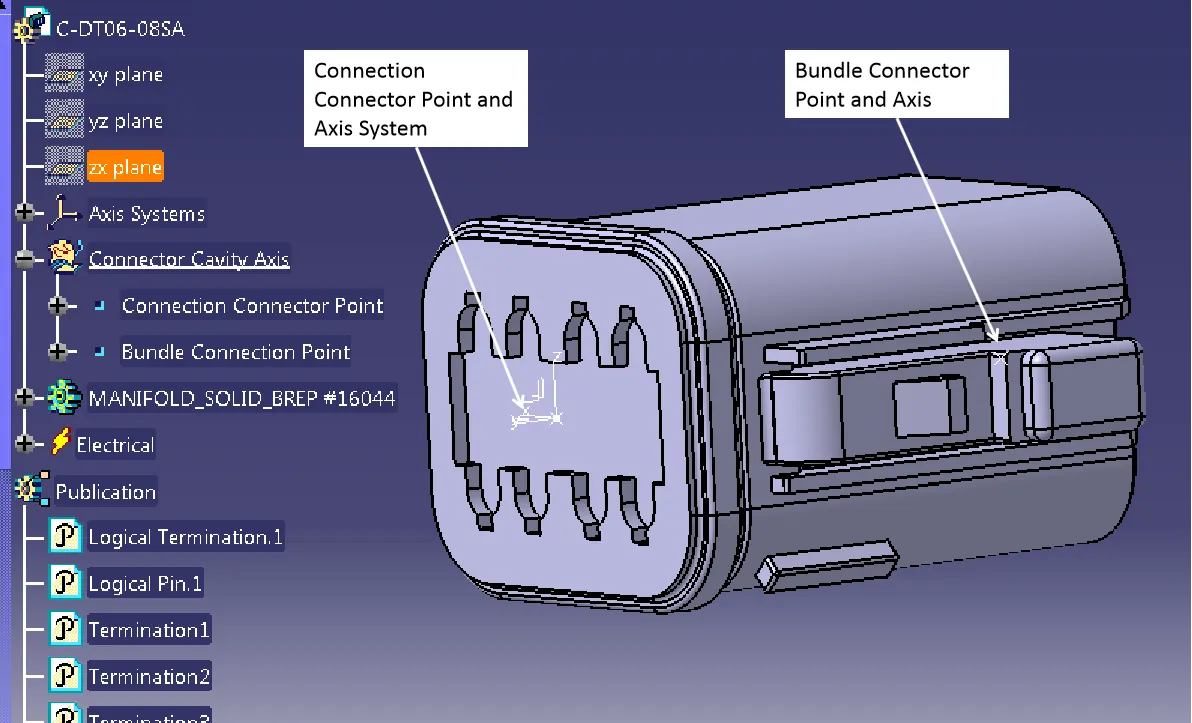
Define part as connector
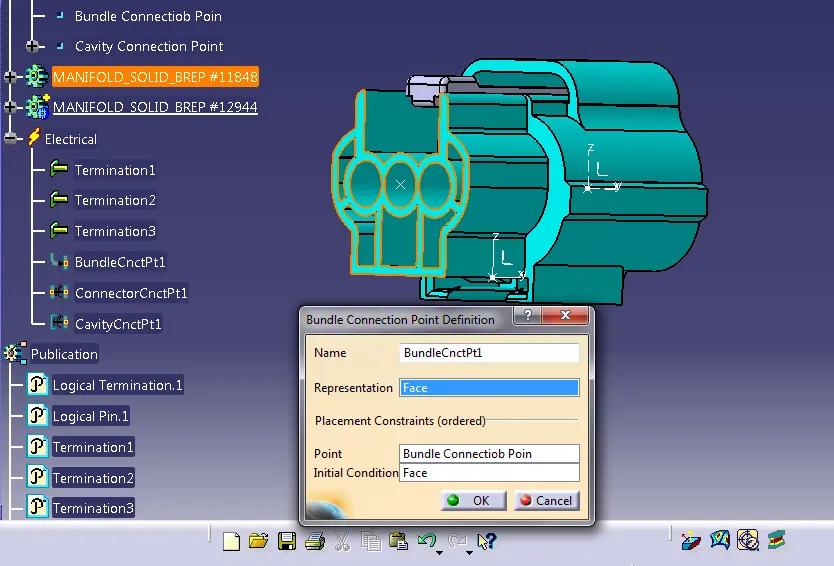
Define the "Bundle Connection point"
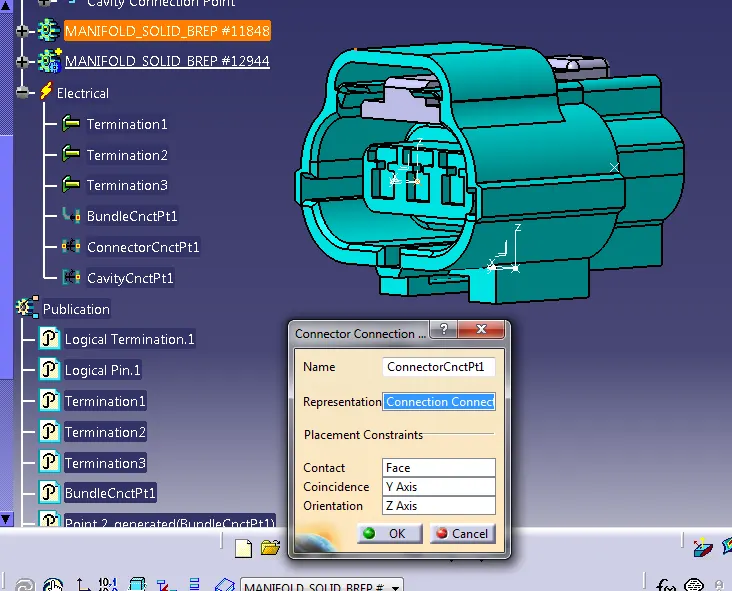
Define "Connector connection point"
2 Tyco 174357-2
Created Geometrical Parameters
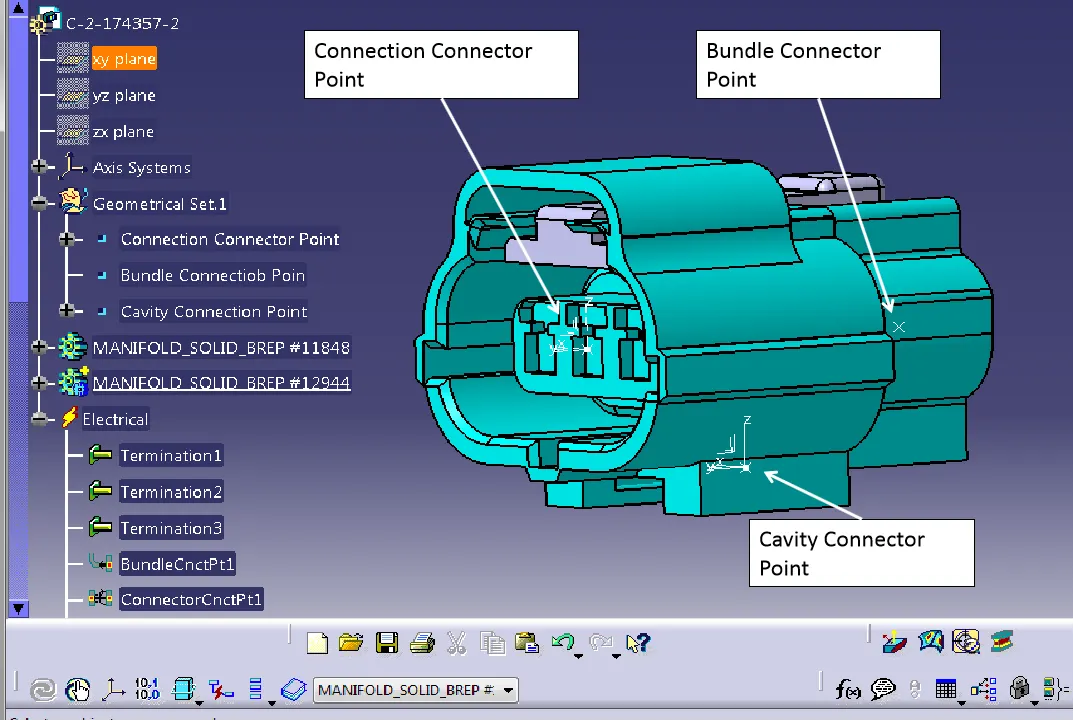
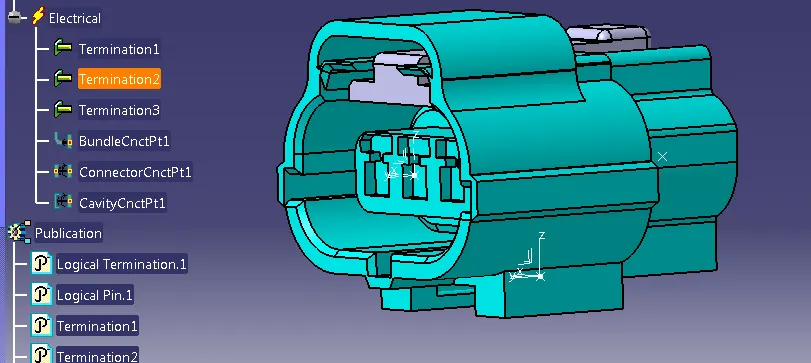
Define part as connector
Define the "Bundle Connection point"
Define "Connector connection point"
Define "cavity connecion point"
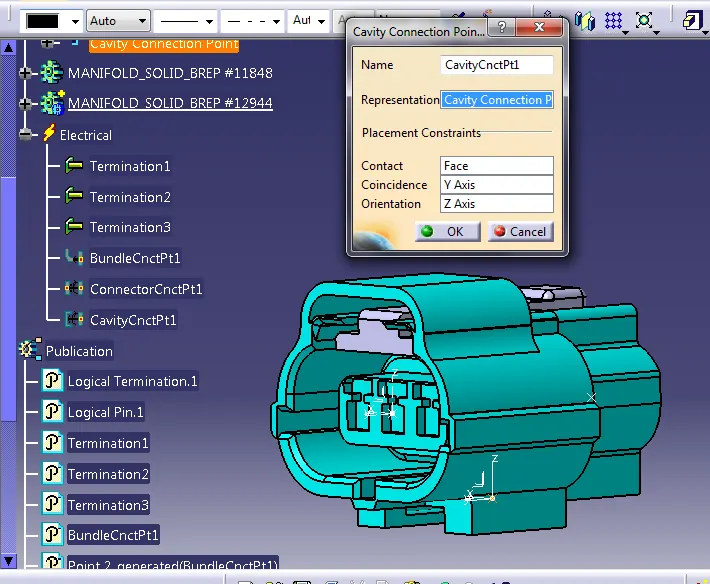
Tyco 85229-1
Created Geometrical Parameters
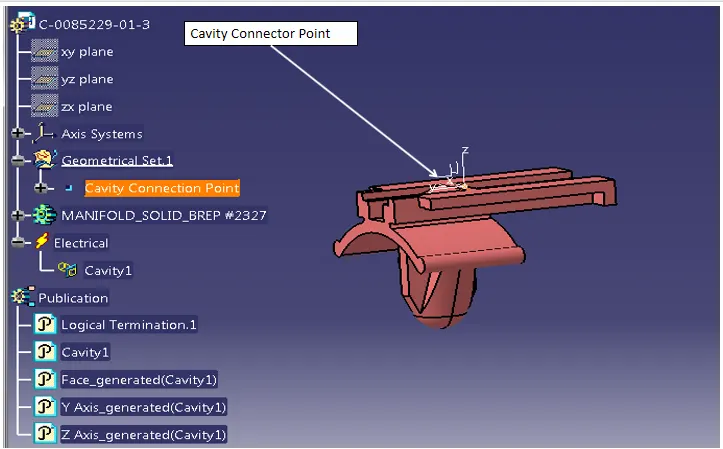
Define part as connector
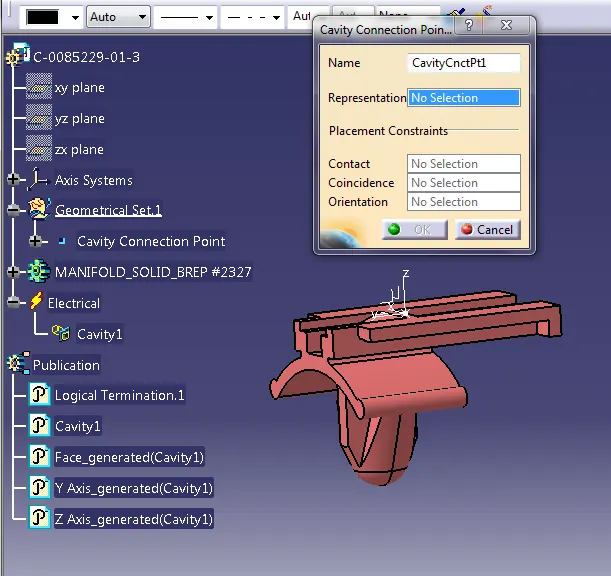
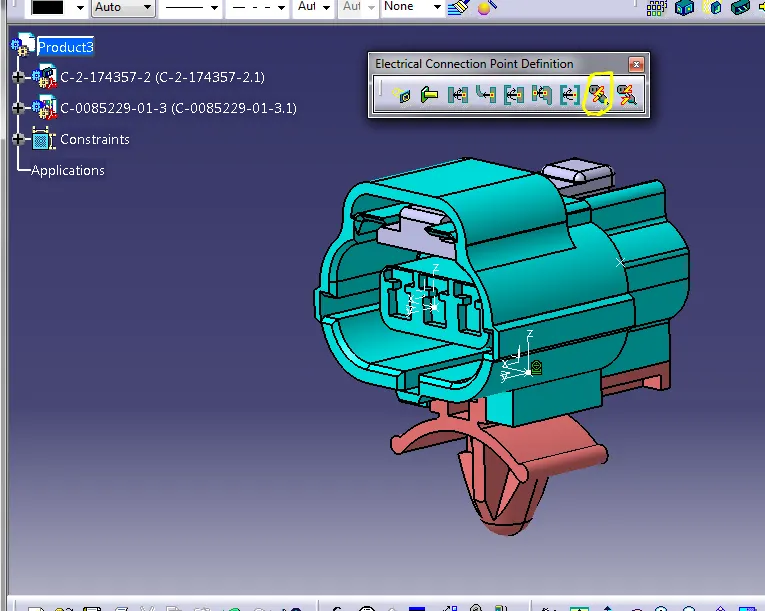
ELECTRIC ASSEMBLY DESIGN
- Import Connector and cavity / mounting clip.
- Select Defing Eelectric connection
- select cavity and then connector.
Thank YOU