Week 9 Tension and Torsion test challenge
Aim : To perform explicit dynamic analysis on the tension and torsion test model.
Objectives :
- Tension Test : For the tension test, displace one end of the specimen to 18mm while keeping the other fixed. You will need to find out the total deformation, equivalent stress and temperature of the specimen.
- Torsion Test : For the torsion test, you will need to displace one end of the specimen to an angle of 1200 degree. Find out the total deformation, equivalent stress and temperature of the specimen.
Part 1 : Tension Test
Engineering data and Material selection :
- Open explicit dynamics model.
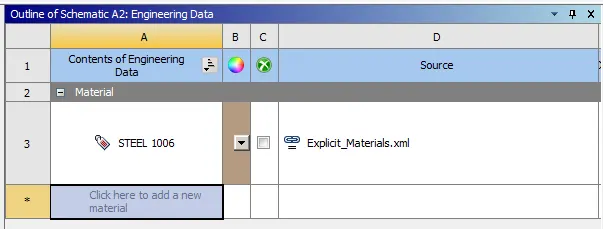
- Go to engineering data and open engineering data sources.
- Open explicit materials and add Steel 1006 material.
Geometry :
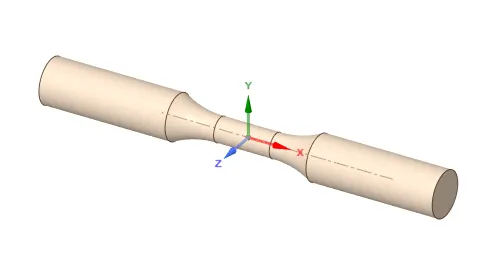
- Open geometry.
- Import the model.
Model setup :
- Open ANSYS mechanical.
- Go to geometry and assign the material to specimen.
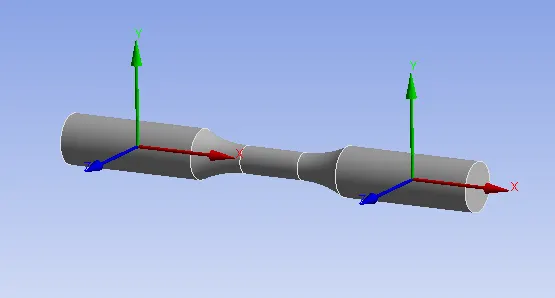
- Create coordinate system for specimen by selecting outer faces as follows,
Meshing :
- Open mesh and insert method as tetrahedrons for specimen.
- Insert face sizing for faces of specimen by selecting respective coordinate system.
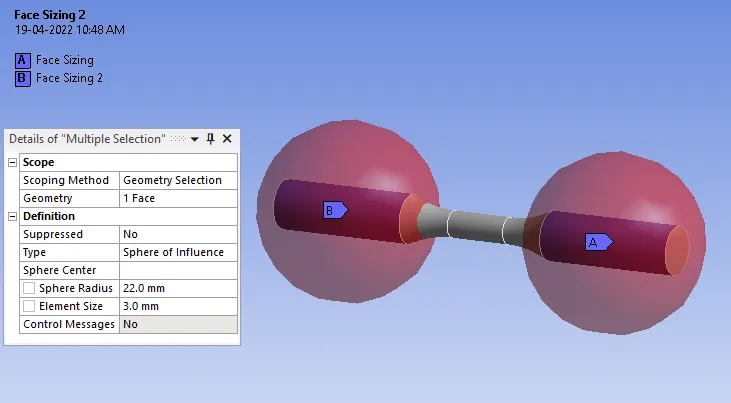
- Generate mesh.
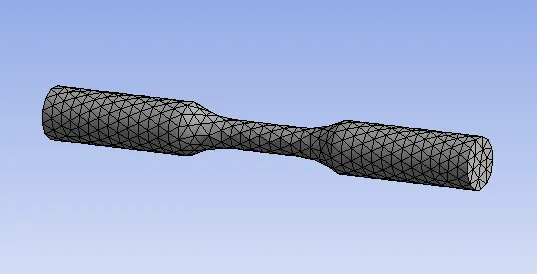
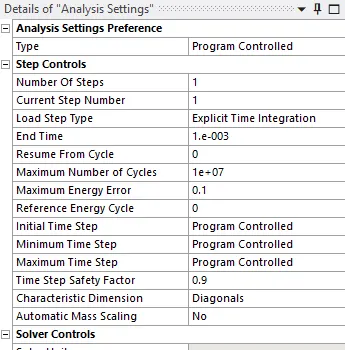
Analysis setting :
- Set end time = 1E-3 s.
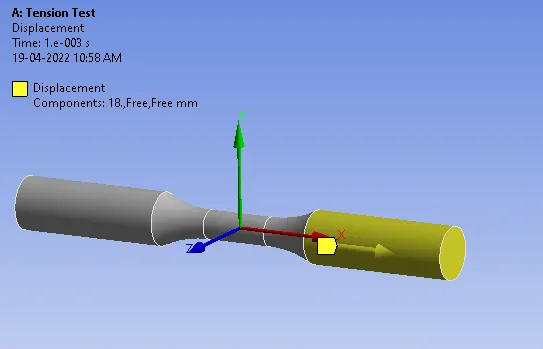
Displacement :
- Insert displacement of 18 mm in X-direction for one end of specimen.
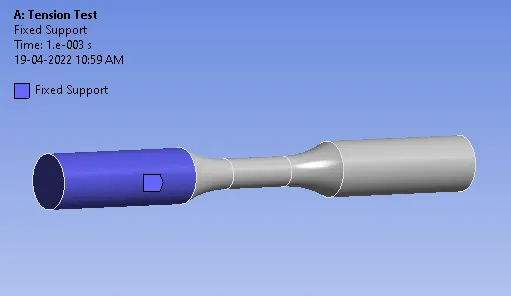
Fixed support :
- Fixed the other end of specimen.
Solution :
Create output results for :
- Total deformation.
- Equivalent stress.
- Equivalent strain.
- Temperature of the specimen.
Results :
Total deformation :
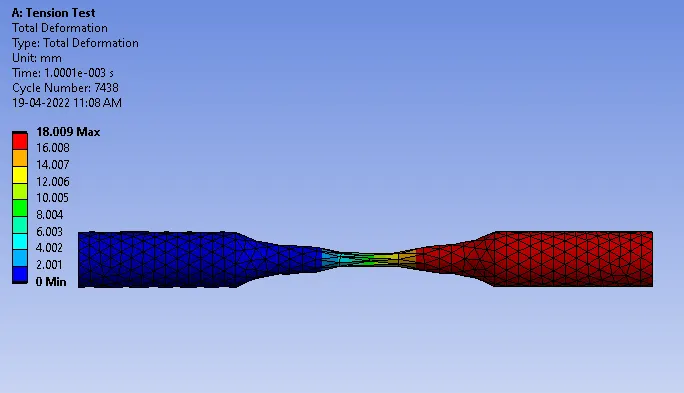
Equivalent stress :
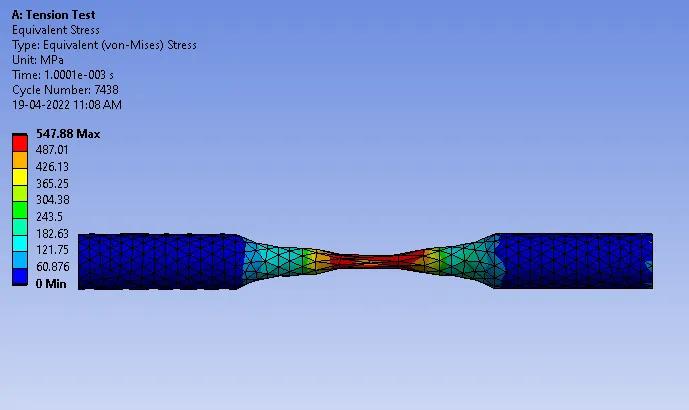
Equivalent strain :
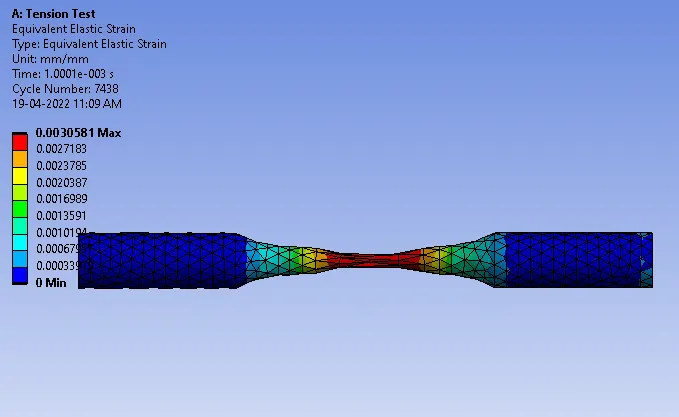
Temperature of the specimen :
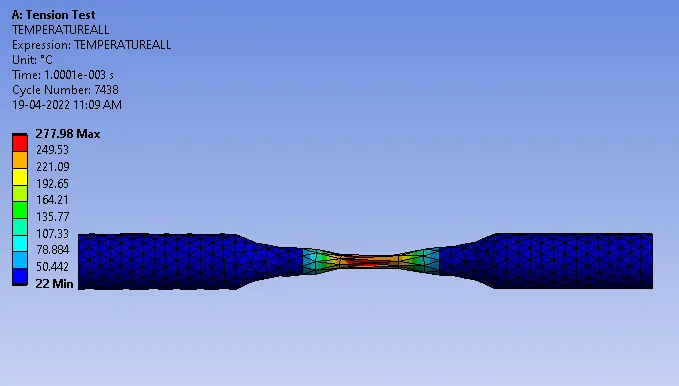
Result Table :
| Sr.No. | Results | Tension Test |
| 1 | Maximum Total deformation (mm) | 18.009 |
| 2 | Minimum Total deformation (mm) | 0 |
| 3 | Maximum Equivalent stress (MPa) | 547.88 |
| 4 | Minimum Equivalent stress (MPa) | 0 |
| 5 | Maximum Equivalent strain | 0.00305 |
| 6 | Minimum Equivalent strain | 0 |
| 7 | Maximum Temperature of Specimen (C) | 277.98 |
| 8 | Minimum Temperature of Specimen (C) | 22 |
Part 2 : Torsion Test
Engineering data and Material selection :
- Open explicit dynamics model.
- Go to engineering data and open engineering data sources.
- Open explicit materials and add Steel 1006 material.
Geometry :
- Open geometry.
- Import the model.
Model setup :
- Open ANSYS mechanical.
- Go to geometry and assign the material to specimen.
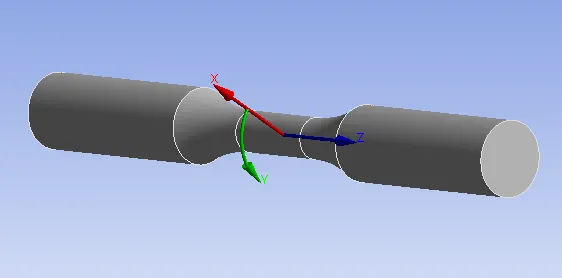
- Create coordinate system for specimen by selecting outer faces as follows,
- Create cylindrical coordinate system for middle part of specimen.
Meshing :
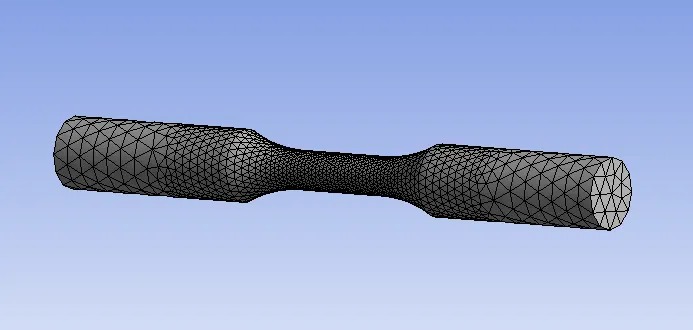
- Open mesh and insert method as tetrahedrons for specimen.
- Insert face sizing for faces of specimen by selecting respective coordinate system.
- Insert face sizing for neck region of specimen.
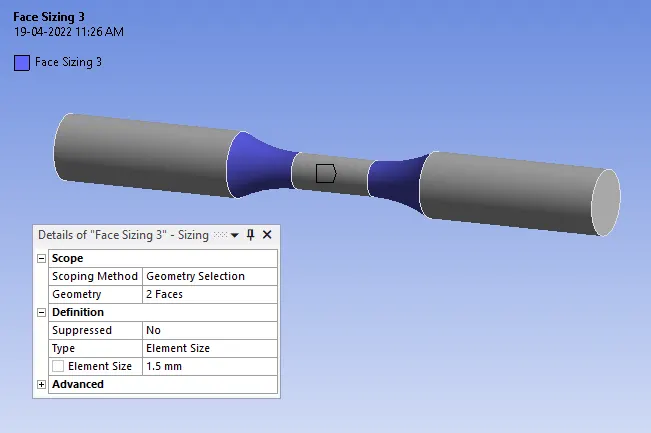
- Insert face sizing using coordinate system for middle part of specimen.
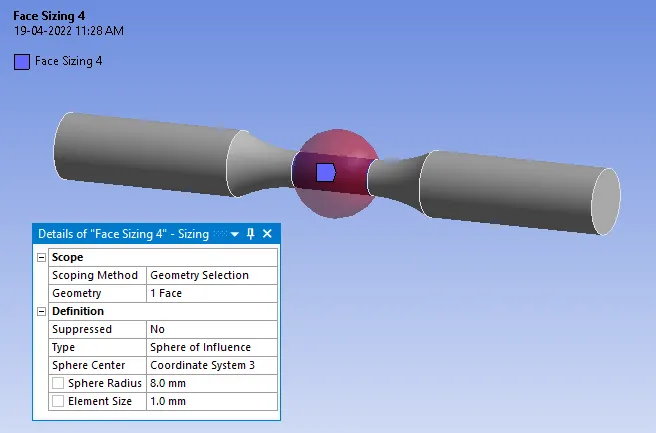
- Generate mesh.
Analysis setting :
- Set end time = 1E-3 s.
Displacement :
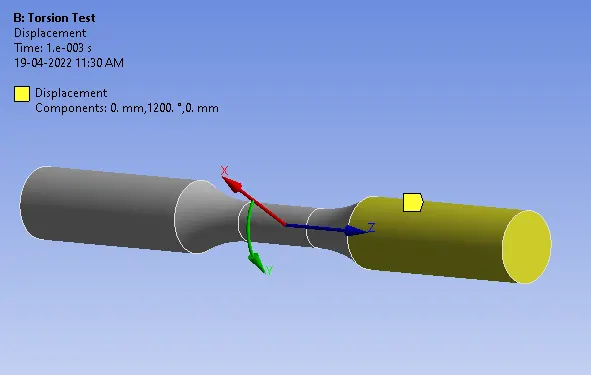
- Insert displacement of 1200 degree in Y-direction for one end of specimen.
Fixed support :
- Fixed the other end of specimen.
Solution :
Create output results for :
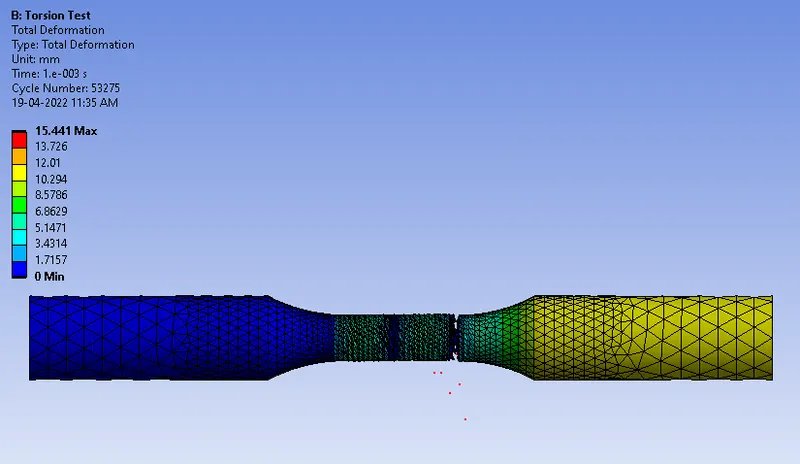
- Total deformation.
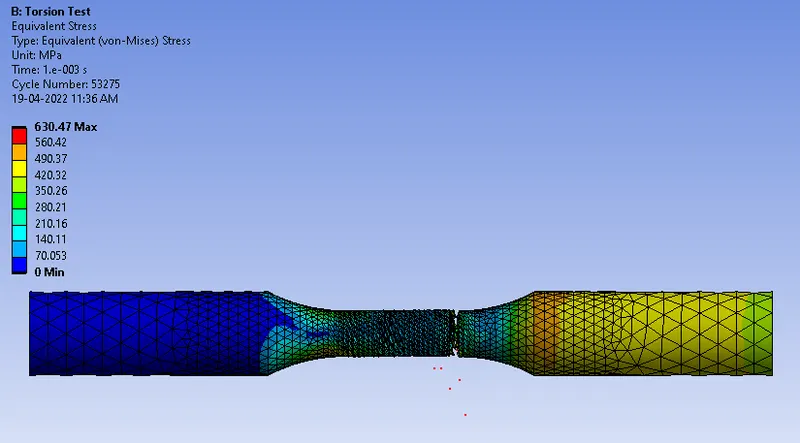
- Equivalent stress.
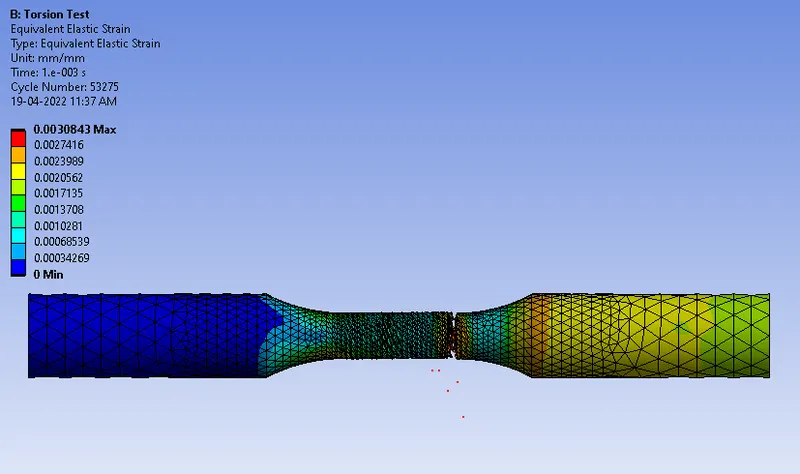
- Equivalent strain.
- Temperature of the specimen.
Results :
Total deformation :
Equivalent stress :
Equivalent strain :
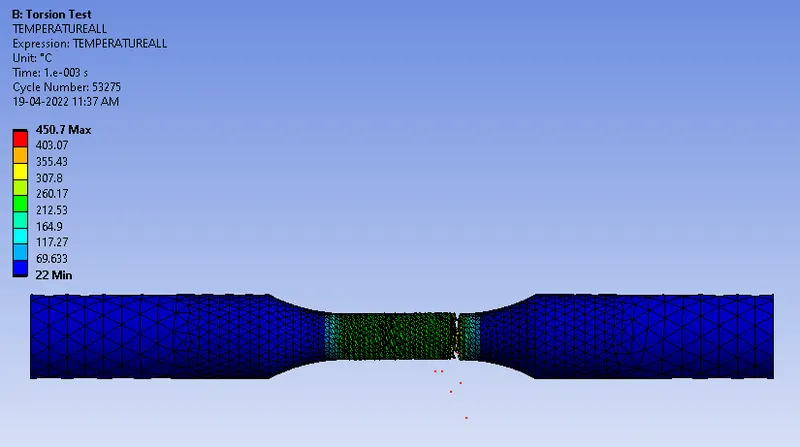
Temperature of the specimen :
Result Table :
| Sr.No. | Results | Torsion Test |
| 1 | Maximum Total deformation (mm) | 15.441 |
| 2 | Minimum Total deformation (mm) | 0 |
| 3 | Maximum Equivalent stress (MPa) | 630.47 |
| 4 | Minimum Equivalent stress (MPa) | 0 |
| 5 | Maximum Equivalent strain | 0.00308 |
| 6 | Minimum Equivalent strain | 0 |
| 7 | Maximum Temperature of Specimen (C) | 450.7 |
| 8 | Minimum Temperature of Specimen (C) | 22 |