Week - 9 Material Modeling from Raw Data
AIM: This challenge main aim is to create the material model out of the graph given using the MAT_024 and use this material in the dog bone specimen.
PROCEDURE:
- First the material data curve is taken into plot digitizer website and given the X and Y extreme co-ordinates, then we need to pick the points on the curve atleast 100 points.
- Then this points data is extracted to the excel sheet and convert the strain % to strain and stress to the unit system Kg_mm_ms.
- Then plot the linear part of the curve and find the Youngs modulus which is 147.1Kg/(mm*(ms)^2).
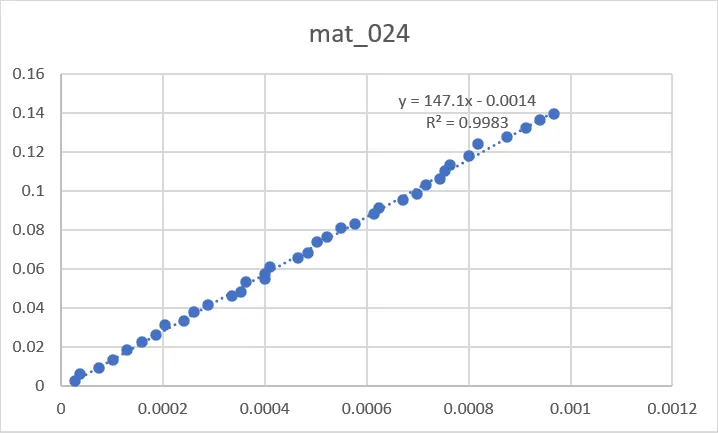
- After getting the youngs modulus, we need to find the effective plastic strain by using the formulae Eff Plastic strain=true strain-(true stress/E).
- After getting the effective plastic strain and stress we need to take the data of non linear part and add to the curve in LS_DYNA.
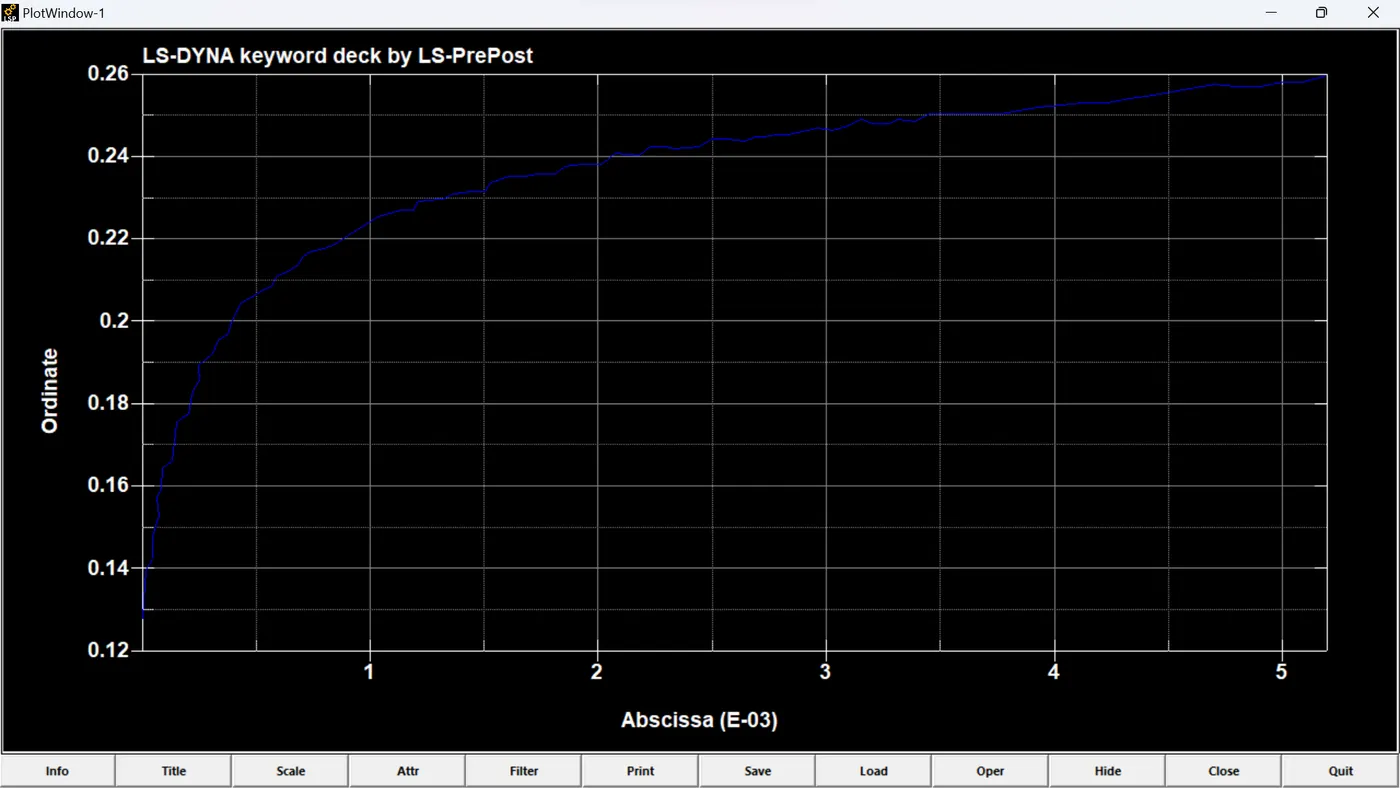
- Use the MAT_024 card and insert the E, poissons ratio and density in Kg_mm_ms unit system and also the curve.
- Add the section_shell with 1mm thickness.
- Assign the Material and section to the part.
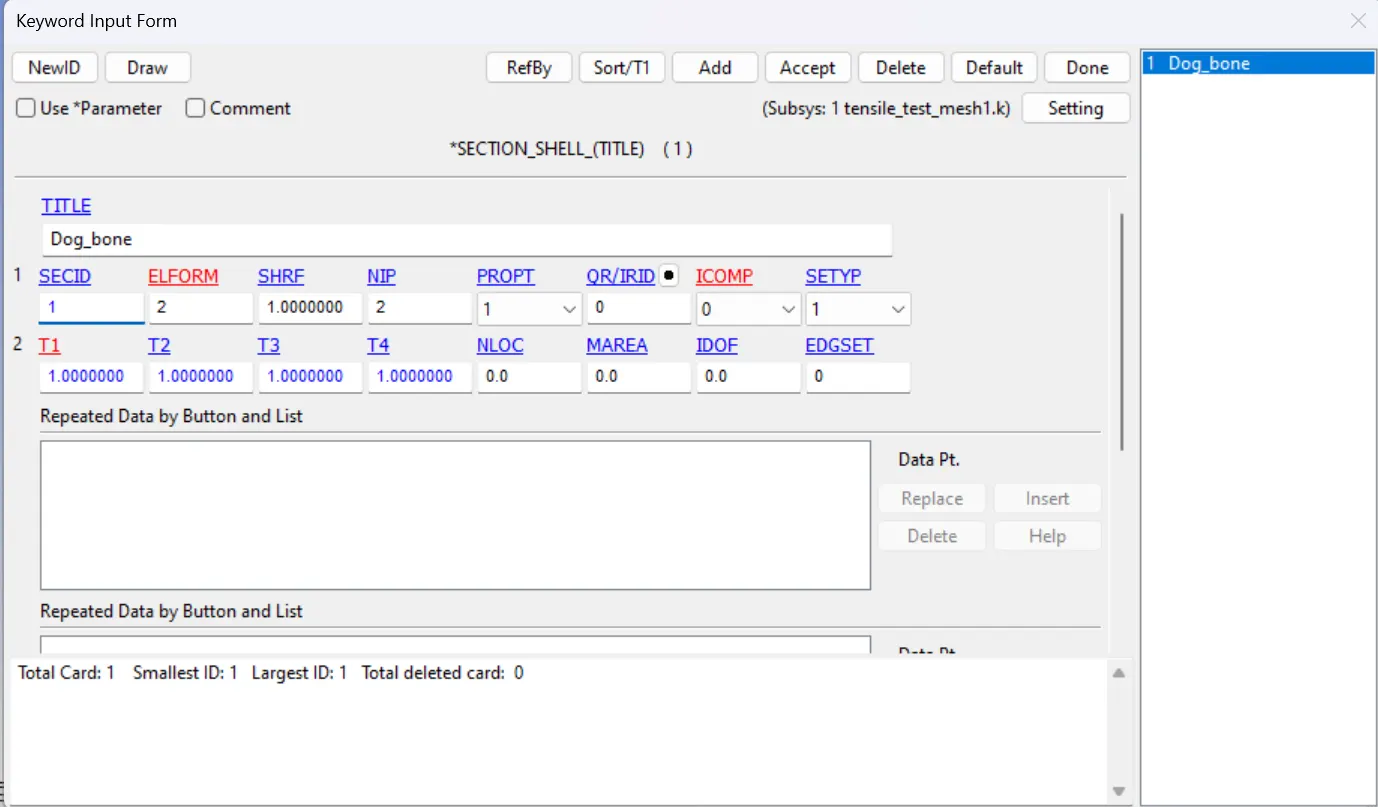
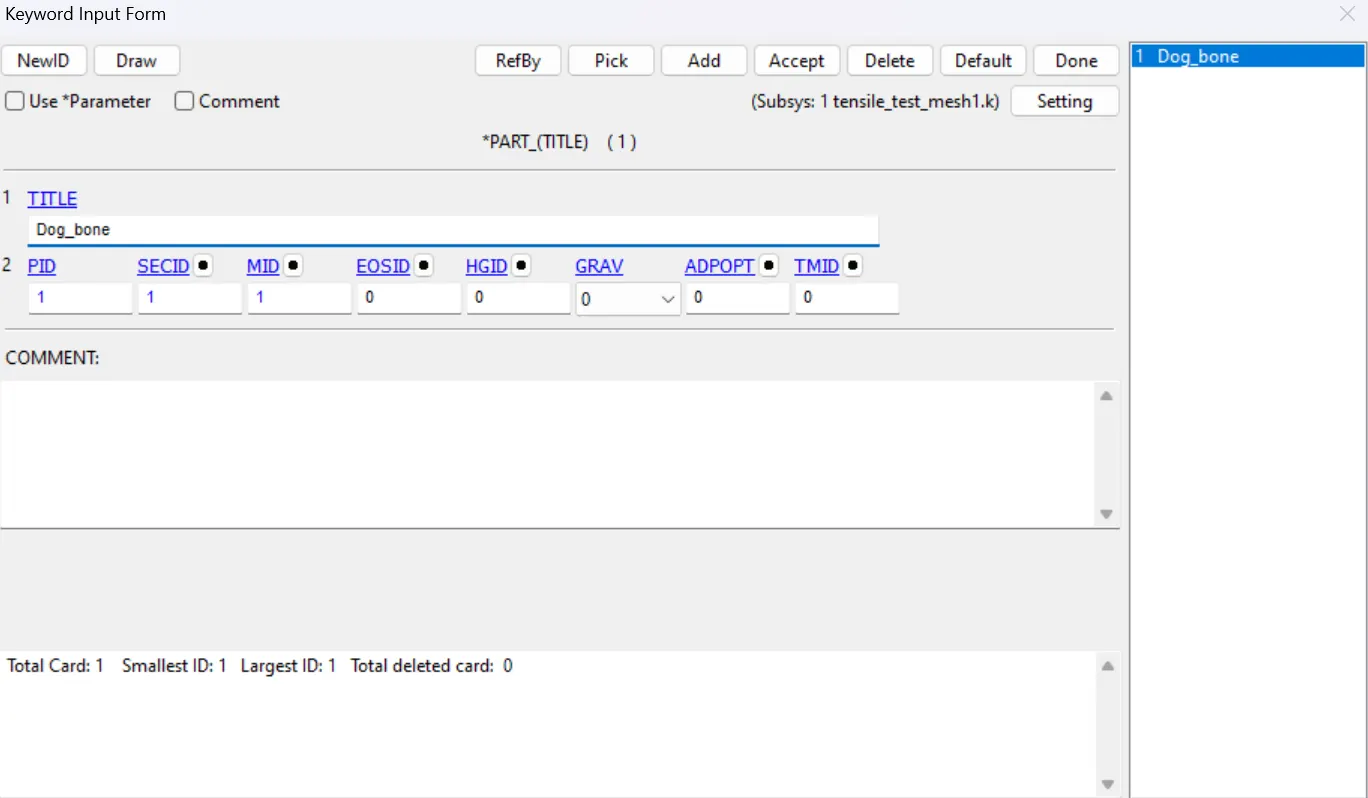
- Displacement boundary conditions has to be employed on left of the specimen by restricting the nodes of left edge in X and Z directions and the middle node with Y direction with SPC Boundary condtion.
- Displacement boundary conditions are used at the other end of the Dog_bone specimen with prescribed node data with displacement increasing as shown in the figure.
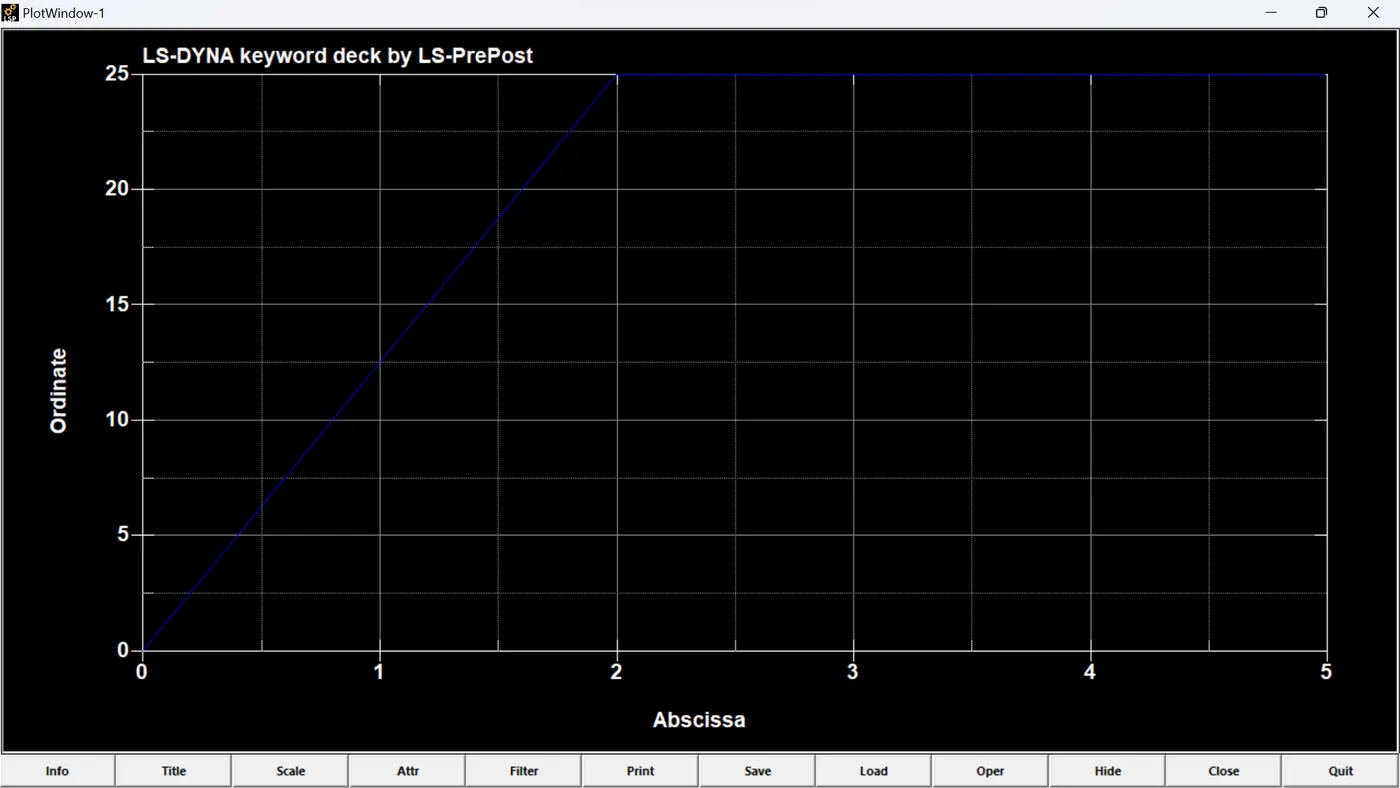
- Then we need to give the required deliverables like d3plot and ASCII values.
- The simulation of the dog_bone specimen is shown in the video.
RESULT: The material is modelled as per the given data and imported this data into the LS_DYNA as a curve and this material model is applied to the Dog_bone Specimen and the simulation is done.