Week 9-Creation of 1D Connectors Challenge
AIM/OBJECTIVE: For this challenge, you will have to mesh the given geometry. Provided below are the quality parameters that you have to follow.
Target Element size - 5 Units
|
S.N |
Quality Criteria |
Value |
|
1 |
Aspect Ratio |
5 |
|
2 |
Skewness |
45 |
|
3 |
Warping |
15 |
|
4 |
Taper |
0.5 |
|
5 |
Min. Length |
2 Units |
|
6 |
Max. Length |
8 Units |
|
7 |
Min angle Quad |
45 |
|
8 |
Max angle Quad |
135 |
|
9 |
Min angle Tria |
30 |
|
10 |
Max angle Tria |
110 |
|
10 |
Tria % |
15 |
Create connector and Attach the various parts of the given model
1. Right_Rail_2 & Front_truss_1:- Seam-Quad(angled+capped+L)
2. Left_Rail_2 & Front_truss_1:- Quad elements
3. Front_truss_2, Front_truss_1 & Right_Rail_1:- Spot weld with 2 Layers and 5 mm Diameter
4. Front_truss_2, Front_truss_1 & Left_Rail_1:- Hexa (Adhesive)
5. Rear_truss_2 & Right_Rail_2:- Bolt Connector
6. Rear_truss_2 & Left_Rail_2:- Bolt Connector
7. Right_Rail_1 & Right_Rail_2:- Spot-weld with Rigid Elements
8. Left_Rail_1 & Left_Rail_2:- Spot-weld with Spring Elements
9. Rest all the component left Join them with suitable connectors.
SOFTWARE USED: Altair-Hypermesh(optistruct).
ABOUT SOFTWARE: Hypermesh is a preprocessor tool which is mainly used in CAE domain for meshing a component.it supports almost all the files like stp,step,solidworks,hm,iges.etc.
ABSTRACT: Connectors contain their location, linking partners, connection rules and realization types. They can be created manually, absorbed from FE existing FE connections or imported and generated from text files. HyperMesh holds strong features for modeling highly complex composites structures.
INTRODUCTION: Connections are the geometric entities which are primarily used to represent the CAD geometric connection in terms of FEA connections can be created as a spot weld, seam weld ,adhesive,bolt , masses. A realized connection will be consider as the successful representation of a CAD model in preprocessing and the connecting part can be considered as connecting part.
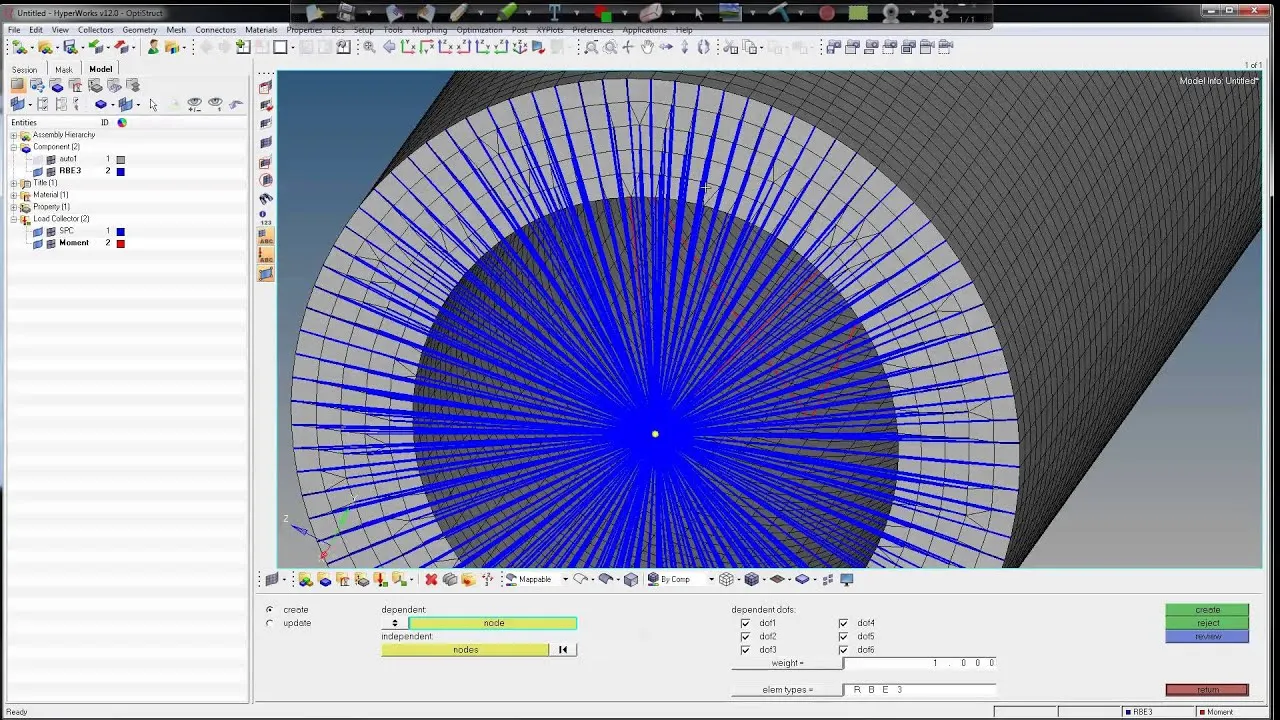
RBE: Rigid Body Elements are the most simple of 1D elements and simply connect two or more nodes together.
There are two types
1) RBE2- Most rigid.
2)RBE3- Transfer load
RBE2- In the case of an rbe2 one node serves as the independent node and the other The dependent node.The dependent node mostly follow the motion of the independent node in the dof that have been linked. These elements are useful to simply represent the bolt or tie together two dissimilar meshes.
- rbe2 elements in the model induces excessive stiffness in the model.
- causing inaccuracy results.
- this bolt does not confirm to a proper shape and hence we cant extract a deformation and stress patterns.
RBE3- RBE3 transvers the load without excessive stiffness.
- causing a bit better results compared to rbe2.
PROCEDURE:
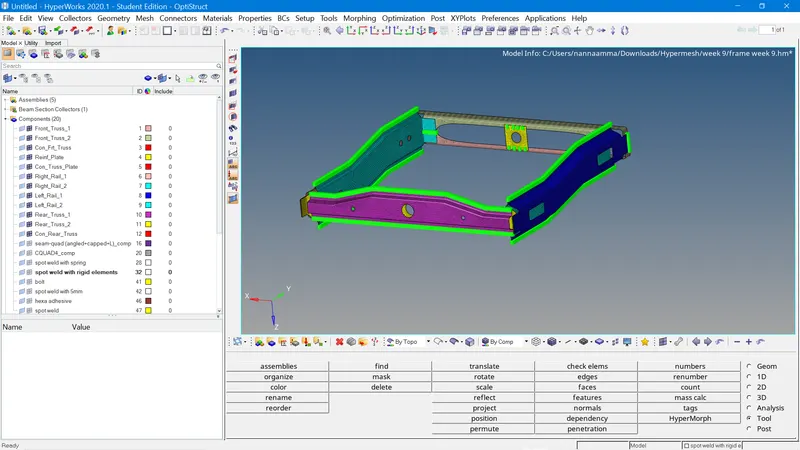
1) Import a cad model: This is the first and foremost step in preprocessing, weather we can import any type of file that is supported by hypermesh.below figure representss the importing of cad model.
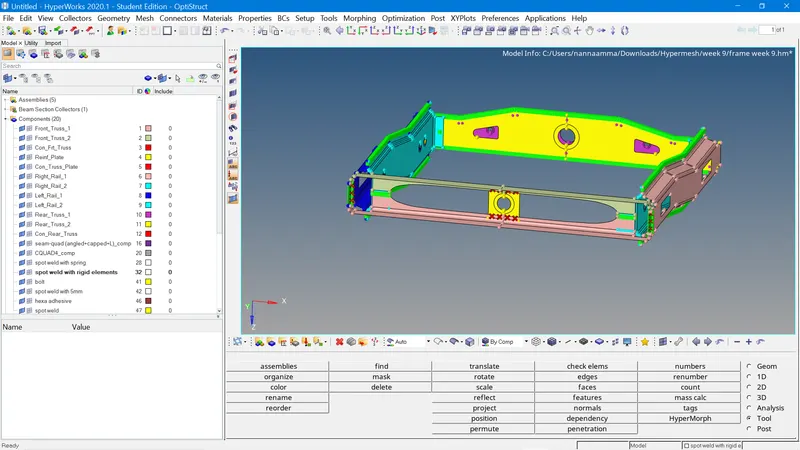
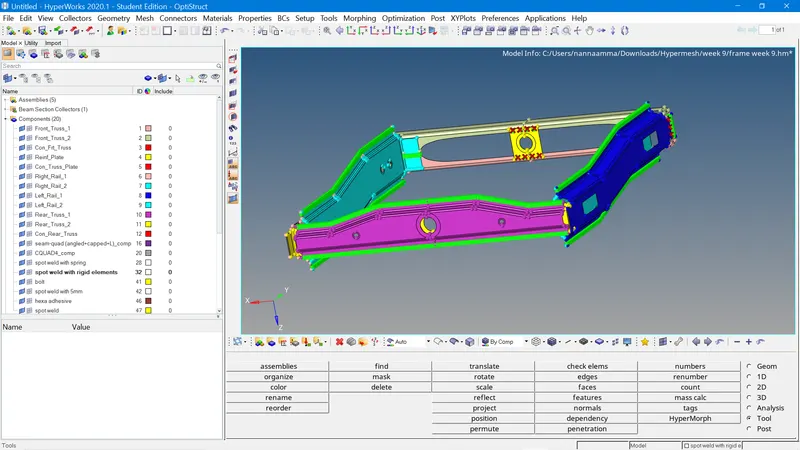
GEOMETRY CLEANUP:- If any unnecessary triple cons,double cons, sharp edges, sharp corners, unnecessary surfaces are present in our model we need to clean it by manually by using quick edit, and edge edit, surface edit, and ruled,skin etc.this comonent is free from free edges, every thing is perfect will move on the next process.
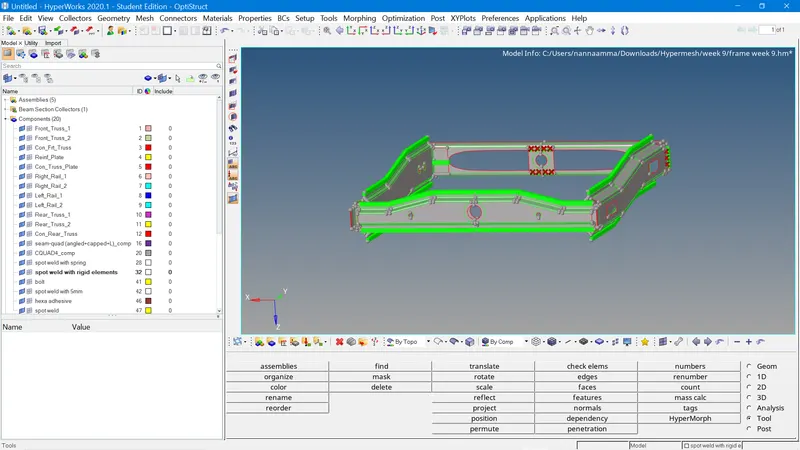
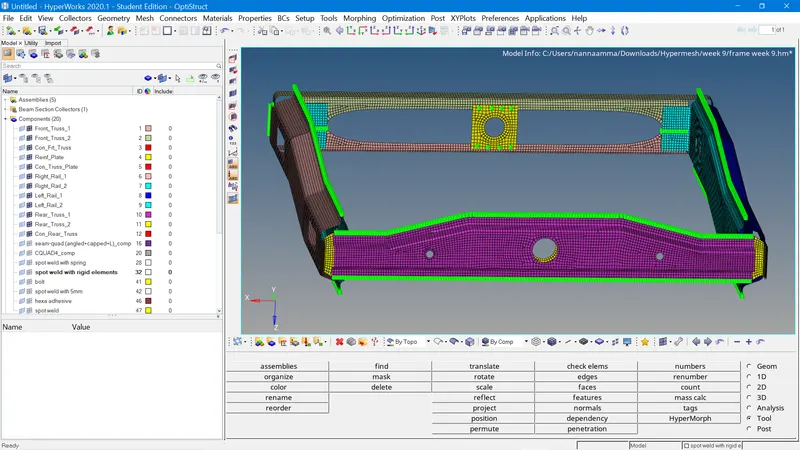
SHELL MESHING:- Shell meshing is used for creating a FE on CAD model.below figure represents the mesh model.
ELEMENTARY QUALITY CRITERIA: The main aspect of introducing the quality criterian is to identify the mesh quality.
WARP ANGLE: The angle between the two local normals is called warp angle, the slightest fold in the two elements are non zero.
SKEWNWSS: An ideal equilateral triangle would be tria and idel quad element would be a square.it helps in identifying the deformation in any element.
let us take a quad element ,take any one lattice and apply the pressure on the lattice it will deviate upto some extent this deviation cause non ideal quad.
it is recommended to maintain skewness is less than 45.
ASPECT RATIO: It is the ratio of max edge length to the minimum edge length. it is used to determine the length of all elements are in same length or not.
it is recommended to maintain aspect ratio would be less than 5mm.
JACOBIAN: It is the short form of the determination of jacobian matrix.it helps in changing the co ordinate system to another.
in simple terms it can change the hard shape funtion into much simpler.
it is mainly used to identifying the distortion present in mesh. it does co ordination transformation.
it is recommended to maintain jacobian <1 & >0.6.
below figure represents the quality of mesh and off elements present in my model.

CONNECTIONS PART:
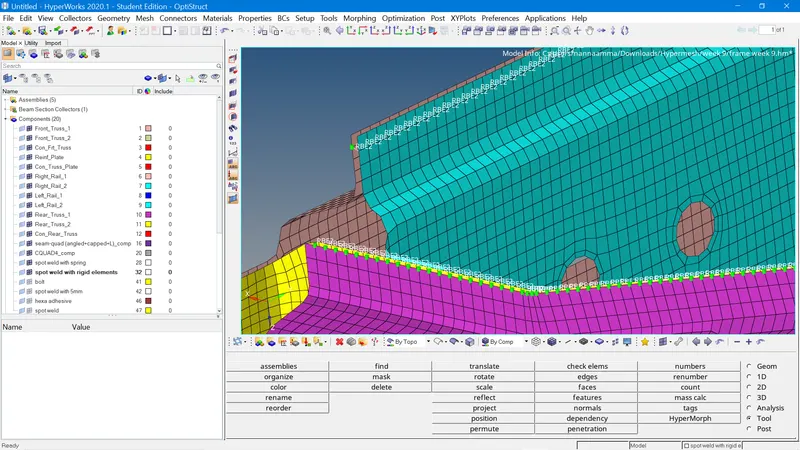
1. Right_Rail_2 & Front_truss_1:- Seam-Quad(angled+capped+L)
This connection is deployed whereever the below marking is present.
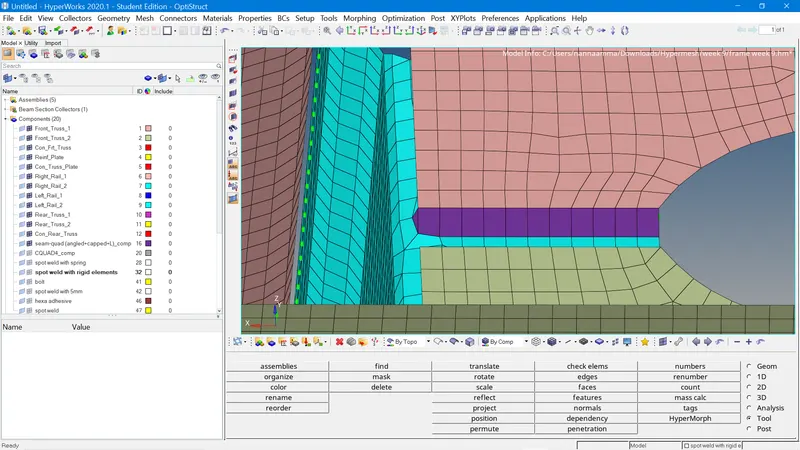
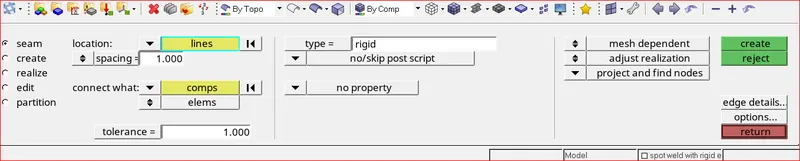
in this seam weld we will give either density or spacing and after selecting the components where we want to deploy and give the tolerance lmit to 10 and realize.
2. Left_Rail_2 & Front_truss_1:- Quad elements
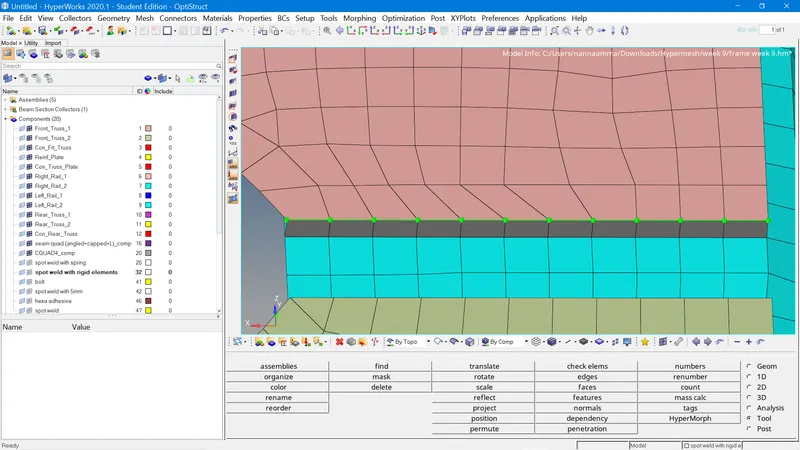
3. Front_truss_2, Front_truss_1 & Right_Rail_1:- Spot weld with 2 Layers and 5 mm Diameter
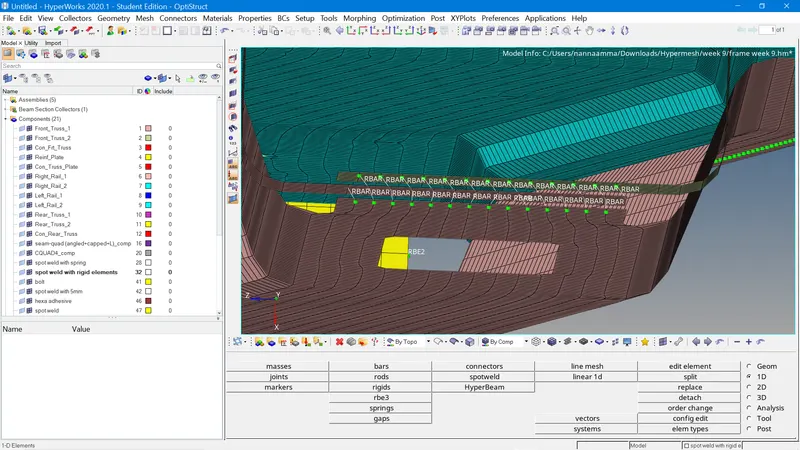
4. Front_truss_2, Front_truss_1 & Left_Rail_1:- Hexa (Adhesive)
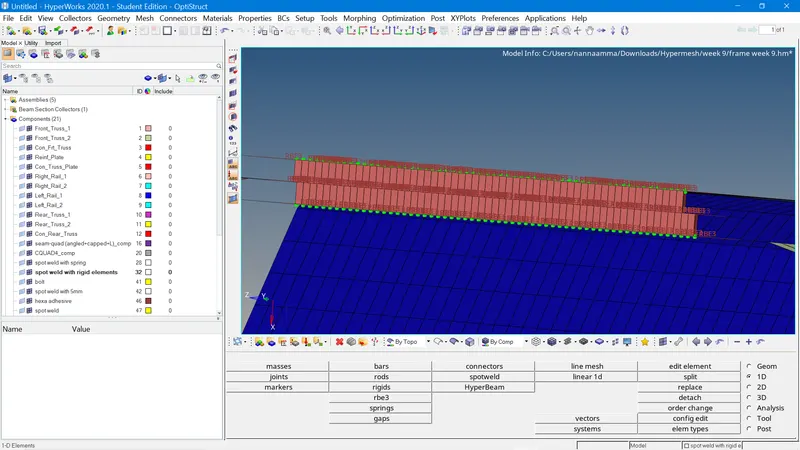
5. Rear_truss_2 & Right_Rail_2:- Bolt Connector
6. Rear_truss_2 & Left_Rail_2:- Bolt Connector
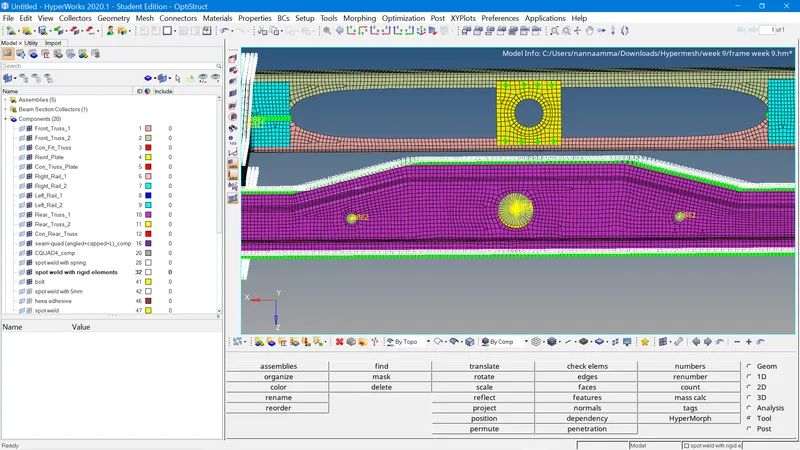
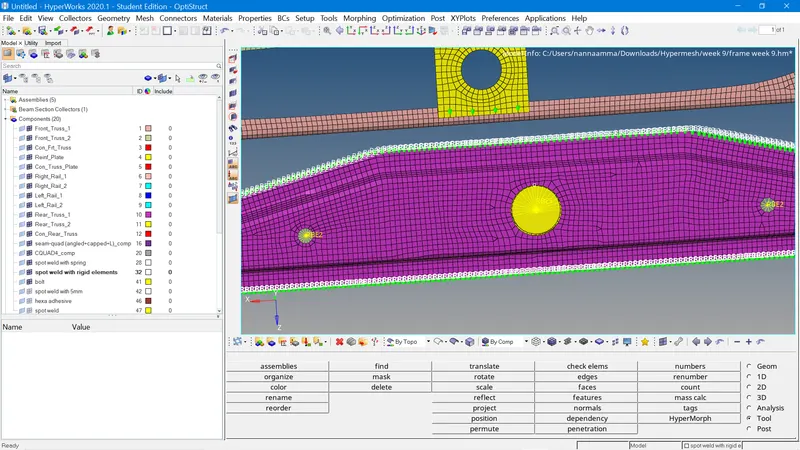
7. Right_Rail_1 & Right_Rail_2:- Spot-weld with Rigid Elements
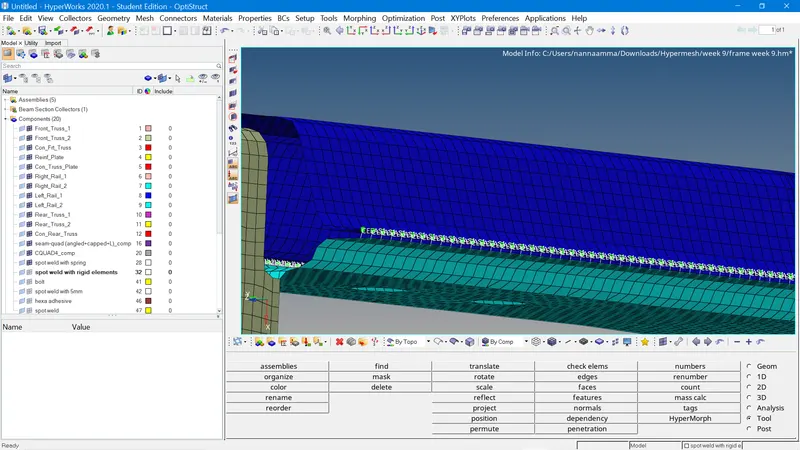
8. Left_Rail_1 & Left_Rail_2:- Spot-weld with Spring Elements
RESULT:
I have
- imported a cad model
- checked for the geometry cleanup
- perfromed the meshing
- completed the meshing without element failure and also with less tria percentage- 0.18%
- connectiions
- done rbe2 connection
- done rbe3 connection.
- done spot weld connection
- done seam weld connection
- done hexa adhesive connection
LEARNING OUTCOMES: How to
- import a cad model
- clean up the geometry
- deploy a mesh
- make a connection
- deploy 1-d beam element
- make a spot weld connection
- make seam weld connection
- give bolt connection
- identifying weather the connections are realized or not.