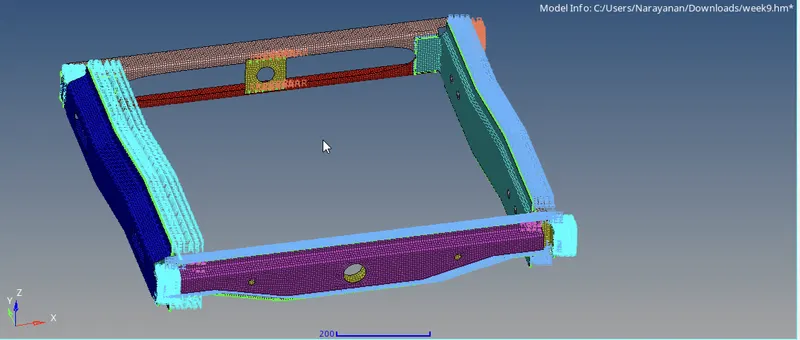
Week 9-Creation of 1D Connectors Challenge
OBJECTIVE:
Mesh the given geometry. Provided below are the quality parameters that you have to follow.
Target Element size - 5 Units
|
S.N |
Quality Criteria |
Value |
|
1 |
Aspect Ratio |
5 |
|
2 |
Skewness |
45 |
|
3 |
Warping |
15 |
|
4 |
Taper |
0.5 |
|
5 |
Min. Length |
2 Units |
|
6 |
Max. Length |
8 Units |
|
7 |
Min angle Quad |
45 |
|
8 |
Max angle Quad |
135 |
|
9 |
Min angle Tria |
30 |
|
10 |
Max angle Tria |
110 |
|
10 |
Tria % |
15 |
Create connector and Attach the various parts of the given model
1. Right_Rail_2 & Front_truss_1:- Seam-Quad(angled+capped+L)
2. Left_Rail_2 & Front_truss_1:- Quad elements
3. Front_truss_2, Front_truss_1 & Right_Rail_1:- Spot weld with 2 Layers and 5 mm Diameter
4. Front_truss_2, Front_truss_1 & Left_Rail_1:- Hexa (Adhesive)
5. Rear_truss_2 & Right_Rail_2:- Bolt Connector
6. Rear_truss_2 & Left_Rail_2:- Bolt Connector
7. Right_Rail_1 & Right_Rail_2:- Spot-weld with Rigid Elements
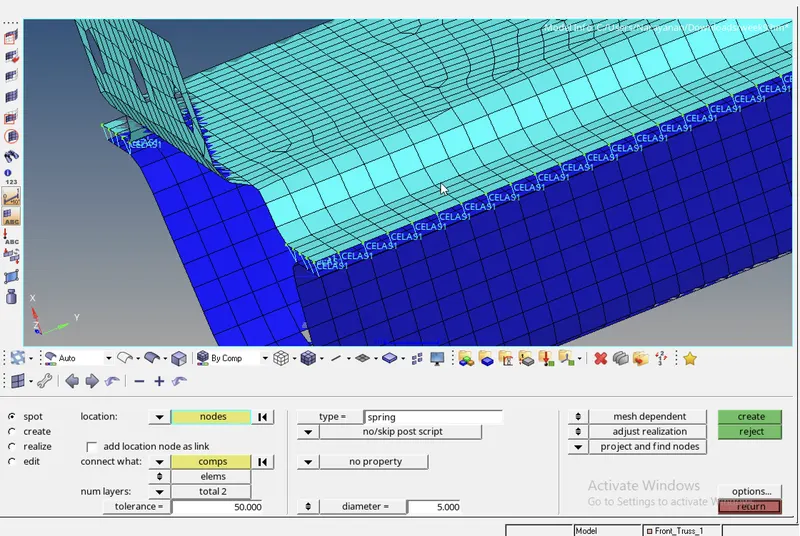
8. Left_Rail_1 & Left_Rail_2:- Spot-weld with Spring Elements
9. Rest all the component left Join them with suitable connectors
CAD MODEL :
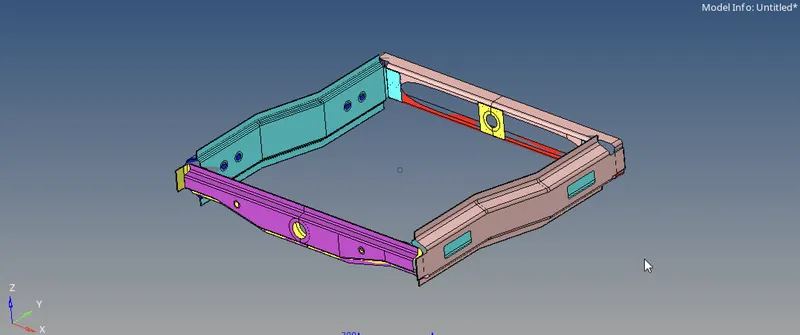
PROCEDURE:
1.Import the given model using FILE-IMPORT option.
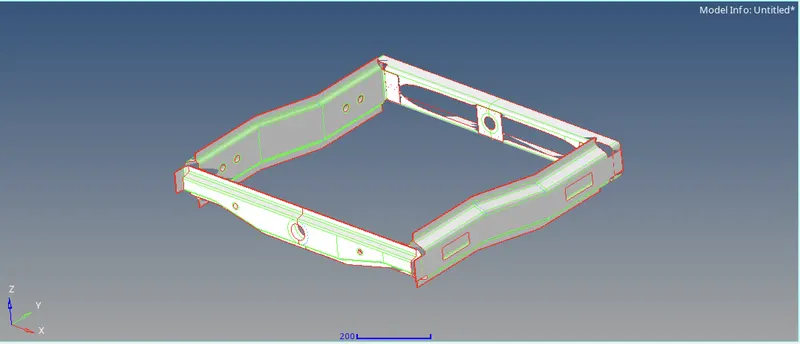
2.Then clean the surface of the given component using GEOM-AUTOCLEANUP
3.Then goto 2D-AUTOMESH and mesh the given component in mixed and element size as 5
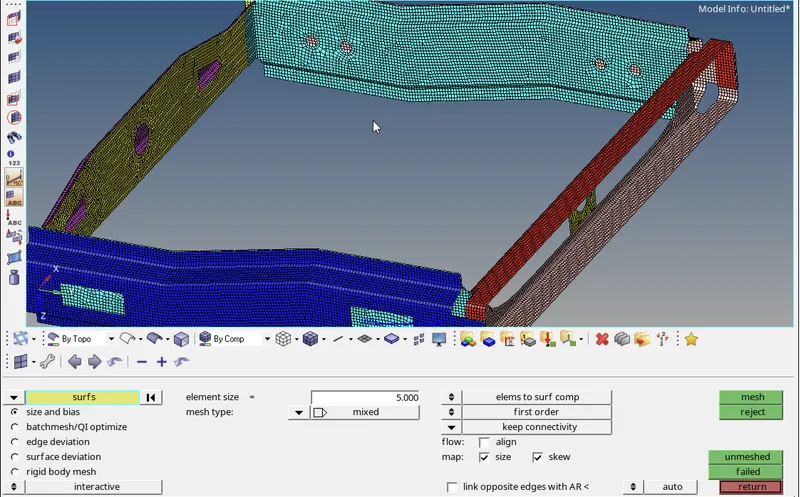
4. After complete the mesh check for quality criteria as given value.
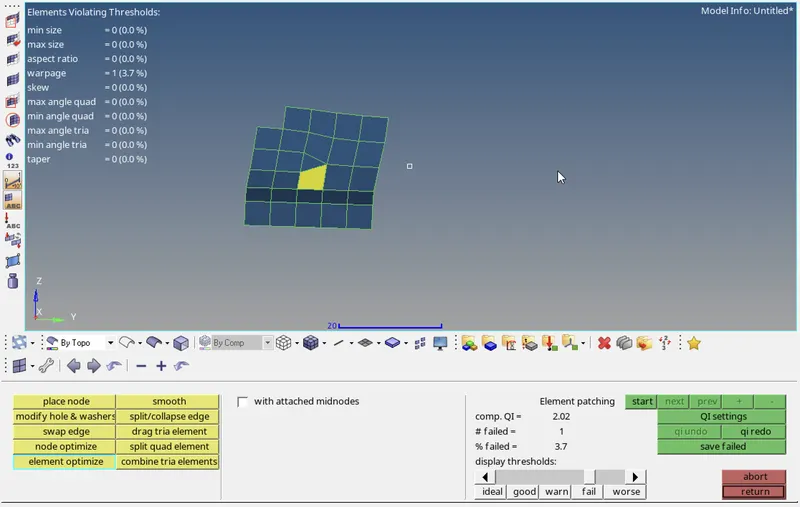
5.Then remesh the defect area to obtain the quality criteria.
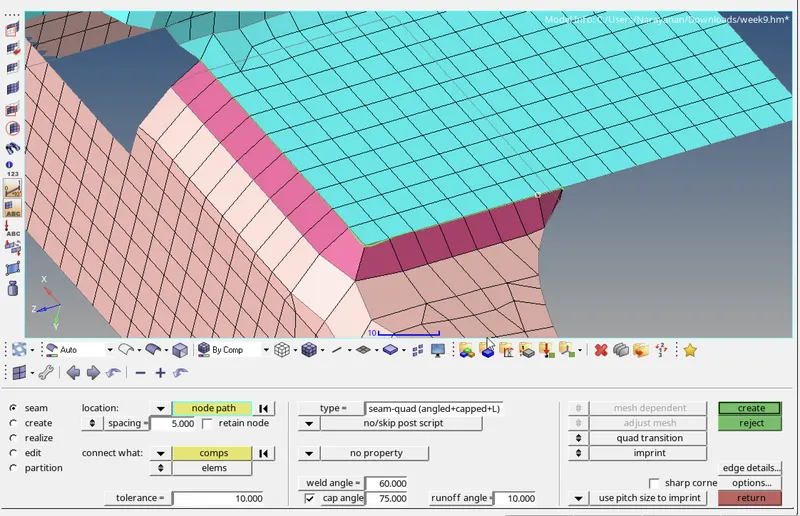
1. Right_Rail_2 & Front_truss_1:- Seam-Quad(angled+capped+L)
1.After completing mesh select the required component for connector.
2.Then goto 2D-CONNECTOR-SEAM and select the type as Quad(angled+capped+L)
3.Select the node on LOCATION for making connector and component in CONNECT WHAT then spacing as 5
4.Then connector created.
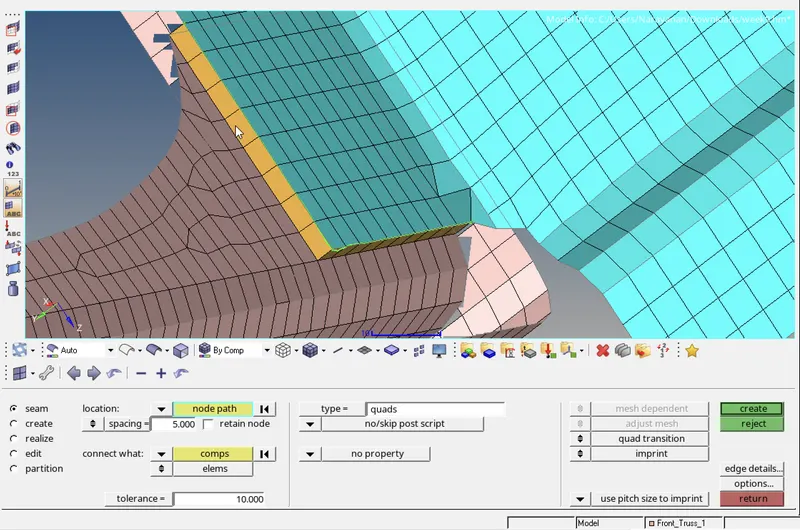
2. Left_Rail_2 & Front_truss_1:- Quad elements
1.select the required component for connector.
2.Then goto 2D-CONNECTOR-SEAM and select the type as Quad
3.Select the node on LOCATION for making connector and component in CONNECT WHAT then spacing as 5
4.Then connector created.
3. Front_truss_2, Front_truss_1 & Right_Rail_1:- Spot weld with 2 Layers and 5 mm Diameter
1.select the required component for connector.
2.Then goto 2D-CONNECTOR-SPOT and select the type as WELD
3.Select the node on LOCATION for making connector and component in CONNECT WHAT then DIAMETER as 5
4.Then connector created.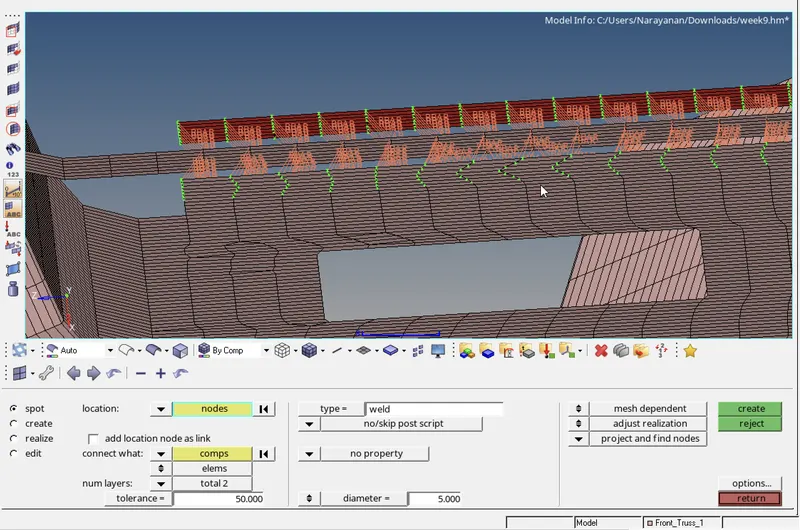
4. Front_truss_2, Front_truss_1 & Left_Rail_1:- Hexa (Adhesive)
1.select the required component for connector.
2.Then goto 2D-CONNECTOR-SEAM and select the type asHexa (Adhesive)
3.Select the node on LOCATION for making connector and component in CONNECT WHAT then spacing as 5 WIDTH as 5
4.Then connector created.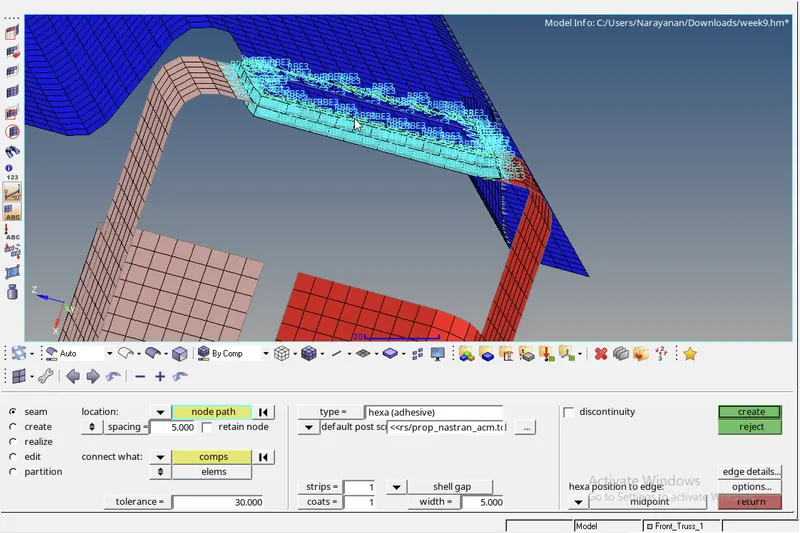
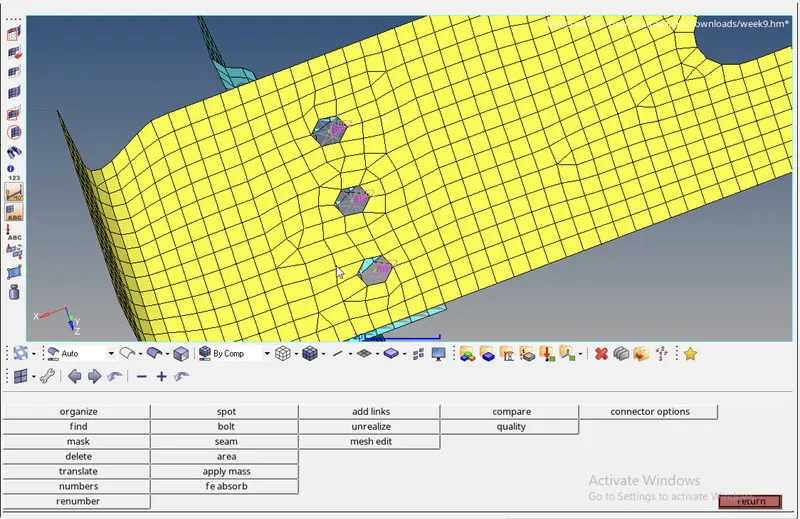
5. Rear_truss_2 & Right_Rail_2:- Bolt Connector
1.select the required component for connector.
2.Then goto 2D-CONNECTOR-BOLT and select the type as BOLT (GENERAL)
3.Select the node on LOCATION for making connector and component in CONNECT WHAT then select create hole,if none
4.Then connector created.
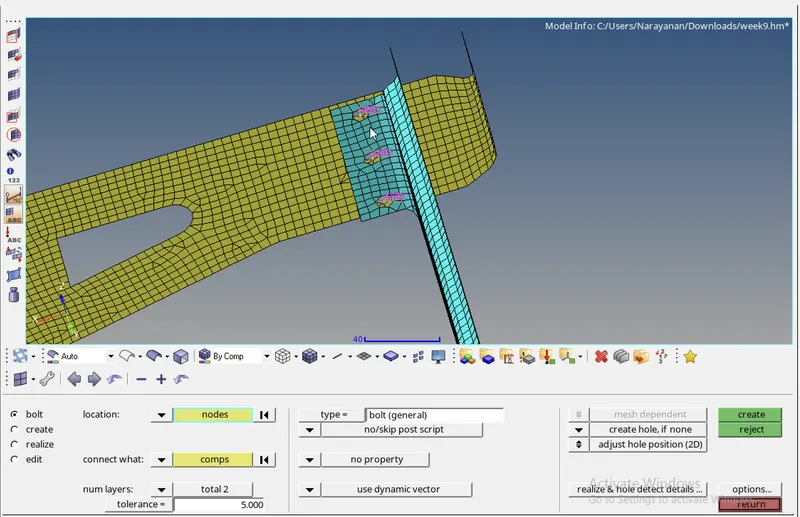
6. Rear_truss_2 & Left_Rail_2:- Bolt Connector
1.select the required component for connector.
2.Then goto 2D-CONNECTOR-BOLT and select the type as BOLT (GENERAL)
3.Select the node on LOCATION for making connector and component in CONNECT WHAT then select create hole,if none
4.Then connector created.
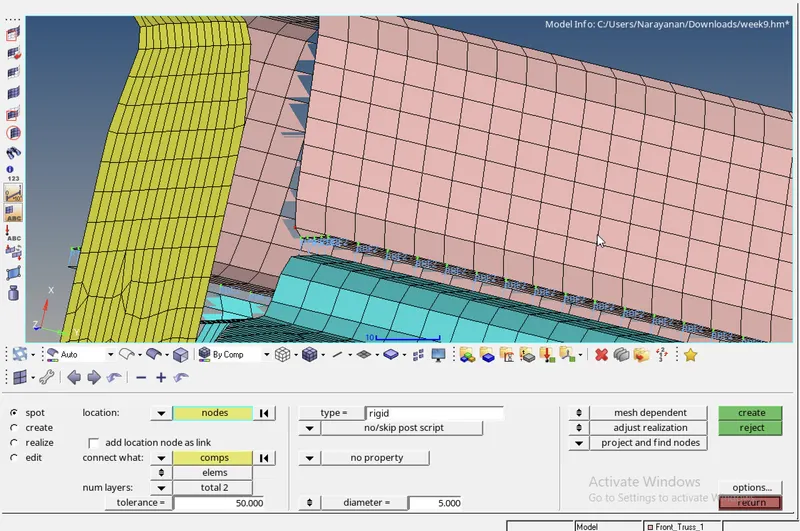
7. Right_Rail_1 & Right_Rail_2:- Spot-weld with Rigid Elements
1.select the required component for connector.
2.Then goto 2D-CONNECTOR-SPOT and select the type as RIGID
3.Select the node on LOCATION for making connector and component in CONNECT WHAT then DIAMETER as 5
4.Then connector created.
8. Left_Rail_1 & Left_Rail_2:- Spot-weld with Spring Elements
1.select the required component for connector.
2.Then goto 2D-CONNECTOR-SPOT and select the type as SPRING
3.Select the node on LOCATION for making connector and component in CONNECT WHAT then DIAMETER as 5
4.Then connector created.
RESULT :