Week 9 - Creating connection for Rear door
aim: To create connections for rear door of car using ANSA Software.
0bjective:
- To assign property identity for every subpart.
- To create RBE2 Element in order to represent bolt connection.
- To create RBE3 Hexa RBE3 element in order to represent spot weld connection.
- To create RBE3 CBUSH RBE3 element in order to represent weather strips.
- To create seam weld connection.
- To create mass concentration element in order to represent door handle.
Given FE Model:
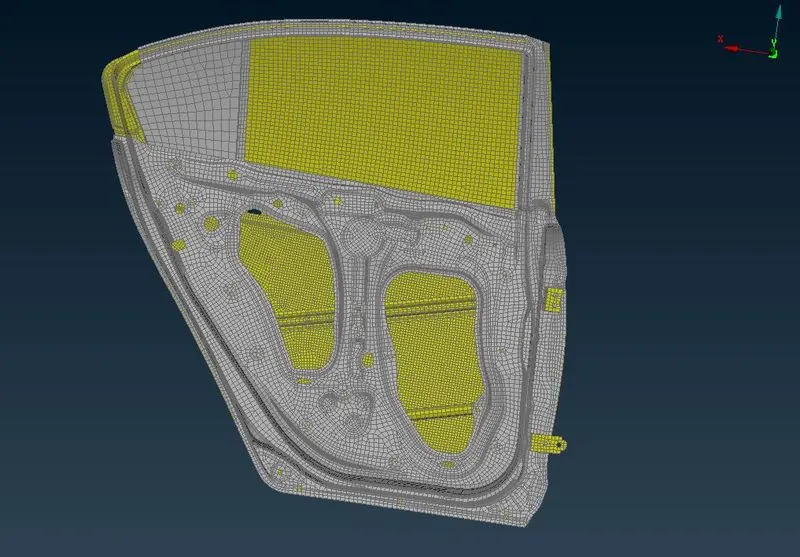
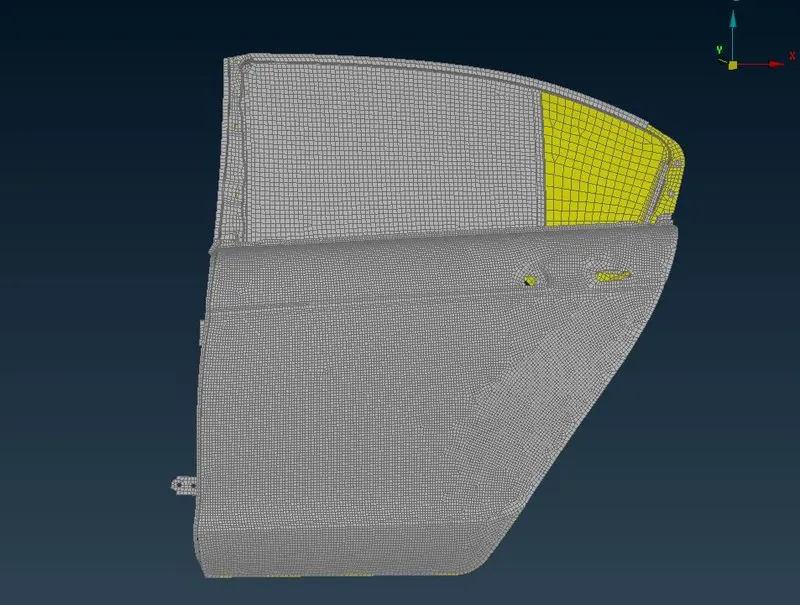
Procedure :
1. Feature Line to Curve) defines 3D-curves from the selected feature lines (elements' edges) of mesh.
2. Free boundaries of the visible mesh-area are considered as feature lines. Properly defined 3D Curves can be used to generate new geometry from a FE Model.
3. a. Activate the Convert [3D points] function.
b. Select one or more 3D-points (cyan squares) or circle centers (cyan circles). Deselect any of the selected entities, using the right mouse button,
if necessary.
c. Confirm the selection pressing the middle mouse button.
In the Connection Type window that appears to select the appropriate connection type.
4. a. Activate the Connection Manager function, of the Assembly toolbar.
b.Select one or more Connection entities using the 'Connection Selection Assistant' or the mouse. The selected Connections are highlighted.
c. Load the selected Connections to the Connection Entity List by confirming the selection with the middle mouse button.
1. Demonstrating the C-Bush in the way explained above:
Orientation is not the same for all the Bush connections so it may affect the simulation results. So we try to change the connection orientation
Modified the Orientation Vector
Changed to the similar orientation of RBE3-CBUSH-RBE3
CBUSH connection of Window with the door
- Where there is a mechanism, connections are present those will be rigidized together.
- If there is a bolt definition is defined they are rigid with the stem.
This element is a rigid body with independent degrees of freedom specified at a single grid point and with dependent degrees of freedom at an arbitrary number of grid points.
RBE2: This element is a rigid body with independent degrees of freedom specified at a single grid point and with dependent degrees of freedom at an arbitrary number of grid points.
Cluster RBE2
Cluster RBE2 and With Stem to represent the mechanism
Weld Connection using RBE2
T-Joint-Shell-Closed:
T-Joint-Shell-Closed
Learning outcome:
- Introduction to connection manager and convert option in assembly module.
2.Different connection options available in ANSA, such as Two Nodes RBE2, RBE3-CBUSH-RBE3, Nut and Bolt representation and Seam weld data representation
3.Generating connections to the automotive rear door part, and seating parts.
Conclusion:
Different connections have been generated on the given rear door part to represent the real door connection to the vehicle body, the orientation of CBUSH elements are aligned to the global coordinate system.