Week 9-Challenge
Objective:-
- To know what are connectors and there needs
- To study about different types of connectors
- How to apply connections in hypermesh.
Theory:-
- Connectors:- they are geometric entites, which are primerly used to represent the CAD geometric connections in tearms of FEA. Connections can be created as a spot weld, seam weld, adhesive,bolts and masses.
Procedure:-
Step 1:- Import the cad model
- Import the cad model.
- File > Open> Model> select the file open
Step 2:-Geometry cleanup
- Check the geometry of the model that we get and do the geomatry cleanup likewise it wont be failing while meshing.
Step 3:-Meshing
- We can mesh using Automesh tool
- 2D>Automesh
- click on surface> Select Surface to mesh
- Set Element size as 6
- Set Mesh Type as we needed, if it is a flat and sides are like straight lines we can use quads, if the shape of the material is complex we can use mixed.
- Click on Mesh.
Step 4:- Eliminate errors and Reduce trias
- Using different tools in Quality index we can eliminate most of the errors and can done tria management.
- We can get this tool by 2D>Quality index.
Step 5:- CONNECTIONS
If we make a model with no connections, when a load is applied to a part it will not be affected to the nearest parts where the nearer parts will be affected in real life. So we need the connections. If we give connections in between 2 parts the load affected in one part will be transfered to the nearer part like in the real life. The main 3 type of connections are Spot, Seam and Bolt. Also they are having many connections inside these main connections as sub options.
Seam Connections:-
- For giving the seam connection following steps are to be followed
- Go to 2D/1D > Connectors > Seam.
- In locations choose Node list and select the nodes where we want to give connections.
- Check the retain nodes option for retaining the nodes position after connection.
- In spacing option give the spacing given to the connection it will be preferable if we give it same as the element size
- near Connect what choose comps and select the components to be connected
- Tolerance shall be given, this must be more than the distance between te components.
- In the type box choose the type of seam type connection that we are going to give.
- Click on create button.

- In the challenge we have 3 seam connections:-
-
1. Right_Rail_2 & Front_truss_1:- Seam-Quad(angled+capped+L)
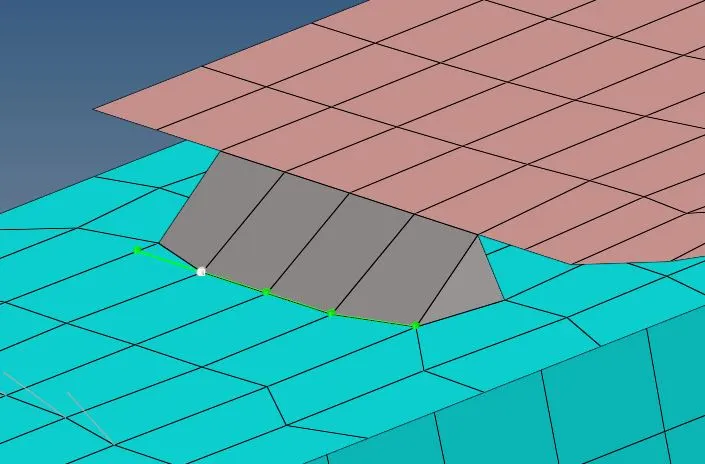
-
2. Left_Rail_2 & Front_truss_1:- Quad elements
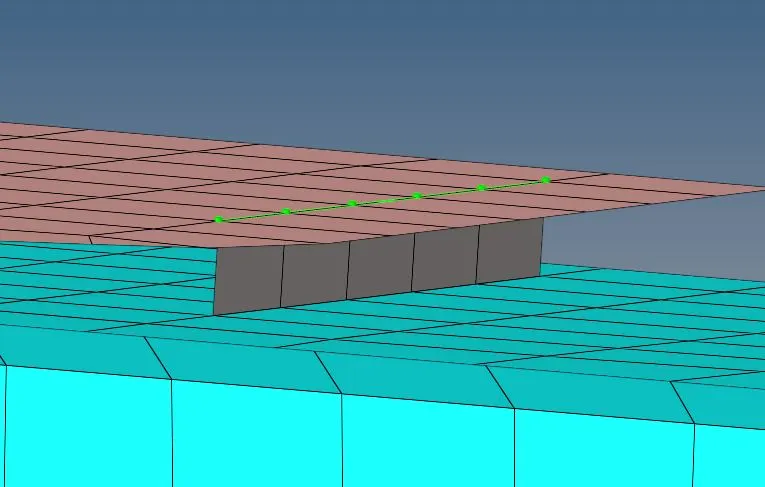
- 3. Front_truss_2, Front_truss_1 & Left_Rail_1:- Hexa (Adhesive)
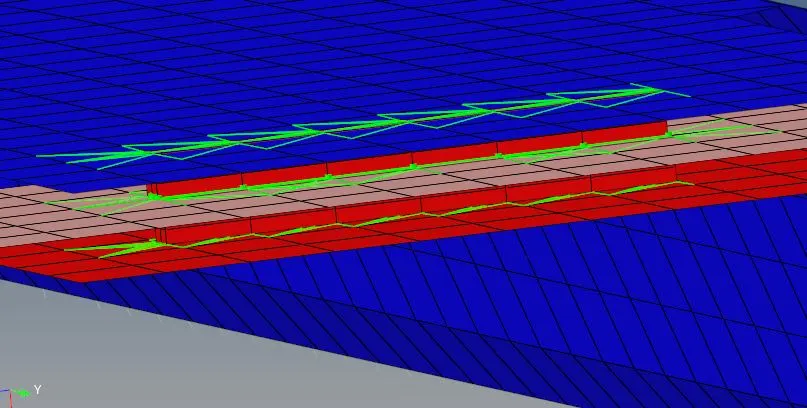
- These can be applied by choosing the options in Type box


Spot Connections:-
- For giving the spot connection following steps are to be followed
- 1D/2D > Connectors > Spot
- In location choose node list and select the nodes
- give the spacing , check retain nodes
- Select the components to be connected
- Give how many layers are connected to each other.
- Give tolerance value.
- select the type of spot connection we need to give.
- Give the diameter value.
- Click on create.

- In the challenge we have 3 spot connections:-
- 1. Front_truss_2, Front_truss_1 & Right_Rail_1:- Spot weld with 3 Layers and 5 mm Diameter
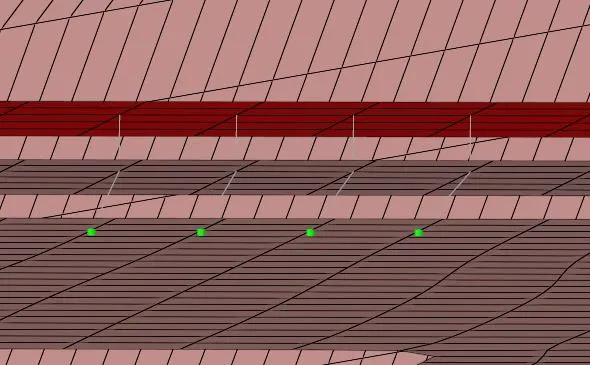
- 2. Right_Rail_1 & Right_Rail_2:- Spot-weld with Rigid Elements
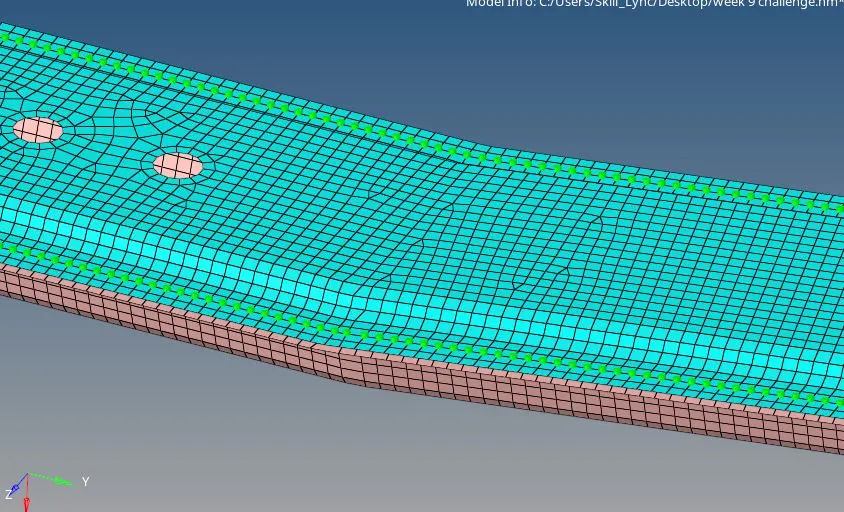
- 3. Left_Rail_1 & Left_Rail_2:- Spot-weld with Spring Elements
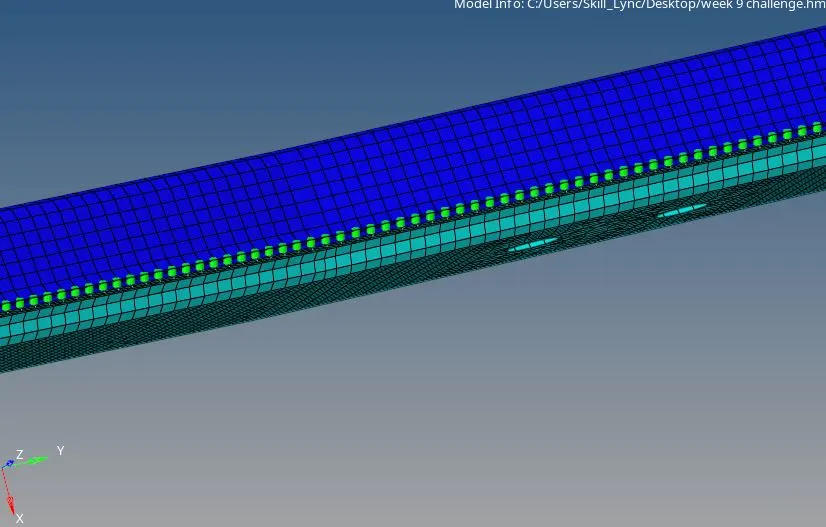
- These type of spot connections can be choose from type box:-

Bolt Connections:-
- To create a Bolt connection, first change the optistruct ro Radios mode. Then only Bolt connection will get deployed on the surface
- Here 2 surface is not having holes, so hole need to be created
- Click 1D/2D-> Connectors->Bolt option
- Under location select the node which we create to establish the Bolt connnection
- Select the comps in order to create Bolt connection
- Select the number of layers to be welded under the "num layers" option
- Specify the tolerance value based on the distance between the two components
- Select the type as Bolt general
- Specify if hole is not available, change the option to "create a hole, if none".
- Click on Create

- In this challenge we have 2 bolt connections:-
- 1.Rear_truss_2 & Right_Rail_2:- Bolt Connector
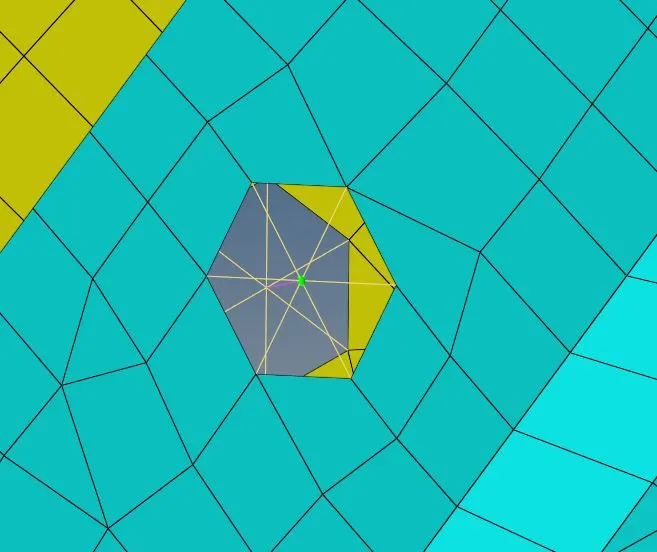
- 2.Rear_truss_2 & Left_Rail_2:- Bolt Connector
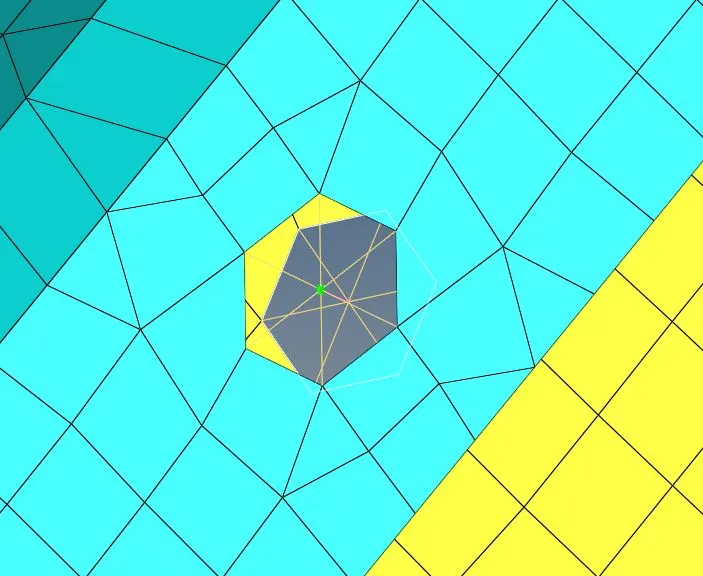
RESULT:-
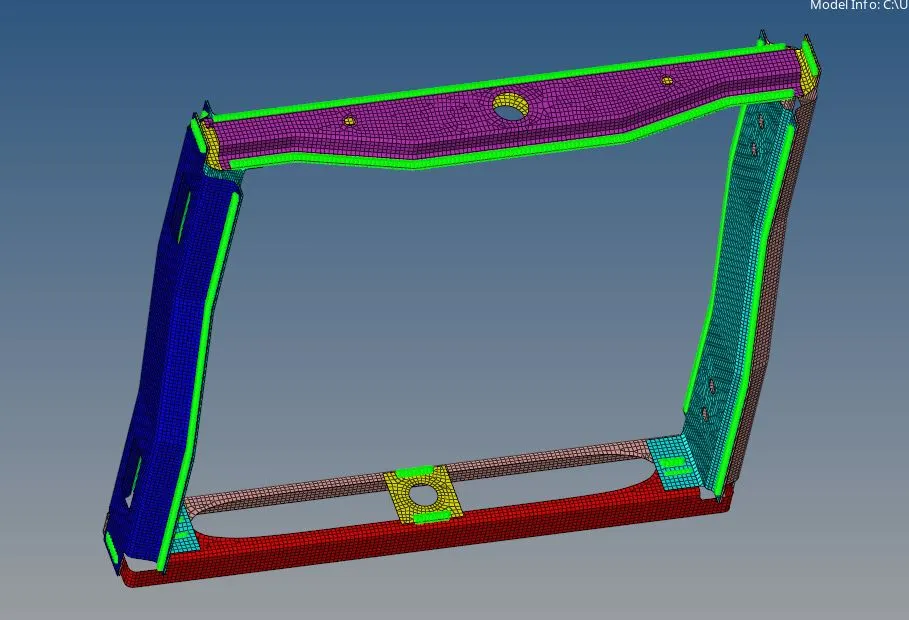
All the connections are made on the given component as per the question and also remaining all parts are connected to each other.
Learning Outcomes:-
- Learned about need of connections.
- Learned about different type of connections
- Learned how to apply connections in hypermesh