Week 9 - Challenge 2 - Switch Bezel Design
Plastic Component :
Tooling Axis:
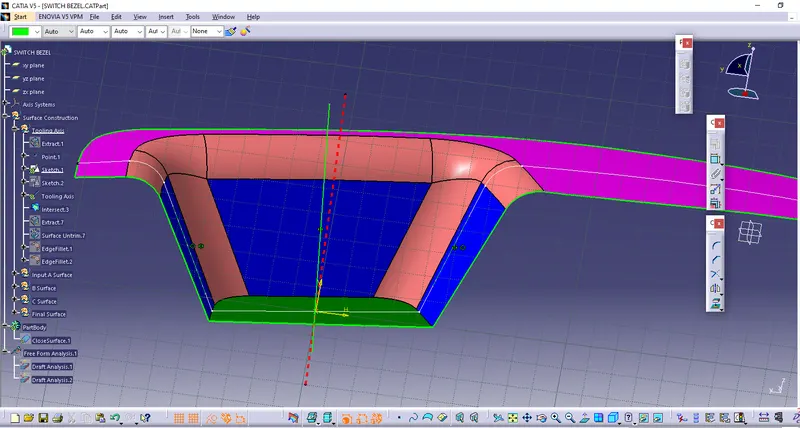
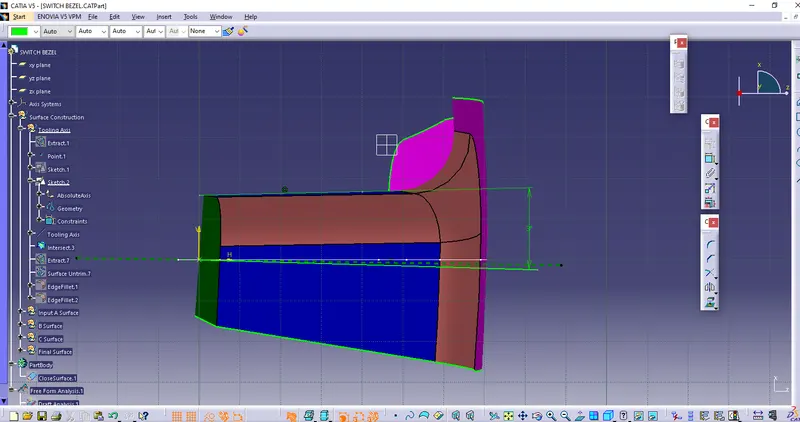
- Considering Z axis as tooling axis, from X view creating a intersect and using walls as input to create a Bisecting lines ie Dummy tooling axis.
- From Y view creating a line which coincident through projection point and is at 3deg angle with wall ie Draft line.
- Using Dummy axis and Draft line as inputs and creating Bisected line ie. Tooling Axis.
Draft Analysis:
- Class A Surface:
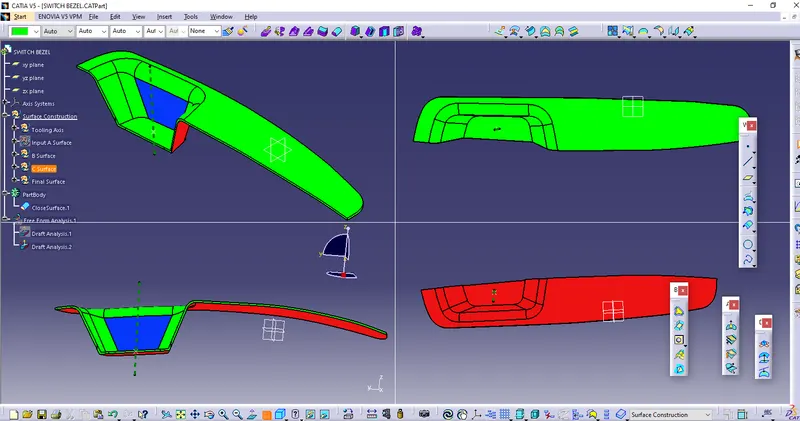
- Using earlier created tooling axis as referance for Compass and fix Draft direction.
- Using Colour scale as reference checked draft values using Running point.
- Green colour shows draft within limits.
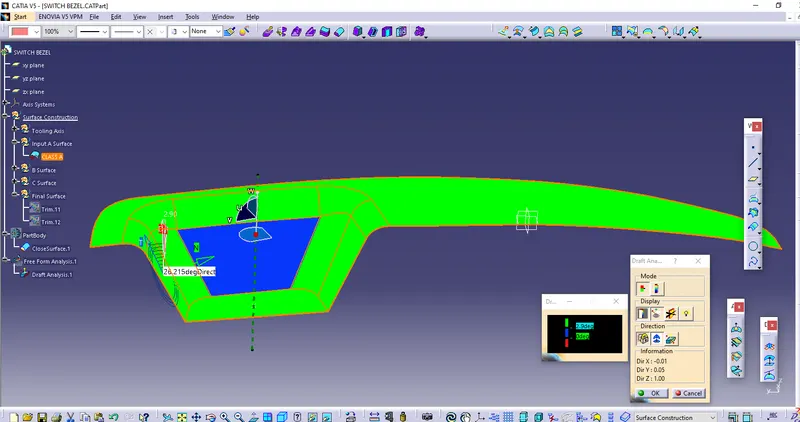
2. Plastic Component Draft Analysis:
- Using earlier created tooling axis as referance for Compass and fix Draft direction.
- Using Colour scale as reference checked draft values using Running point.
- Green colour shows draft within limits.
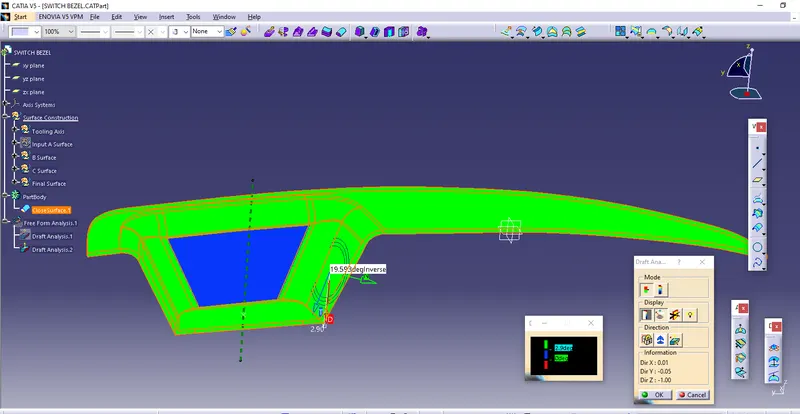
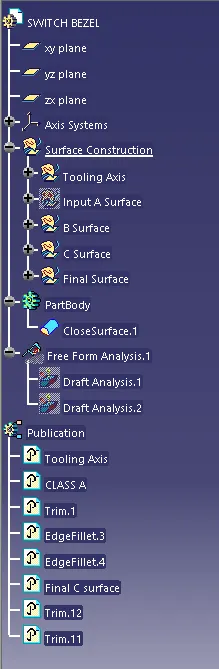
Publications :
- Tooling Axis
- Class A, B, and C surface