Week 9 - Attachment Feature Creation - Challenge 2
AIM:-
Create the Dog House for the Door Trim considering the design rules
Procedure:
A: Creating a Plastic Component of the Door trim
Step 1: Tooling Axis
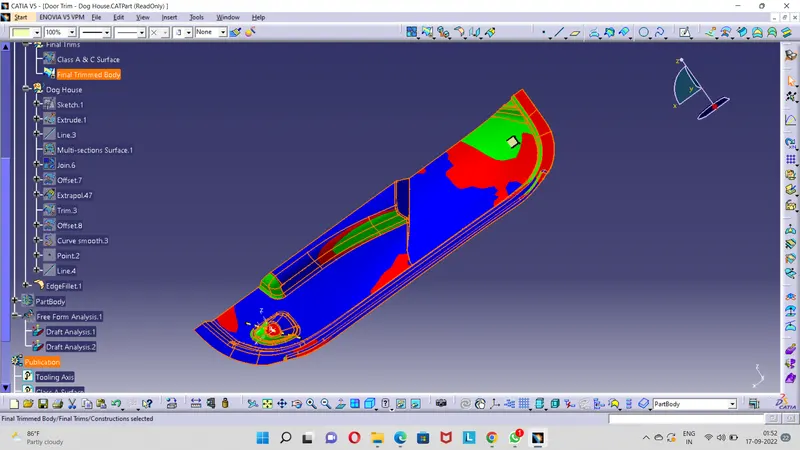
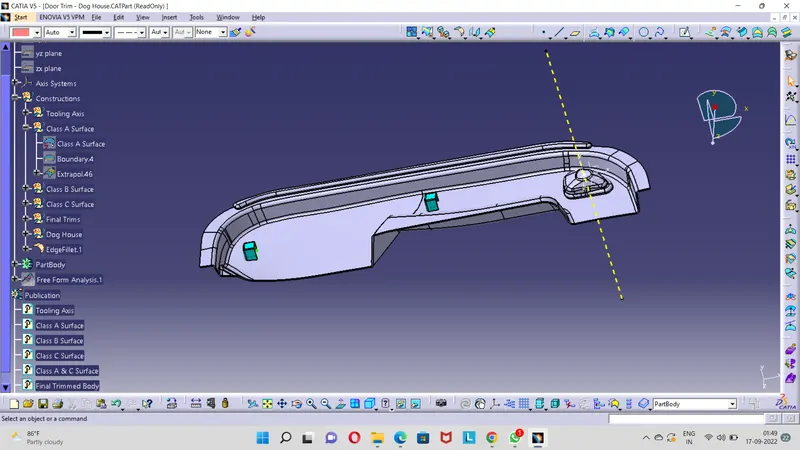
The Tooling Axis was created on the surface of the Class A Surface of the Door trim . A point was created on the surface along the Y-Axis since it is the only possibility to create a mold for manfacturing. Then a line normal to the surface was created and draft analysis was done to check whether or not the tooling axis is correct and has a minimum value of 3 DEGREE.
Step 2: Creating the Class B Surface
The Class A Surface is Offsetted to a distance of 2.5mm and the Class B Surface is created.
Step 3: Creating the Class C Surface
The Class C Surface is created by creating a boundary on the Class A Surface and by using the sweep tool it is sweeped to a nominal distance along the draft direction.
Step 4: Creating the Final Body of the Door trim
The Class A & C Suface is first joined and then the joined surface is trimmed with the Class B Surface.
Step 5: Plastic Body of Door Handle
Using the Close surface tool in the part design workbench the plastic component is created.
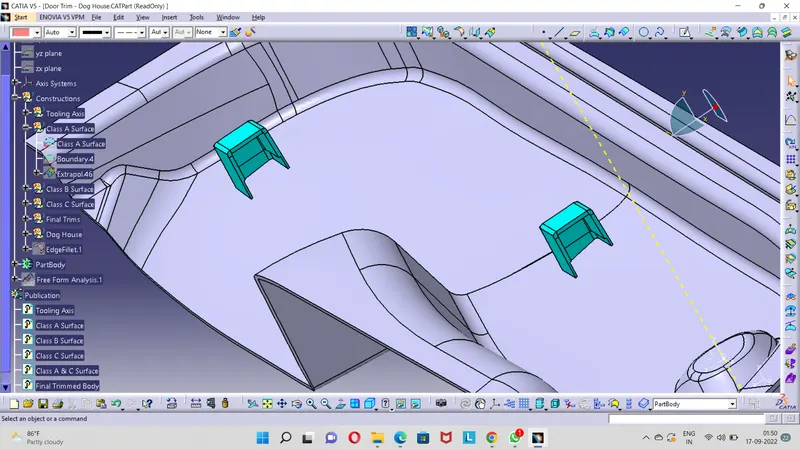
CREATE DOG HOUSE
DRAFT ANALYSIS OF DOOR TRIM FINAL RESULT