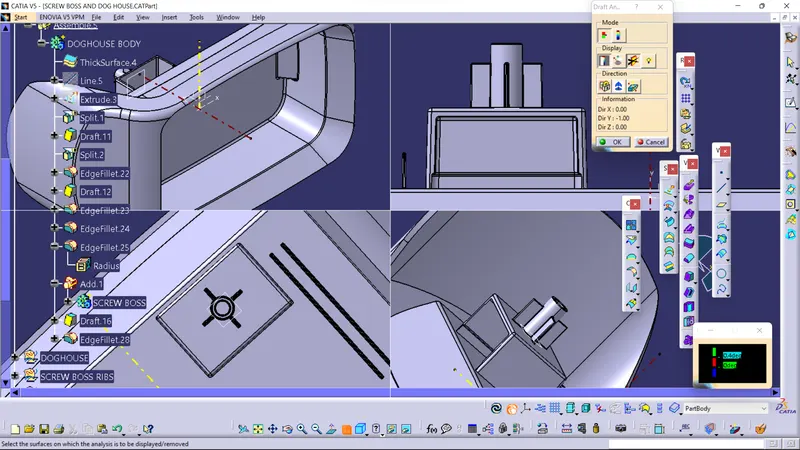
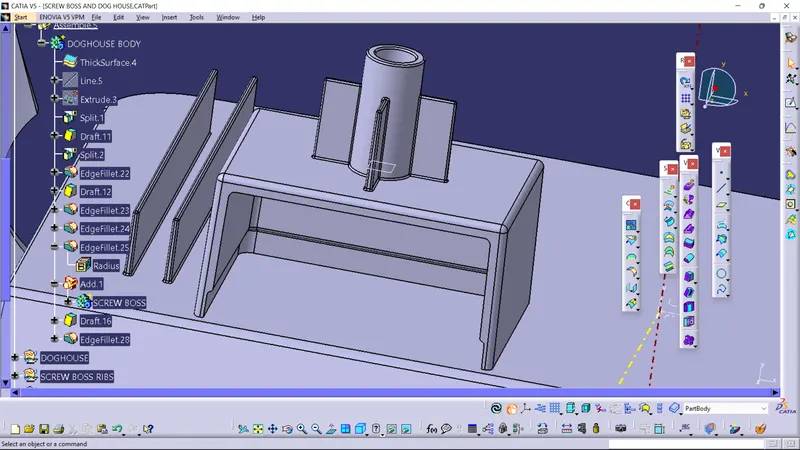
Week 9 - Attachment Feature Creation - Challenge 2
Draft analysis of Coin Holder
- Draft analysis on a component is done to ensure there is certain draft amount of draft is maintained so that the component is easily ejected from the mold, (ideally 0.5 degree is maintained and upto 3 degree we mostly tend to go with plastic for sheet metal we tend to go above 7 degrees).
HOW TO PERFORM DRAFT ANALYSIS :
- Create the tooling axis using bisecting method.In bisecting method we create a bisecting a line with intersects of the walls in X direction and Y direction.
- Then the bisecting line between both intersects is considered as the tooling axis.
- Generally tooling axis is the path in which the cavity interacts with the core , bisecting method is one of the method to configure the invisible tooling axis.
DRAFT ANALYSIS:
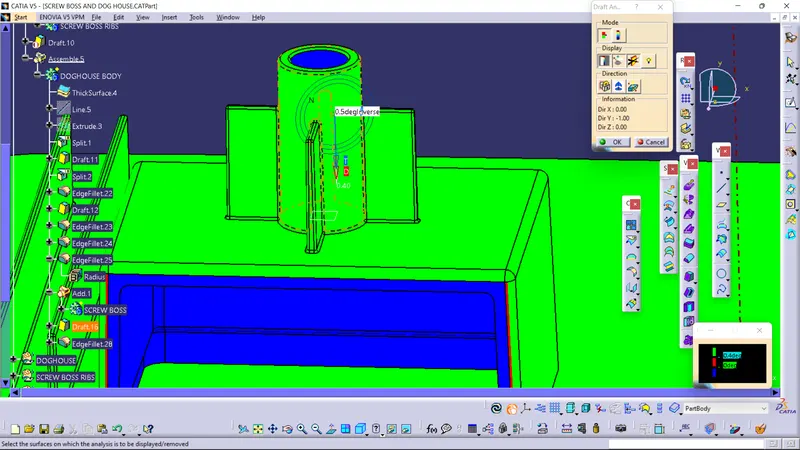
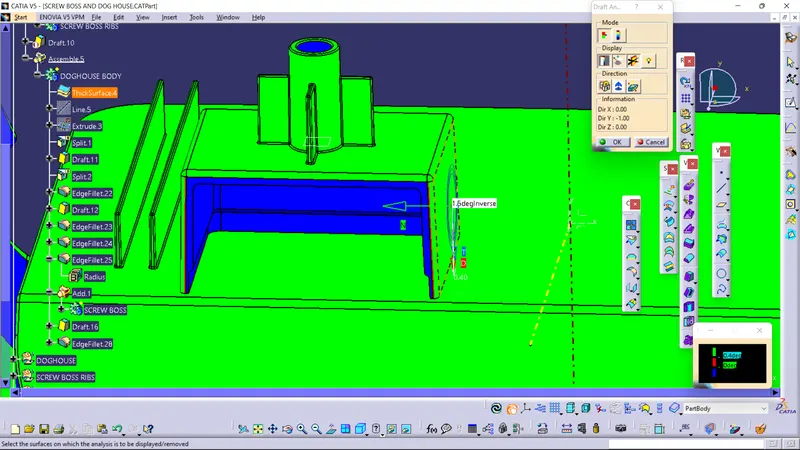
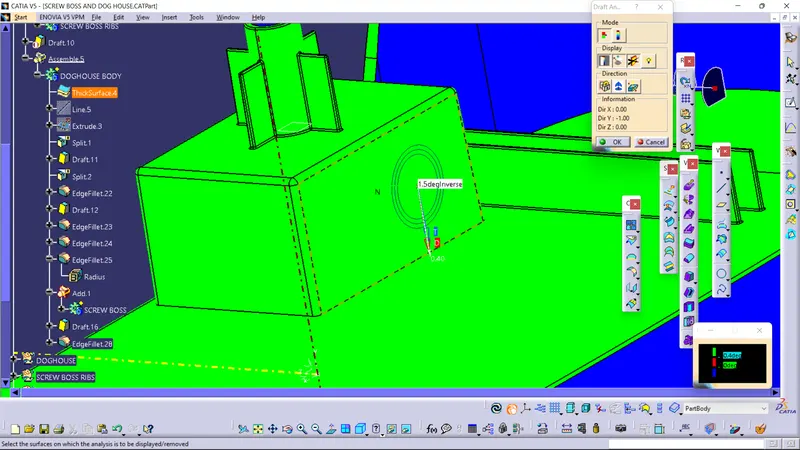
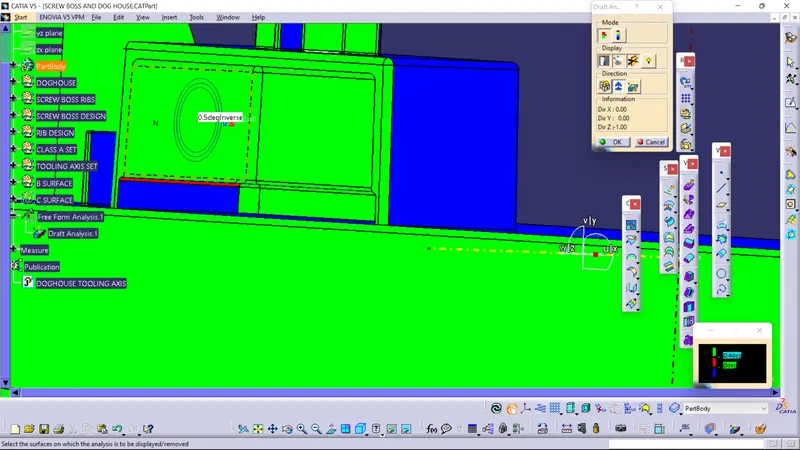
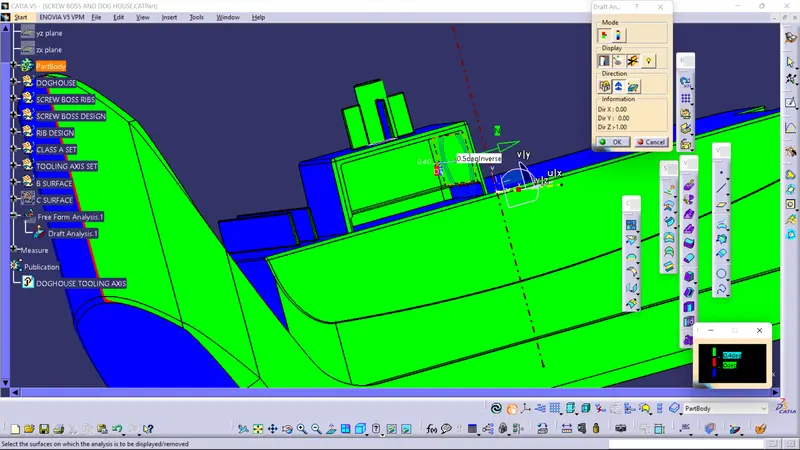
- To perform draft analysis ensure the materials option is selected in the view mode and select the feature draft analysis option.
- Next in select the compass option and drag it on to the tooling axis and press anywhere on the component.
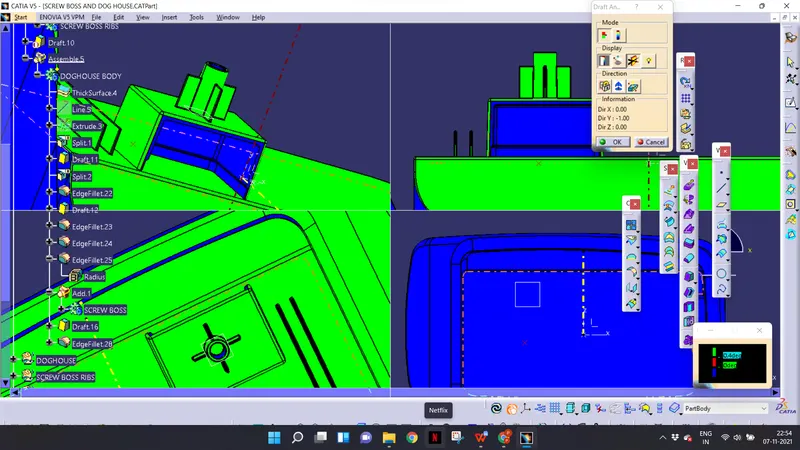
COLOR CODING:
- In the color code tab you see 3 colors , green , red and blue.
- You can customize the value of draft angle respective of its color.
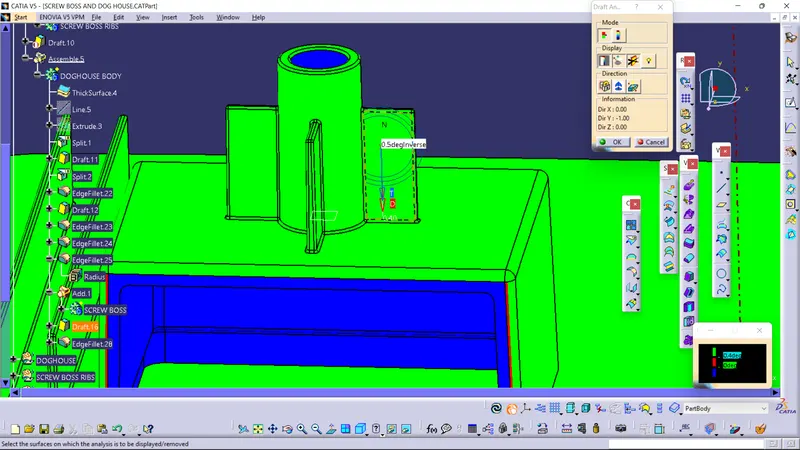
- Then understand that the surface which show as green has a draft on it respective of angle which we want
- In the modes option select the full analysis mode which gives you more color option than quick analysis
CONCLUSION:
- The analysis is done it is found that the design is VALID since it has draft angle of 0.5 degrees with respect to the tooling axises on the walls of dog house and screw boss which is desired.