Week 8 Worm Gear Challenge
Aim : To perform a transient structural analysis on a worm gear assembly.
Objectives :
- Get results for Equivalent stress, Equivalent elastic strain and the total deformation in the model.
Procedure :
- First open the Ansys workbench.
- Go to toolbox select the analysis system and double click on the transient structural.
- Import the geometry into transient analysis.
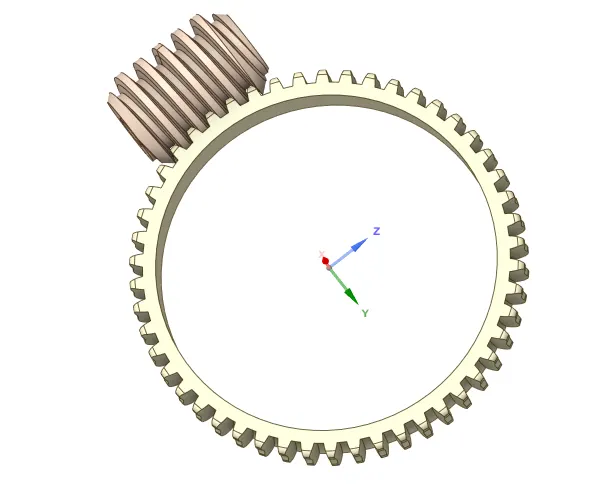
Model setup :
- Go to geometry rename the components as worm and gear.
Contacts :
- Create frictionless contact between worm and gear by selecting teeth faces.
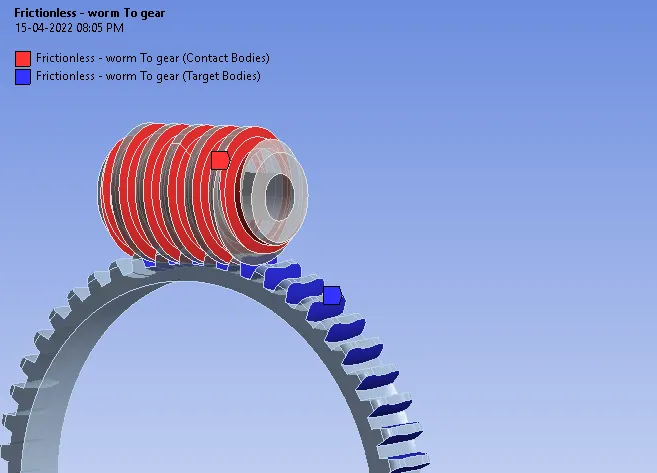
Joints :
- Create revolute joint for worm and gear.
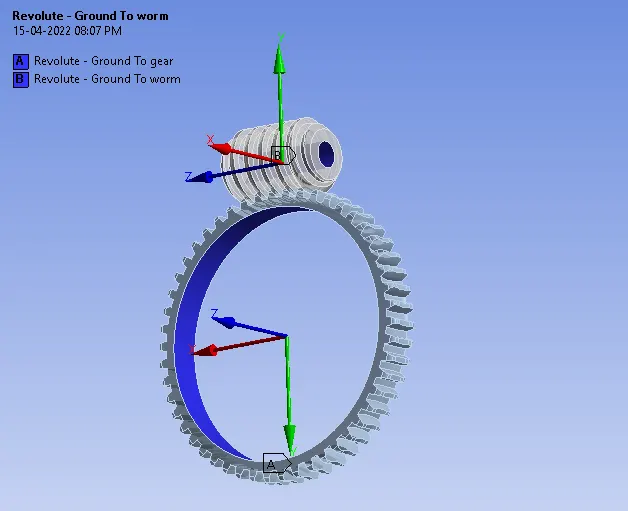
Meshing :
- Turn off adaptive sizing.
- Generate mesh using element size as 1 mm.
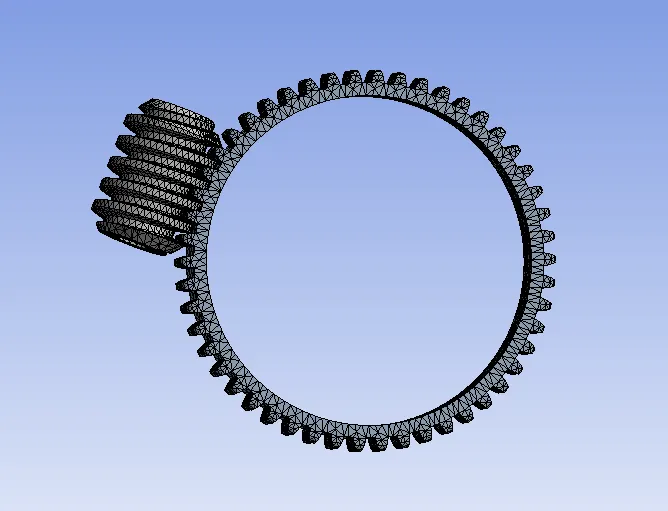
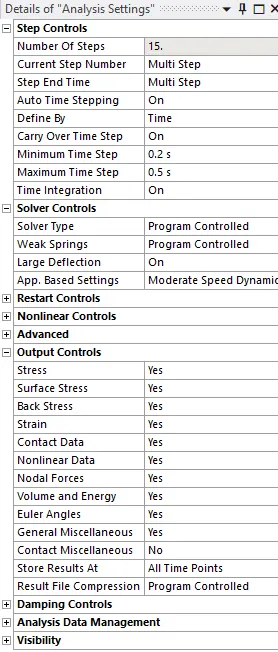
Analysis settings :
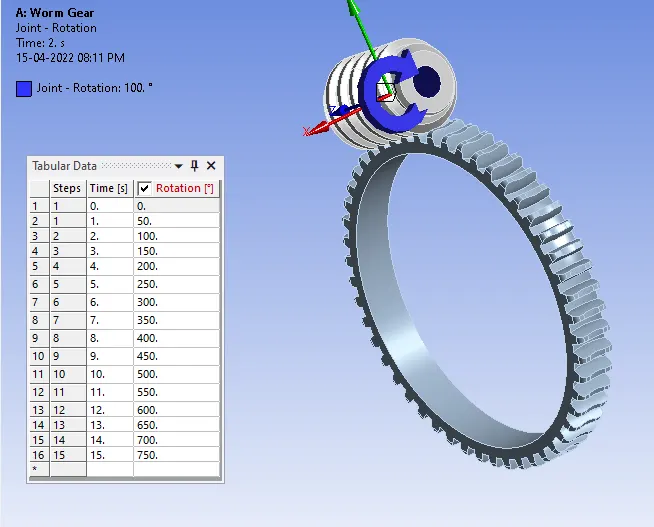
Joint load :
- Insert rotation for revolute joint of worm.
Solution :
Create output results for :
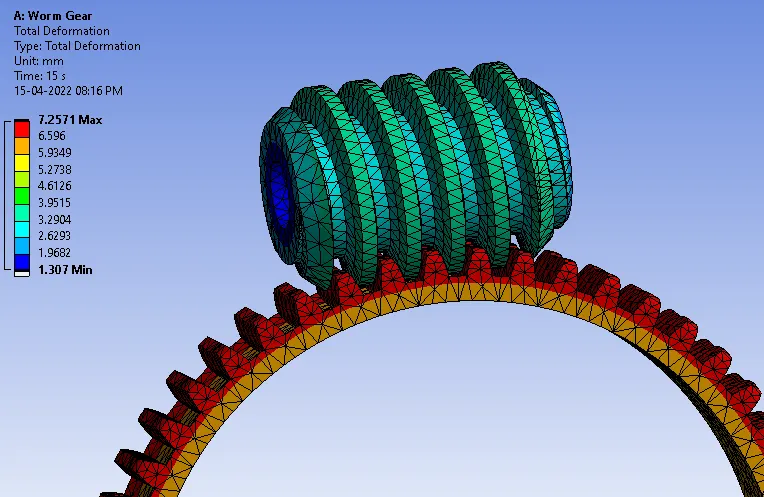
- Total deformation for model.
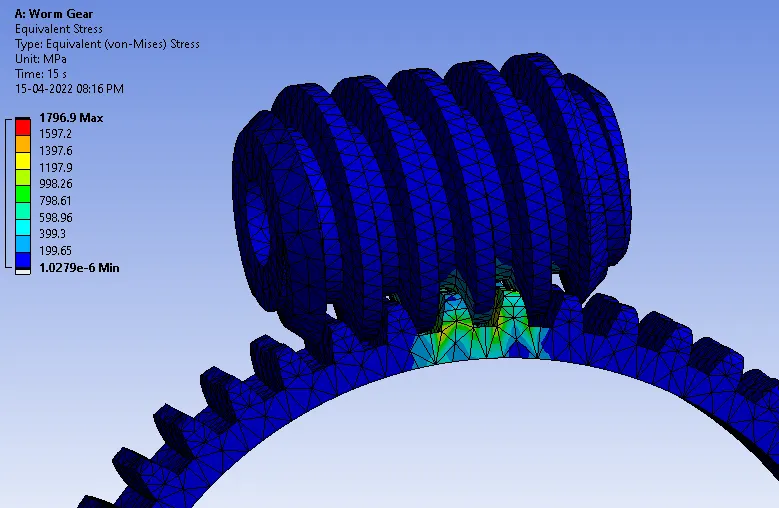
- Equivalent stress for Model.
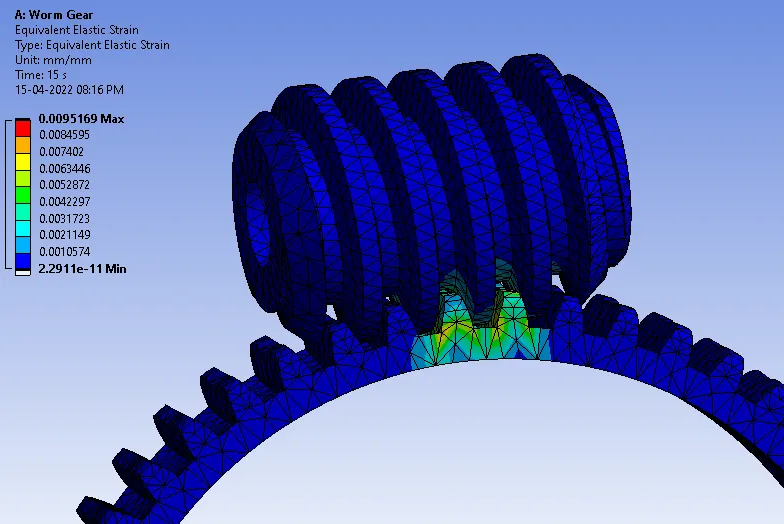
- Equivalent strain for Model.
Results :
Total deformation :
Equivalent stress :
Equivalent strain :
Conclusion :
- In the above simulation of worm gear assembly we can observe the stress strain and deformation rate for the applied parameters.
- From the simulation results, we can see the regions of Max. Total Deformation, Max. Equivalent Elastic Strain and Max. Equivalent Stress occurring on the gear during the simulation.