Week- 8 - Solid meshing
AIM:
TO check geometrical errors, mesh the surfaces for the given model (hand rest) with the given 2D quality criteria and to use tetra elements to mesh the volume and to check for the below quality after volume meshing.
PROCEDURE:
STEP 1:
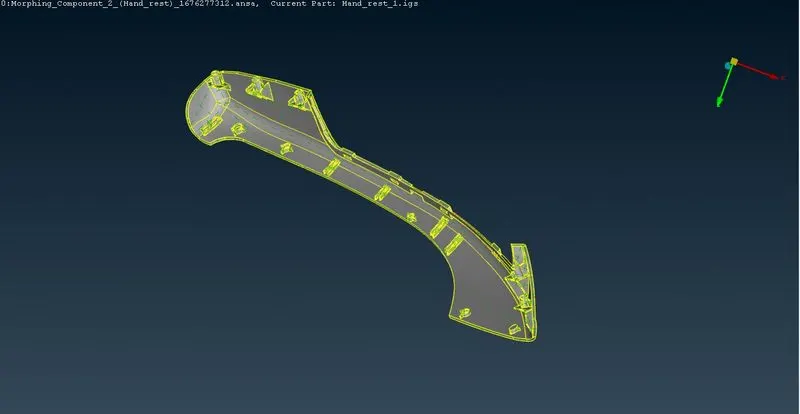
Importing the given cad model into ANSA (file-open-selecting the model).
STEP 2:
As the imported model contains single cons, below mentioned operations are performed to element those errors.
TOPO DECK-CONS – RELEASE – SELECTING THE WHOLE MODEL
TOPO DECK – FACES – TOPO – SELECTING THE WHOLE MODEL.
STEP 3:
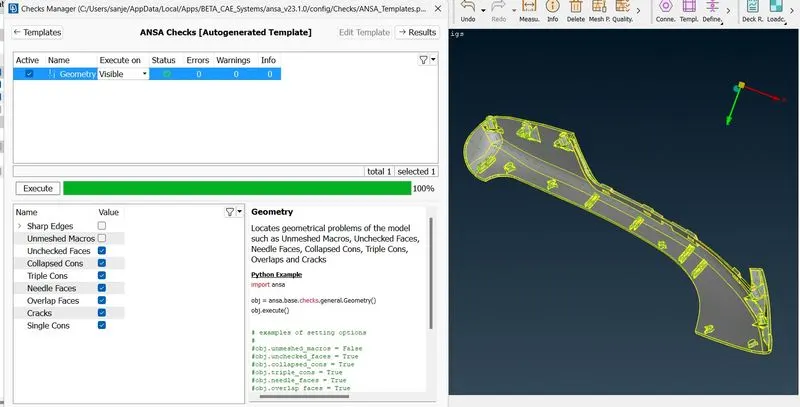
Doing geometrical checks for the model.
TOOLS – CHECKS – GEOMETRY – SELECTING THE REQUIRED CHECK BOX – EXECUTE
If any errors then performing some operations like topo, releasing cons etc.
After achieving zero errors in geometry check up then moving forward
STEP 4:
If any orient errors are present then it can be eliminated by TOPO DECK – FACES – ORIENT – AUTO - GREY OUTSIDE .
STEP 5:
Updating the given values in MESH PARAMETERS and QUALITY CRITERIA.
MESH PARAMETERS – GENERAL – TARGET ELEMENT SIZE TO BE GIVEN.
MESH PARAMETERS – MIXED – ORTHO TRIA should be selected for this case – OK.
STEP 6:
1.Starting MESHING operation by CLASSSIC MESH DECK – PERIMETERS – LENGTH – APPLYING AVERAGE ELEMENT SIZE – OK.
2.Deleting the unwanted hot points by selecting CLASSIC MESH DECK – HOT POINTS – DELETE – SELECTING THE HOT POINTS FROM THE MODEL.
STEP 7:
Performing the meshing operation by selecting CLASSIC MESH – MESH GENERATION – BEST – SELECTING THE MODEL. Then mesh will be generated in the model.
STEP 8:
Checking for any errors in the quality, in case of presence of any errors then it could be eliminated by performing reconstruction and smooth options.
STEP 9:
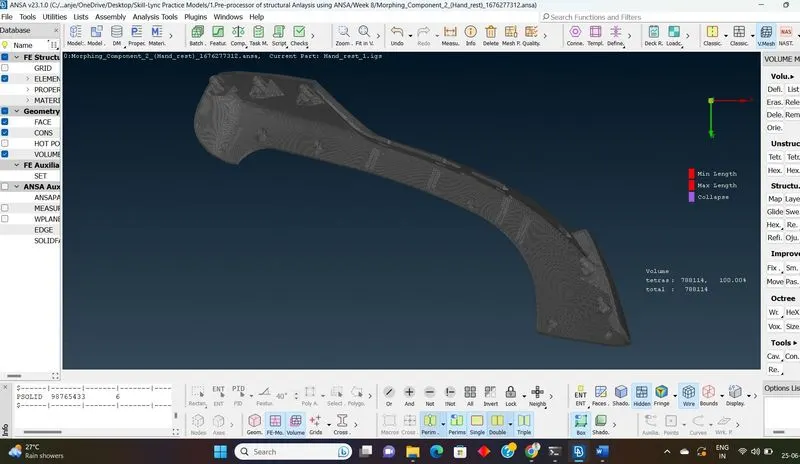
Performing volume meshing by doing below mentioned activity
Selecting VOLUME MESH – DEFINE – SELECTED – OK
Selecting TYPE as TETRA RAPID option from the popup window – OK
RIGHT CLICK – REMESH then status could be changed to MESHED.
By following such steps the volume mesh could be generated on the model.
STEP 10:
After doing V-Mesh, quality criteria for COLLAPSE has to checked for the given value. For that
QUALITY CRITERIA – SOLID - EDIT – COLLAPSE (SELECTING) – ENTERING THE VALUE – APPLY – OK.
STEP 11:
Checking for any quality errors for V-mesh, if So then it could be eliminated by
RIGHT CLICK ON THE COLLAPSE option – FIX QUALITY - OK
CLASSIC MESH – GRIDS – ORIGIN – SELECTING THE RISE/ DENT in the model could be cleared.
LEARNING OUTCOMES:
Thus by doing this challenge I come to know about deep understanding on volume meshing, how to perform V-meshing. Advantages and disadvantages etc.
CONCLUSION:
Hence the given model was subjected to Volume meshing by doing all kind of operations such as TOPO cleanup, GEOMETRY CHECKS, MESHING, QUALITY IMPROVEMENT, TET COLLAPSE ERRORS CHECKS .