Week- 8 - Solid meshing
Aim:- To generate surface mesh and solid mesh on model.
Procedure:-
1. First do a geometry check of model. If any error occurs, then fix it.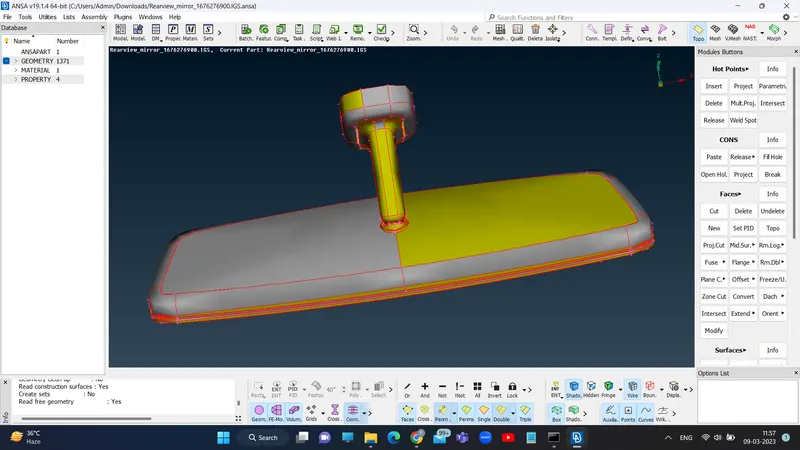
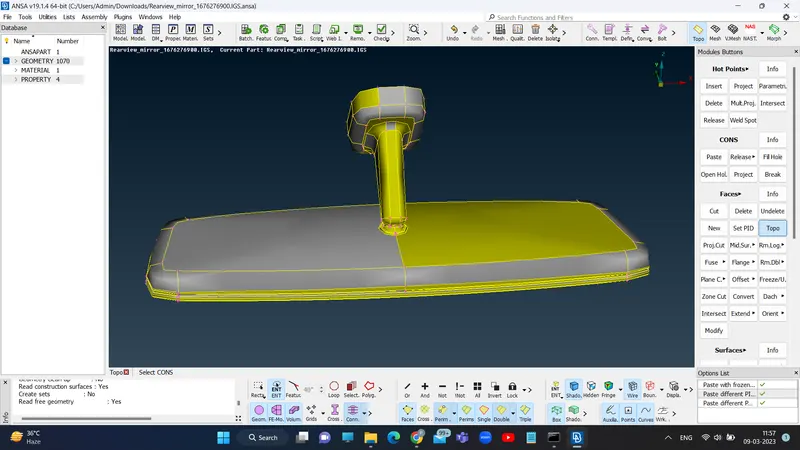
2. Then go for surface meshing. Set min length and max length is quality criteria.
3. After that set target length in mesh parameters and select mesh type either tria or ortho tria.
4. Then select best mesh or spot mesh command in mesh generation. And select area to be meshed.
5. After mesh generating, check for off elements is present or not. If present then improve mesh flow by using various commands.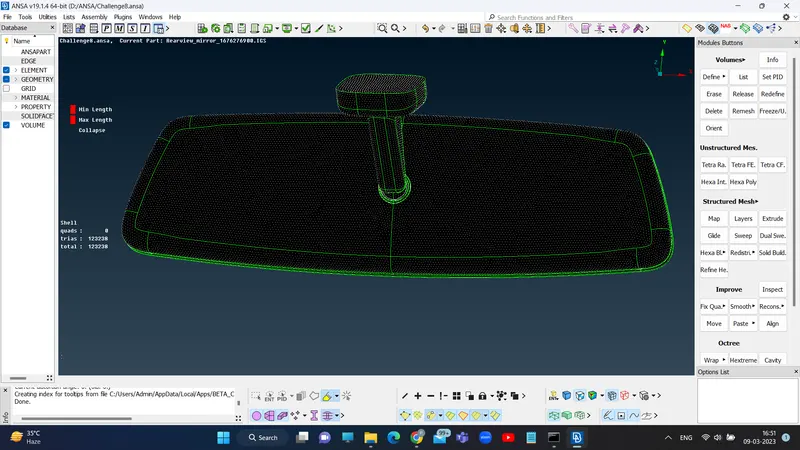
6. After generating surface mesh, go to volume mesh.
7. To define closed volume, select define with manual mode. Then select model and create new PID for closed volume.
8. Then set tet collapse in quality criteria. Select List option, click on tetra rapid or tetra FEM and remesh the closed volume.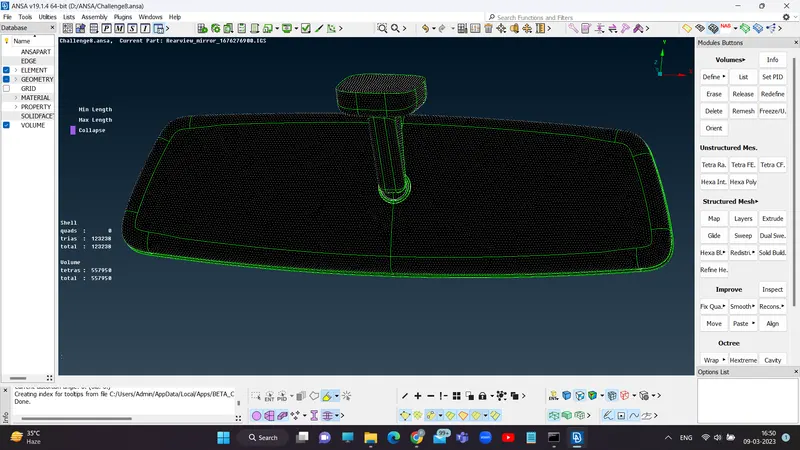
9. After remeshing, if any off element is present then improve it.
Learning outcome:-
1. No midsurface created for solid meshing.
2. Solid meshing using tria or orthotria.
3. Volume meshing.
Conclusion:-
Surface meshing and volume meshing generated successfully.