Week - 5 - 2D meshing for Plastic components
Objectives:- 1. To create midsurface of given CAD model.
2. To mesh CAD model.
Procedure:-
There are four basic steps before create midsurface
- Cons resolution
- Check connectivity
- Orientation
- Check geometry
- Do a geometry check of model. If any error occurs, then fix it.
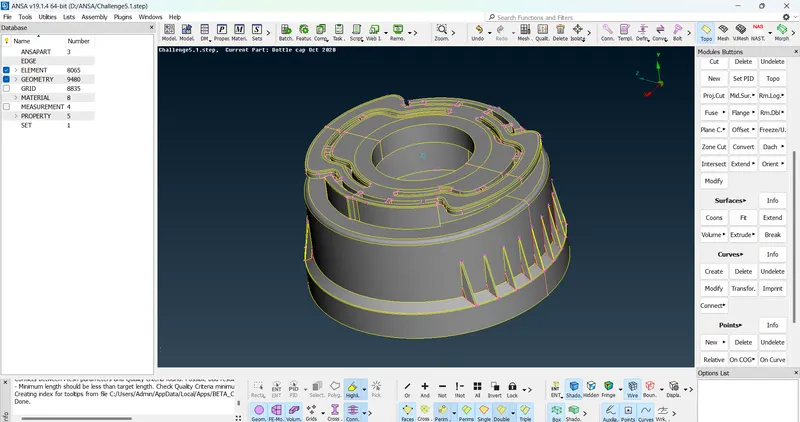
- Then measure thickness of component. Midsurface for this model is created by different methods.
- As this is a plastic component, the thickness is variable. So midsurface is created by different methods,
- For outer and inner ribs on component, middle option in curve section is used to create midsurface.
- For teeths and threads in model, Middle option is usecd to create midsurface.
- For base, Offset option in Faces section is used for create midsurface.
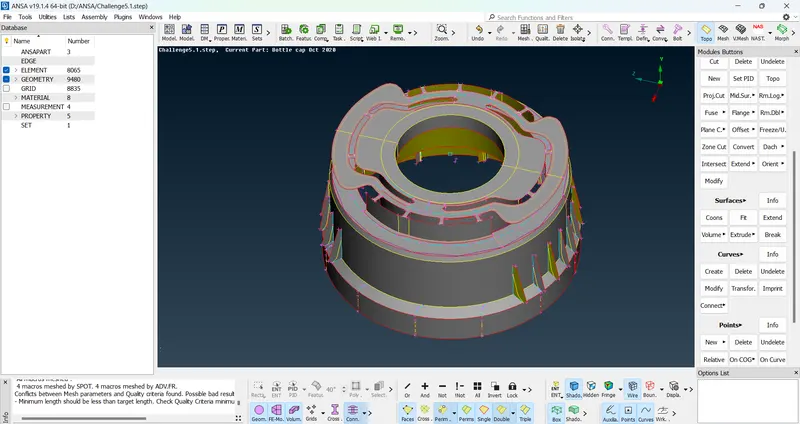
- After creating midsurface, give new PID to all midsurfaced parts.
- After that go to mesh, then select quality criteria option. Enter given quality criteria. And then enter mesh parameters.
- Then select best mesh from mesh generation. Select surface to be meshed. After middle click mesh is generated.
- After that remove a off element using various commands i.e. Reconstruction, Smooth etc..Neglect the trias, rotating quads for better mesh flow.
Conclusion:- Hence we create midsurface and mesh CAD model successfully.