Week 8 - Simulation of a backward facing step in OpenFOAM
Aim:-
> Simulate an incompressible-laminar-viscous flow through the backward facing step geometry.
> Perform Transient simulation and choose the solver based on the described physics of the flow.
> Explain the entire simulation process and shall give the proper explaination in the changes make in the reference file in OpenFOAM tutorials.
>Once these done we have two case studies to perform and compare the results,
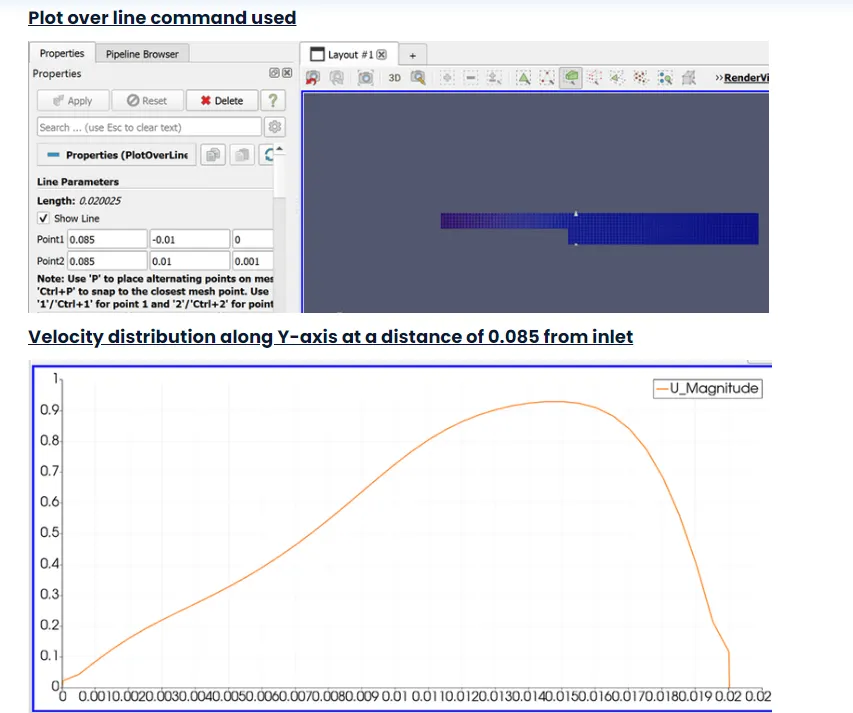
Case 1:- Simulate the flow without using the any gradient factor is 1(G.F=1).
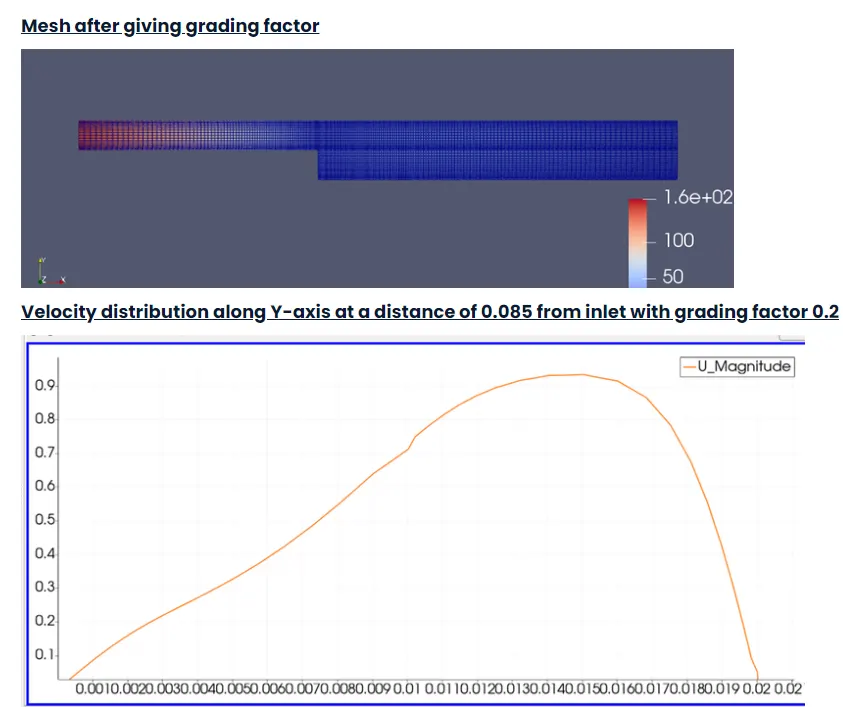
Case 2:- Simulate the flow with gradient factor is 0.2(G.F=0.2).The cells should be finer near the walls.
> Mesh specification
- Number of cells along the x direction (longer dimension) = 200
- Number of cells along the longer y direction = 20.
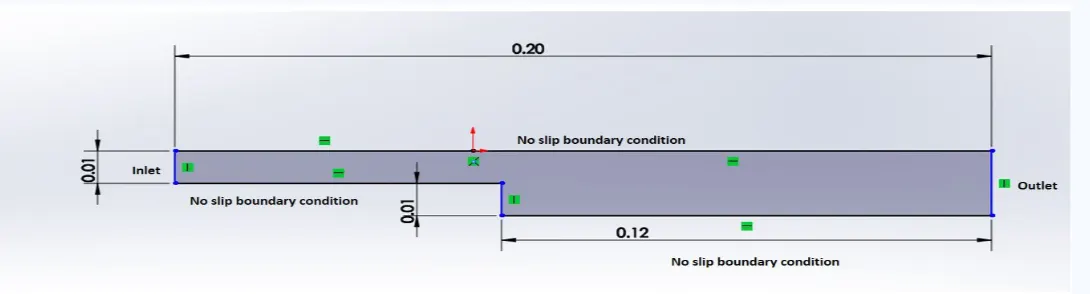
>Boundary condition specification
The domain specifications are provided in the following figure.
Procedure:-
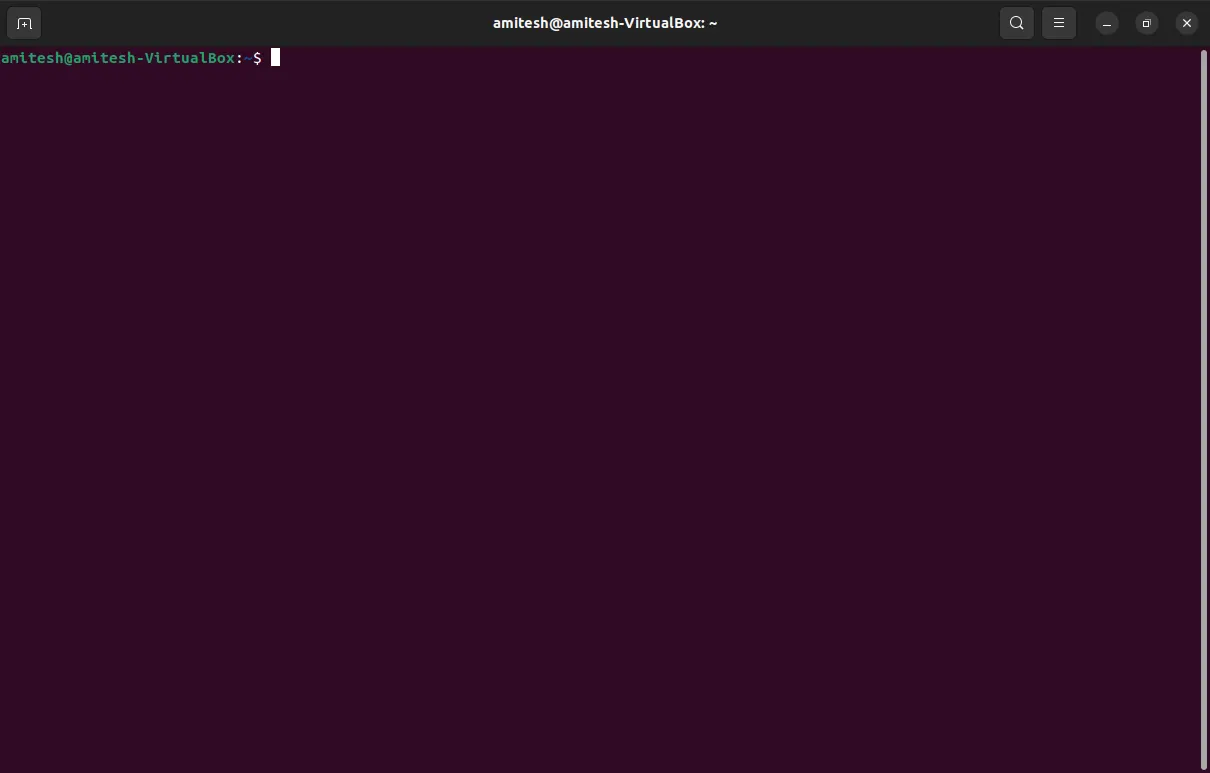
- To start the simulation process, we had to open the termianl file in linux operating system using the key on the keyboards i.e., Ctrl+Alt+T or we can right click-> Open terminal.The terminal window will look like this as Shown below,
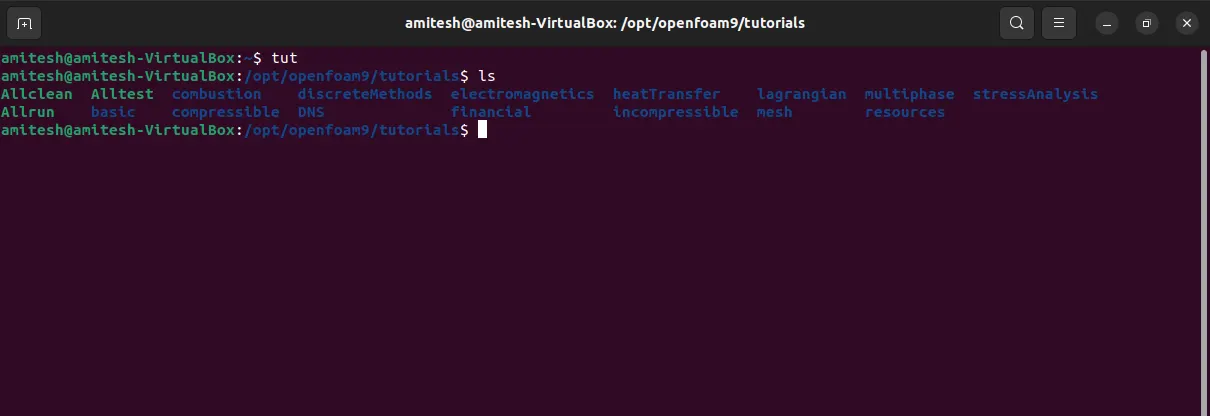
- Once the terminal file is open we will be use command that is '' tut '' (tutorial),the tut file directory will be open later we will be using the command '' ls ''(list of all files) present inside the tutorial directory.
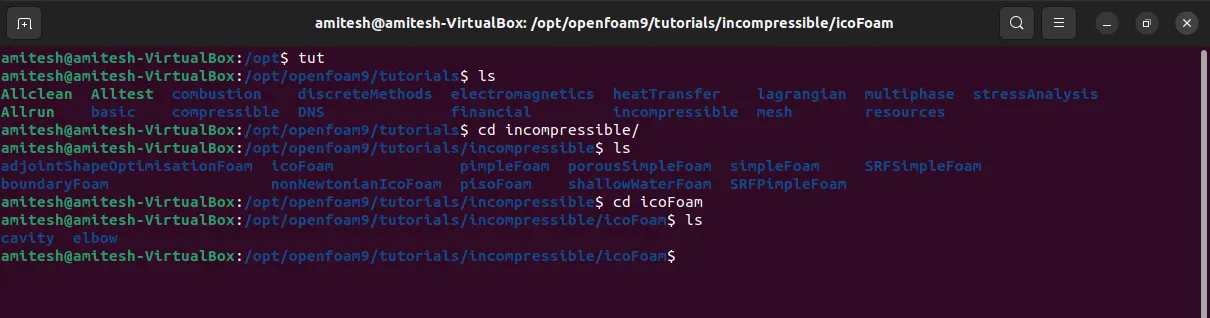
- we have to solve the incompressible directory by using the command '' cd incompressible/ '' (cd= and later again using the '' ls '' command to explore the files in incompressible.{NOTE:- cd _______ / the blank shown is we had to input the respective file to open in the terminal}
- Once the incompressible file open we will be seeing the no of files present in the incompressible in this we will be opening the icoFoam file with the help of command cd and later use ls command to see the files present in icoFoam.Since we will be selecting the icoFoam is the solver for the laminar flow.
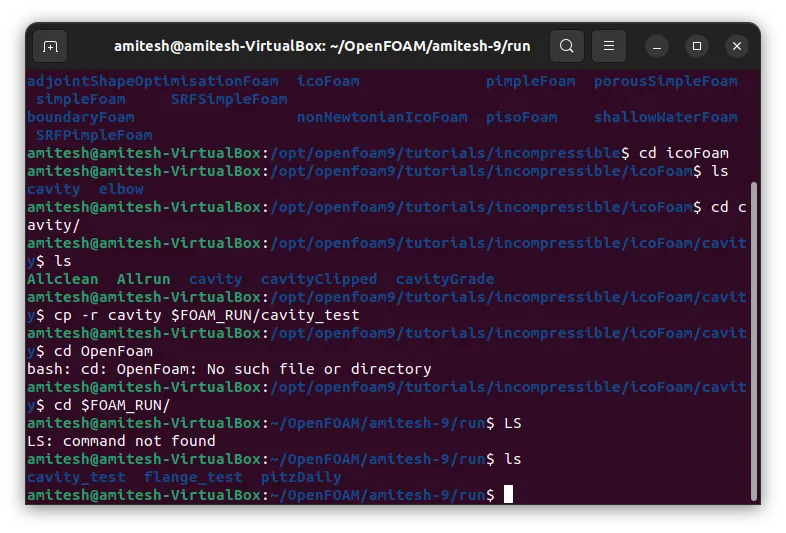
- Once the file open we will be selecting the cavity file with the help of command cd and using this command to see the list of files present.
- again in the file we are going to see the cavity file, in these we have to define the our fluid domain and generate block mesh. Since we are not going to make any changes in the original file of the OpenFOAM, for these we will be copying that particular file in which we have to make changes with his rename version of the file for this we shall be using the command the '' cp -r cavity’ command and paste it in openFoam run folder by typing ‘cp -r cavity $FOAM_RUN/cavity_test’.
- Open the run file by typing the '' cd $FOAM_RUN '', where we can see the copied cavity_test file.
- Open the cavity_test file by using the command '' cd cavity_test''
- In cavity_test folder consist of --> 0 constant system
- where 0 file--> It consists of text file to update initial and boundary condition for velocity (U) and pressure(p)
- where Constant file-->we can see text file of physicalProperties and polyMesh folder.
- Where system file-->we have text files called blockMeshDict, controlDict, fvSchemes, fvSolutions.
- blockMeshDict – To create geometry mesh(block)/ define boundary
- controlDict – To give start time, end time and CFL condition
- fvSchemes – It consists of Navier stokes equation which is required to solve the problem.
- Now we can make any changes in this file for blockmesh operation.
- now we can see there are four files and by opening blockmesh we can use the meshing as per our requirement since for opening this file we need to use the command '' gedit blockMeshDict/ ''
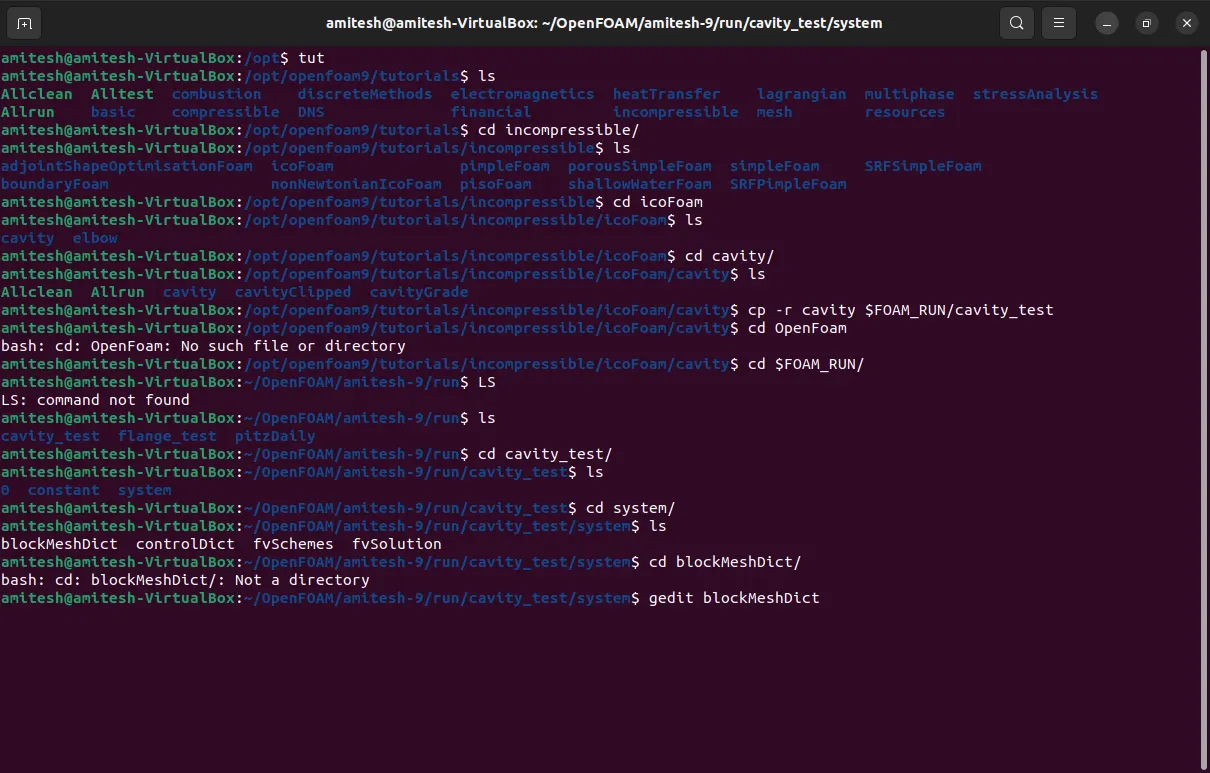
changes to be made:-
For our simulation we need to give initial condition for velocity, pressure and do some changes in blockmesh and contradict file.
Geometry creation:
To simulate the backward facing step in OpenFOAM, the first step is to create a computational mesh for the domain of interest.
This can be done by editing the blockMeshDict file. The mesh should be fine enough to capture the details of the flow near the step, but not so fine that it unnecessarily increases the computational cost.
Let us consider creating the geometry using the 5 blocks as shown below.
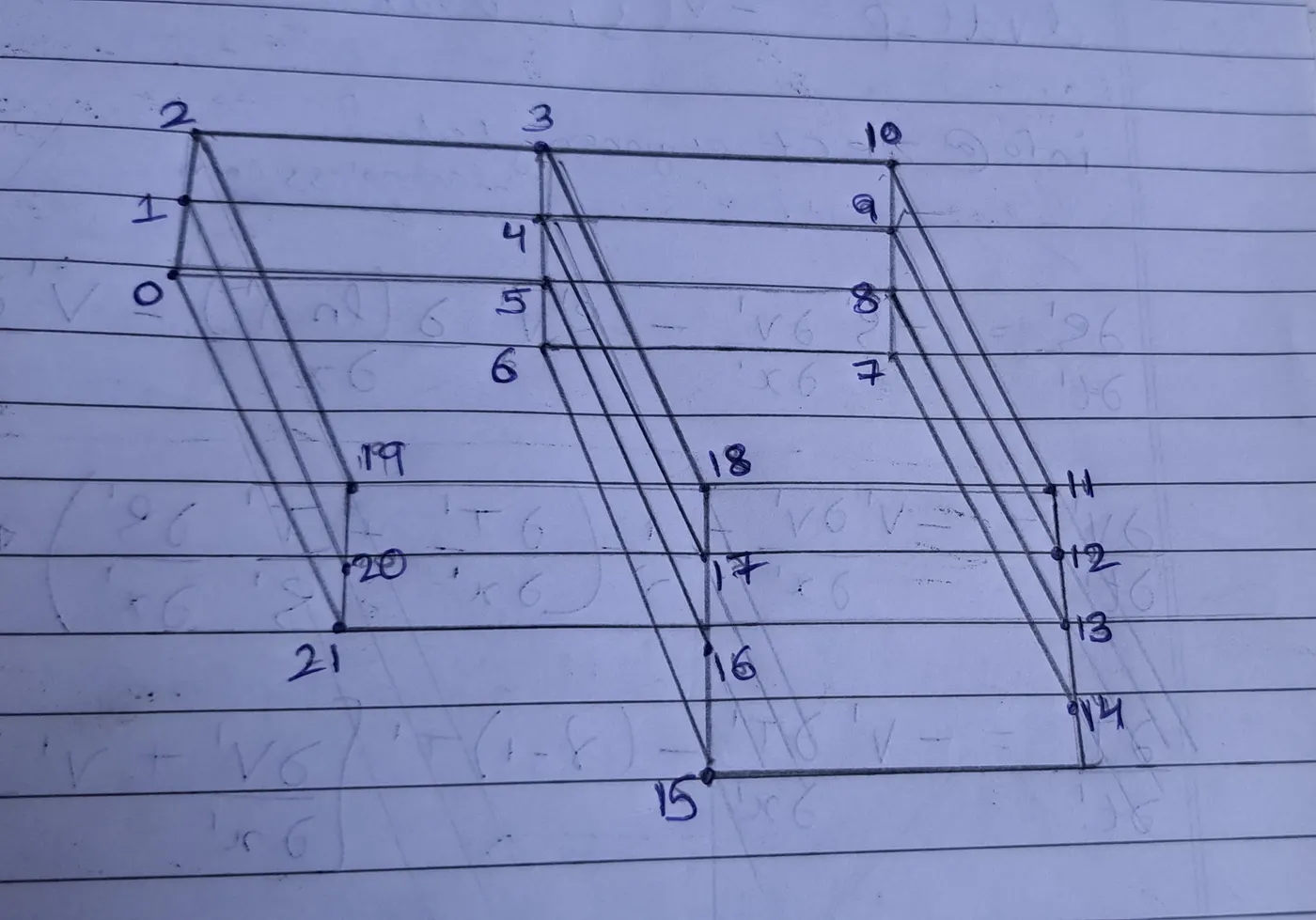
for the values for each block is assign in blockMesh text, and the values for contradict file and pressure and velocity is also assign for further details see the file attachement respectively.
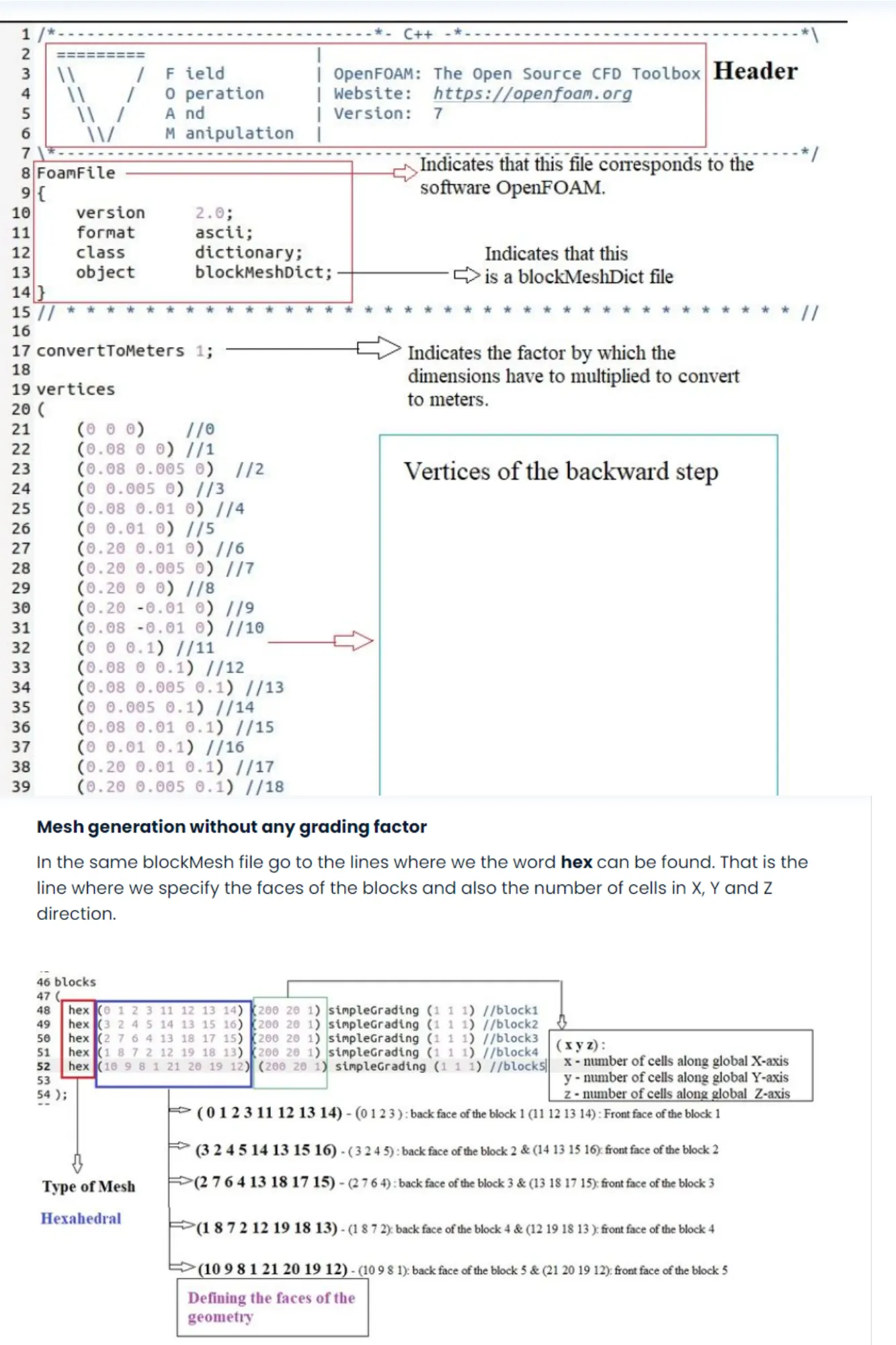
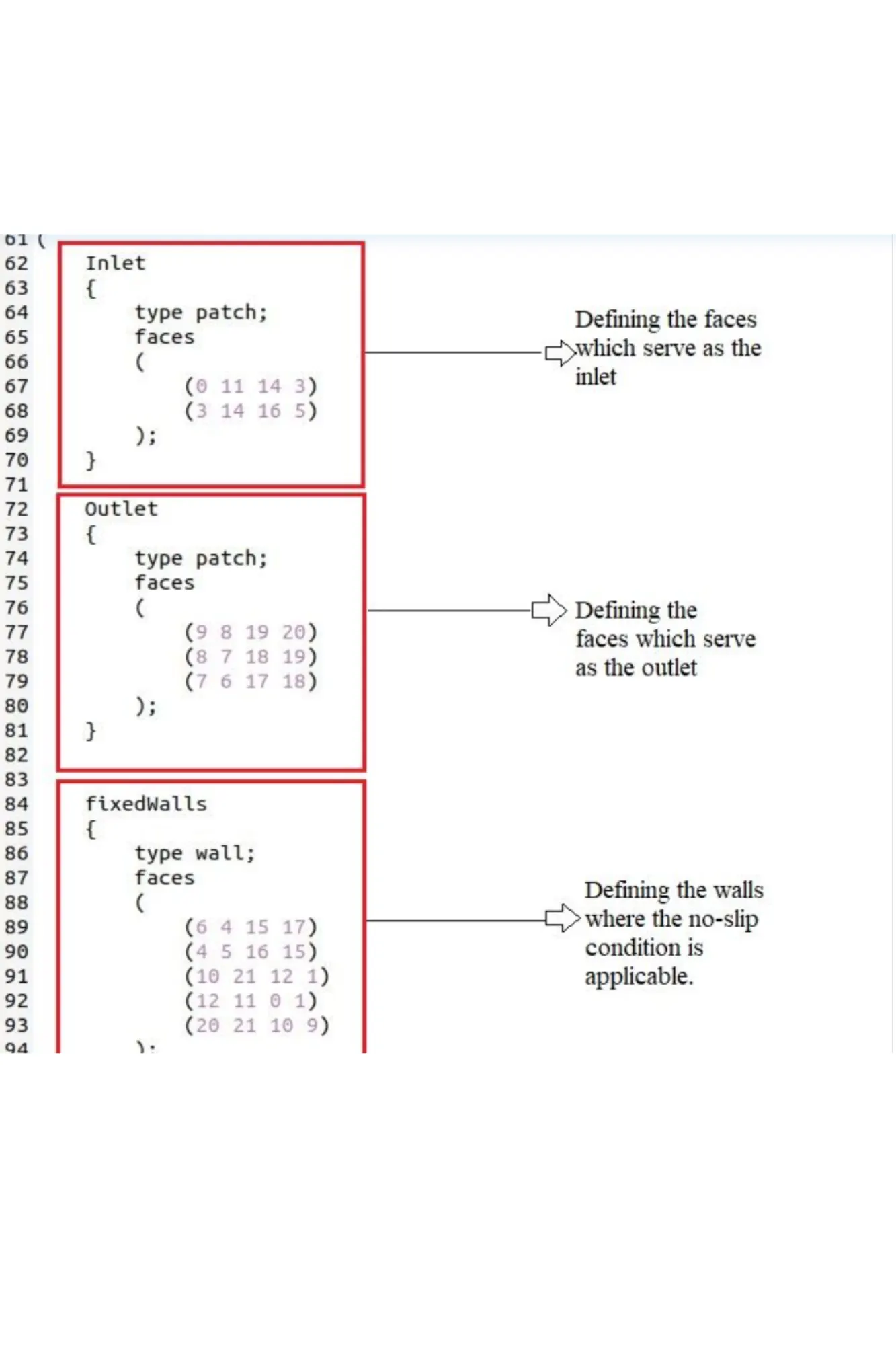
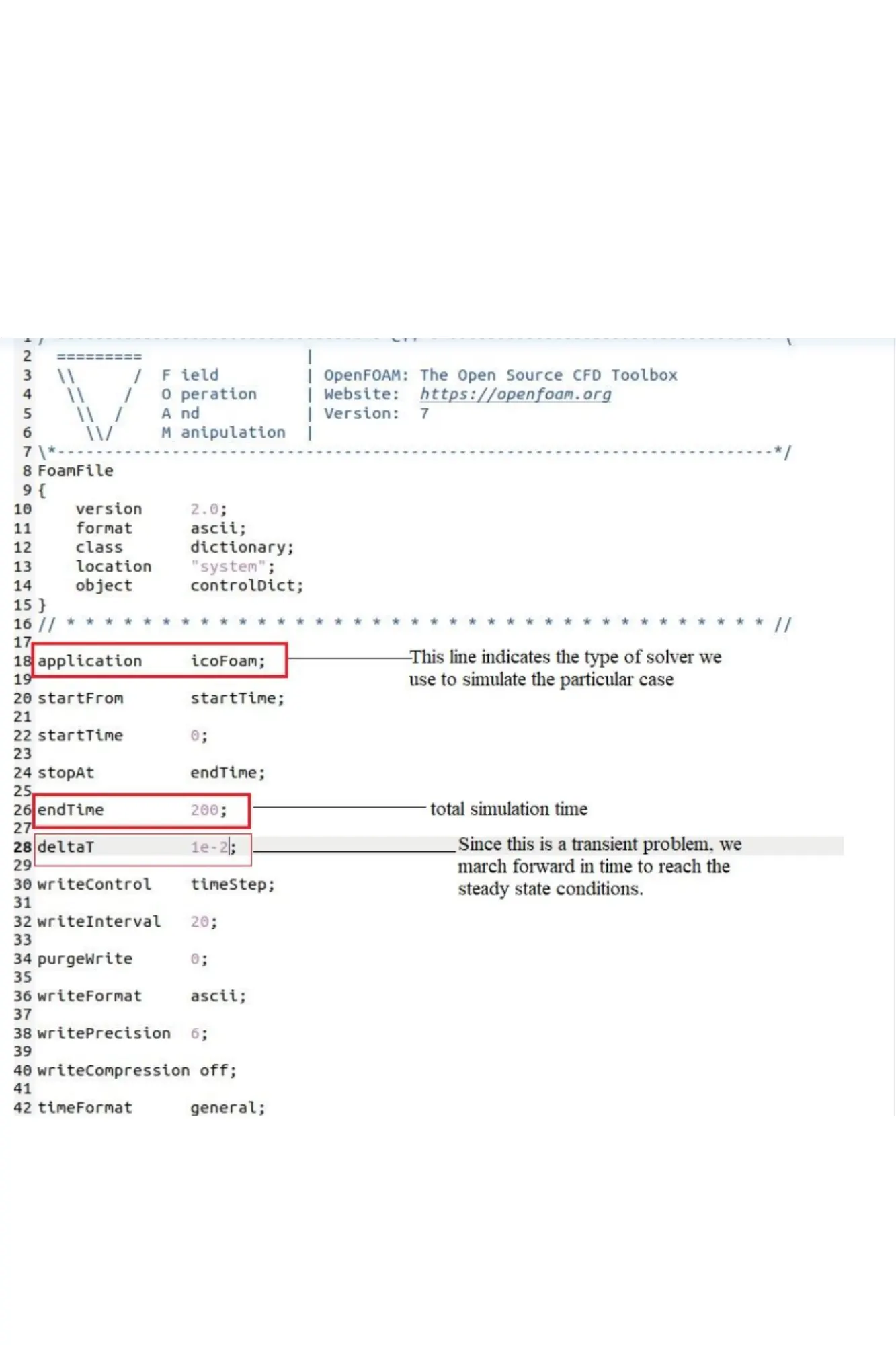
for blockMesh, controlDict, Pressure and velocity file is attached as shown below.
Running Simulation
- blockMesh – to run the simulation
- checkMesh – to check if the Mesh is correct.
- icoFoam – solver command
- paraFoam – to visualize in ParaView
- Boundary conditions given
Velocity = 1 m/s at inlet
Deltat = 0.00001
Start time = 0
End time = 0.2
ParaView
- Once you give the paraFoam command in ubuntu ParaView will be opened.
- Go to View, properties and then click on Apply.
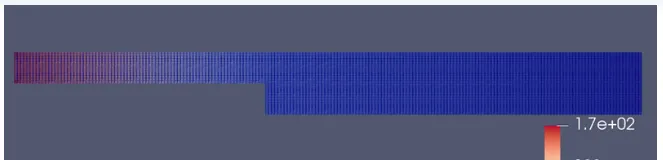
- We can see the geometry as below without grading factor
Mesh without grading Factor