Week 8 - Simulation of a backward facing step in OpenFOAM
AIM
To simulate an incompressible-laminar-viscous flow through the backward facing step geometry using transient simulation.
Case 1 - Simulate the flow without using any grading factor (i.e., GF = 1)
Case 2 - Simulate the flow with grading factor of 0.2. The cells should be finer near the walls (includig the step wall).
Mesh specification
- Number of cells along the x direction (longer dimension) = 200
- Number of cells along the longer y direction = 20;
Boundary condition specification
The domain specifications are provided in the following figure.
procedure
first open terminal
then we have to type 'tut' to open open foam
then by typing 'ls' we can see the contents in tutorial. As we are solving for an incompressible flow simulation we have to select incompressible by typing 'cd incompressible' terminal.
then type 'ls' to view the contents .this will be a solver folder. In this select 'icoFoam' because we need a solver for laminar viscous flow . type 'cd icoFoam' .
then type 'ls'. Now we wil be able to see cavity.type 'cd cavity'.
inside this folder is the place we have to edit the files . Since we cannot edit files in tutorial session we are going to copy this cavity folder using 'cp -r cavity $FOAM_RUN/cavity_test'.
now we can open run folder by typing 'cd $FOAM_RUN' where we can see cavity_test file.
now when we type 'ls' we can see system folder. Type 'cd system'.then type'ls'.we can see blockMeshDict file.
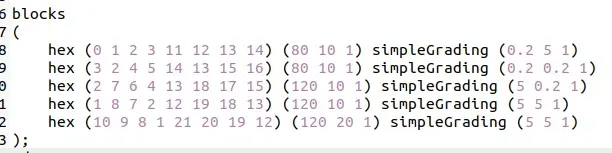
We have to edit in this script file. For that type 'gedit blockMeshDict file.
similarly we have to edit controlDict file , which is in system file and we have to edit pressure and velocity script file which is at 'o' folder.
edited script file is attached below.
edited pressure file is attached below .
edited velocity file is attached below .
edited controDict file is attached below.
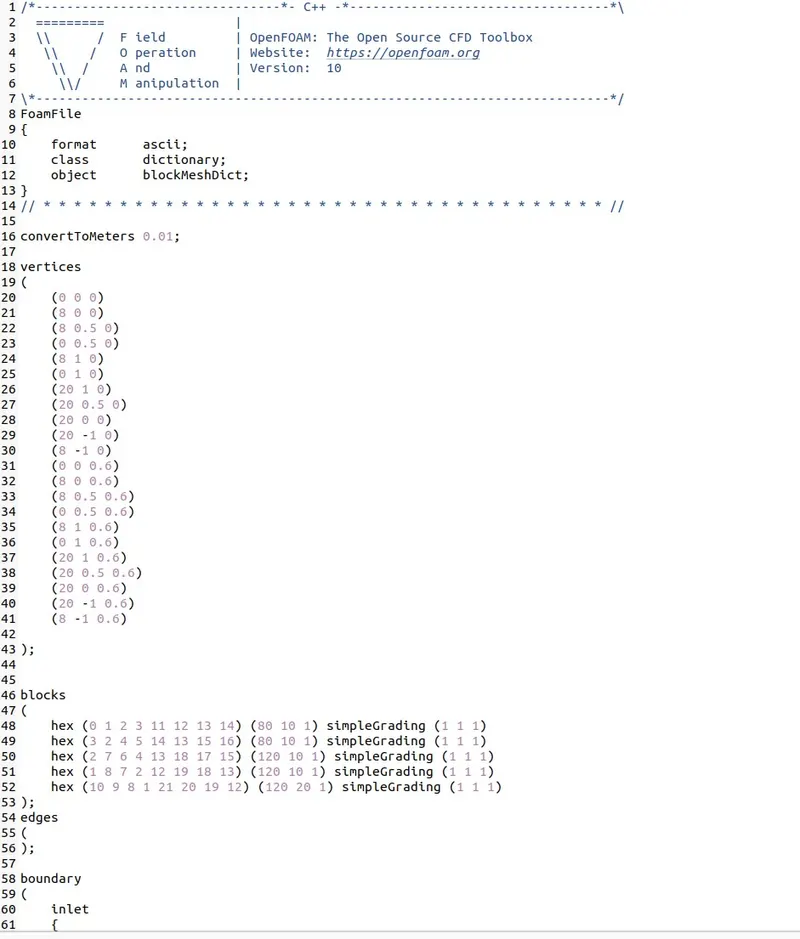
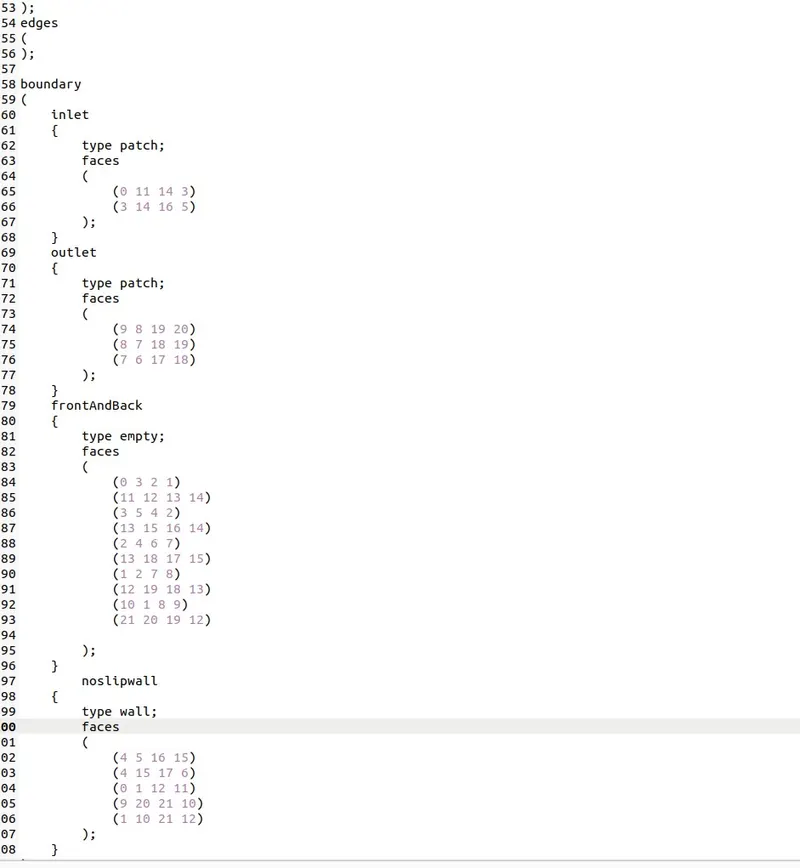
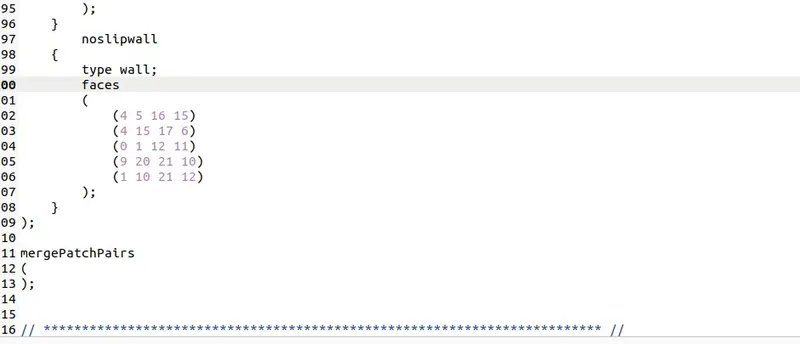
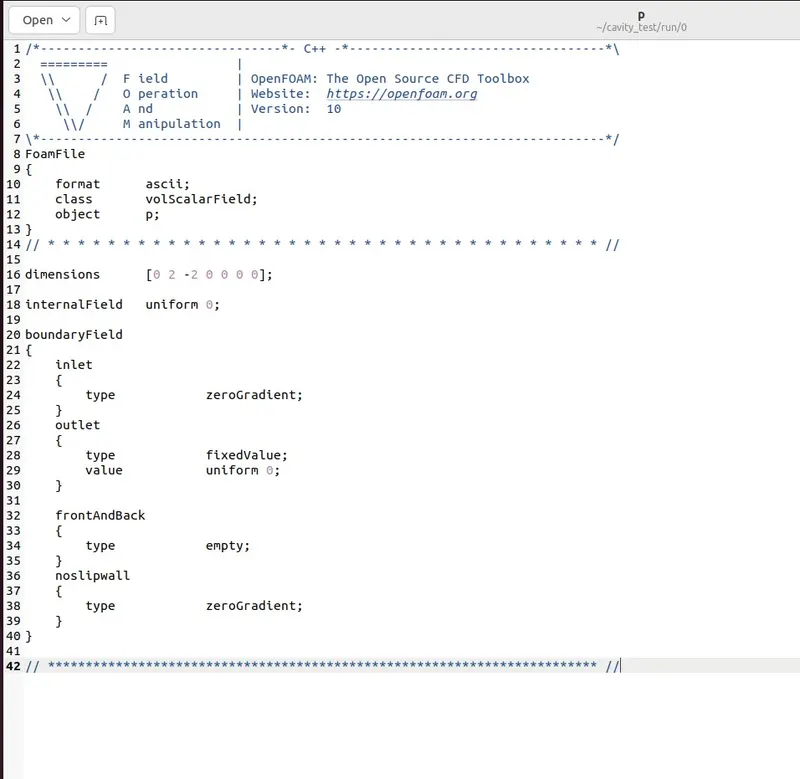
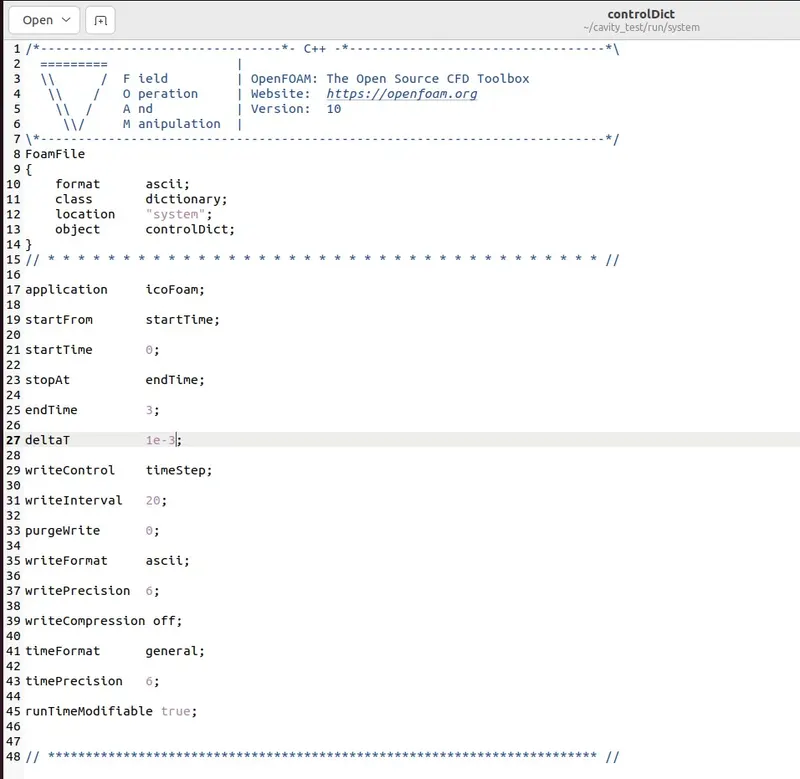
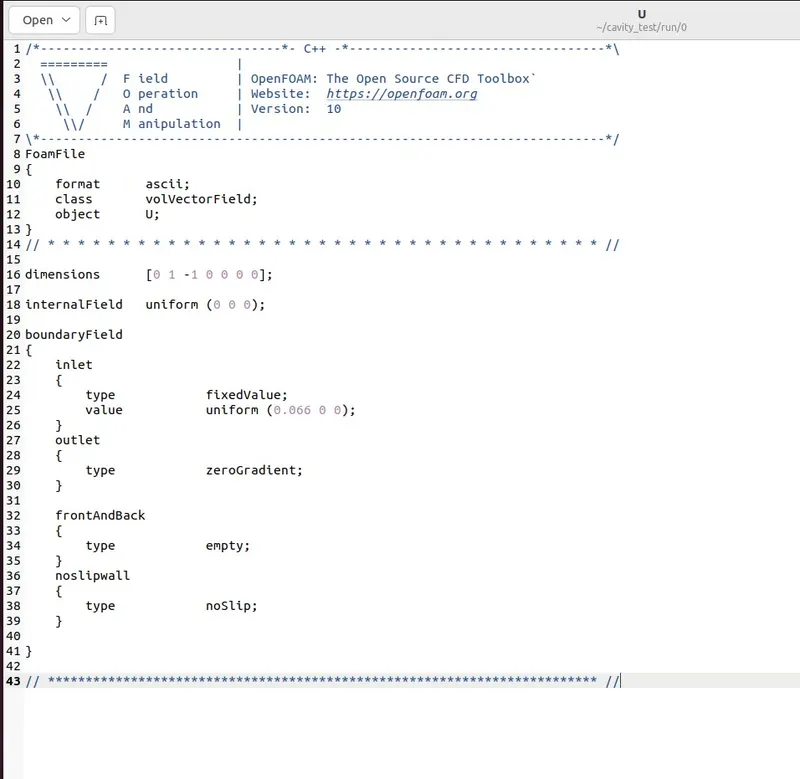
with the applied grading factor 0.2
in the blocMeshDict in block session we need to change into this.
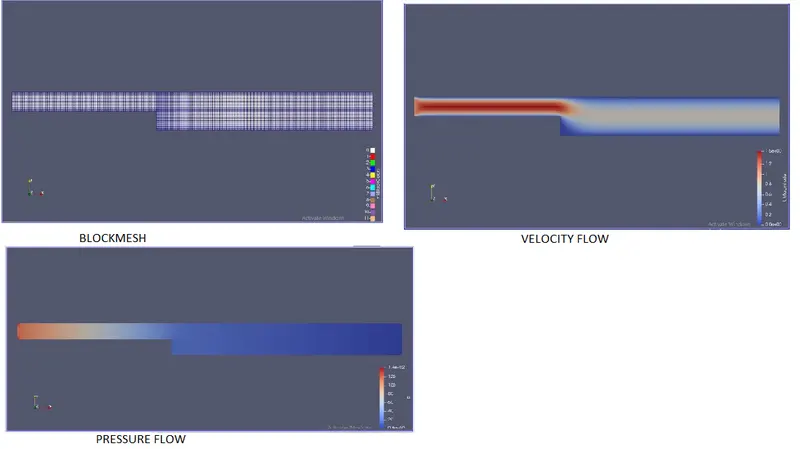
result
withoutapplying grading factor.
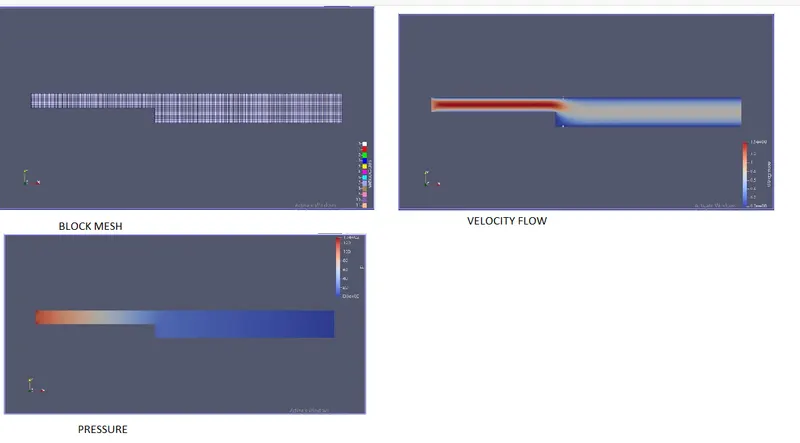
with applying grading factor 0.2
plot for velocity
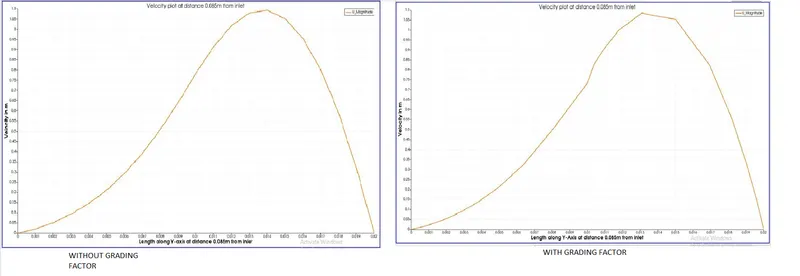
Conclusion
1) From the simulation it is seen that fluid when going through the inlet to outlet the area increases, as area increases the velocity also decreased.
2) While observing the plots
when we take the first case the mesh is uniform throughout the geometry so the plot is also showing a normal curve.
When we take the second case the mesh is finer at the walls and courser at the middle. So we can see that the curve is smooth at the ends but seems like straight lines with bends at the middle because the mesh is coarser at the middle.
3) So it is clear that if we want to capture the results more accurately finer mesh is needed.