Week_8_Plastic Model_1
1. AIM: Mesh the Plastic model in Hypermesh.
2. OBJECTIVES OF THE PROJECT:
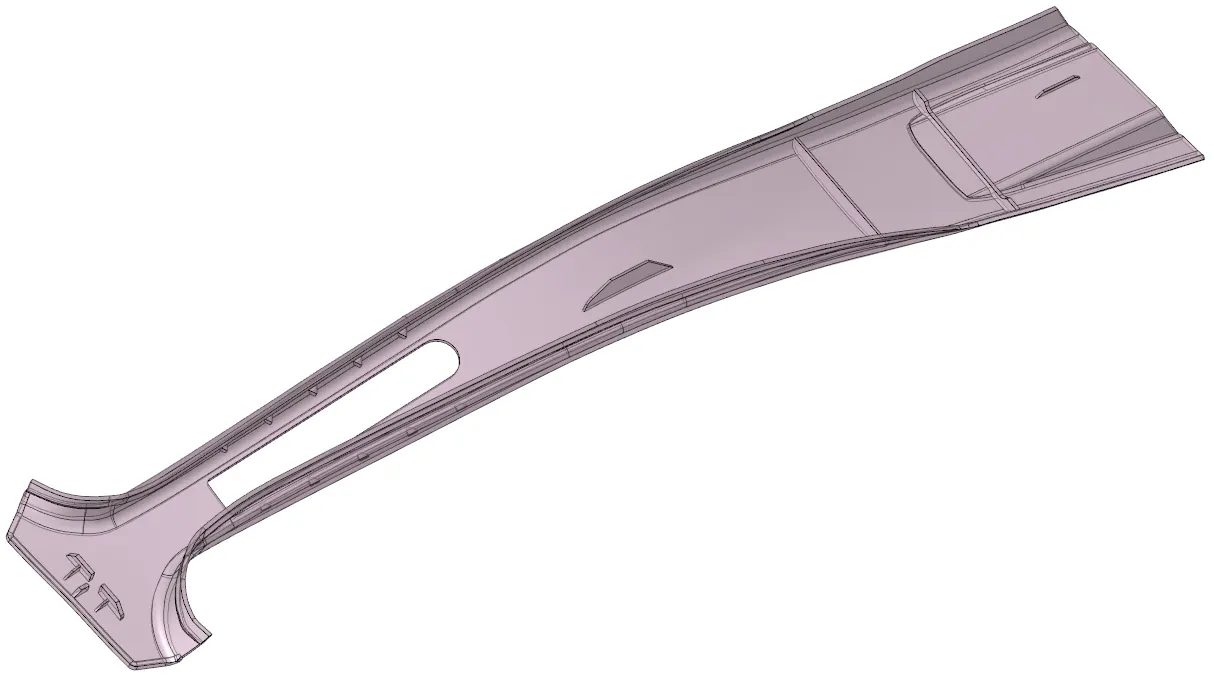
As per the given Quality criteria mesh the Below model.
|
S.N |
Quality Criteria |
Value |
|
1 |
Target Element Length |
5 mm |
|
2 |
Aspect Ratio |
3 |
|
3 |
Skewness |
45 |
|
4 |
Warping |
30 |
|
5 |
Taper |
0.5 |
|
6 |
Min. Length |
3 mm |
|
7 |
Max. Length |
7 mm |
|
8 |
Min angle Quad |
45 |
|
9 |
Max angle Quad |
135 |
|
10 |
Min angle Tria |
30 |
|
11 |
Max angle Tria |
110 |
|
12 |
Tria % |
15 |
3. BODY OF THE CONTENT:
- COMPONENT VALIDATING
As a first step, We are going to import the model & then visualize it. So, as can see in the image, its looks like a solid body. So, Using a 'delete' command deleted it.
Now, I need to check whether there is a geometry defect or not. So, to check easily I changed its colour to 2D topo mode and wireframe geometry selected (see below image).
- MID-SURFACE GENERATION
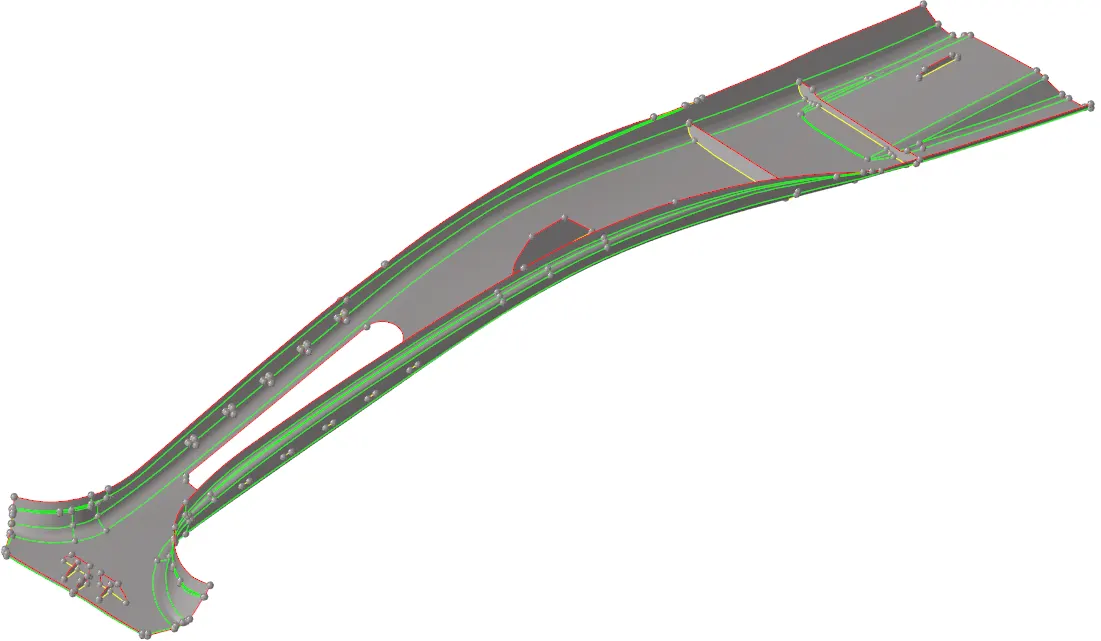
After this we need to generate a mid-surface, so for that we have to choose a suitable method to generate mid-surface. So, as per the measurement of the model at the boundary of the model around 3 & 3.5 mm achieved, and at the rib & stiffener location I got 1.5 & 2 mm respectively. So, in conclusion it looks like a plastic component. So, there are three option for mid-surface generation. 'offset+planes+sweeps', 'offset-planes', offset.
So, I tried the first 2 options & from the result, I will go with the 1st option. Because there is not much difference between. Can see the generated mid-surfaces as per below image.
- TOPO CLEANUP IN MID-SURFACE
After this, it required a topo cleanup. As per the min/max size(3/7) value some cons are suppressed and at the fillet location to capture the geometry and to avoid an element failure, some cons are created, can be seen in the below image.
- MESH GENERATION
Now, it's time to generate a mesh, So, according to geometry I decided to generate a mesh of below area first then other. (see the image)
As you can see the mesh is generated using 'automesh' command, But only by one click it's not generating a perfect mesh, using a 'rebuild mesh', 'elem cleanup', 'quality index', 'translate', etc. commands are used to correct them.
4. CONCLUSION:
The Challenge is completed and this is my first challenge for the plastic model. And As per me this part has a simple feature, but on the fillet corner some work is required. Otherwise all is ok.