Week - 8 - Morphing
The morphing of a Simple Plastic component in ANSA
1. Introduction
Morphing is a technique that is used to change the shape of a design without numerical inputs. It saves a lot of time and if done properly can be a substitute for design modifications in the easiest possible way. It can be applied to change both CAD models and FE models. Some of its applications involve modifications to the vehicle BIW for designing new variants as shown below.
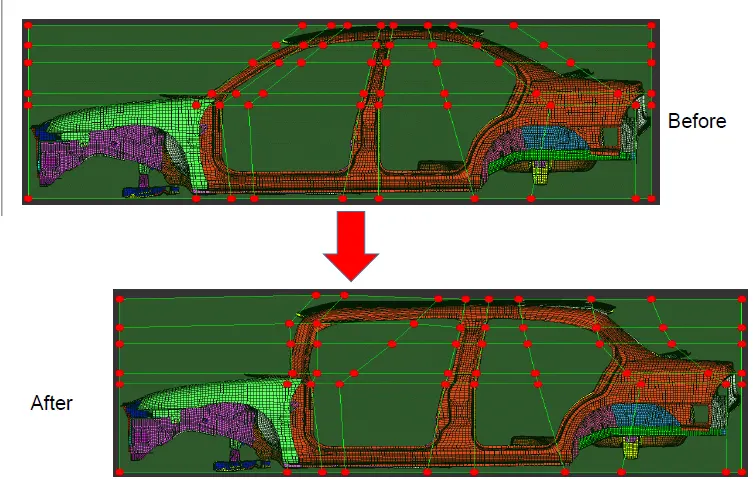
Fig 1.1: The modification of BIW
Morphing activities can be performed in ANSA in its 'Morphing Deck' which has a number of tools to perform the tasks efficiently. In this exercise, morphing was applied on two components as discussed in the below section.
2. Sheet Metal Component
In this part of the exercise, basic morphing using the box was applied to alter the shape of the sheet metal component. The aim of this activity was to get an idea of morphing.
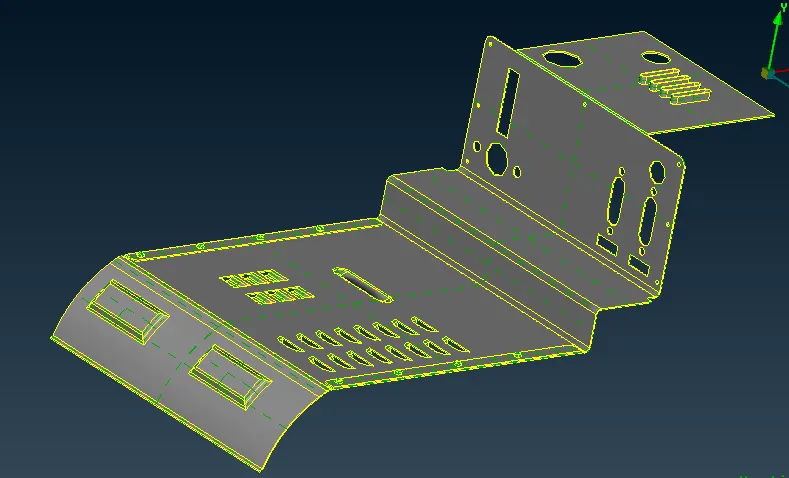
Fig 2.1: The sheet metal component.
A morph box was created with a minimum volume option containing all the surfaces of the bend as shown in the attached figure. After that three more splits were added to get more control points for morphing. This operation was performed using the split tool present in the Morphing Deck. After that move free tool present in the Box Morph section was used to alter the shape approximately.
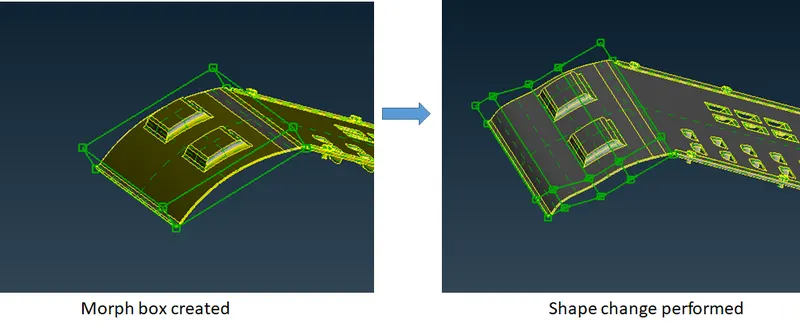
Fig 2.2: The shape change performed on the bend
Next, The height of extruded slots was increased using the box morphing method. The procedure followed was similar to the above one. First, a morph box was created and the upper control points were moved in the vertical direction. Prior to moving the control points, a local coordinate was plotted by right-clicking on one of the nodes and movement in the Y direction was only allowed during movement.
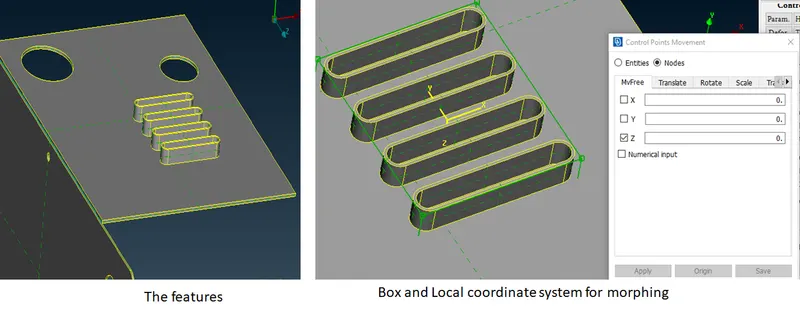
Fig 2.3: The procedure for altering the height of the feature
After altering the shape of the feature often there will be visible deformations at the interface as shown in the attached figure.
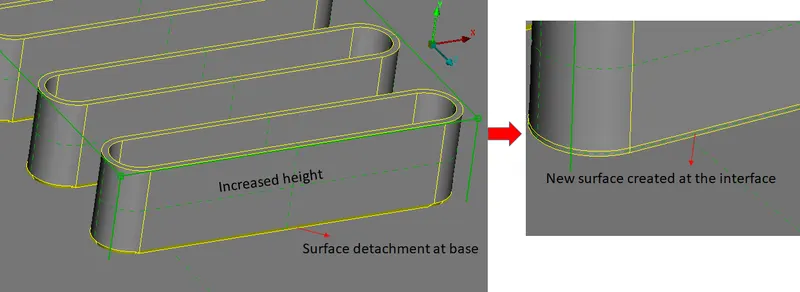
Fig 2.4: Increase in height of the feature resulting in detachment of surfaces and cons at the base.
As a remedy for this defect, the cons are released and new surfaces are created to get defect-free surfaces at the bottom.
3. The armrest plastic component
In this section, a plastic component from the armrest panel was morphed to increase the heights of dog houses.
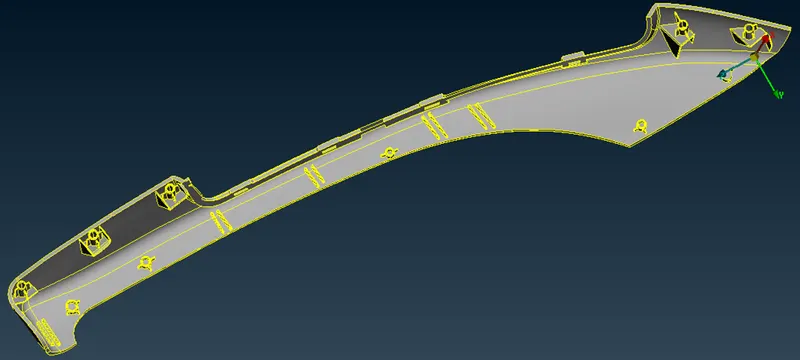
Fig 3.1: The armrest panel
A total of 9 dog houses were present in the model which needed to be morphed for increasing its height.
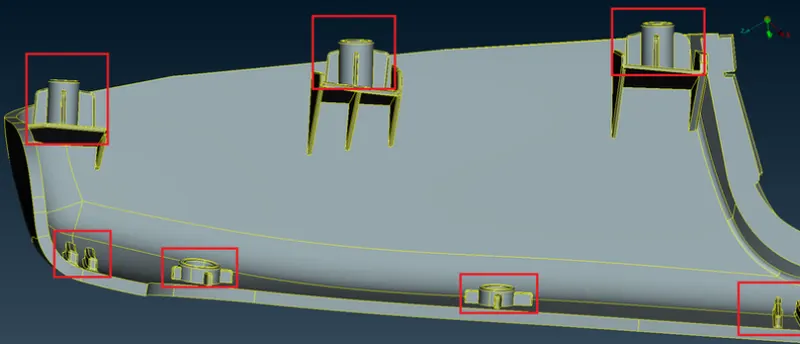
Fig 3.2: Close-up of dog houses present in the model
The procedure followed for performing this morphing was similar to the one followed in the sheet metal component. A box was created containing all the surfaces of the feature and it was moved using the move free tool. The local coordinate was used to restrict the movement in the vertical direction only. After carrying out the operation all the base cons were released and new surfaces were created to get defect-free surfaces.
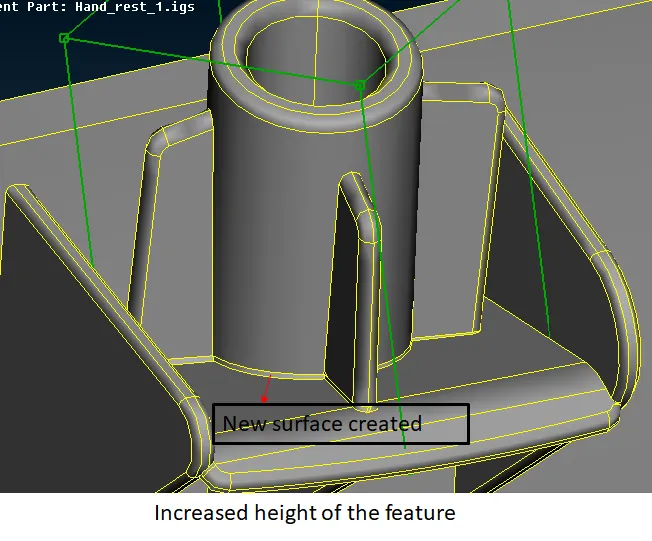
Fig 3.3: The morphing of the dog houses.
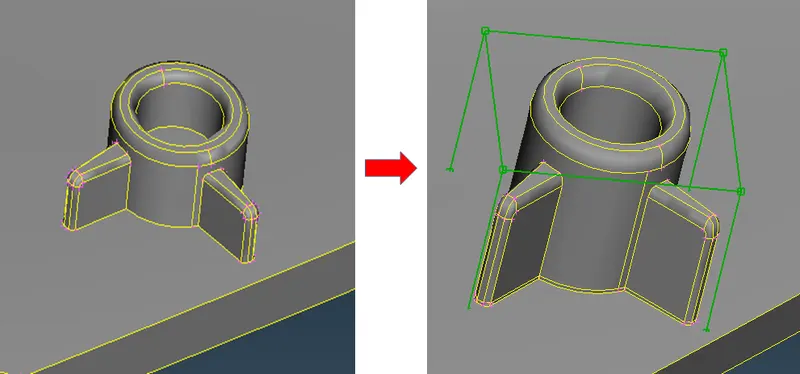
Fig 3.4: The morphing performed on one of the features
4. Results and discussion
Morphing is a very helpful tool for getting modifications to the models but it requires considerable experience to reach the intended results. Often there are disturbances to the surfaces and cons which needs to be dealt with by the user. More accurate results can be obtained by using numerical inputs and guide curves while performing the morphing operations. This exercise was a basic introduction to the morphing deck which enables the user to dive into the depth of the morphing operations.
Thank you.