Week - 8 - Morphing
Aim:
Perform morphing Techniques in the given models.
1) Practice all the Morphing techniques that were shown in the video for Model-1.
2) Perform morphing for the Model-2 and Increase the Height of the Dog houses and Ribs.
Procedure:
- Import Model
Open the given models (Component.iges, Hand_rest.ansa) in ANSA.
- Geometry Clean-up
Using Topo for the entire geometry, single cons are eliminated.
The components are checked for geometry clean-up using Checks > Geometry and clean up the errors using auto fix and use topo tools like a new face, delete and topo, etc. to achieve 100%.
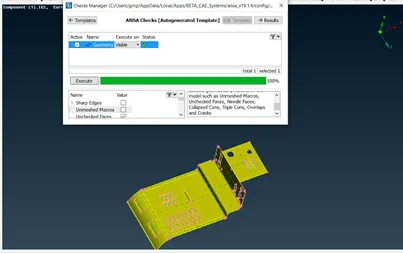
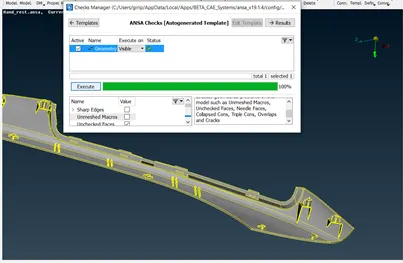
- Morphing
In Morph module, Boxes -> New (ortho – if the global co-ordinate and local coordinate of the geometry are same)/ (min volume - if the global co-ordinate and local coordinate of the geometry are not the same)
Ortho is used to create boxes for model 1 whereas min volume is used to create boxes for model 2.
Select the entities by checking the Geometry in the option, to create the box.
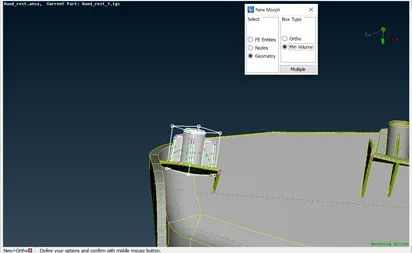
Using Box morphing -> Move, select the nodes/entities accordingly to move to get the desired shape and dimension.
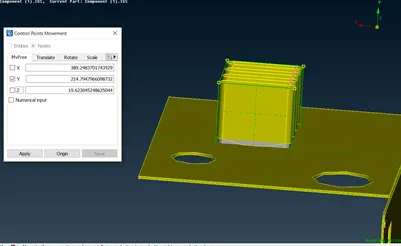
Right-click in the mouse on the middle of the box provides local co-ordinates according to the box created if required
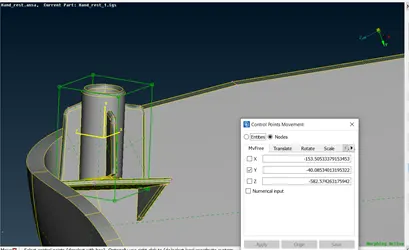
Final Model Image:
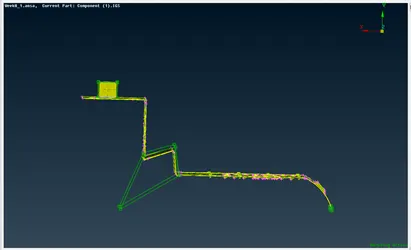
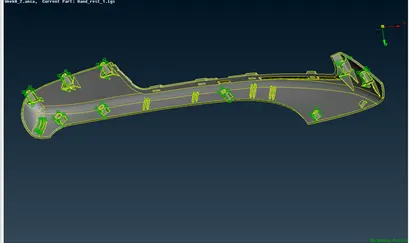
Learning Outcome:
Morphing the geometry of component to the desired shape
Conclusion:
Thus, the given components are morphed accordingly.