Week - 8 - Morphing
MORPH
OBJECTIVE:
To morph a given model and increase its height.
INTRODUCTION:
Morphing is a technique to change the physical dimension of a model. By using morphing shape and dimension can be changed. Here given component’s dog house height to be increased. For this process, various options are used.
PROCEDURE:
CREATING MORPH BOX:
The model which has to be morphed should create a hexahedral box that stores the dimension of a model. By changing the shape of the hexahedral box edges model can be changed. Morph can be created for a geometrical model or FE model. Boxes can be created it two ways,
- Ortho
- Min Volume
ORTHO:
Ortho boxes have created for the model which has a global coordinate. Any changes made on ortho box edges will change the model dimension with respect to the global coordinate system.
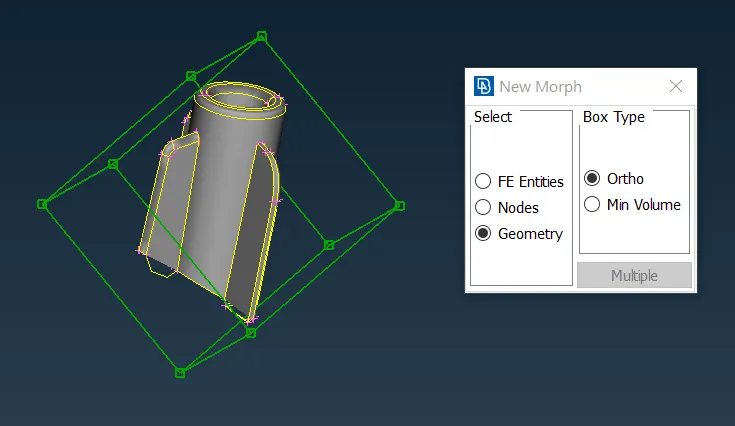
Pic 1: Ortho box
MIN VOLUME:
Min volume boxes create a hexahedral box that represents the geometry model or FEA model with respect to model dimension. So coordinate system will be parallel to the model shape.
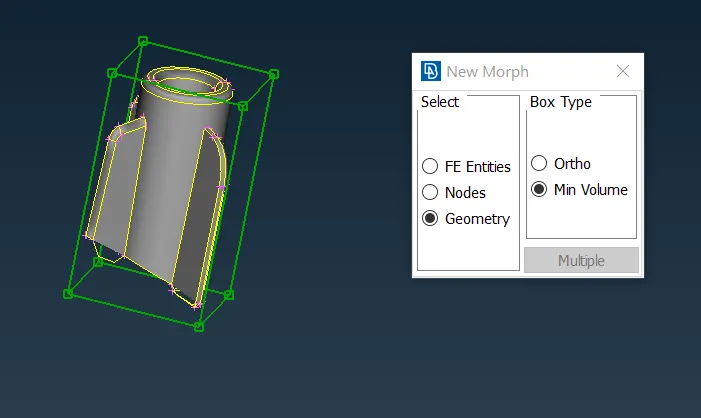
Pic 2: Min Volume box.
OPTIONS FOR BOX:
Release : Disengage model from morph box. After this process model doesn’t consider box transformation.
Load : Engage selected model entity to morph boxes.
Delete : Delete morph box.
Split : Split hexahedral box into multiple parts.
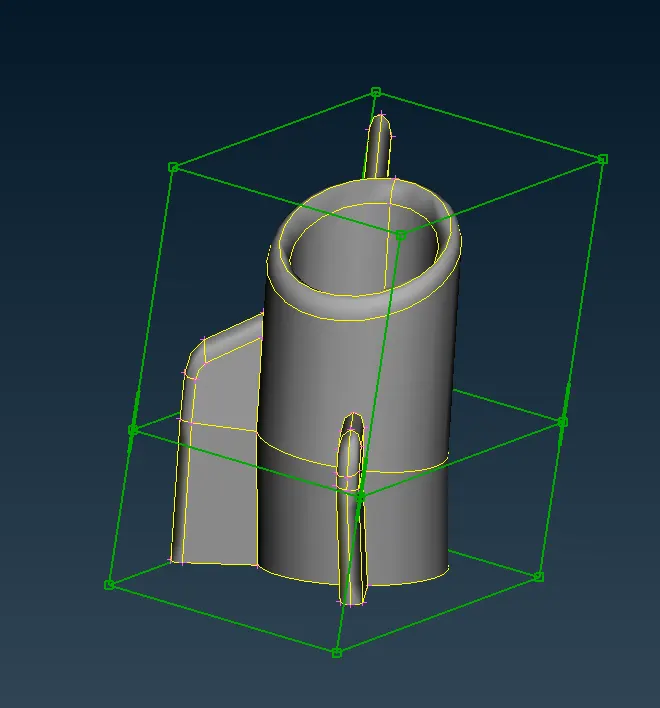
Pic 3:Split
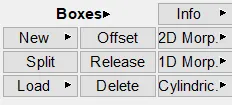
Pic 3: Boxes options.
BOX MORPHING:
MOVE:
Move selected edges in different ways. MVfree will move selected edges without any numerical values. The translate option will move edges for given vector direction and dimension. Rotate will spin edges for a given angle and get a vector for the centerline. The scale will increase size on all sides of the box equally.
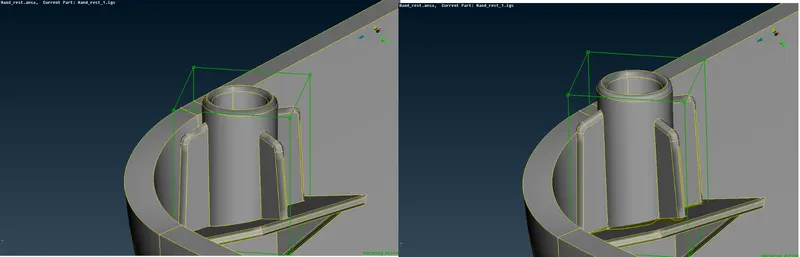
Pic 4:Move
OFFSET:
Offset selected edge pairs for a given value which increases or decreases the size of the model equally for selected sides. Changes can be done on all sides like scale or for particular sides like increasing length or breadth.
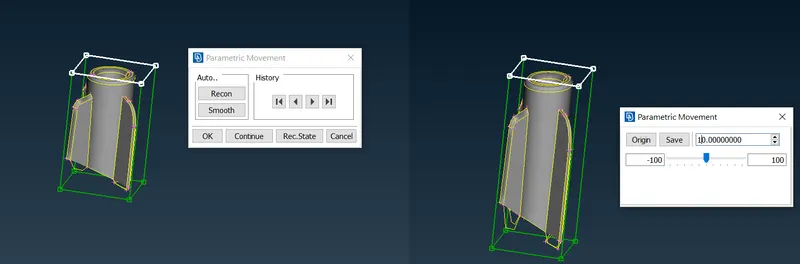
Pic 5:Offset
SLIDE:
Increase or decrease the length of edge pairs for the selected direction. Unlike offset slide only can change dimension on one side at a time of morphing. Initially, edges get selected and direction to slide is selected. Finally incremental values entered.
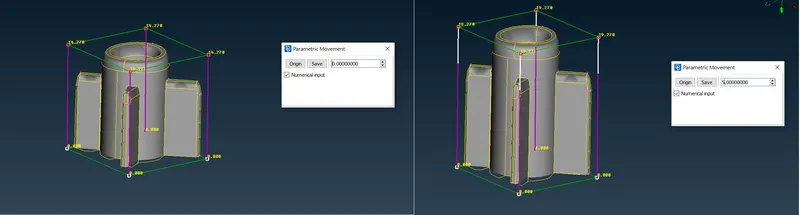
Pic 6:Slide
MATCH:
Convert perpendicular box into shape of the model curve. This will represent model curvature which can then morphed without disturbing a particular curve.
Select edges for translation. Then curve which to form on the edge is selected. By selecting this box will change into a shape that we have selected as a curve.
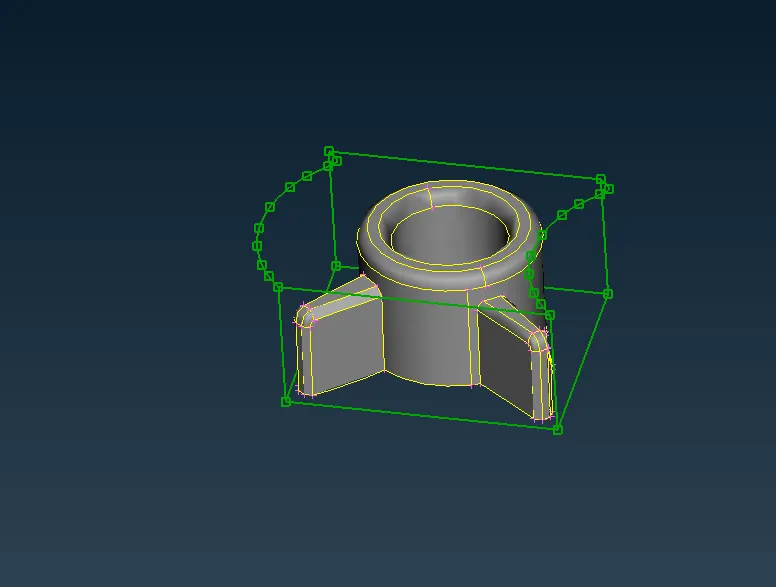
Pic 7:match
DIRECT:
As like move option direct also has ability to move, translate and rotate edges. But here fixed and movable edges are selected and coordinate system selected for morphing. This will allow model morph along selected coordinates.
SAMPLE IMAGES:
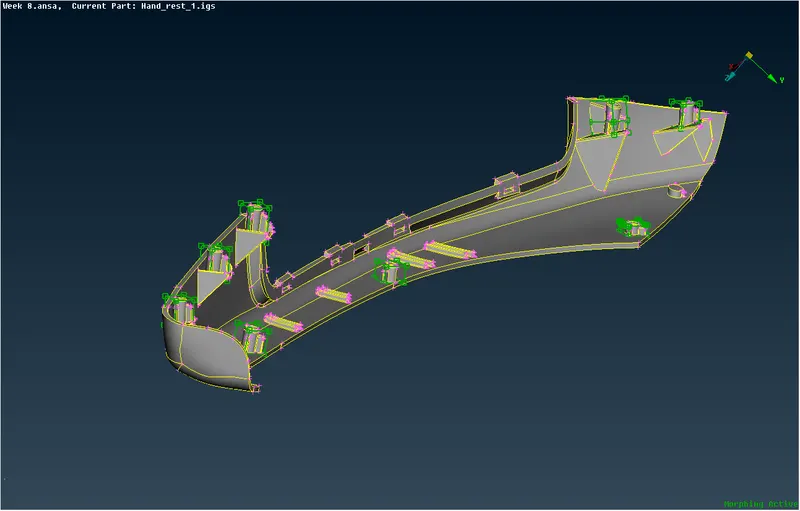
RESULT:
The final model has been morphed and dog house length has been increased.