Week - 8 - Morphing
AIM: The morphing has to be done for the given models as per the suggested shape changes.
PROCEDURE:
- The model is imported into ansa and check for the geomtry errors for the model-1.
- After checking for the geometry errors based on the video the morphing is done.
- First the ribs are selected and create a new morph box and align it, in the morphing model. Then use move option to increase the height.
- Then in the middle portion of the model i have used the same procedure to morph the model and whole model is bent as shown in the video.
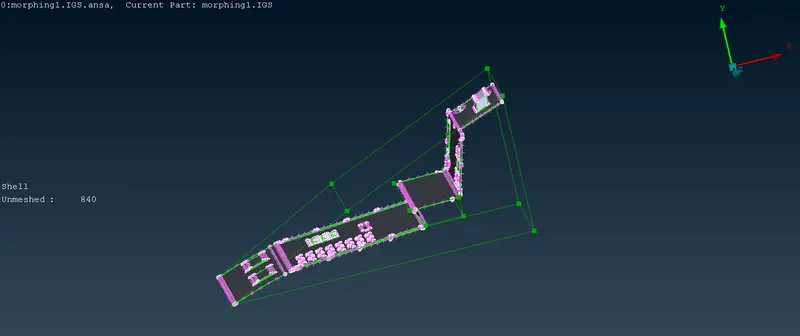
- The changes has been done for model-1 as per the required shape changes as shown in figure.
- The Model-2 is imported and the height of the dog houses and the ribs has to be increased.
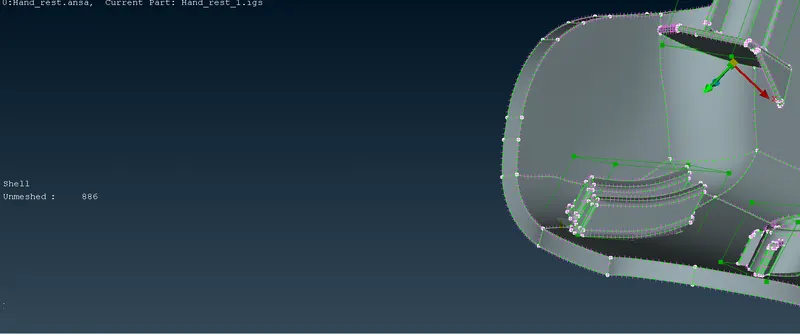
- First I have increased the height of the doghouse by creating the morph box and aligning has been done along the height so that the morph box face will be parallel to the doghouse circle and increased the height of the doghouse.
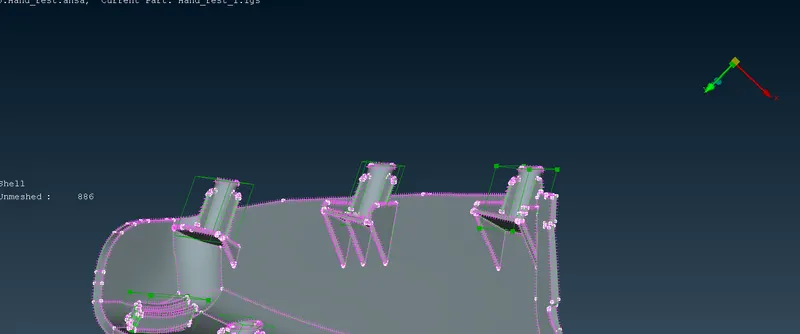
- Then for the ribs follow the same procedure and increase the height.
APPLICATIONS:
- It can be used in the Aviation industry, the major changes in fuselage and wings has been made using the morphing technique.
- Another application is Automotive industry, it has been used in the CAD design changes for different models like SUV to TUV etc.,
LEARNING OUTCOMES:
- I have learned how to morph for CAD models using the Morphing Deck, how to use the split the morph box and do the design changes, how to move the morph box nodes and change the design.
CONCLUSIONS:
- For the given two models the morphing has been done as per the given design changes.