Week - 8 - Morphing
AIM
PERFORM MORPHING OPERATION ON COMPONENTS OF GIVEN MODELS TO TRANSFORM SHAPE, SIZE AND FEATURES OF MODEL.
OBJECTIVE
- GEOMETRY CLEANUP UNTIL NO TOPOLOGICAL ERROR IN ANSA WINDOW.
- PERFORMING BOX MORPHING OPERATION TO CHANGE SHAPE,SIZE AND FEATURES OF MODEL.
INTRODUCTION
Morphing
ANSA encompasses a full – fledged Morphing menu which is completely integrated with ANSA’s interface and doesn’t require any additional module installations or licenses. The functions of the Morphing menu can be used to efficiently re-shape both FE and/or Geometry based models.
Domain (Box) Morphing
Domain or Box Morphing is preformed via boxes that are created around a particular part or assembly that the user intends to morph. The movement of the Morphing boxes control points defines the morphing operations on the entities inside the Morph box. This type of Morphing can be applied to both FE and Geometry based models.
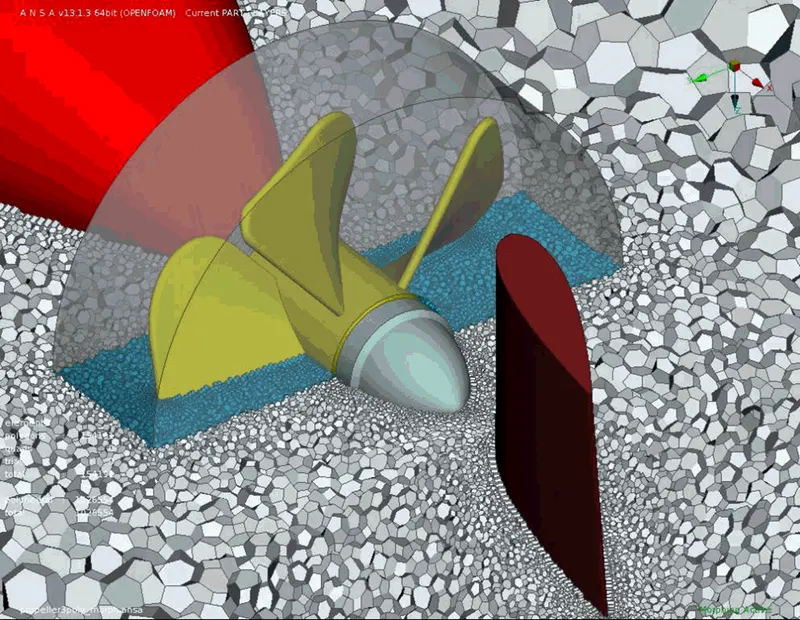
Direct Morphing
ANSA’s Direct morphing features gives the user the ability to efficiently modify a part locally without having to create Morphing boxes. This method is extremely useful in creating local modifications on single parts. Creation of depressions, surface fitting certain FE part features to new target geometry, moving selected features along the contour of a surface and also the ability to freeze (rigid) elements during the morphing process are some of the direct morphing abilities.
Parametric Morphing
The desired morphing actions can be saved as parameters which can be accessed in batch mode. Users can enforce desired shape changes by changing numerical input value for the appropriate parameter. This method of morphing is highly utilized for coupling of the morphing operations to an external optimizer. The scripting capability can be used in conjunction with ANSA’s parametric morphing functionality to deliver faster DOE models.
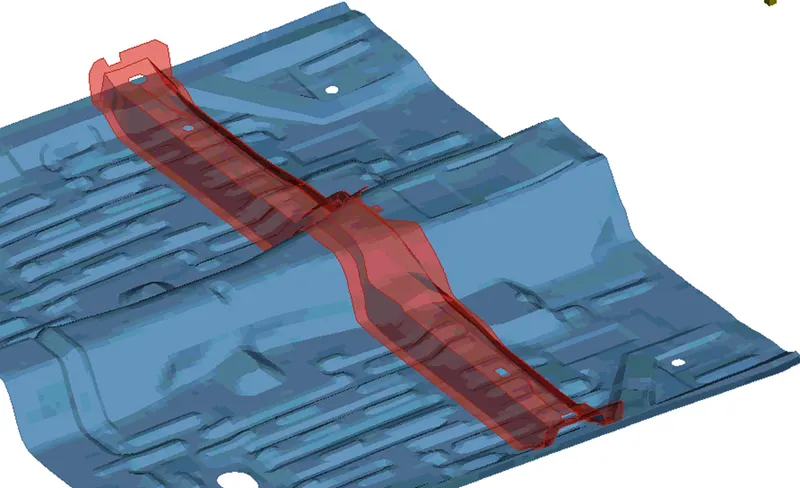
Geometry Morphing
ANSA brings to the CAE world its ‘one – of – a kind’ tool for CAD geometry morphing. This pioneering concept allows the user to utilize the inventory of all the familiar FE morphing functions to perform equivalent operations in a CAD environment on geometric entities.
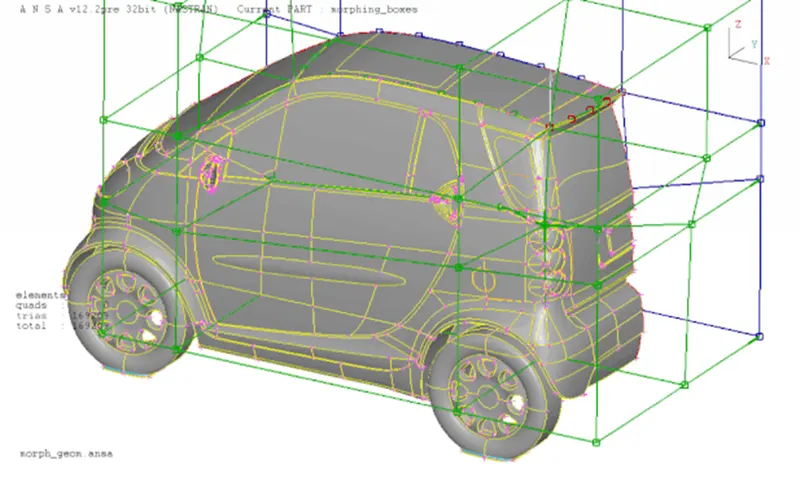
Morphing is a process of smoothly transforming topology as well as cross-sectional properties of CAE components. It has become an integral part of the process of structural design optimization in various CAE disciplines. The morphing requirements can vary from simple transformation of design feature to very complex interaction of various design optimization parameters. ANSA provides powerful pre-processing tools along with the superior FE and geometry morphing capabilities. Unique combination of ANSA functionalities and strategies developed using insights gained by working on various client processes provide a robust platform for design optimization applications in various fields. Automation and morphing tools last mile usability has been further extended to provide easy to use and simple to understand techniques. These advanced techniques allow engineers to gain better insight for improving product design. Many of such solutions have been provided for setting up complex optimization model set-ups and are being used by major automotive OEM’s.
some of the successful end user case studies, which include:
- Strategies used in Powertrain Optimization.
- Accommodating stringent parameters involved while optimizing Tailor Welded Blanks.
- Automatic Volume compensation for Piston Morphing and Optimization
- Ribs parameterization and use of the discrete library items in the regular model built and optimization process.
- Robust Volume and layers morphing strategies for Aerodynamic CFD Application.
- Automated Post processing Of Optimization results.
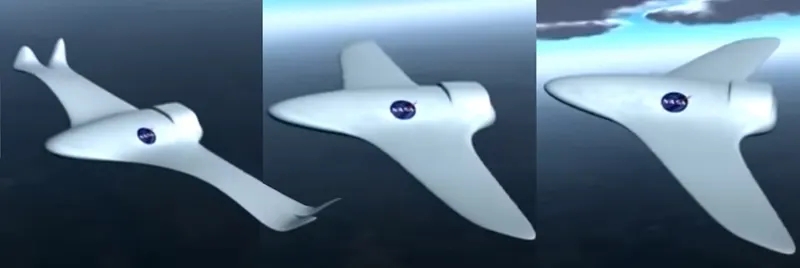
- Application of Morphing in Engineering
Any system such as Space rocket thruster, turbine blade, load-bearing systems capable of changing shape across multiple operating conditions to improve performance or enable new functions to the vehicle or body to which it is attached or comprises.
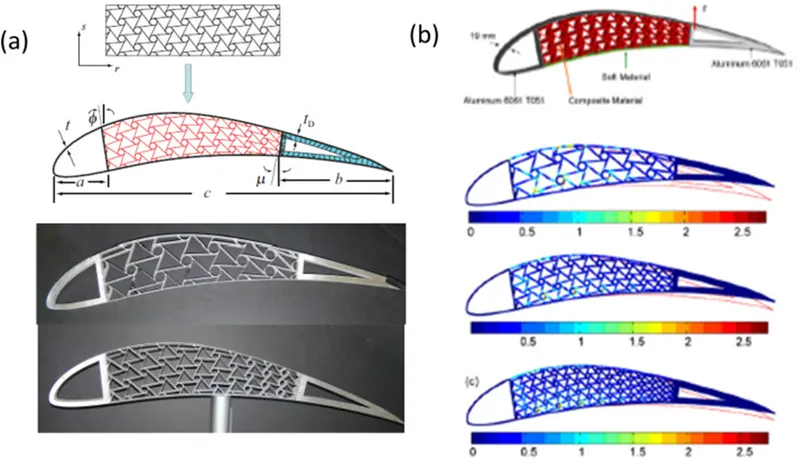
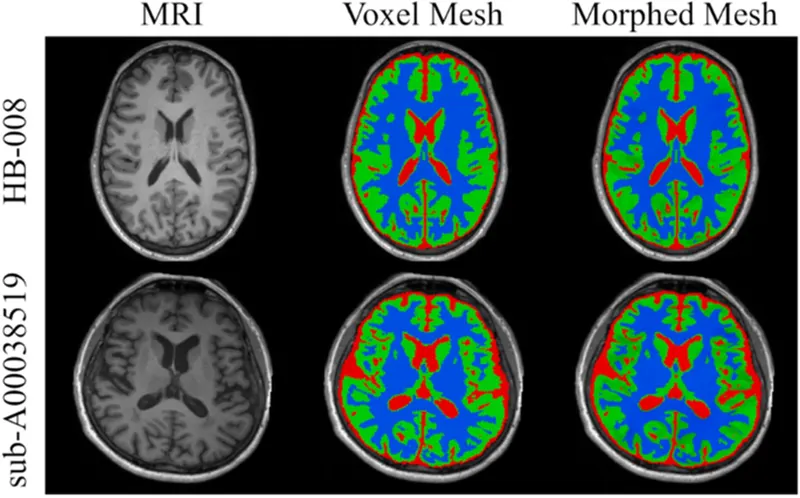
- Application of morphing in Medical field.
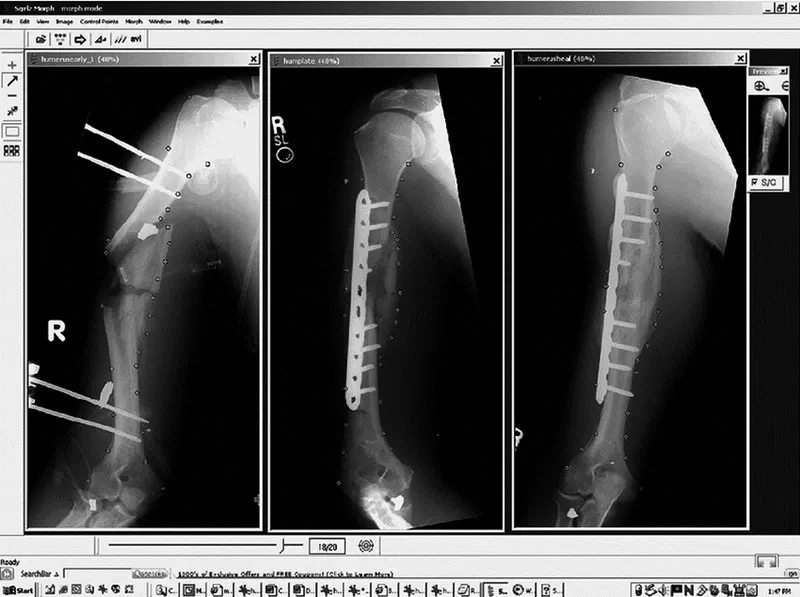
By morphing the “reference brain” on a new patient's scan, they can help predict where the stimulators should be placed, greatly reducing the time of this lengthy surgery. Image morphing can also be used for teaching and providing educational treatment options to patients and their primary care providers.
The vertical alignment in all three images used for morphing. The program lays out a simple storyboard of the sequential images showing the control points for parts of the image that will merge into corresponding points on the other two images. The thumbnail on the upper right provides a quick, low-resolution sample video of how the images will morph. This allows for checking to make sure major errors will not occur to patient.
PROCEDURE(MODEL 1)
STEP 1: IMPORT CAD MODEL IN ANSA WINDOW, PERFORM GEOMETRY CHECKS AND FIX ALL TOPOLOGICAL ERRORS AND ORIENTATION ISSUES OF MODEL.
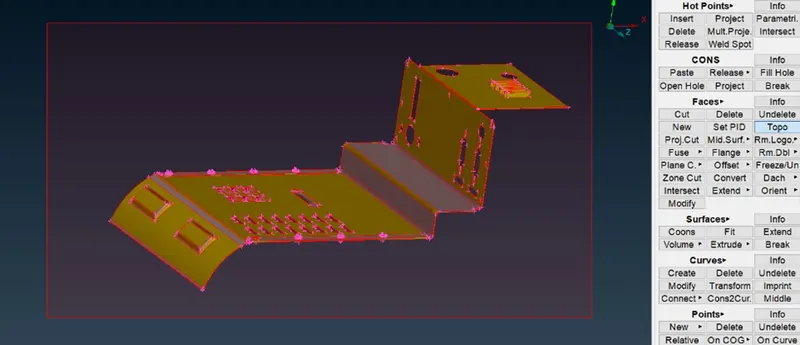
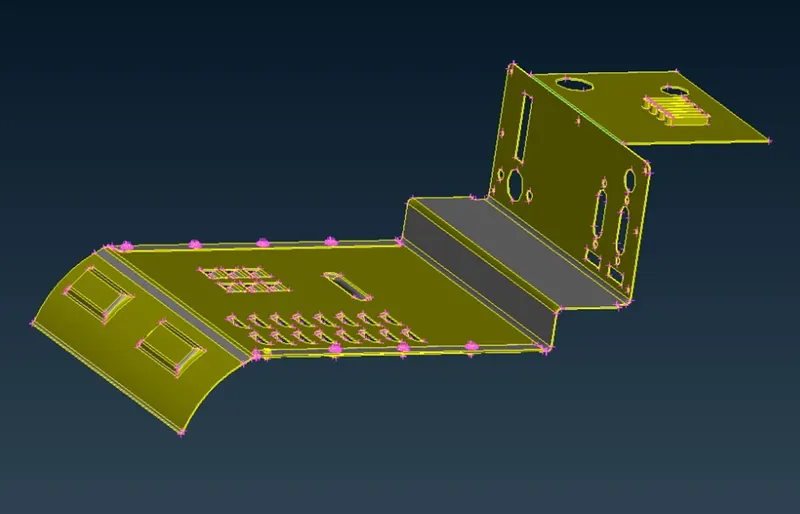
STEP 2: BOX MORPHING
Box morphing can be performed in both FE and CAD model.
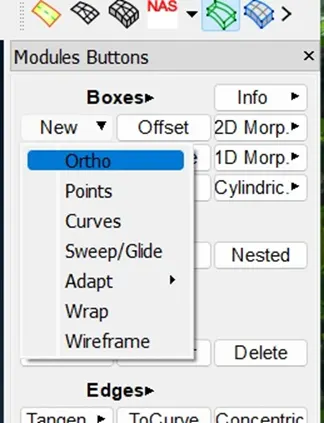
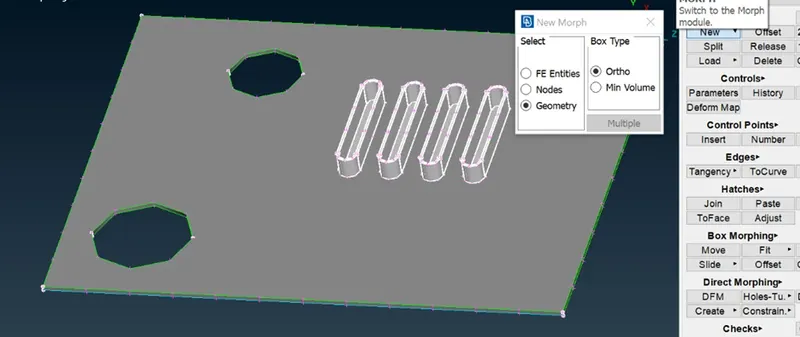
As a result BOX-Structure is formed inscribing selected entity of model with control points at edges of box.
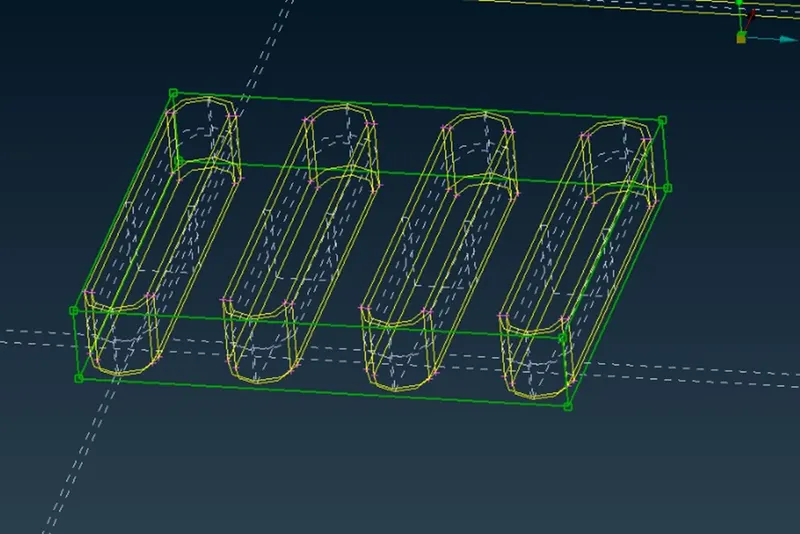
Selecting control points to USE MOVE Command.
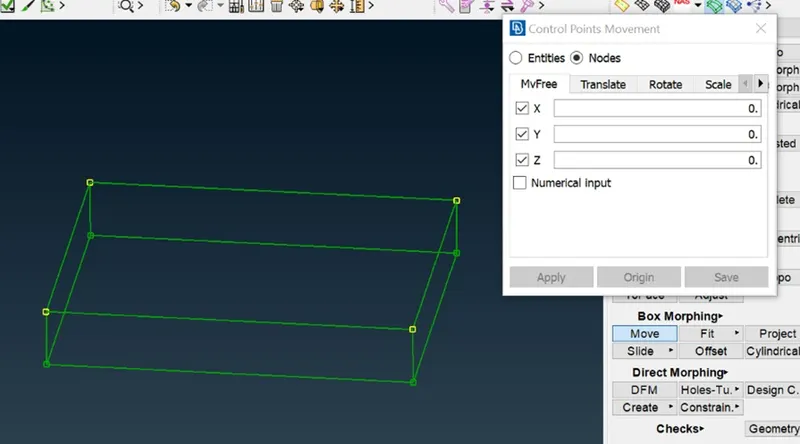
By mouse pointer movement, we can control the movement of MORPHING Process.
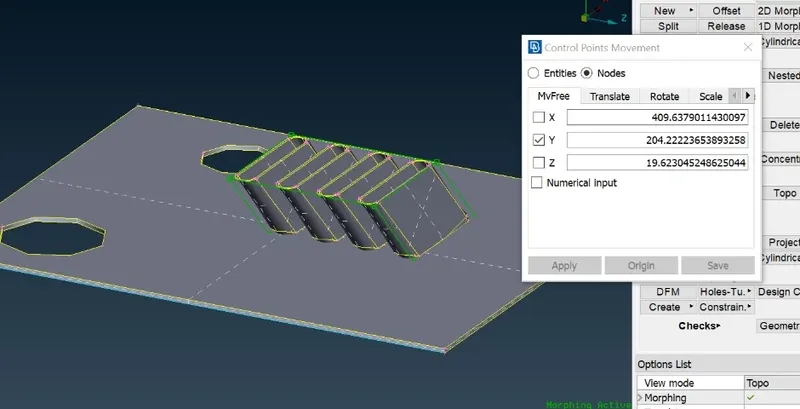
Finalizing the result by PRESSING ENTER.
NOW, we can perform Morphing operation By using SPLIT COMMAND from MORPH MODULE.
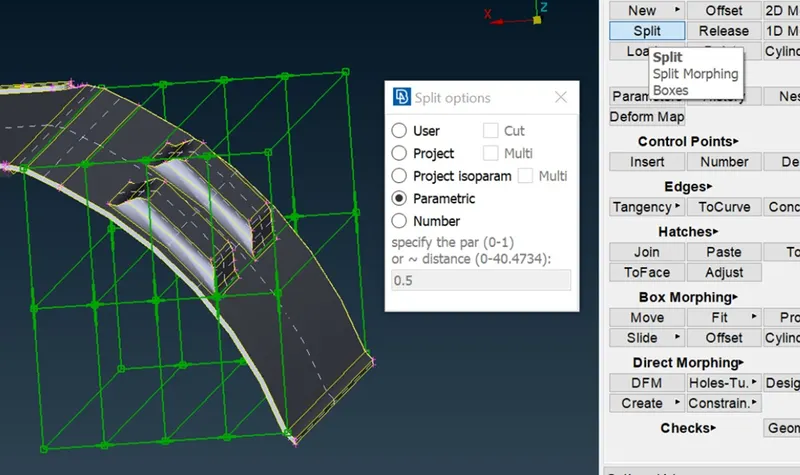
SPLIT Command in MORPHING provides high resolution of transformation process.
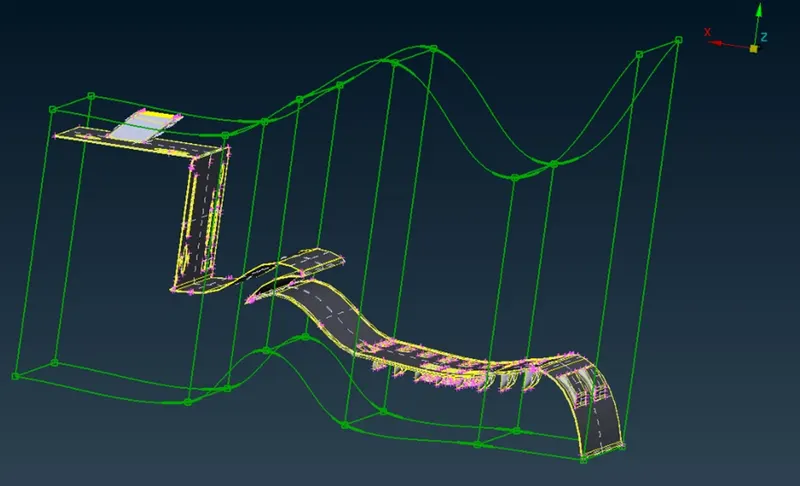
Whole Geometry can be morph by moving control points of edges.
After morphing DELETE the MORPHING BOX to stabilize the model parametrically.
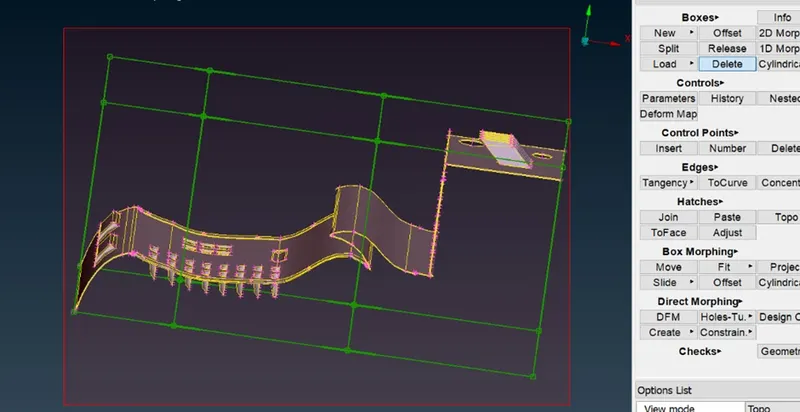
Similarly, we can MORPH different components of model.
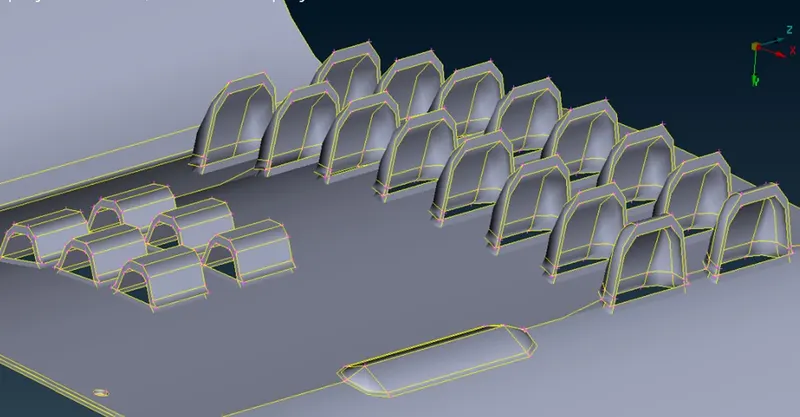
MORPHING RESULT OF MODEL 1
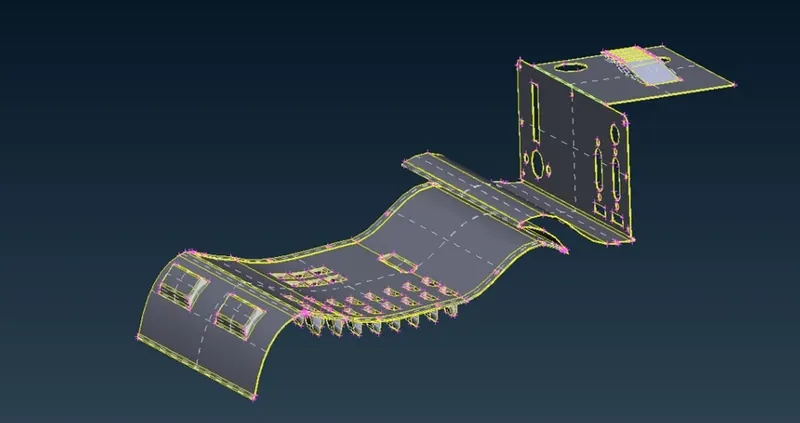
PROCEDURE(MODEL 2)
STEP 1: IMPORT CAD MODEL IN ANSA WINDOW, PERFORM GEOMETRY CHECKS AND FIX ALL TOPOLOGICAL ERRORS AND ORIENTATION ISSUES OF MODEL.
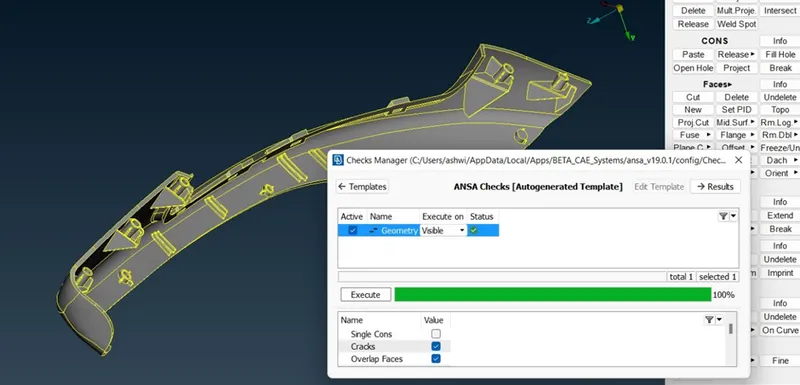
STEP 2: BOX MORPHING
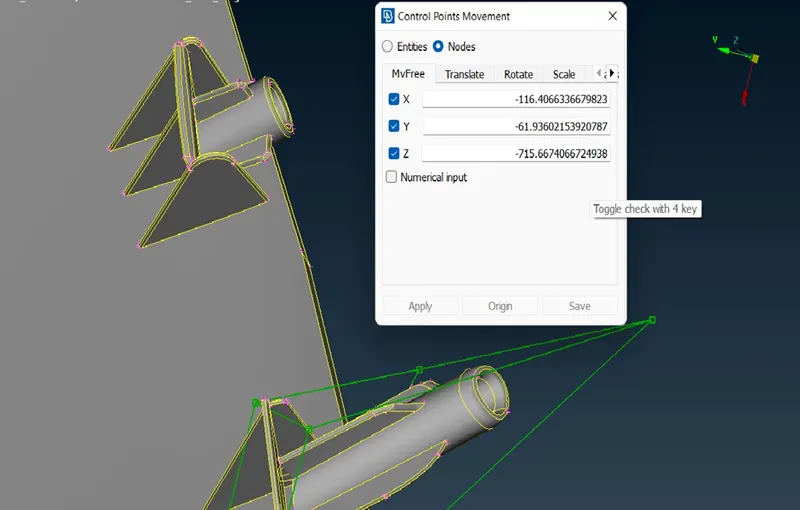
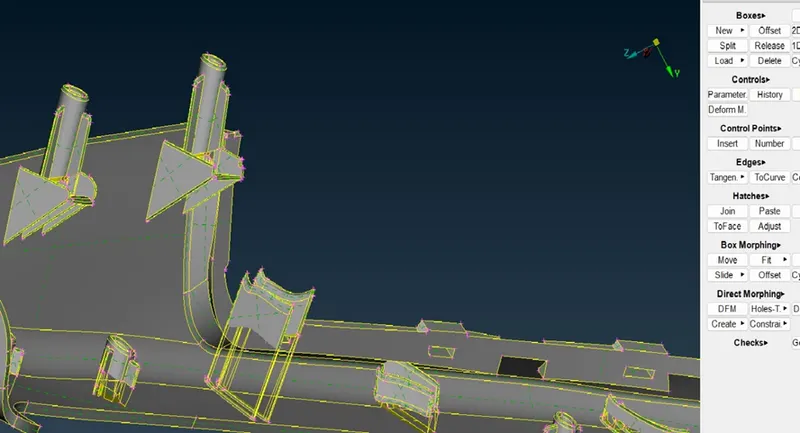
Requirement of Model is to increase the length of RIBS and DOG HOUSES shown in given image.
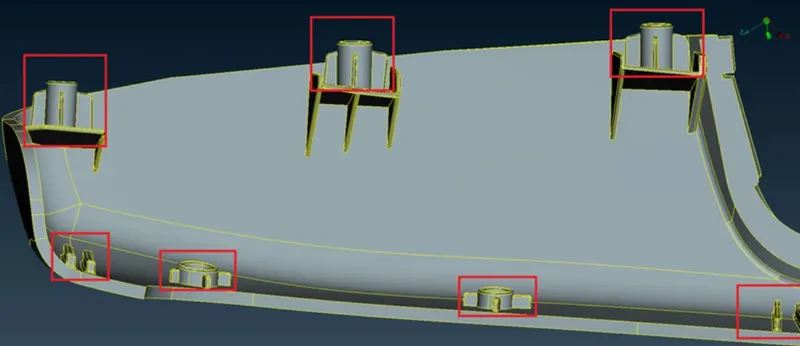
isolating the component from parent geometry , and Form MORPHING BOXES.
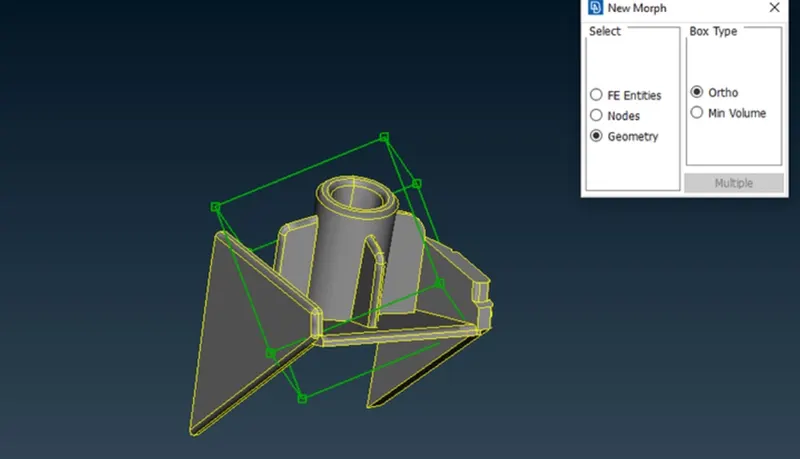
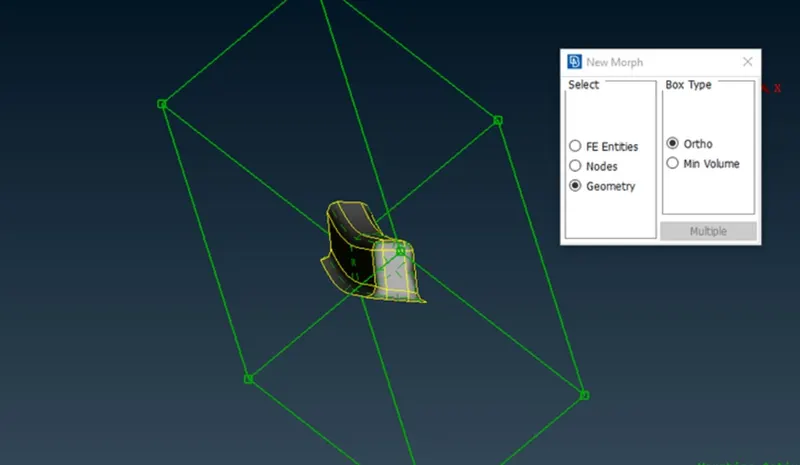
CAREFULLY SELECTING REQUIRED GEOMETRY OF COMPONENT TO BE MORPH.
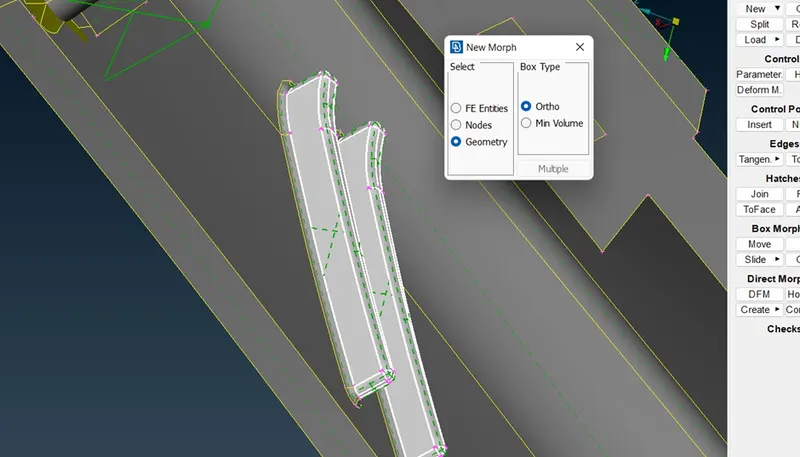
SHAPE AND SIZE OF SELECTED GEOMETRY CAN BE CONTROL BY MOVE COMMAND ON EDGES OF MORPHING BOX.
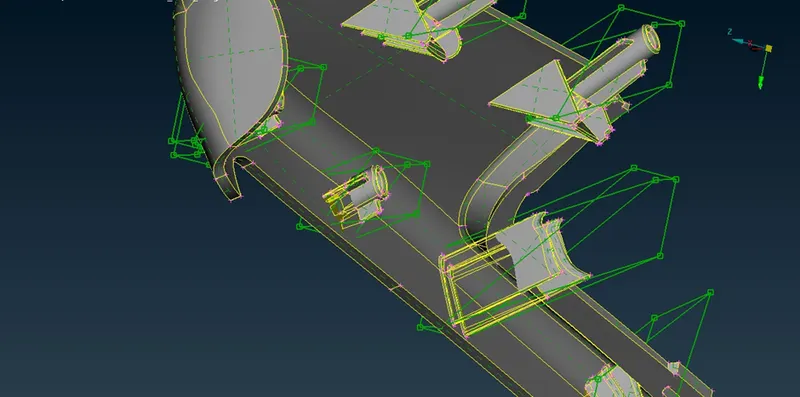
MORPHING RESULT OF MODEL 2
LEARNING OUTCOME
- Aware about Morphing and its application in medical and engineering analysis.
- Able to perform BOX MORPHING operation on any model.
- Clear understanding Morphing and MORPH Module commands to perform morphing operation with required degree of accuracy and precision.
CONCLUSION
BOTH MODEL IS GEOMETRICALLY CLEARED AND FREE FROM ALL TOPOLOGICAL ERRORS, THEN BOX MORPHING IS SUCCESSFULLY PERFORMED ON VARIOUS COMPONENTS OF MODEL.