Week - 8 - Morphing
AIM:
To perform morphing for the given cad model.
PROCEDURE:
Generally designing of a model is done in any CAD software but design changes can also be done in ANSA GUI. This technique is known as MORPHING. Morphing is a design changing or shape changing without any numerical inputs.
In order to perform morphing in ANSA, go to the MORPH module and create a ortho box to the part inorder to change the design and this was done by BOXES > NEW and select GEOMETRY and box type to ORTHO and select the part as shown in fig 1.
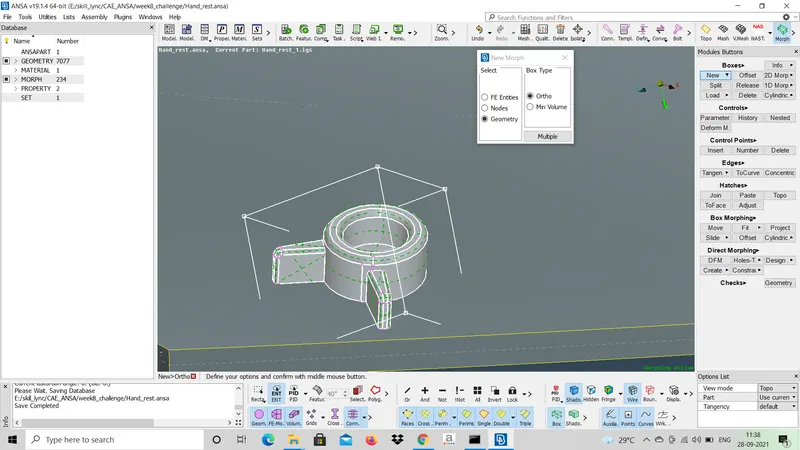
FIG 1: ORTHO BOX
Ortho box is created around the part in which design changes have to be made. The design can be modified by BOX MORPHING > MOVE and select the nodes of the box according to the design changes as shown in fig2
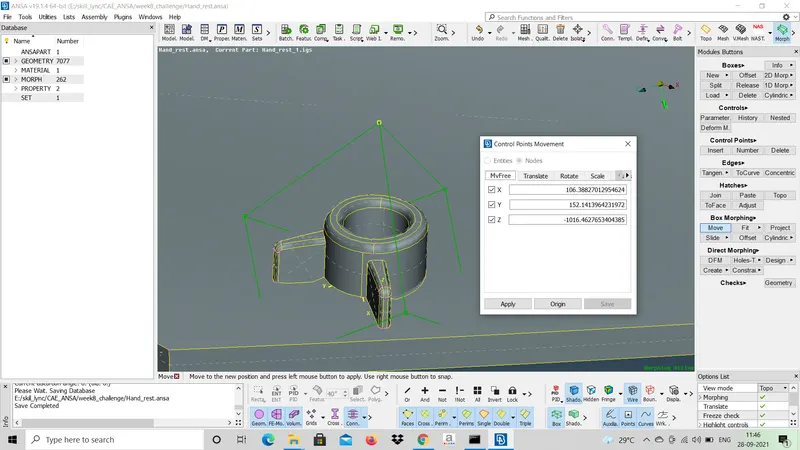
FIG 2: ORTHO BOX MORPHING
The ortho box can be split into multiple boxes so that accurate design changes can be made for the particular part in the box as shown in fig 3. The design morphing is done to the particular part fitted in the box so that the remaining geometry will not be affected.
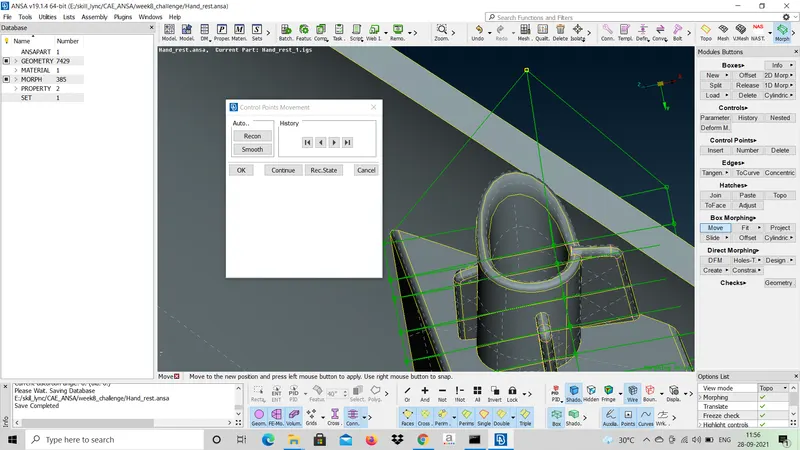
FIG 3: SPLITTING OF ORTHO BOX
APPLICATIONS:
The morphing technique is used in various fields like Auto mobile industry, Aero space industry etc.