Week 8 - Challenge 4 - Coin Holder Design
Draft Analysis for the Coin Holder Design
Aim:
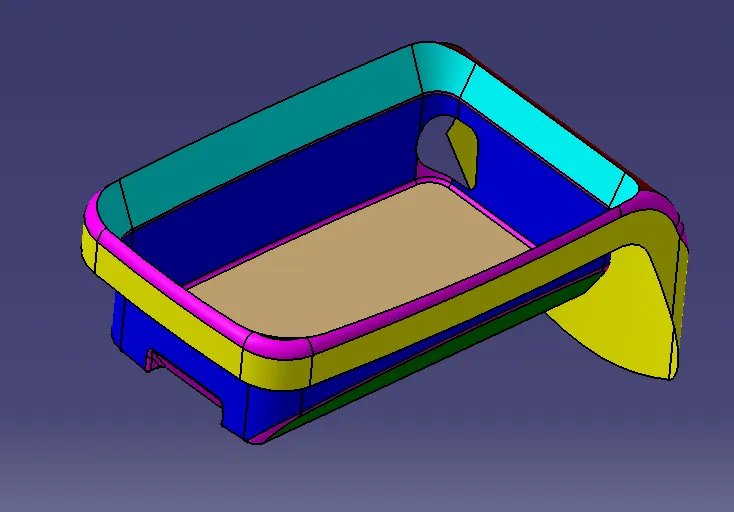
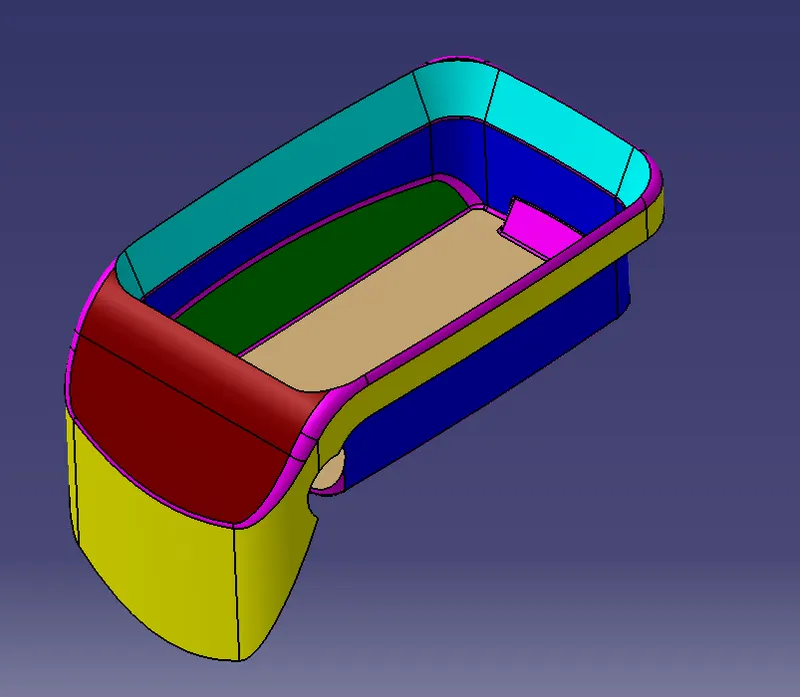
To create the Class B and C surfaces from the given Class-A surface of the Coin Holder design and to draft analyze the model after creating the solid component.
Procedure:
1. Check the given class A surface for any surface openings neglecting the feature opening using the boundary feature. Fix the openings if needed.
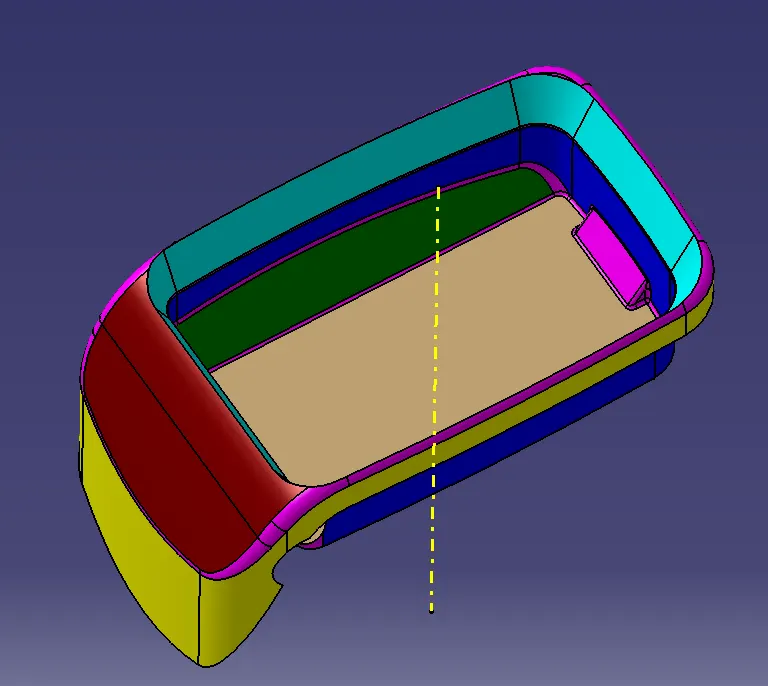
2. Create a tooling axis exactly at the centre of the pocket feature, by extracting the base surface of the pocket, creating a centre point on the extracted surface and create a line from the point facing the Z direction at 90 degrees from the base as shown below.
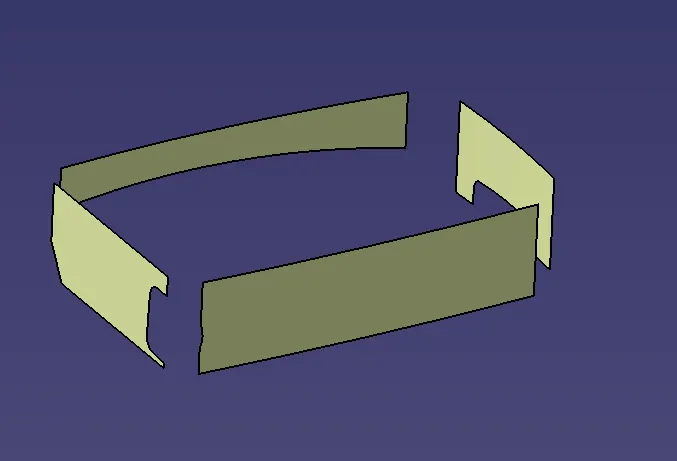
3. Now the class B surface is to be created from the given class-A surface. Extract the surfaces from the class A surface neglecting the fillet surfaces. Start surface extraction from the walls of the pocket feature as shown below.
4. Untrim the extracted surfaces to defeature the trimmed surfaces. Extrapolate the surfaces with random measurements until the surfaces intersect with each other.
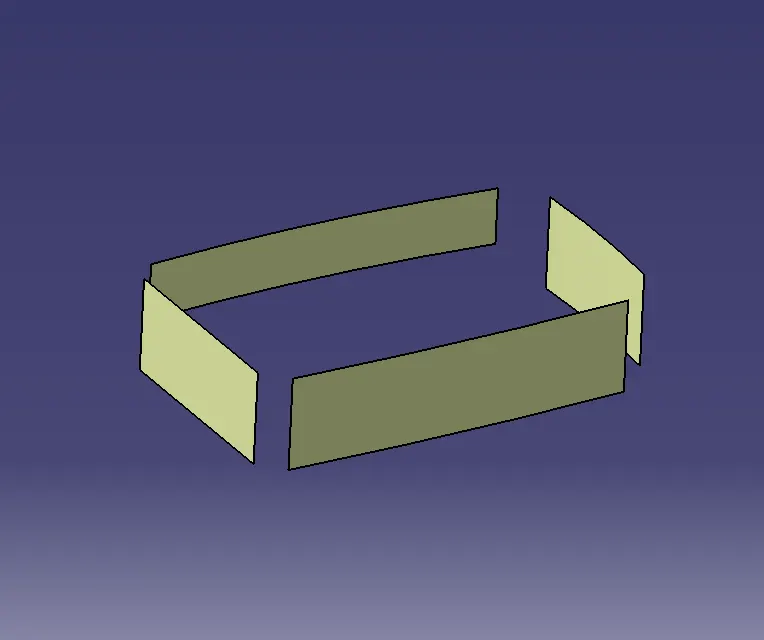
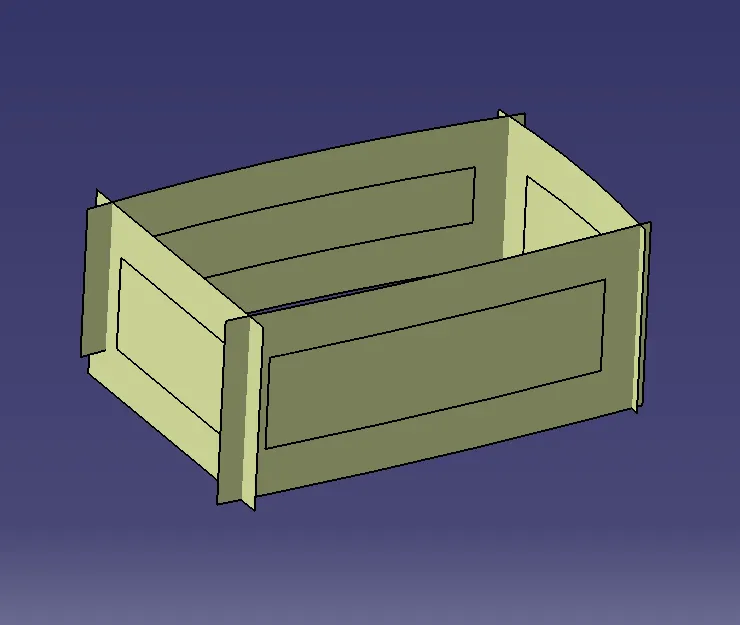
5. The thickness to be given for the component is 2.5mm, so the surfaces are to be offset towards the outer side from the class A surface.
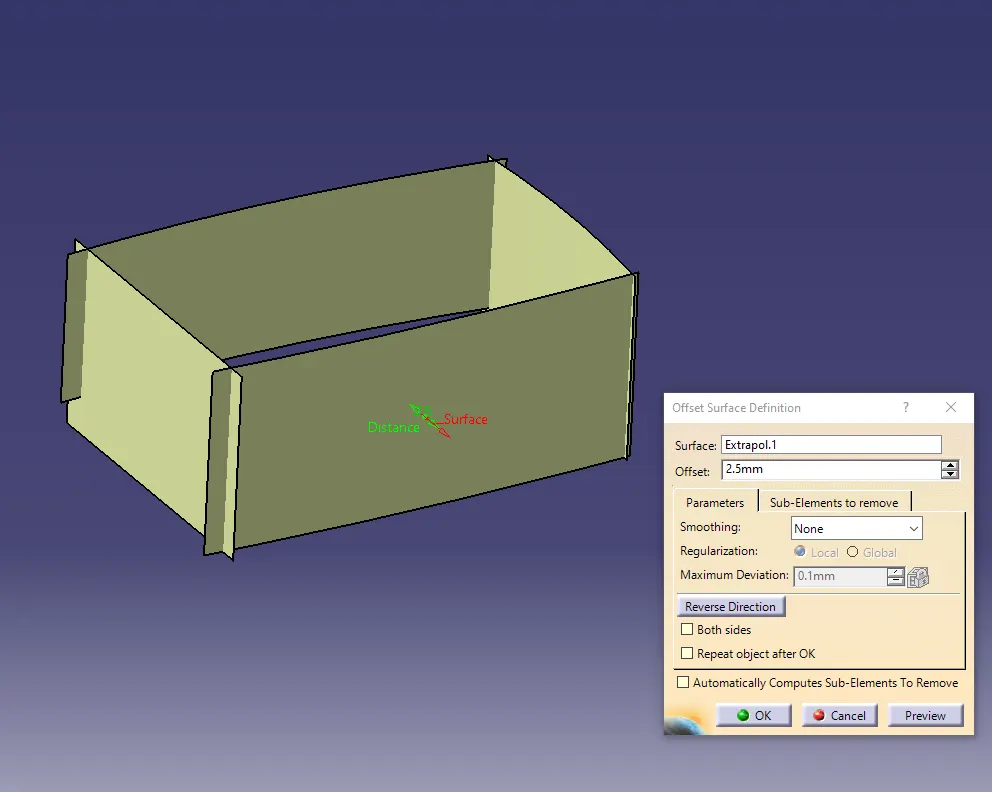
6. Trim the surfaces as per the design of class A surface.
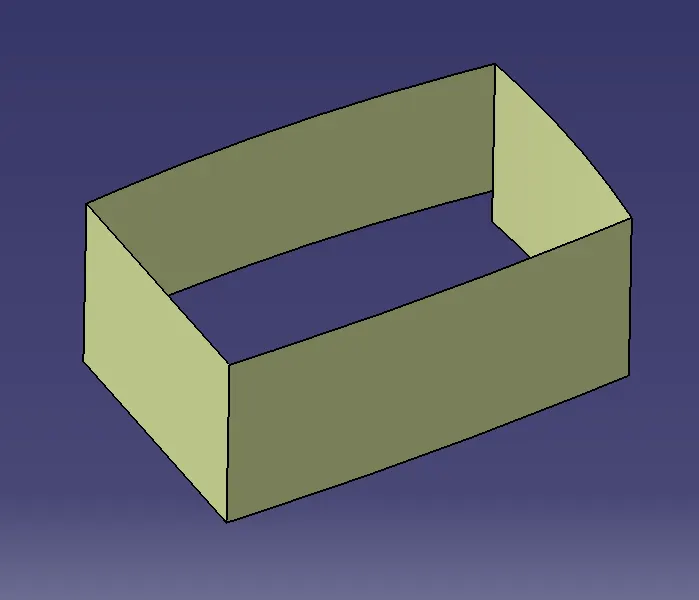
7. Similarly the remaining surfaces are to be extracted and trimmed as done above for the walls of the component, maintaining the thickness distance up to 2.5 mm. Keep comparing the trimmed surfaces with the class A surface.
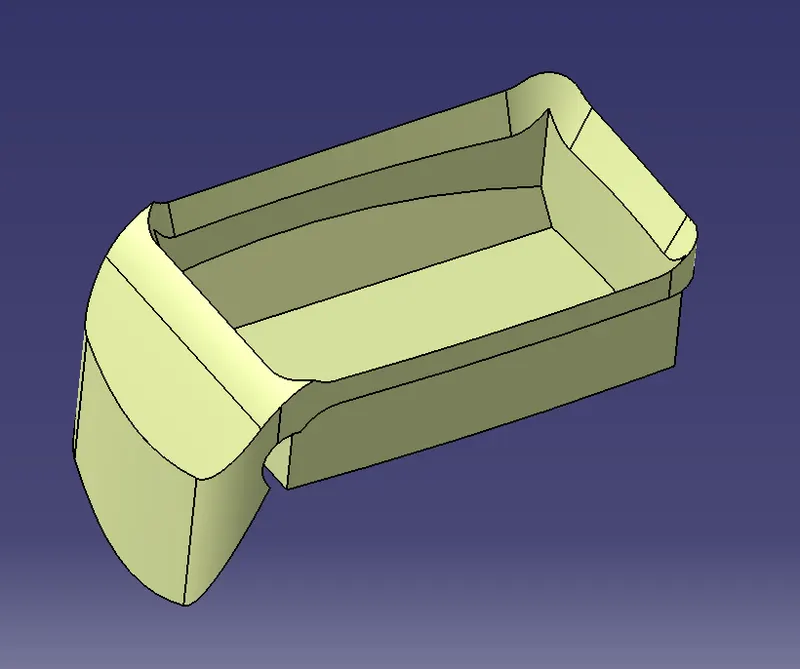
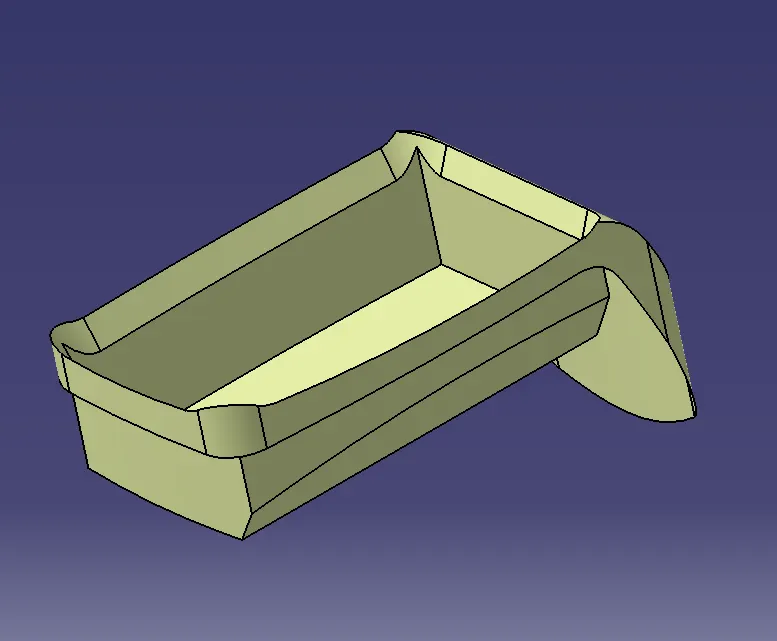
8. After creating the rough structure of the class B surface, fillets are to be created as per the measurements of the class A surface. The measurements are given for the class B surfaces such that if the fillets are to be given on the outer side of the component then the fillet value from the class A surface is added to the thickness value, that is to be given for the component. Similarly, the fillet value is to be subtracted from the thickness value if the filling is to be created in the inner edge of the component.
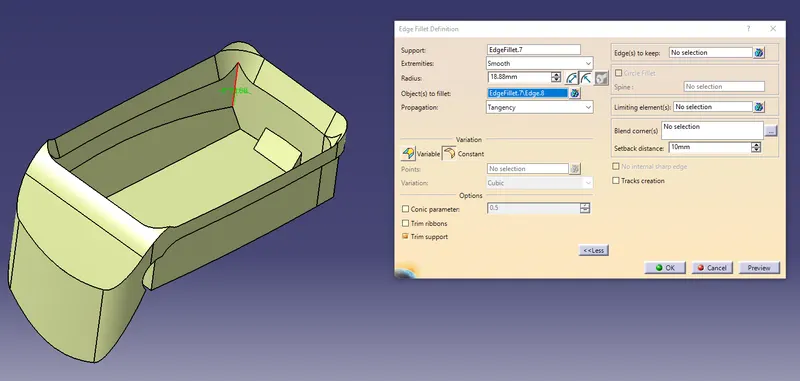
Few fillet surfaces are to be extracted and untrimmed to get the exact value of the fillet.
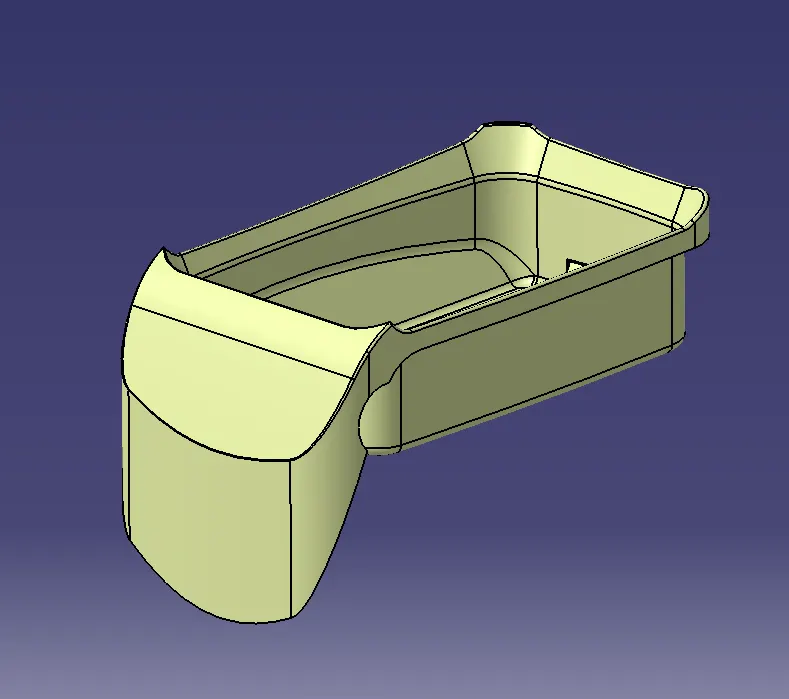
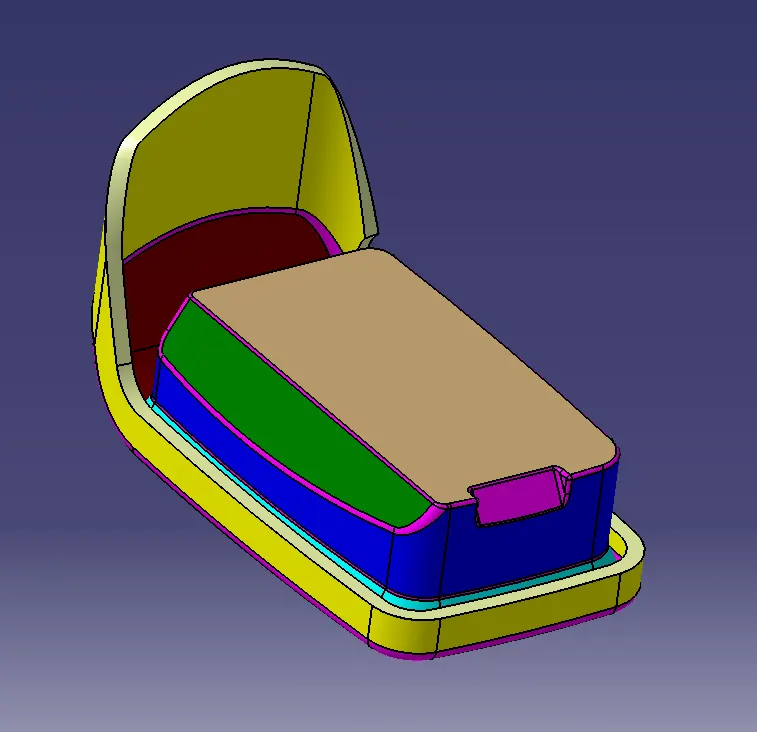
9. After creating the Class B surface, the class C surface is to be created by using the sweep feature and extracting the edges from the Class A surface. Class C surfaces are the edge walls, connecting the Class A and B surfaces.
10. Multi extract the edge lines of the class A surfaces. Using the sweep option select the extracted lines from class A surface as a guide curve and the tooling axis as the draft direction. Set the draft angle as 90 degrees and sweep the surface. Sweeping should be done line by line so that no errors may occur will creating the surface. Surface blending is to be used in few featured regions to avoid errors while creating the surface.
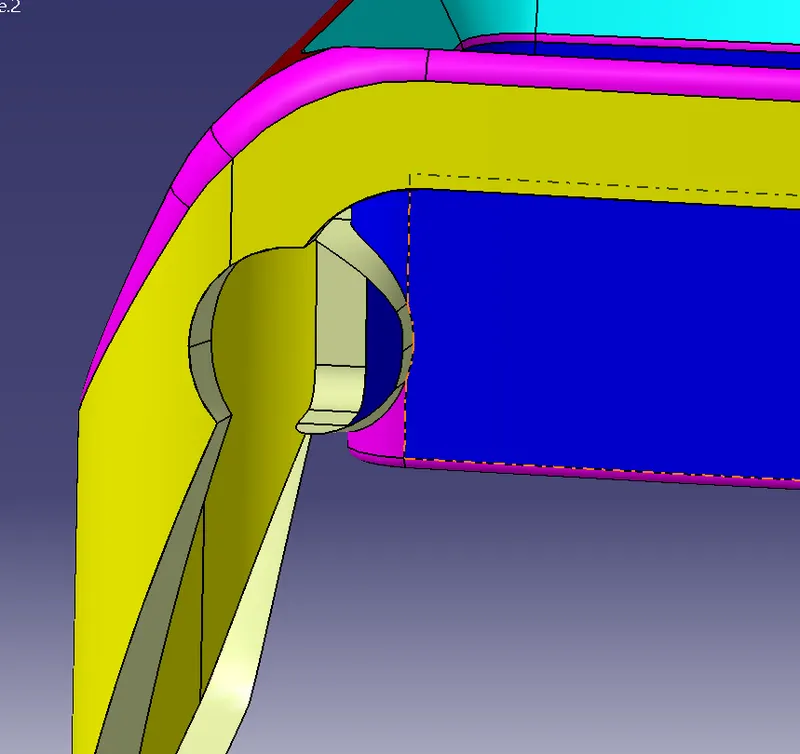
11. After creating the class C surface, both Class B and C surfaces are to be trimmed for joining the surfaces and removing the extra surfaces. To trim the surfaces extend the edges of the class B surface using the extrapolate option such that the class B and C surfaces are intersecting each other.
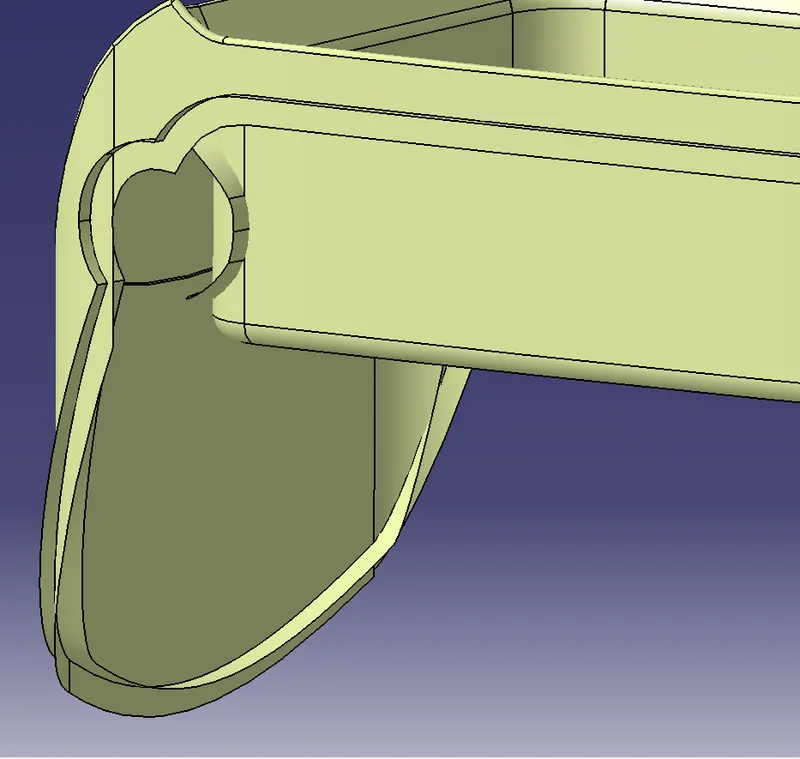
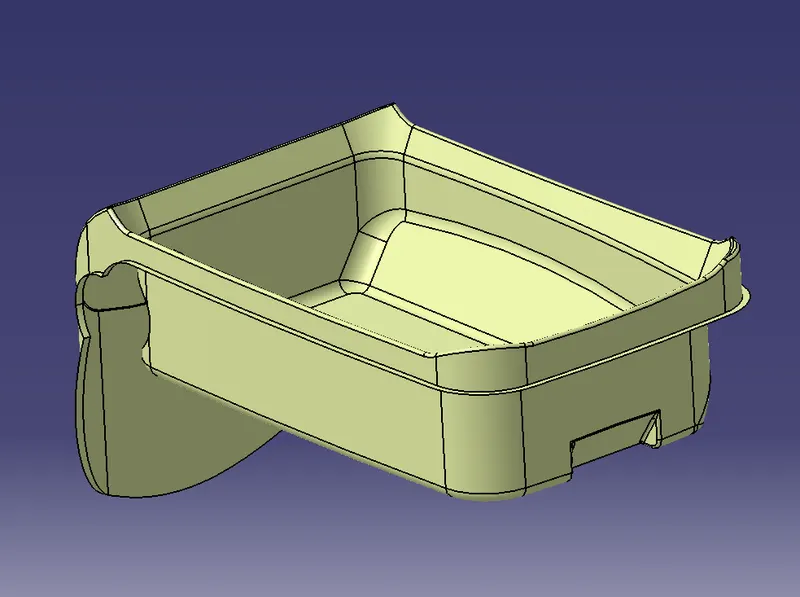
12. Now Join the class A surface with class B and C surfaces to create a closed surface component. Check the component for any kind of open edges using the boundary option. Close the open edges if any.
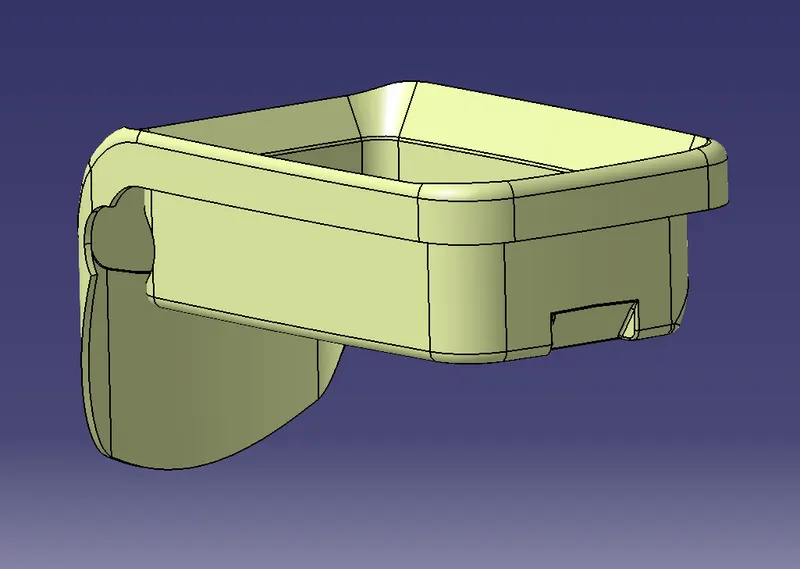
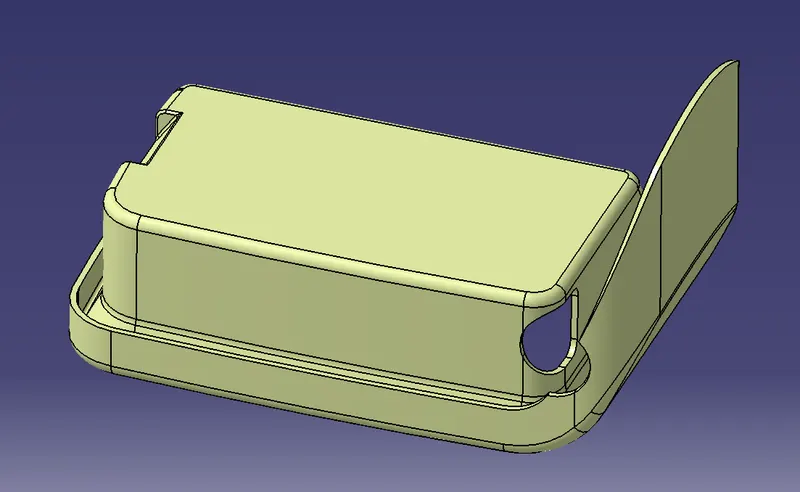
13. Now create a solid component using the closed feature in the part design window. The solid component will not be formed if there are any kind of open edge surfaces.
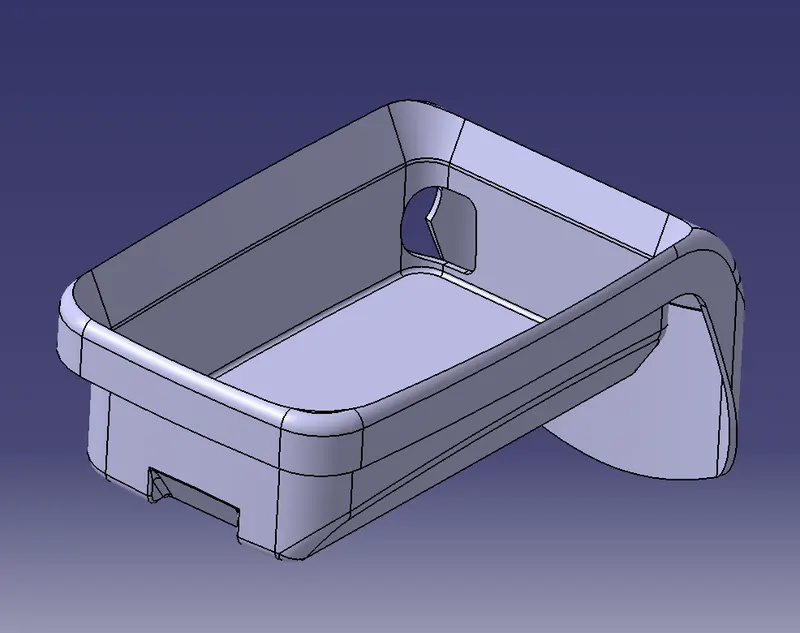
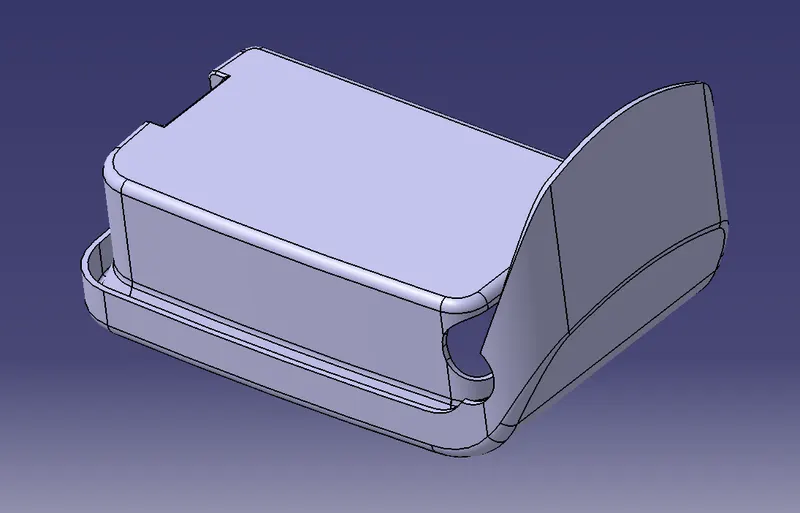
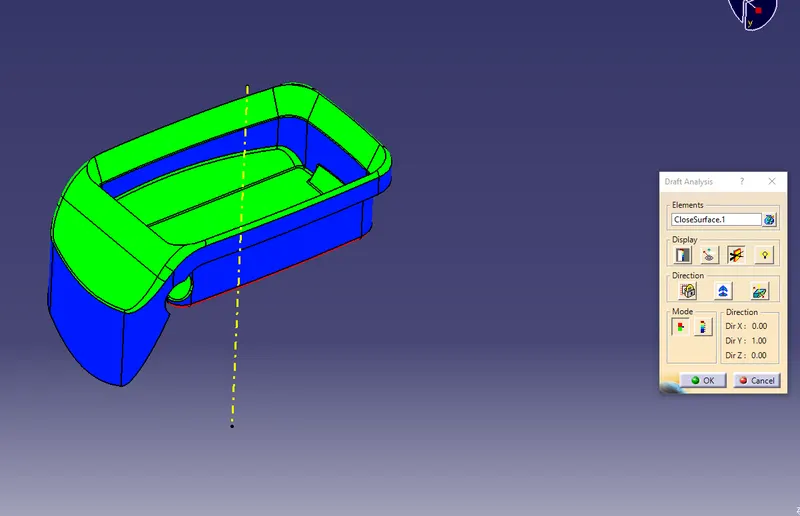
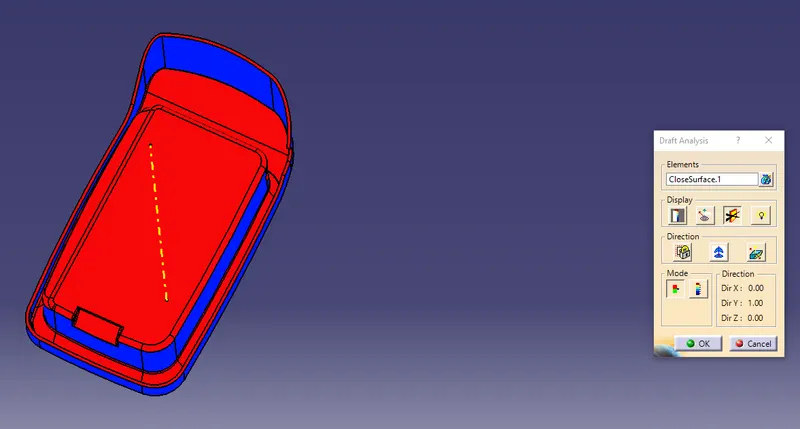
14. Now the draft analysis is to be done for the solid component. In the draft analysis window, place the axis on the created tooling axis and analyze the component. The green colour is hilited from the top view, blue on the sides and red on the bottom view of the component. Thus the draft analysis for the solid component will be completed.
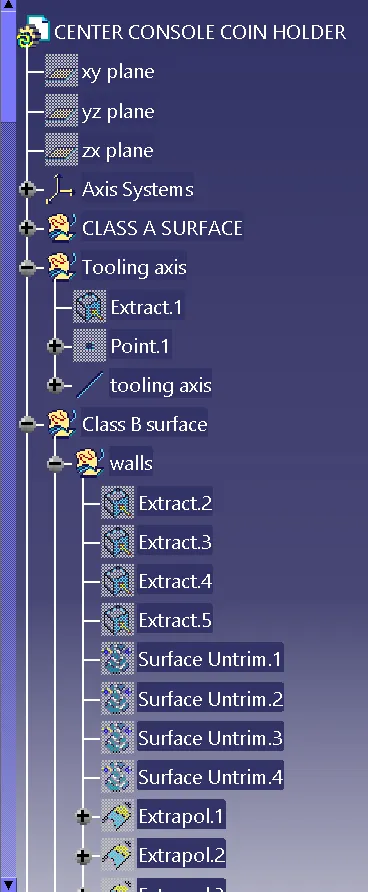
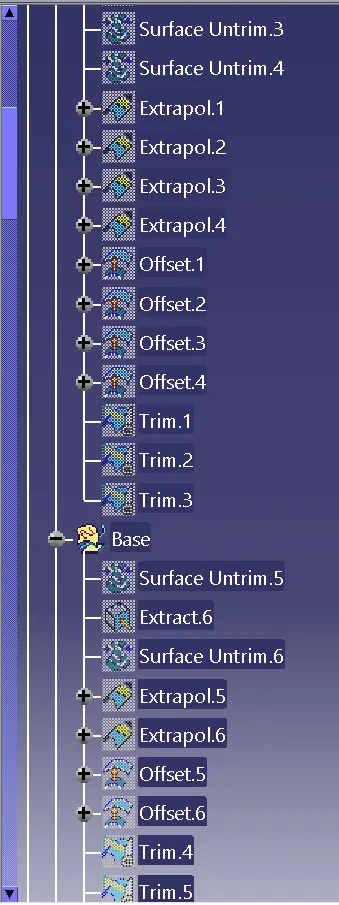
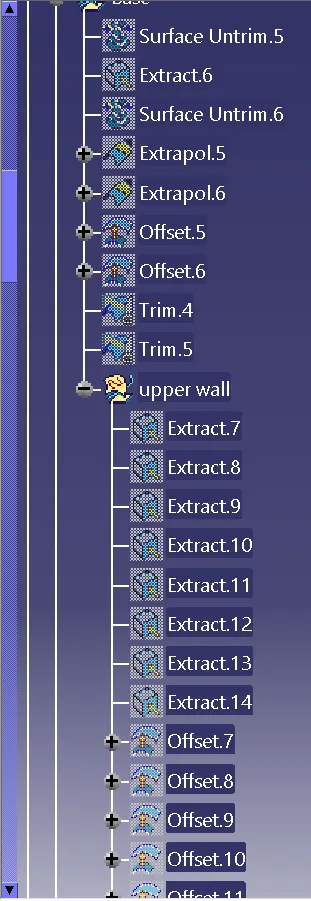
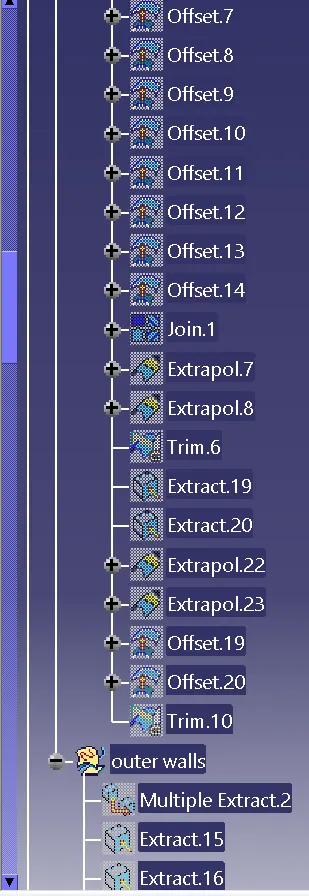
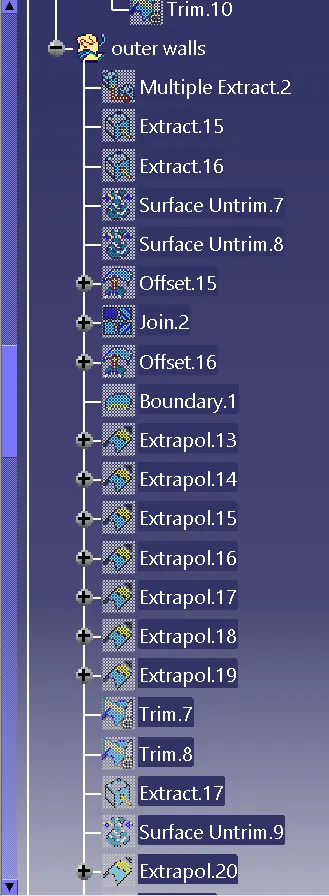
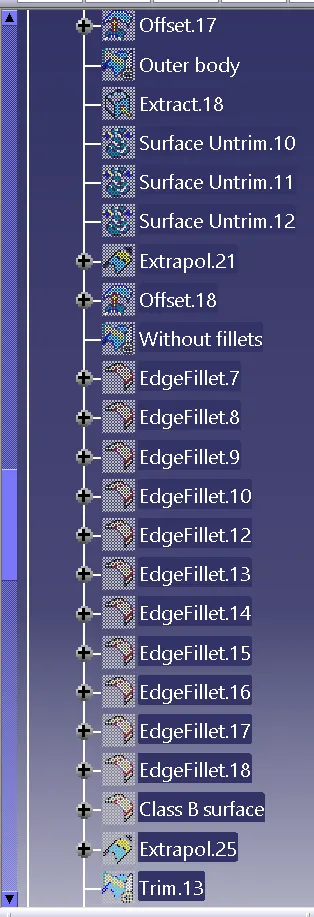
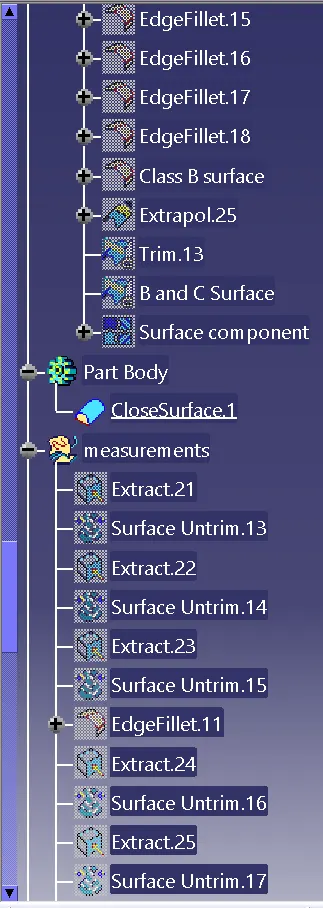
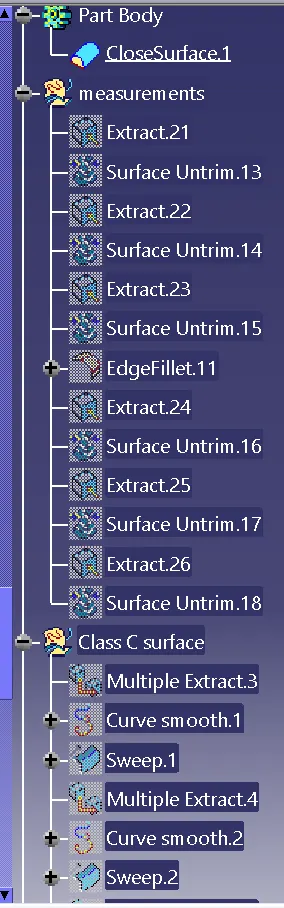
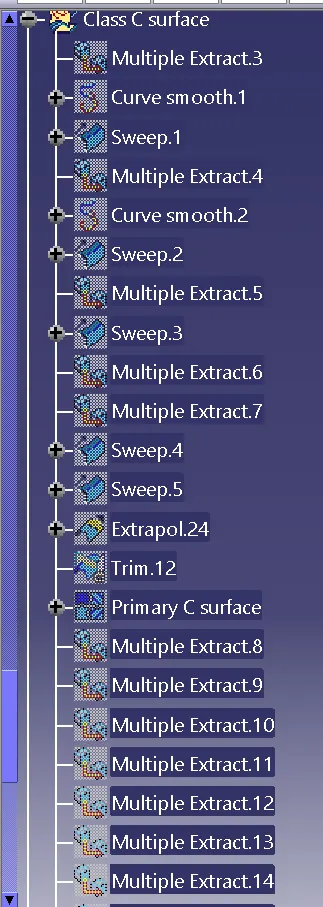
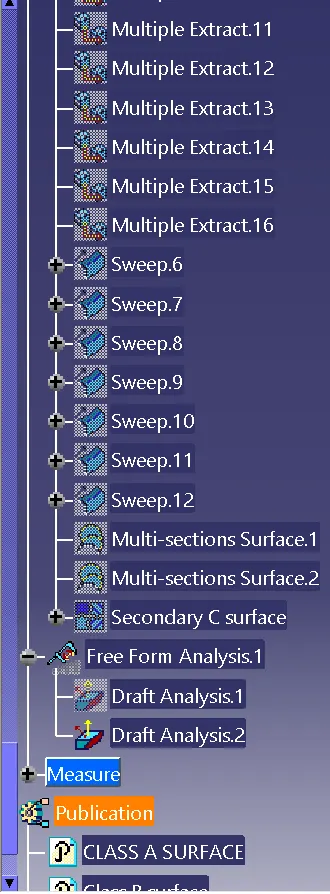
15. The tree structure for the above component is as shown below.
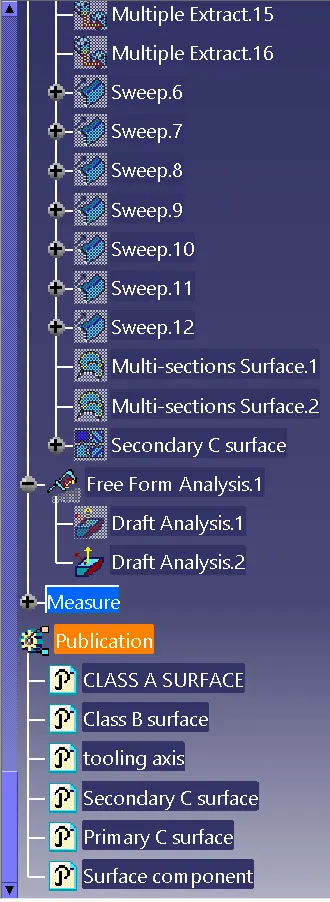
Result:
Therefore creating the class B and C surfaces with the help of class A surface and the draft analysis for the solid component is completed.