Week 8 - Challenge 4 - Bumper
Question:
Create the Bumper Plastic component through the given Class-A surface. To begin with, the tooling axis for the given Class-A Surface should be created meeting the requirements of the draft angle and at the end perform the Draft analysis on the model.
Take the Thickness of the component to be 3 mm.
Solution:
Procedure for designing Switch bezel:
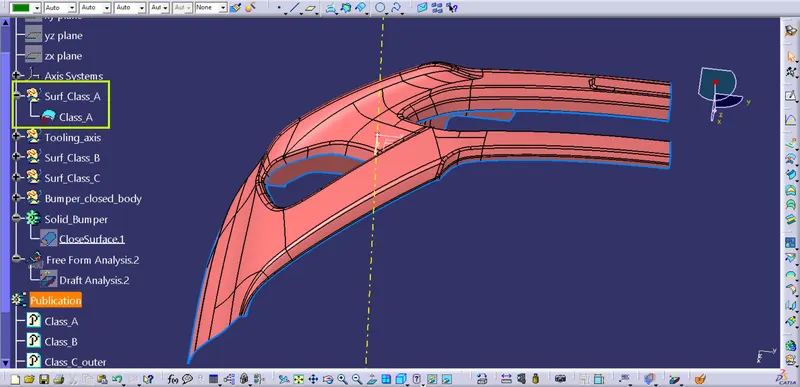
Fig1.1: Provided Class_A surface.
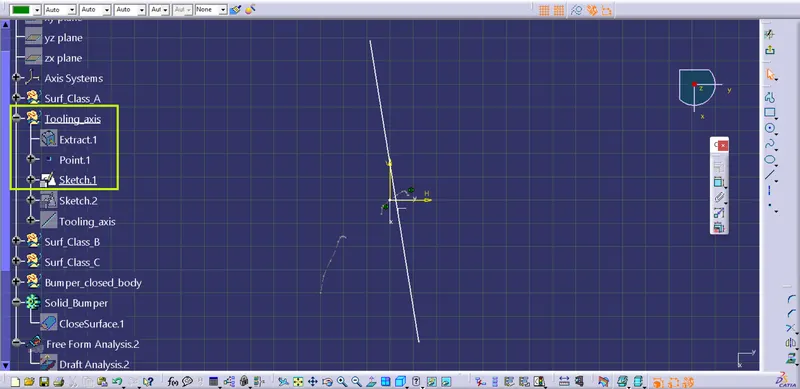
Fig1.2: Creating Sketch_01 (line_01) clearing X-direction.
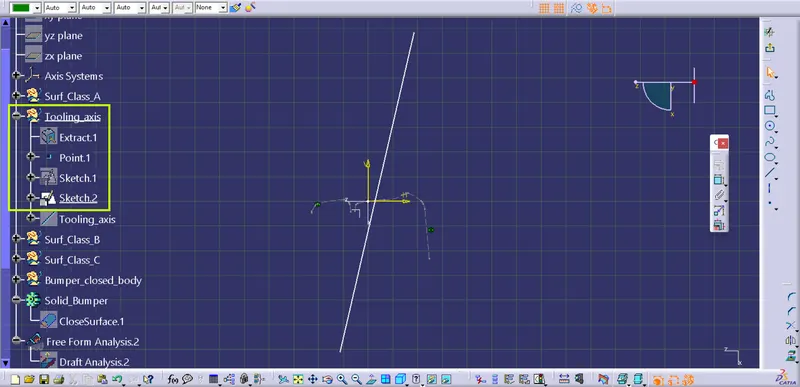
Fig1.3: Creating Sketch_02 (line_02) clearing Y-direction..
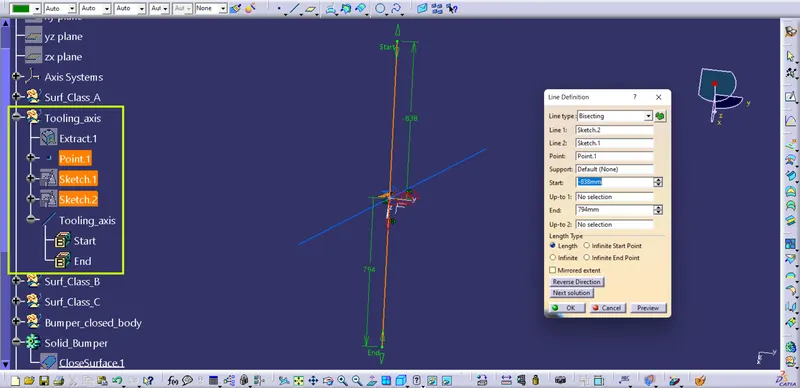
Fig1.4: Creating bisecting line at mid-point, bisecting line-01 and line-02 which is 'Main_tooling_axis'.
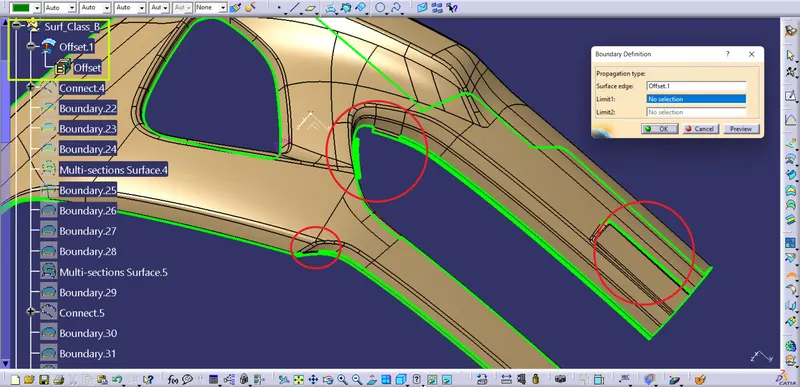
Fig1.5: Created class-B surface which consists of missing features and surfaces we need to fix.
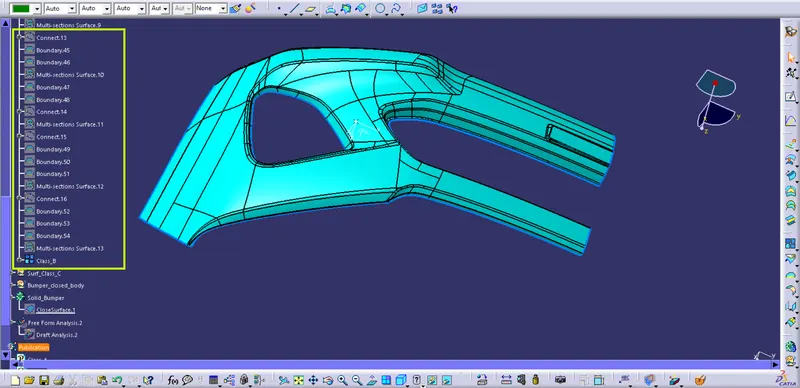
Fig1.6: Creation of Class_B surface by executing 'Multi section surface' operation for missing surfaces.
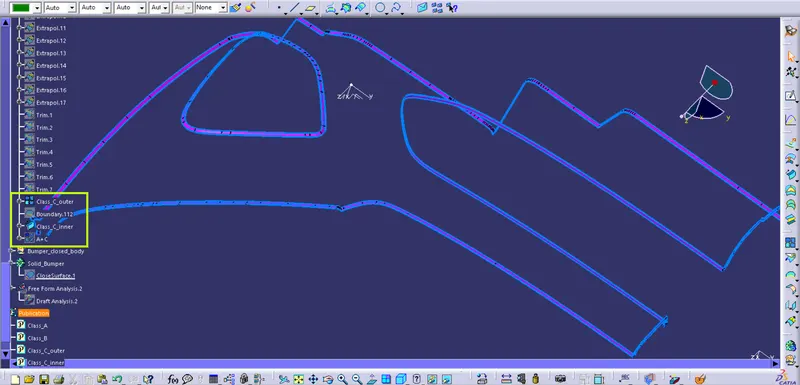
Fig1.7: Creating class-C surface by using 'Swept' command and checking it for boundary condition.
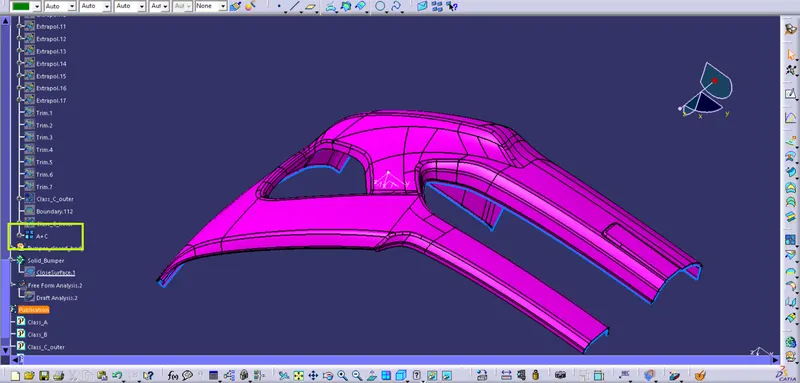
Fig1.8: Creation of join of surfaces class-A and class-C by using 'Join' command.
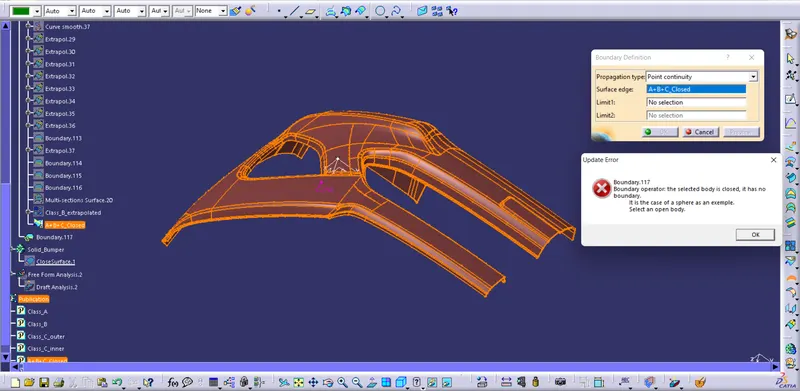
Fig1.9: Checking the closed_body of 'Bumper' for boundary condition.
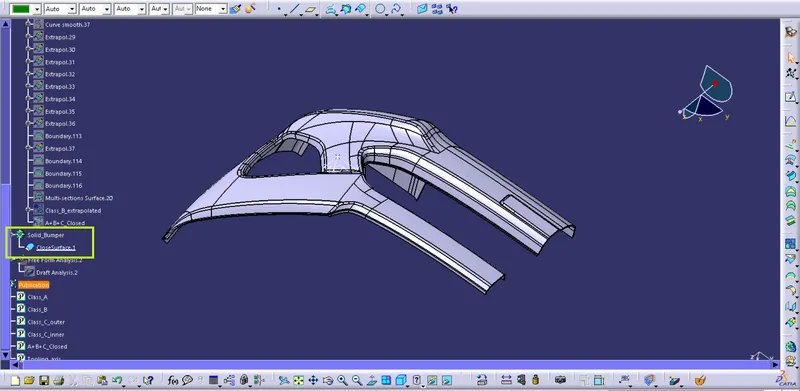
Fig1.10: Creation of 'Solid_Coin_holder' by using the 'Closed_surface_feature' of the 'Part_workbench'.
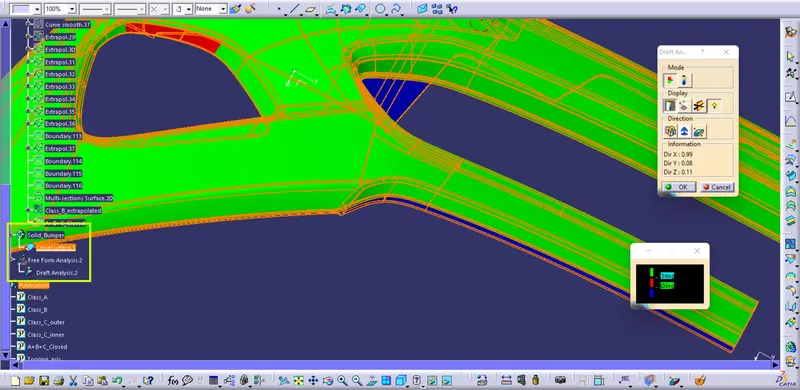
Fig1.11: Draft analysis results performed on the 'Bumper'.
Surface in 'Blue' colour can't be manufactured by using this tooling axis, therefore we need to change the 'Tooling axis' and design the features again.
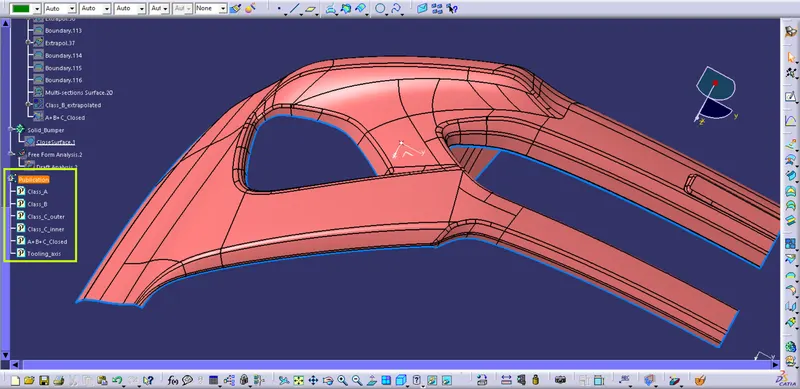
Fig1.12: Publication of Surfaces and Tooling axis of the component.