Week 8 - Challenge 2 - Switch Bezel Design
Dear Sir,
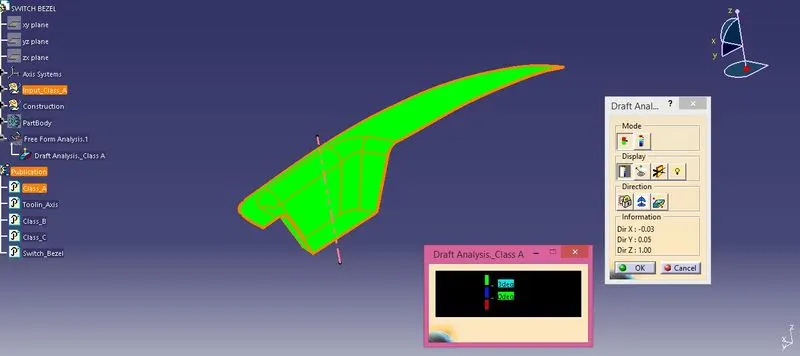
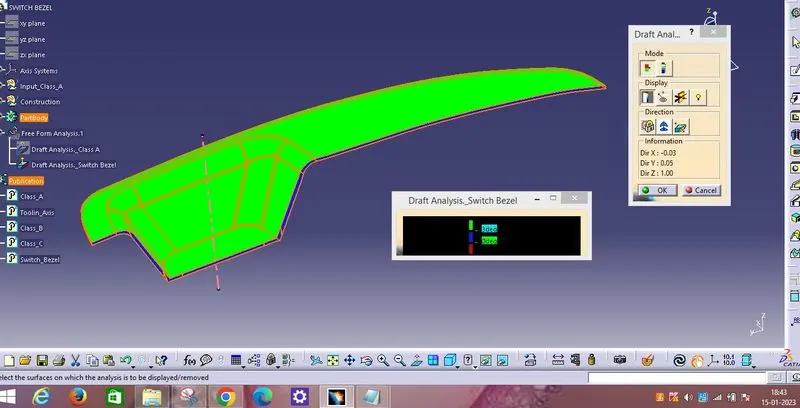
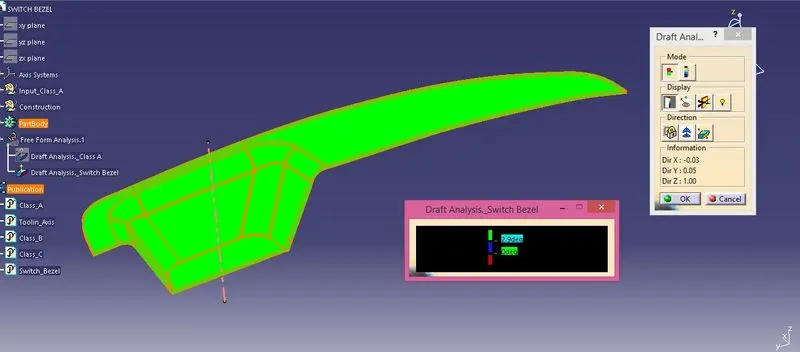
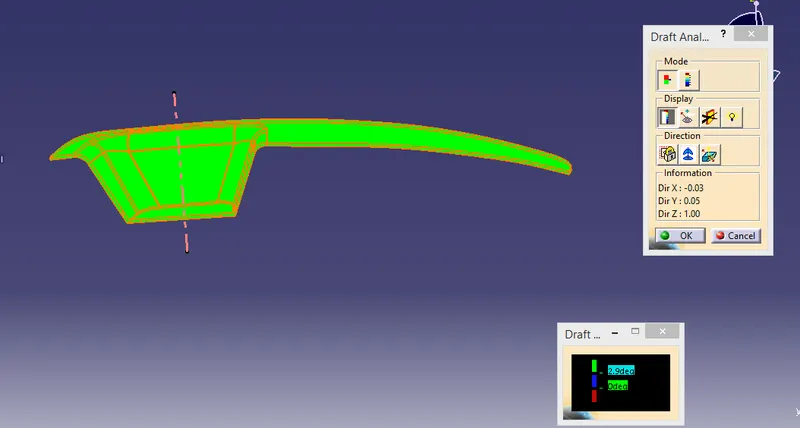
Please find the attachement, CATpart of solid model Switch Bezel, Screenshorts of the draft analysis of Class A surface and solid model of Switch Bezel in various orientation.
Tooling axis:-
- First creat centre point on base surface ofclass A surface, then creat axis at that point,
- Creat two lines both side draft in sketch workbench (one is bisecting line and another line at 5 degree of opposite surface draft).
- Creat final tooling axis by bisecting between this two line.
Draft Analysis:-
- First customize view in material mode,
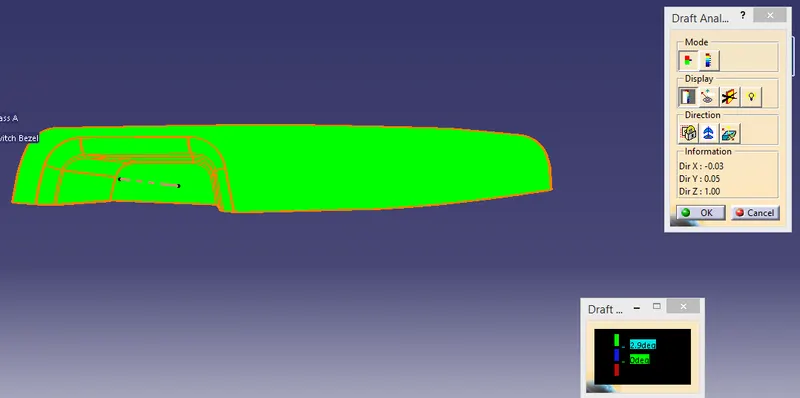
- Select draft analysis tool and positon the compass draft direction on tooling axis then select surface of claas A surface and solid model of Switch bezel part for draft analysis view.
- Class C surface draft is 3 degree. So, In draft analysis C class surface visible in blue colour at 3 degree and green colour visible at 2.9 degree (shown in below image
Thanks & Regards,
Praveen Kumar Singh