Week 8 - Challenge 2 - Switch Bezel Design
ans 1
Tooling axis = It is the direction along which the mold opens for easy ejection of the solid part.
Number of processes to select Tooling Axis
- By making tooling axis along the X, Y, and Z axis
- By making the tooling axis normal to the part surface
- By using the bisection method
We can use any method but for the easy and fast process we go in order as mentioned above and once we find the out tooling axis we need not go any further.
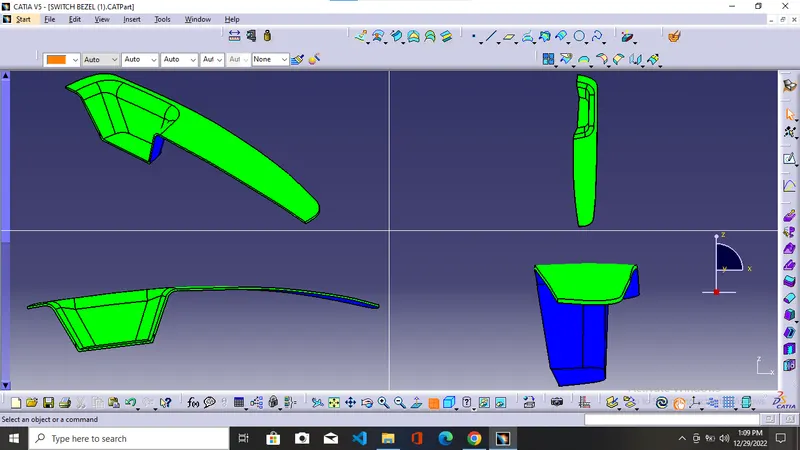
after checking all three axes they are not clearing the draft analysis. so we move to the Normal to surface method.
Step 1 Select the base surface and use the extraction tool to extract the base from the A surface.
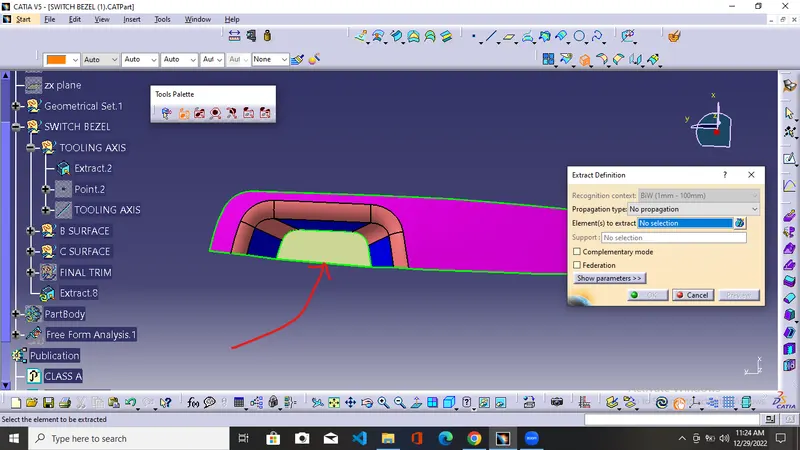
Step 2 = Making the point on the extracted surface using the point tool and using this point for the making of the tooling axis.
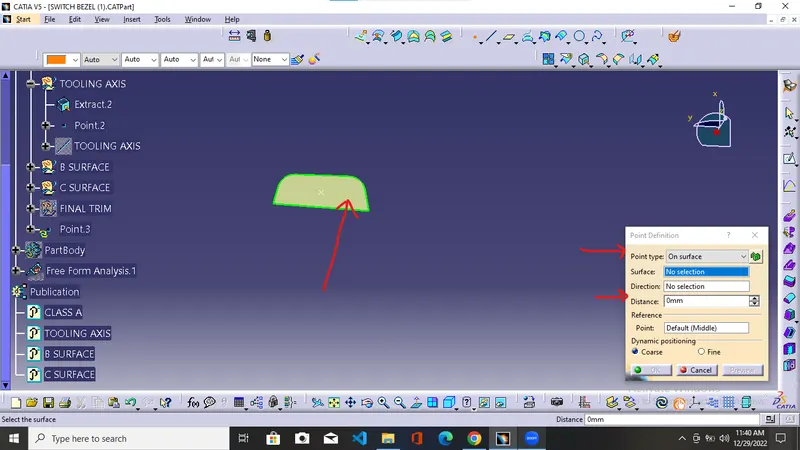
in the point tool, we use point definition as on the surface selecting the extracted surface giving the distance as 0 mm obtained the point in the middle of the extracted surface.
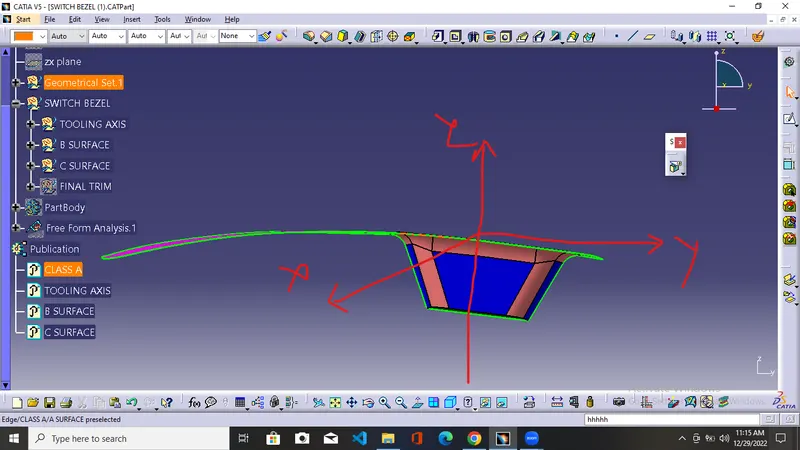
Step 3 = Using the line tool and line type as normal to the surface and giving the extracted surface and point as a reference to obtain the required tooling line.
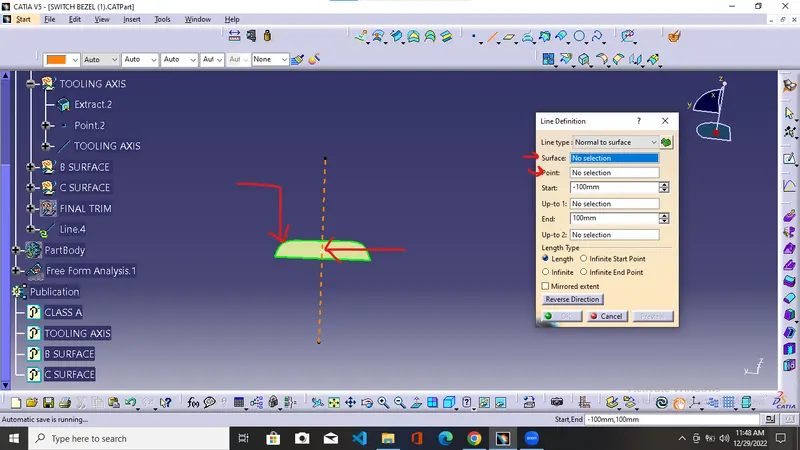
Draft analysis
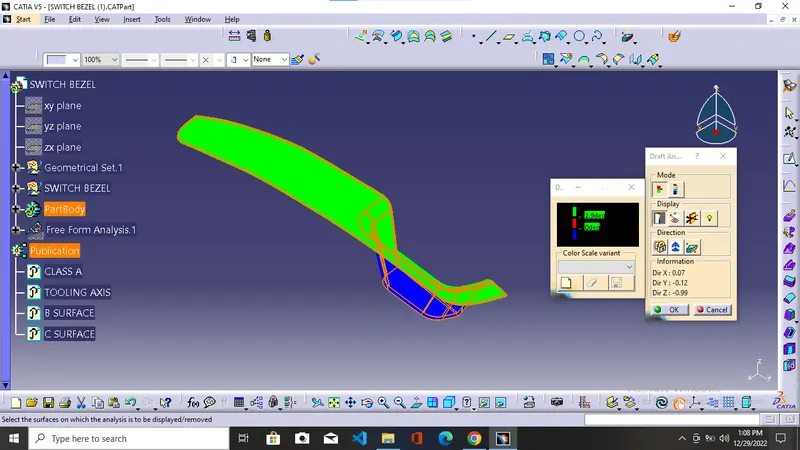
Step 1 = Using the Feature draft analysis tool and placing the compass w axis along our tooling axis
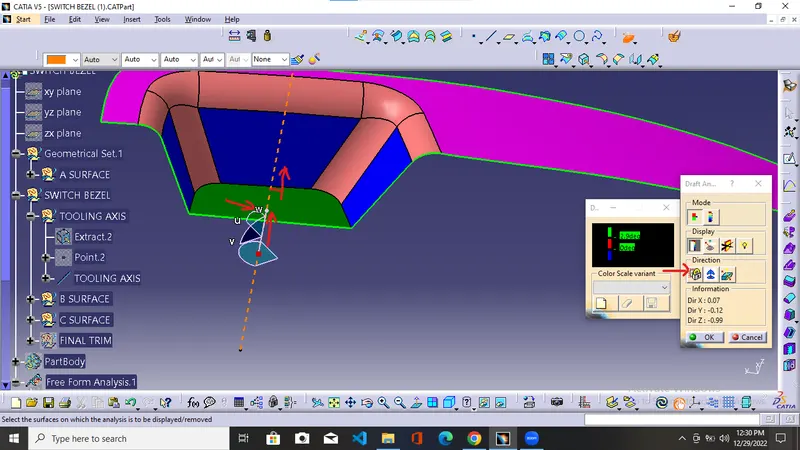
after locking the compass click on the part surface and get the result from the color code where the degrees set above the parameter give the color normally it is set in between 0.5-3 degrees red color is normally set at 0 degrees and it shows the result that part in red color is either is at 0 degrees with tooling axis or in between 0-3 degrees as set for the green color whereas blue one tells us that draft angle is less than set for reg color.
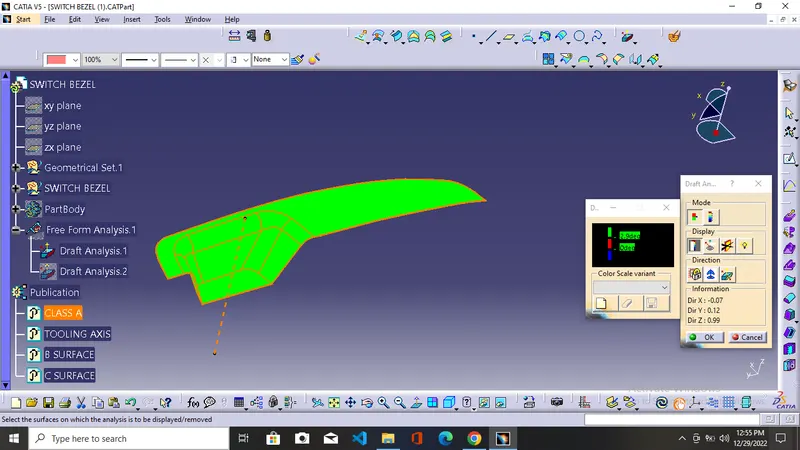
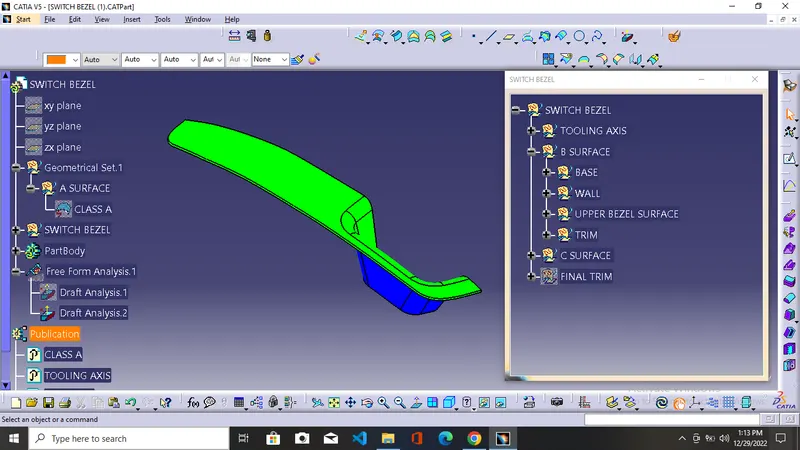
if it comes out in green color then it is a go signal for us. Then we proceed further for the B and C surfaces.
The final draft analysis report
step 1 = After trimming the close surface of A+C with B surface and getting the solid surface and repeating the same steps as we did in the analysis of A surface it comes out in green color without any red patches then our part is within the set parameter and comes out good.