Simulation of flow in a backward facing step using icoFoam solver using OpenFoam
AIM: To simulate the flow in a backward facing step using icoFoam solver and to create meshes with varing grading factors and comparing the results.
Mesh specification
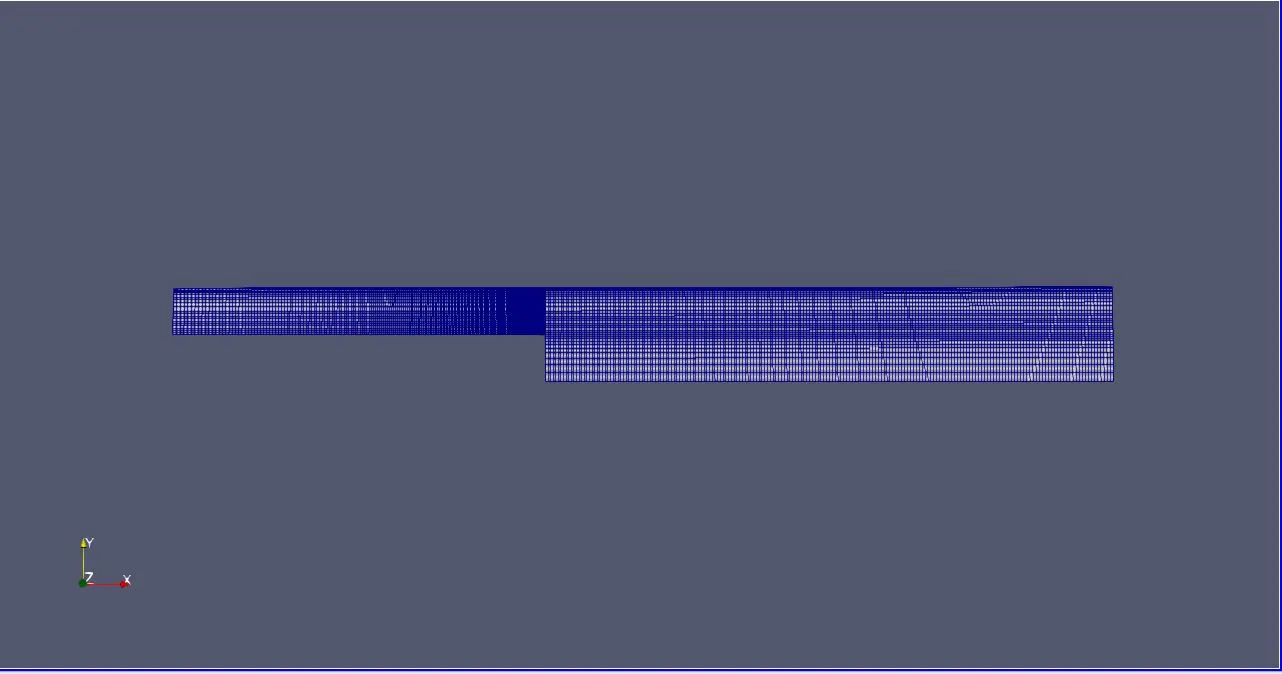
- Number of cells along the x direction (longer dimension) = 200
- Number of cells along the y direction = 10
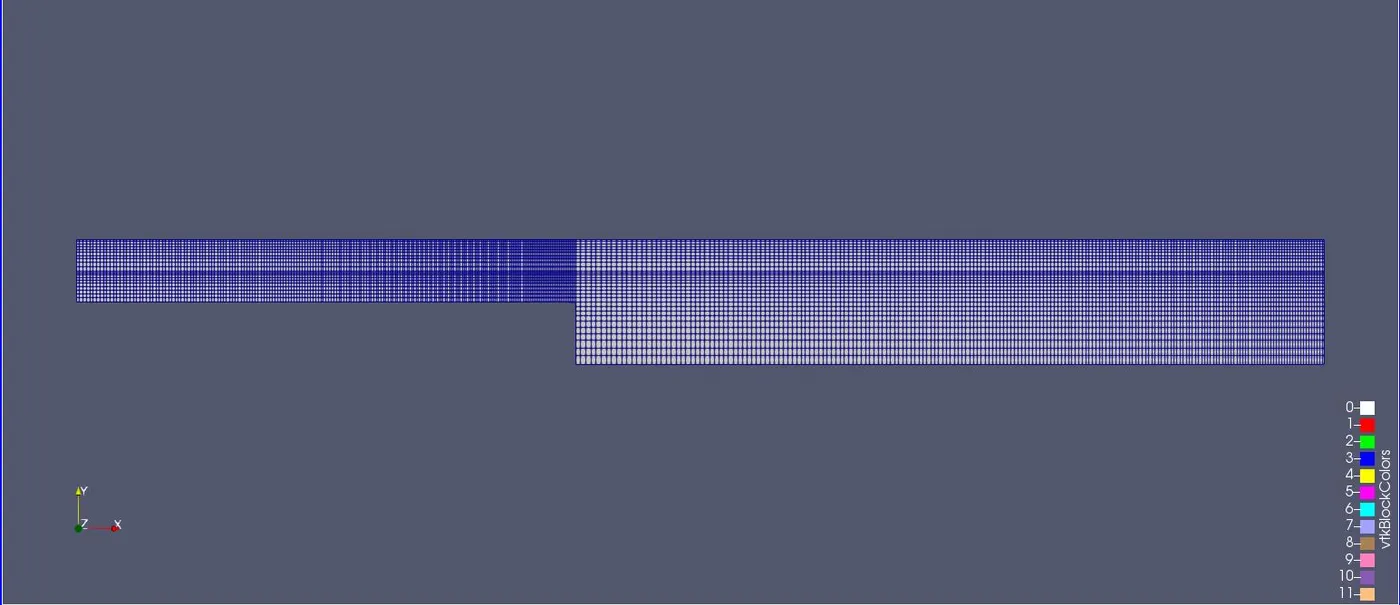
- Use a graded mesh. Grading factor near all walls should be 0.2
Boundary condition specification
Follow the specifications that are provided in the following figure.
Procedure to Simulate:
- Open the terminal window in linux OS.
- Type 'tutorials' or 'tut' and tabspace (shortcut) once in the OpenFoam folder.
- Once the above step is done, type "cd incompressible". This command opens the incompressible folder.
- Now type "cd icoFoam". This loads the icoFoam folder.
- To view the folders we type the command "ls" to view the files in the existing folder.
- From this folder, we need to copy the cavity folder to a run folder that was created.
- # Simulations are never to be run on the tutorial folder. This may hamper the preset values in this file. It would require reinstallation to recover these files.
- Copying of the cavity folder is done by typing " cp -r cavity/ $FOAM_RUN/****.
- Now once we have created a copy of this folder, we enter into it.
- Post entering into the cavity folder, we can find the folders for the initial conditions, constants and system.
- We enter into the system folder and edit the blockMeshDict using "gedit blockMeshDict"
- The coordinates for the geometry are given as required and the file is then saved.
- Similarly we edit the controlDict file as well as per the requirement of the problem and save it.
- Once the above is done, we come back into the cavity directory using the command "cd .."
- Now, we edit the initial conditions by entering into a folder 0.
- Here, we edit the velocity and pressure as per the problem.
- We now come back to the previous directory and run the command "blockMesh" in order to check for any descrepancies in the mesh formed.
- To confirm the correctness, we use a command "checkMesh". If the mesh turns out to be correct, it returns Mesh ok message on the terminal else it notifies us the issue.
- To view the figure, we type "paraFoam" in the terminal to view it.
- Now to run the simulation, we type "icoFoam" and wait till the simulation ends.
- Once this is done we can view the variation of the pressure and velocity in the paraview software by using the "paraFoam" command.
blockMeshDict code:
/*--------------------------------*- C++ -*----------------------------------*
  =========                 |
        /  F ield         | OpenFOAM: The Open Source CFD Toolbox
       /   O peration     | Website:  https://openfoam.org
      /    A nd           | Version:  8
     /     M anipulation  |
*---------------------------------------------------------------------------*/
FoamFile
{
    version     2.0;
    format      ascii;
    class       dictionary;
    object      blockMeshDict;
}
// * * * * * * * * * * * * * * * * * * * * * * * * * * * * * * * * * * * * * //

convertToMeters 0.01;

vertices
(
    (0 0 0) //vertex 0
    (8 0 0) // vertex 1
    (8 0.5 0) //vertex 2
    (0 0.5 0) //vertex 3
    (0 1 0) //vertex 4
    (8 1 0) //vertex 5
    (20 1 0) //vertex 6
    (20 0.5 0)//vertex 7
    (20 0 0) //vertex 8
    (20 -1 0) //vertex 9
    (8 -1 0) //vertex 10

    (8 0 0.1) //vertex 11
    (0 0 0.1) //vertex 12
    (0 0.5 0.1)// vertex13
    (8 0.5 0.1) //vertex 14
    (8 1 0.1) //vertex 15
    (0 1 0.1) //vertex 16
    (20 1 0.1) //vertex 17
    (20 0.5 0.1) //vertex18
    (20 0 0.1) //vertex19
    (20 -1 0.1) //vertex20
    (8 -1 0.1) //vertex21


);

blocks
 (
    hex (0 1 2 3 12 11 14 13)
    (200 10 1)
    simpleGrading (0.2 0.2 1)

    hex (3 2 5 4 13 14 15 16)
    (200 10 1)
    simpleGrading (0.2 0.2 1)

    hex (2 7 6 5 14 18 17 15)
    (200 10 1)
    simpleGrading (0.2 0.2 1)

    hex (1 8 7 2 11 19 18 14)
    (200 10 1)
    simpleGrading (0.2 0.2 1)

    hex (10 9 8 1 21 20 19 11)
    (200 10 1)
    simpleGrading (0.2 0.2 1)
 );

edges
(
);

boundary
(	inlet
	{
		type patch;
		faces
		(
			(12 0 3 13)
			(13 3 4 16)

		);
	}

	outlet
	{
		type patch;
		faces
		(
			(6 17 18 7)
			(7 18 19 8)
			(8 19 20 9)
		);
	}

	front
	{
		type empty;
		faces
		(
			(13 12 11 14)
			(16 13 14 15)
			(15 14 18 17)
			(14 11 19 18)
			(11 21 20 19)
		);
	}

	back
	{
		type empty;
		faces
		(
			(3 0 1 2)
			(4 3 2 5)
			(5 2 7 6)
			(2 1 8 7)
			(1 10 9 8)

		);
	}

	topandbottomface
	{
		type wall;
		faces
		(
			(0 12 11 1)
			(11 10 21 1)
			(10 21 20 9)
			(16 4 5 15)
			(15 5 6 17)
		);
	}

);

mergePatchPairs
(
);

// ************************************************************************* //
contolDict code:
/*--------------------------------*- C++ -*----------------------------------*
  =========                 |
        /  F ield         | OpenFOAM: The Open Source CFD Toolbox
       /   O peration     | Website:  https://openfoam.org
      /    A nd           | Version:  8
     /     M anipulation  |
*---------------------------------------------------------------------------*/
FoamFile
{
    version     2.0;
    format      ascii;
    class       dictionary;
    location    "system";
    object      controlDict;
}
// * * * * * * * * * * * * * * * * * * * * * * * * * * * * * * * * * * * * * //

application     icoFoam;

startFrom       startTime;

startTime       0;

stopAt          endTime;

endTime         0.05;

deltaT          1e-05;

writeControl    timeStep;

writeInterval   20;

purgeWrite      0;

writeFormat     ascii;

writePrecision  6;

writeCompression off;

timeFormat      general;

timePrecision   6;

runTimeModifiable true;


// ************************************************************************* //
Velocity code (U):
/*--------------------------------*- C++ -*----------------------------------*
  =========                 |
        /  F ield         | OpenFOAM: The Open Source CFD Toolbox
       /   O peration     | Website:  https://openfoam.org
      /    A nd           | Version:  8
     /     M anipulation  |
*---------------------------------------------------------------------------*/
FoamFile
{
    version     2.0;
    format      ascii;
    class       volVectorField;
    object      U;
}
// * * * * * * * * * * * * * * * * * * * * * * * * * * * * * * * * * * * * * //

dimensions      [0 1 -1 0 0 0 0];

internalField   uniform (0 0 0);

boundaryField
{
    inlet
    {
        type            fixedValue;
        value		 uniform (1.5 0 0);
    }

    outlet
    {
        type            zeroGradient;
    }

    front
    {
        type            empty;
    }

    back
    {
        type            empty;
    }

    topandbottomface
    {
        type            noSlip;
    }
}
}

// ************************************************************************* //
Pressure code(p):
/*--------------------------------*- C++ -*----------------------------------*
  =========                 |
        /  F ield         | OpenFOAM: The Open Source CFD Toolbox
       /   O peration     | Website:  https://openfoam.org
      /    A nd           | Version:  8
     /     M anipulation  |
*---------------------------------------------------------------------------*/
FoamFile
{
    version     2.0;
    format      ascii;
    class       volScalarField;
    object      p;
}
// * * * * * * * * * * * * * * * * * * * * * * * * * * * * * * * * * * * * * //

dimensions      [0 2 -2 0 0 0 0];

internalField   uniform 0;

boundaryField
{
    inlet
    {
        type            zeroGradient;
    }

    outlet
    {
        type            fixedValue;
        value		 uniform 0;
    }

    front
    {
        type            empty;
    }

    back
    {
        type            empty;
    }

    topandbottomface
    {
        type            zeroGradient;
    }
}

// ************************************************************************* //
Profile of the backward step:
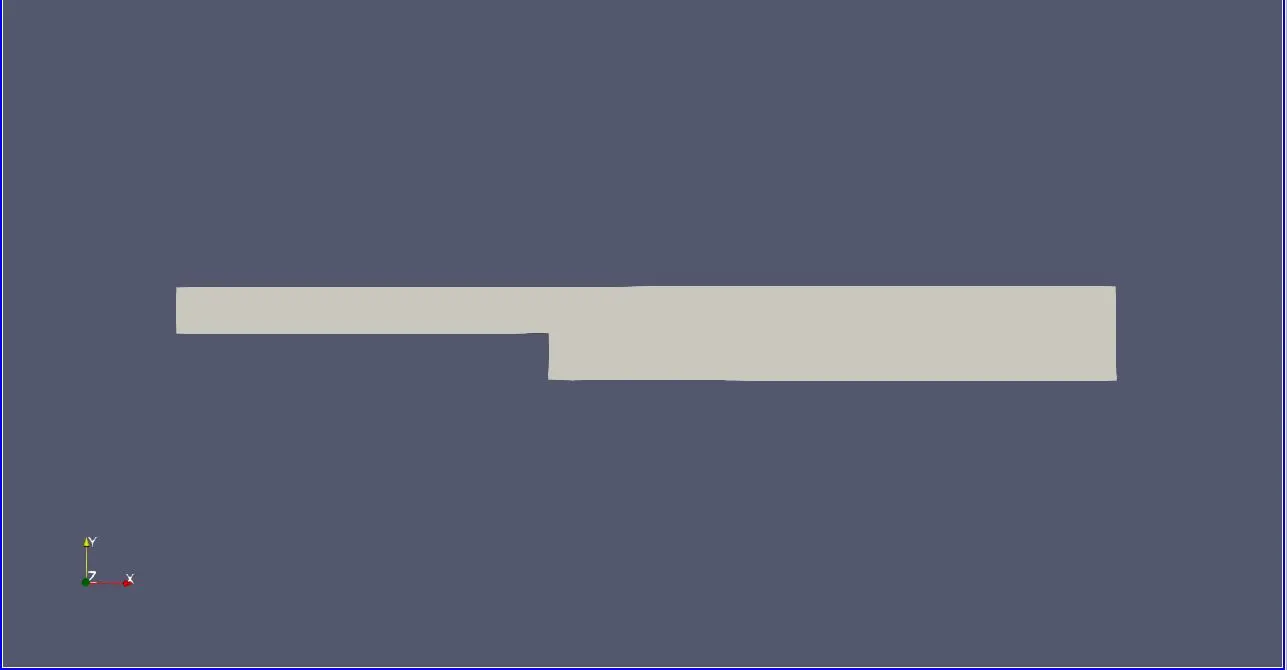
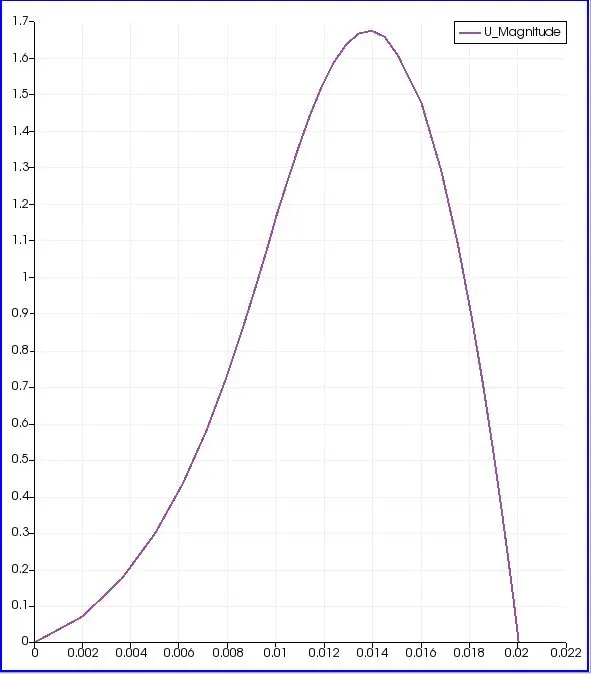
Profile of the Backward step for a mesh grade factor of 0.2:
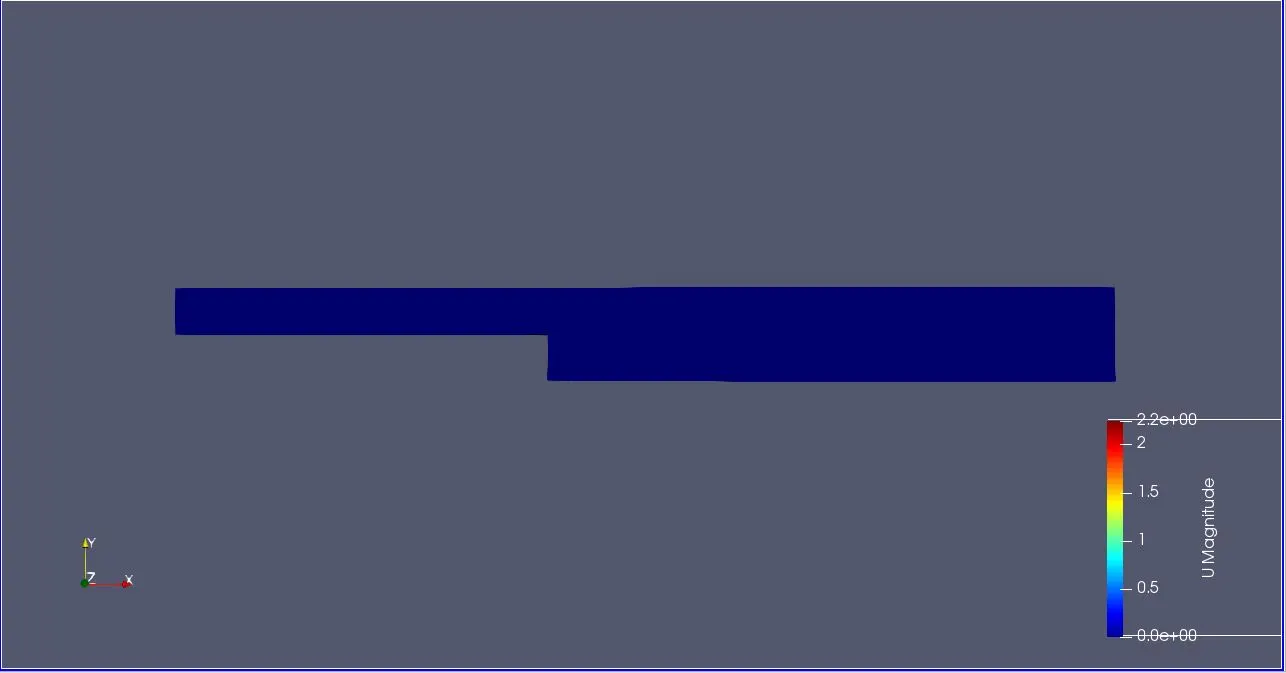
Initial profile:
Grid (0.2):
Post Simulation:
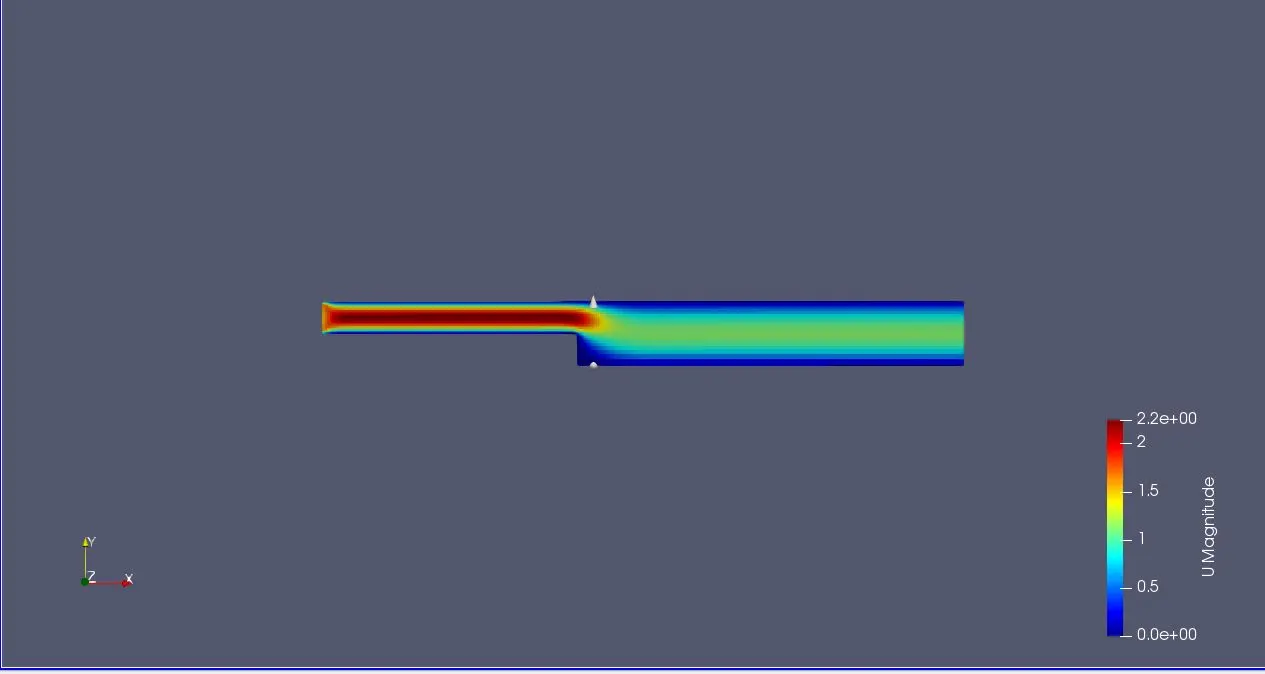
Velocity profile:
Profile of the Backward step for a mesh grade factor of 0.5:
blocks
 (
    hex (0 1 2 3 12 11 14 13)
    (200 10 1)
    simpleGrading (0.5 0.5 1)

    hex (3 2 5 4 13 14 15 16)
    (200 10 1)
    simpleGrading (0.5 0.5 1)

    hex (2 7 6 5 14 18 17 15)
    (200 10 1)
    simpleGrading (0.5 0.5 1)

    hex (1 8 7 2 11 19 18 14)
    (200 10 1)
    simpleGrading (0.5 0.5 1)

    hex (10 9 8 1 21 20 19 11)
    (200 10 1)
    simpleGrading (0.5 0.5 1)
 );
Grid (0.5):
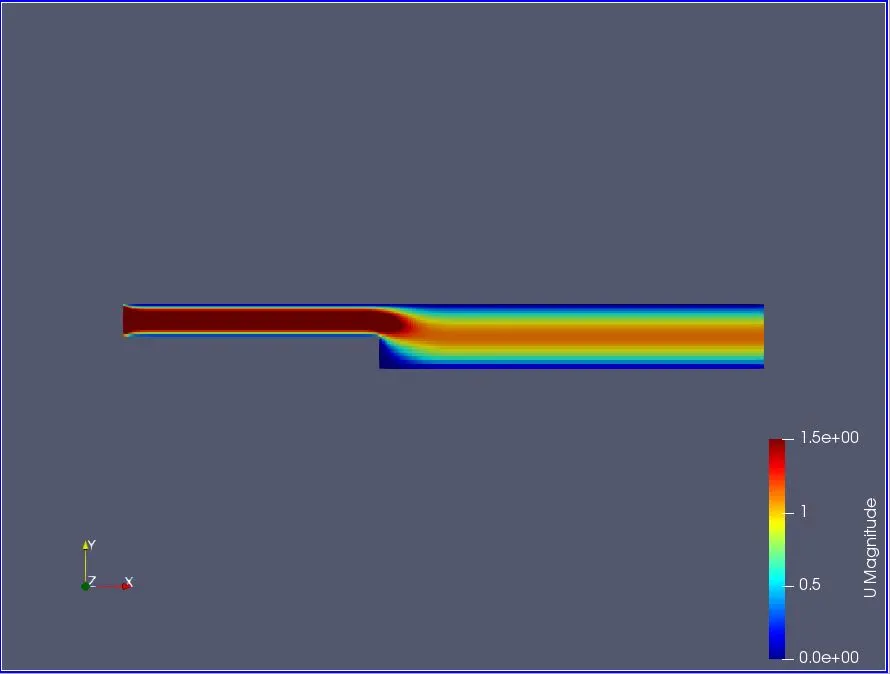
Post Simulation:
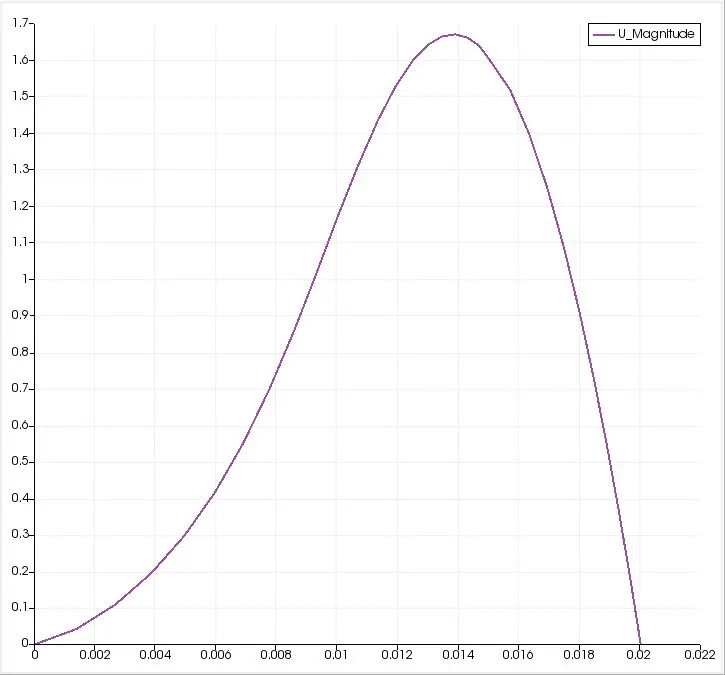
Velocity profile:
Profile of the Backward step for a mesh grade factor of 0.8:
blocks
 (
    hex (0 1 2 3 12 11 14 13)
    (200 10 1)
    simpleGrading (0.8 0.8 1)

    hex (3 2 5 4 13 14 15 16)
    (200 10 1)
    simpleGrading (0.8 0.8 1)

    hex (2 7 6 5 14 18 17 15)
    (200 10 1)
    simpleGrading (0.8 0.8 1)

    hex (1 8 7 2 11 19 18 14)
    (200 10 1)
    simpleGrading (0.8 0.8 1)

    hex (10 9 8 1 21 20 19 11)
    (200 10 1)
    simpleGrading (0.8 0.8 1)
 );
Grid (0.8):
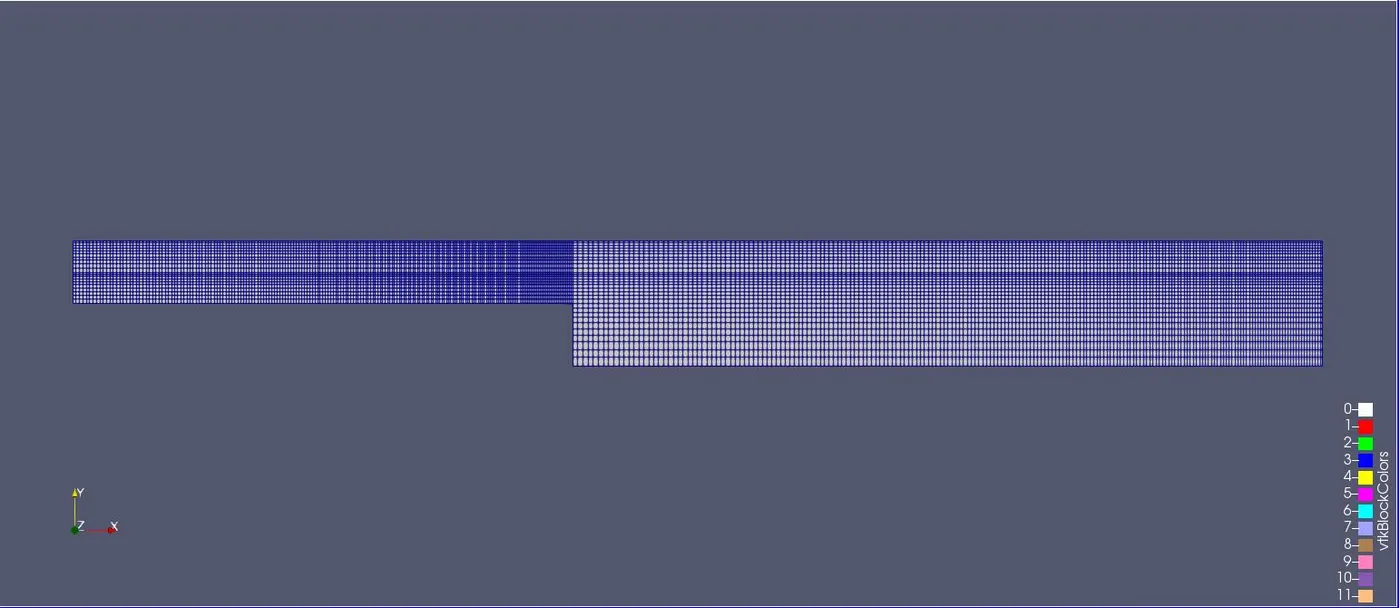
Post Simulation:
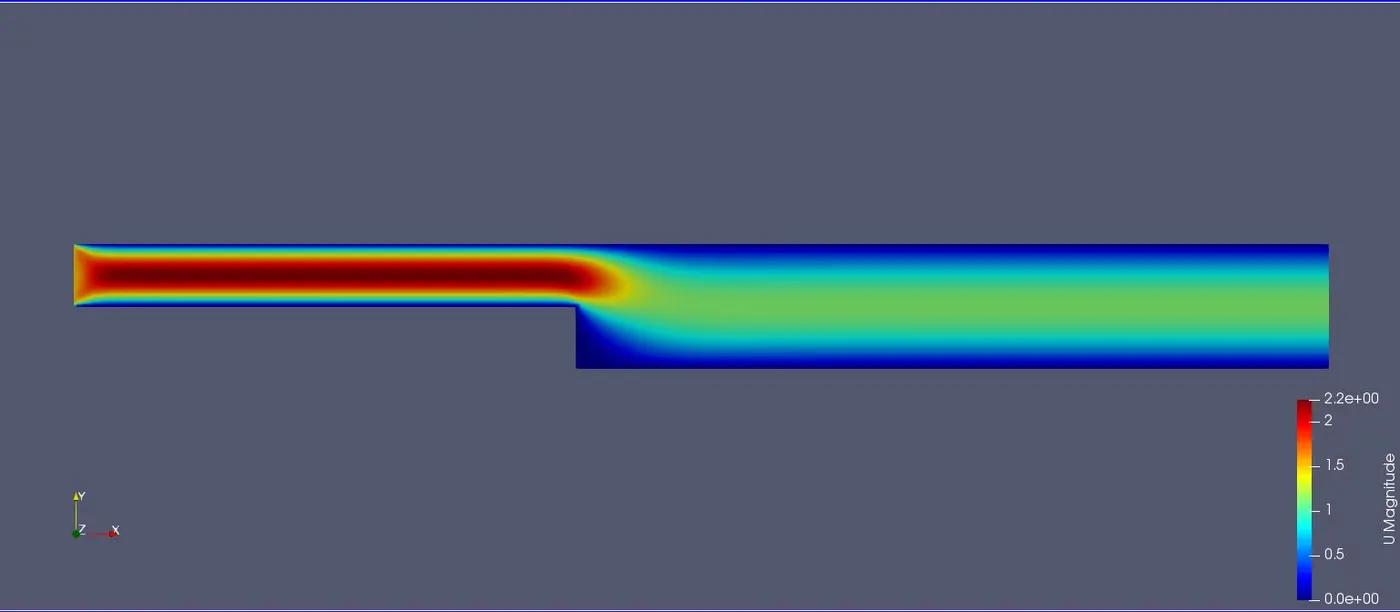
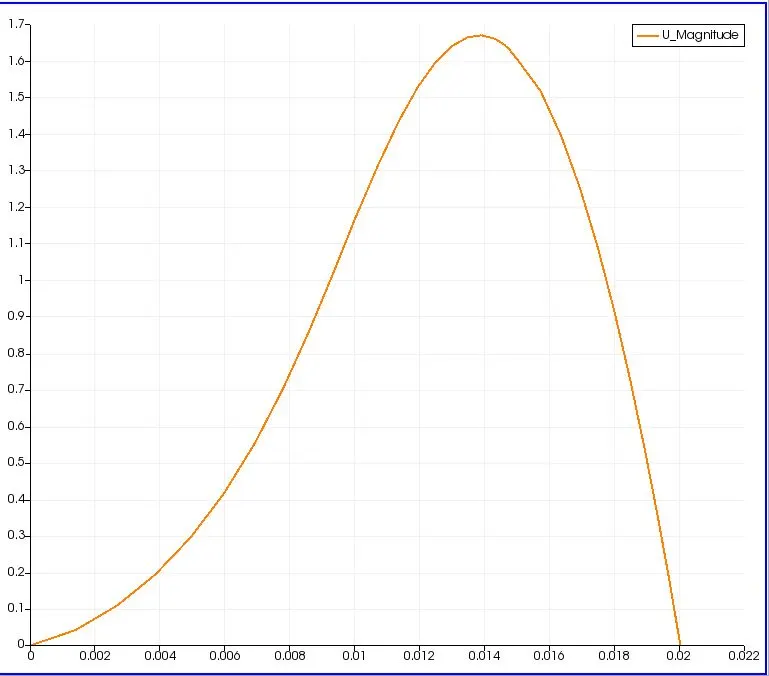
Velocity profile:
Comparison of time taken VS grading factor
| Grading Factor | Time taken |
| 0.2 | 55.17 |
| 0.5 | 55.94 |
| 0.8 | 58.25 |
Inferences:
- Time for execution for a meshing factor 0.2 was found to be least.
- There is no significant changes in the plots observed. However there are minute changes in the plots when magnified.
- The smoothest curve was obtained for a grading factor of 0.2.
- On the whole, grading factor plays a minimal role in terms of solutions obtained for this case.