Week 8
AIM - In this model, we have to perform the morphing on a given component.
PROCEDURE - When we import the model it looks like this as shown in fig.1
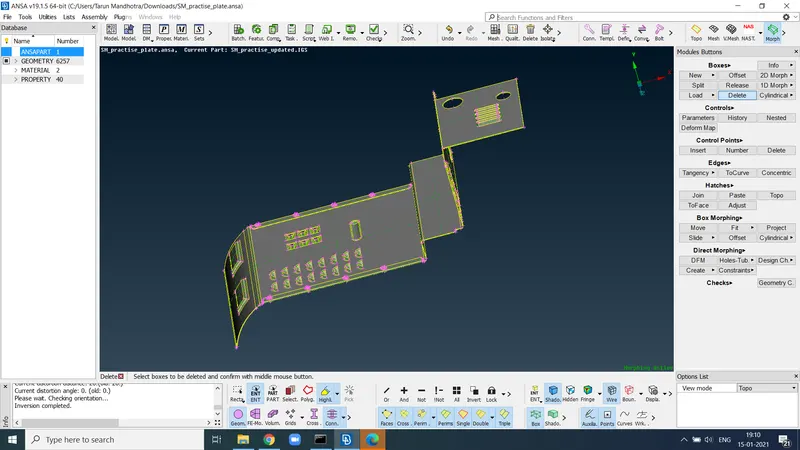
fig.1
and after taking the mid surface of this model
performing all the geometry checks on it we deploy
the mesh on it and after clearing the
tria and off elements from the given model, after
performing these many things on the model
it looks like this as shown in fig.2
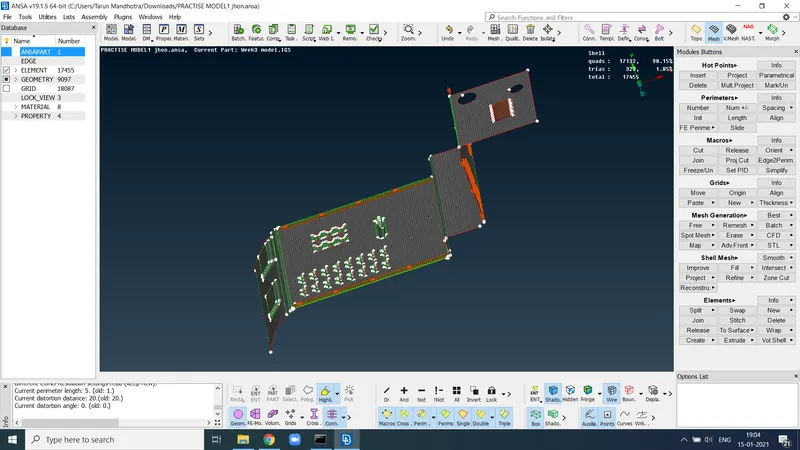
fig .2
After doing all of this our main work will be
started that is morphing, here as you see on
the screen first we have to go to the morphing
deck and click on the boxes then on the new
and then select the surafce of model and then
go for box morphing and then on the move
option and you are able to move the surface
that you select that is shown in the fig.3.1 , fig.3.2
after morphing we delete those boxes.
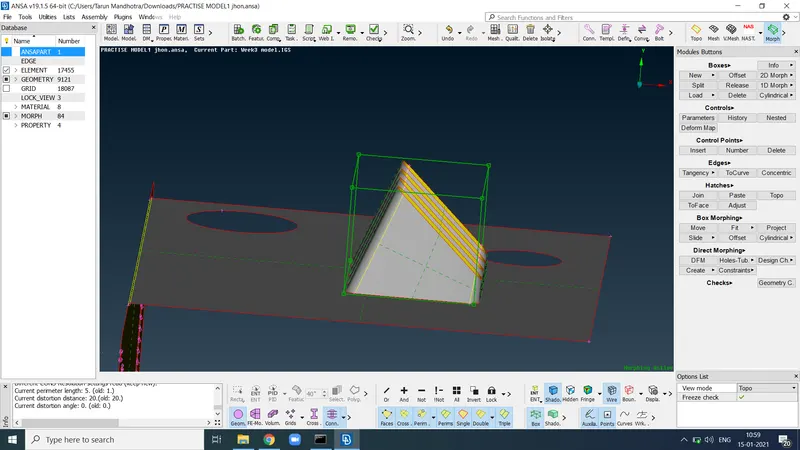
fig.3.1
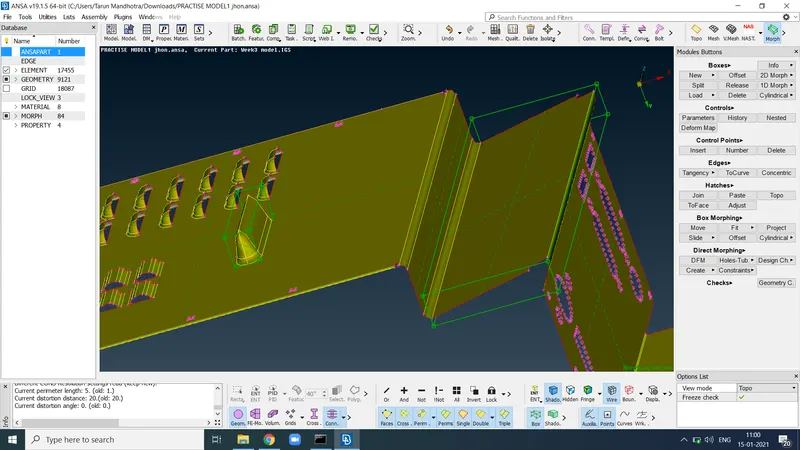
fig.3.2
So basically morphing is the process in which you
can do the minor change in the original model,
basically if we take a e.g of automotive industry then in
industry morphing to match styling, upper body to carry
over under body matching, morphing sedan to station
wagon or SUV etc. can be executed rapidly.
Widley use of morphing in the automotive sector,aviation sector and mechanical.
LEARNING OUTCOMES - So here in this model we learn how to do
basic morphing on the component .
CONCOLUSION - As per given instruction we do whatever we want
to do here and achieve the result.