Week 8-3D Tetra Meshing Challenge
CASE - 1
AIM - Create a Teramesh for Housing component with the following quality criteria.
TetraMesh Generation Method: 2D to 3D Conversion
Elements sizes: Min- 2 Units
Target- 5 Units
Max- 7 Units
Tet collapse: 0.15
CAD MODEL IMAGE -
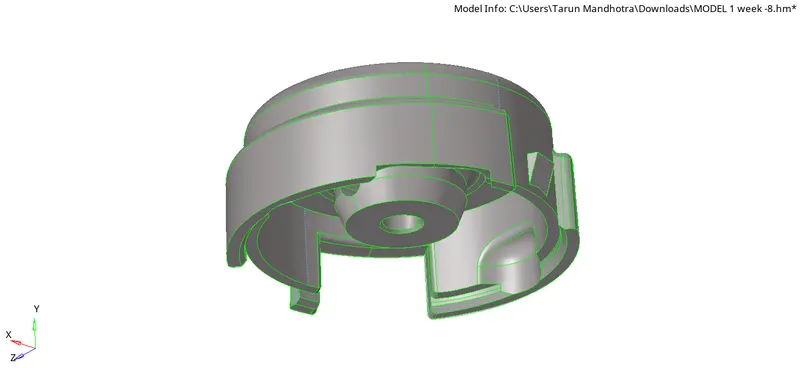
fig.1
PROCEDURE - First of all we have to install the file from the website then we further proceed with the file type either STEP/IGES ,then we delete the solid from the model and proceed with the surface, you can see it in fig.1.
After that, we have to do some geometry cleanup. This component thickness might be varied or more then 5mm so as per industry standard we have to mesh the surface instead of meshing the mid-surface.
Remember before meshing we have to give the quality criteria as well after meshing the model we have to convert the 2d model into the 3d model this is how 3d model looks like in fig .2, then after that, we have to check the tet collapse then after resolving the tet collapse our model ready to upload.
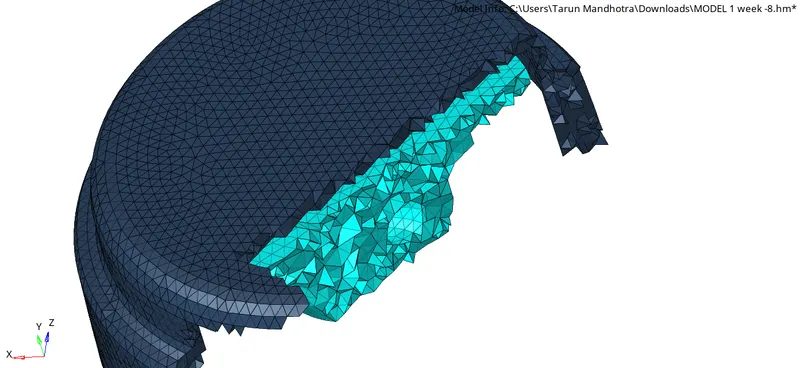
fig.2
RESULT- We achieve whatever we want in this model ,here we learn new things that how to convert the 2d model into 3d.
FINAL MODEL IMAGE -
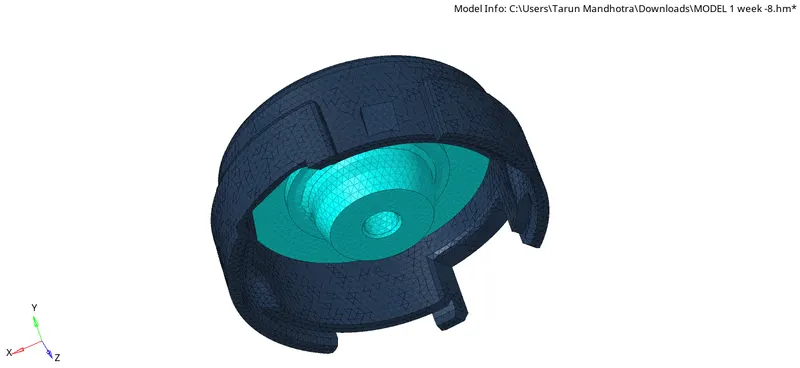
fig.3
CASE- 2
AIM - For the given model, Create a 3D Tetramesh with the following quality criteria.
TetraMesh Generation Method: Quick Tetra Mesh/ Volume Tetra Mesh
Target Element size: 3 Units.
Tet Collapse: 0.15
CAD MODEL IMAGE -
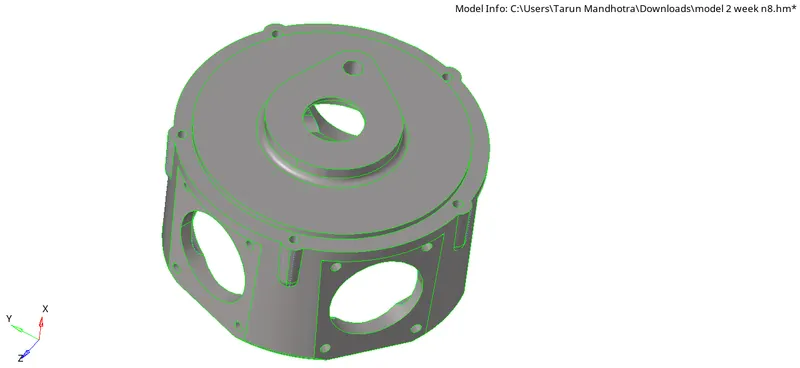
fig.4
PROCEDURE -First Open TETMESH_PM.hm in hypermesh.
You can see in fig.4, then do some geometry cleanup, here we don't have to go with 2d to 3d we can directly give the Quick Tetra Mesh/ Volume Tetra Mesh
As per the question requirement.
The only thing here we need to worry about is that the tet collapse,
because these quality criteria we need to maintain here after solving this our model if finally ready to upload.
RESULT- We achieve whatever we want in this model,you can see the result in fig .5.
FINAL MODEL IMAGE -
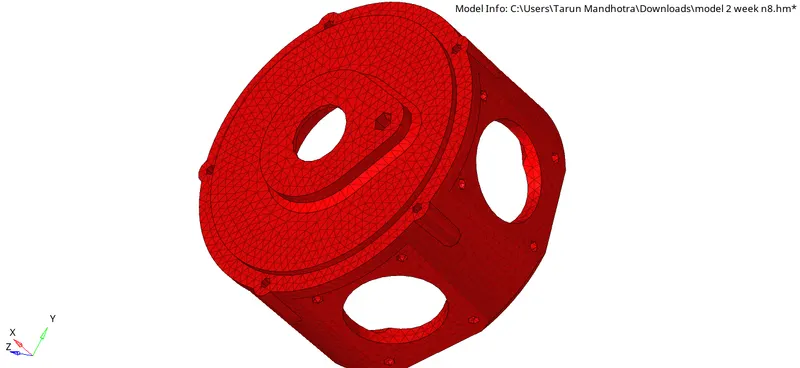
fig.5
CASE-3
AIM -For the given assembly model, Create a 3D Tetramesh with the following quality criteria.
TetraMesh Generation Method: Quick Tetra Mesh/ Volume Tetra Mesh
Target Element size: 4 Units.
Tet Collapse: 0.15
CAD MODEL IMAGE -
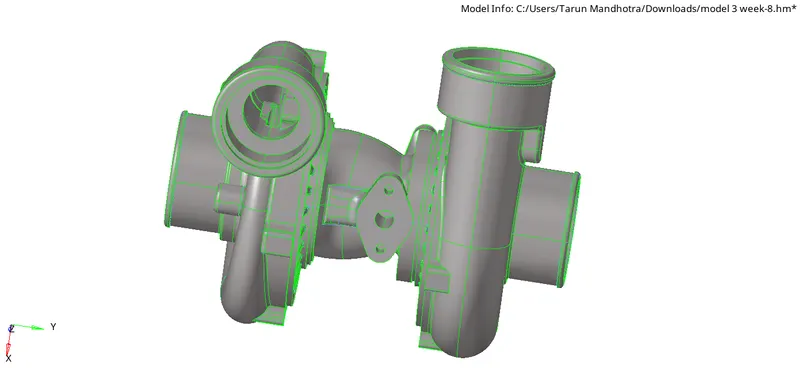
fig.6
PROCEDURE - First Open .hm file in hypermesh.
You can see in fig.6 , then do some geometry cleanup,here we don't have to go with 2d to 3d we can directly give the Quick Tetra Mesh/ Volume Tetra Mesh as per the question requirement.
The only thing here we need to worry about is that the tet collapse because this quality criteria we need to maintain here after solving this our model is finally ready to upload.
RESULT- We achieve whatever we want in this model, you can see the result in fig.7.1
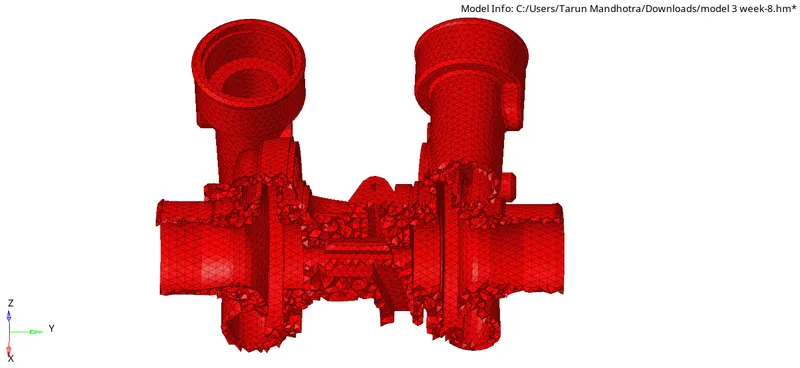
fig.7.1
FINAL MODEL IMAGE -
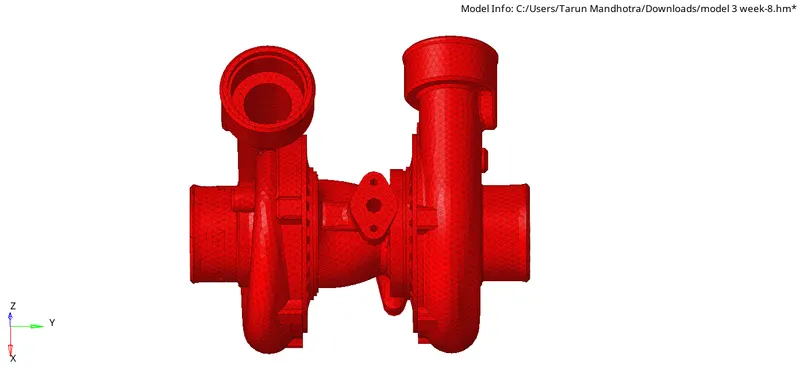
fig.7.2