Week 8
Morphing the given model in ANSA
Aim:
To modify the given model in ANSA software by using the Morphing feature.
Abstract:
ANSA has a full-fledged Morphing menu which is completely integrated with ANSA's interface. The functions of the Morphing menu can be used to efficiently re-shape both FE and/or Geometry based models. Using this feature the shape of the given geometry will be changed functionally in this challenge.
Methodology:
The methodology for this particular challenge:
- Check the given geometry and fix the errors if any.
- Select any region in the geometry for morphing and change the model to any functional part.
- Morph the remaining parts if needed for creating a random new design.
Introduction:
Morphing is a feature given in the ANSA software which is used for modifying the given model to a functional or upgraded or to facelift the existing model easily without the work of redesigning and saving a lot of time and money. The following geometry is given which is to be morphed.
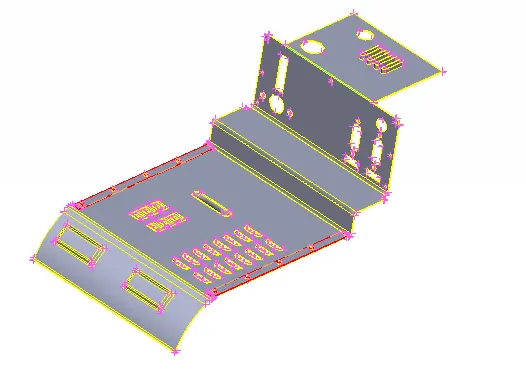
Fig 1: Given Geometry
Procedure:
- Check the geometry for any kind of error and fix them if any before morphing.
- To morph the FE model, a particular region is to be selected and a morph box must be created in that region for changing the shape of the geometry. Select the new box option in the morph menu and choose the ortho option. Set the selecting option as geometry and select the region to be morphed.
- The software creates an imaginary box with four nodes on the edges.
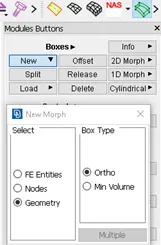
Fig 2: selected new ortho option for creating the morph box 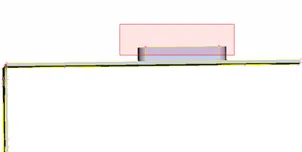
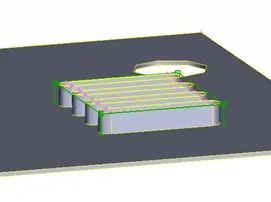
Fig 3: select the part to be morphed Fig 4: created morph box for the selected region
- Select the move option in the box morph option. Set the control point move option to nodes so that the geometry can be morphed by selecting the nodes on the edge of the morph box.
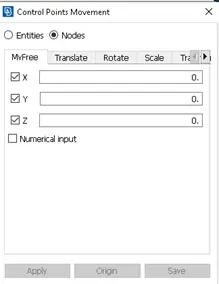
Fig 5: control point movement box
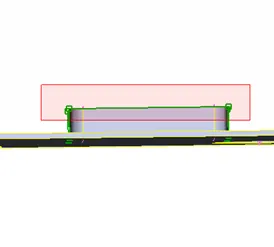
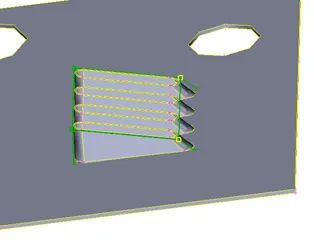
Fig 6: node selection Fig 7: morphed region by selecting the nodes
- The measurement of the node movement will be recorded in the control point movement box in X, Y, Z axes.
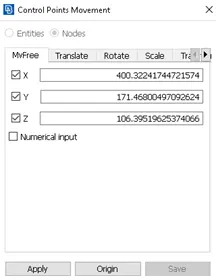
Fig 8: measurements while adjusting the nodes and shape
- After getting the required shape select the ‘ok’ option for completion of the morphing option.
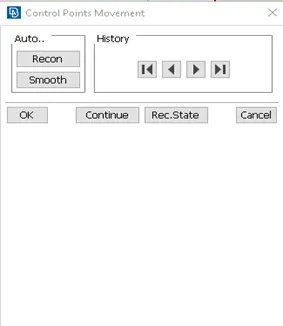
Fig 9: Control point measurement options after setting the adjustments
- Continue the morphing process for the remaining required areas for a new and functional design. The box can be split into different sizes so that the morphing process can be done in two or more shape-changing processes.
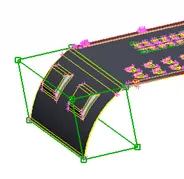
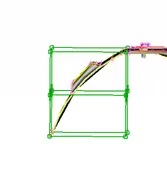
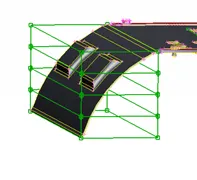
Fig 10: single morphing box box Fig 11: double morphing Fig 12: four morphing
box boxes
- Remaining morphed regions.
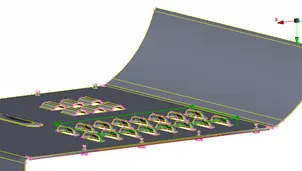
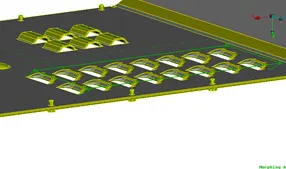
Fig 13: before morphing Fig 14: after morphing
- Over geometry after morphing.
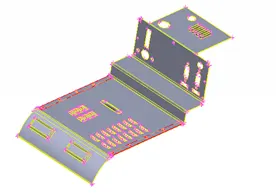
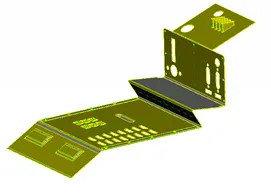
Fig 15: before morphing Fig 16: After morphing
Result:
Thus the morphing for the given component is completed.
Learning outcomes:
- Learned to morph components.
- Learned to split the morphing box for complicated morphing
Conclusion :
Thus using the Morph menu in ANSA is beneficial for converting the old geometry or FE model to a new functional design within less time with simple tools.
https://drive.google.com/file/d/1SNS9trUQsJg5RcvfX-STr2hru6lfnjh_/view?usp=sharing