BASIC MORPHING
OBJECTIVE:
To practice basic morphing techniques for the given sheet metal component and discuss its application in industries.
PROCEDURE:
Geometry cleanup
- A new .ansa file is opened and the .igs file of the given model is then imported on to the workpage.
- The model is then viewed in ENT( entity mode) from drawing style to check for any orientiation issues (Top portion should be gray and bottom to be yellow in colour) and if there is any issues its then corrected using Faces>Orient(tool)>visible.
- Turn on the Cross-hatches form Face draw so that surfaces can be selected easily.
- The pixel correction can be done using, Mesh module>Lenght (Perimeter=1, Macro=1). Its can be also done from Topo module using Auxillaries>fine.
- The model is then subjected to geometry check up to find out any missing surfaces, free edges, duplicates etc. Tools tab>Checks>geometry>Execute.
- Morphing is done in morphing deck.

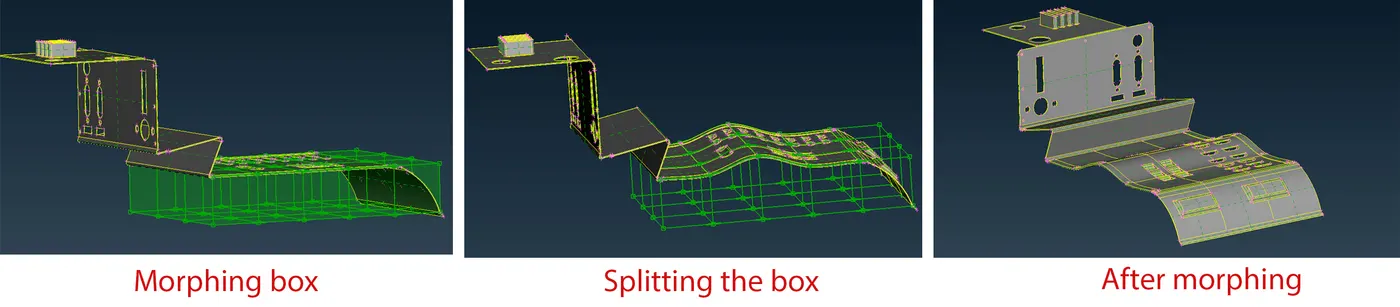
- From this morphing deck new morphing box is created using Boxes>new>(select geometry)>ok.
- This morphing box have controlled grids which can be moved along the control gids only. This can be moved manually or by valid input.
- Box morphing>move tool is used to move the selected geometery to desired shape. The movement can be done either with local or global coordinate. For using local coordinate a right click has to be done on the morphing box.
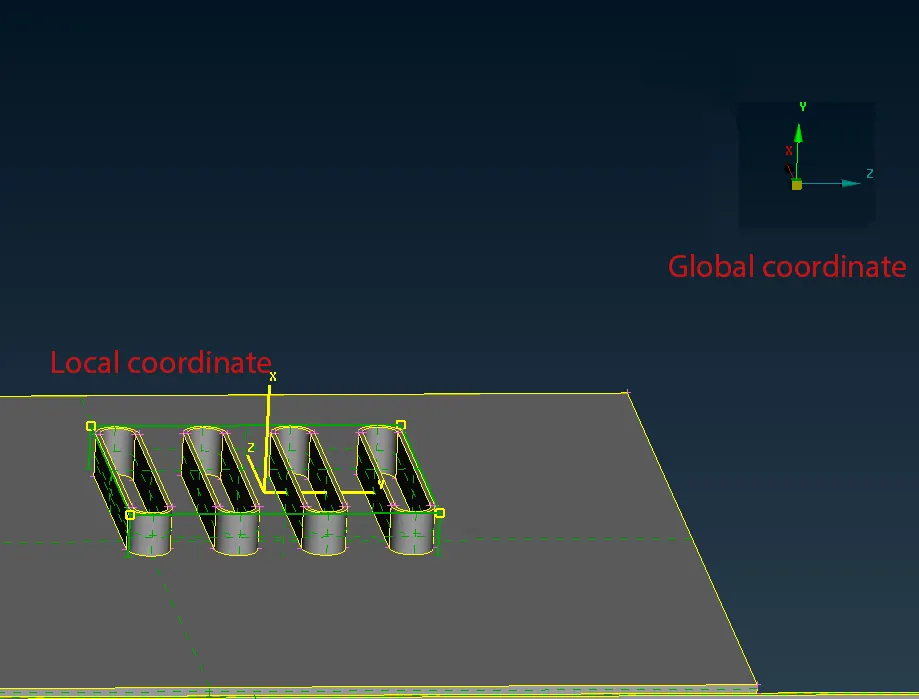
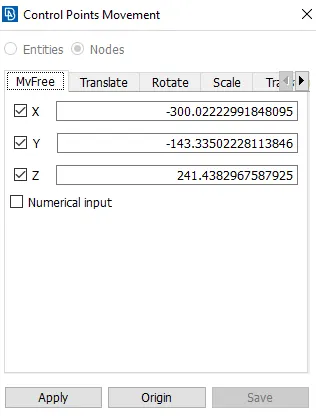
- The movement can be controlled by constraining the motion in x,y and z direction as per the need.
- Example: If the movement is required only in x direction , then we need to tick mark 'x' coloumn only.
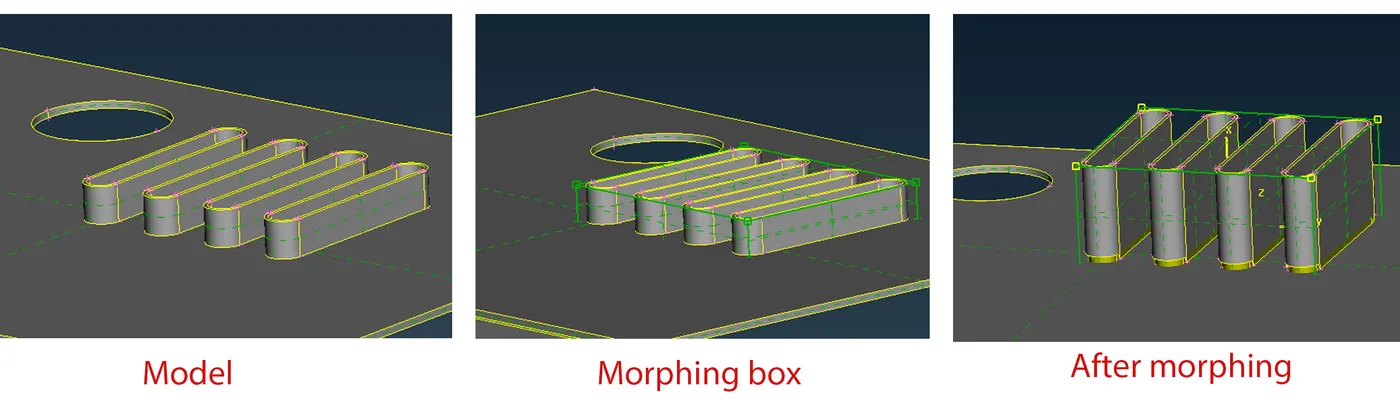
- Image below shows some of the morphing done using this tool.
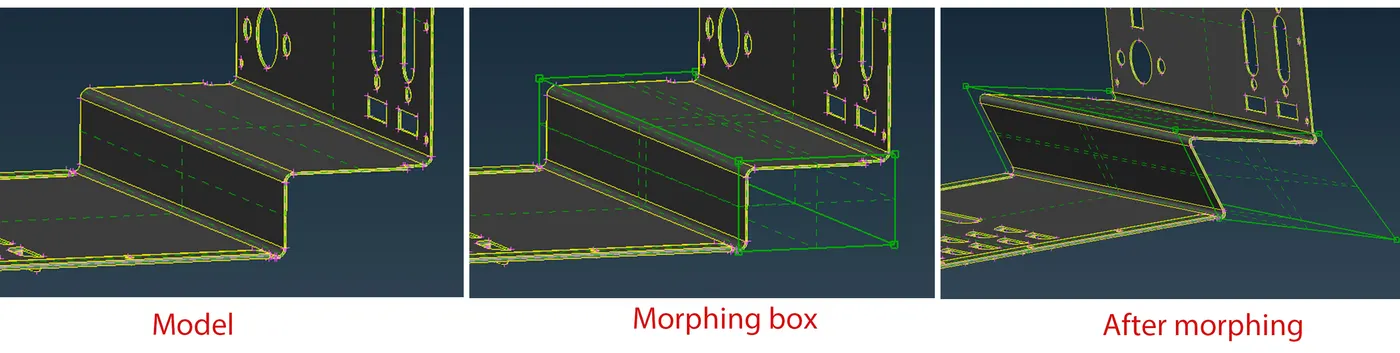
- Morphing boxes can be splitted into number of entities using Boxes>split. This allows minute change in direction.
USE OF MORPHING IN INDUSTRIES
- Morphing is a technique used to change he shape of design without any numerical input.
- ANSA encompasses a full – fledged Morphing menu which is completely integrated with ANSA's interface and doesn't require any additional module installations or licenses. The functions of the Morphing menu can be used to efficiently re-shape both FE and/or Geometry based models.
- Morphing might do some disturbances on the CAD model, but it will tell how the component will look like when its morphed.
- ANSA's Direct morphing features gives the user the ability to efficiently modify a part locally without having to create Morphing boxes. This method is extremely useful in creating local modifications on single parts.
- Its widely used in Automobile industries whenever any new facelift models of existing cars need to be designed. If the morphed design is well appriciated, then the design team can work with the updated one. This will help in reducing design time.
- Honda Brio (Hatch back) and Honda Amaze (sedan) are based on same design but optimised with morphing.
RESULTS:
Practiced basic morphing technique to the given sheet metal component and its uses in industries has been dicussed.
LEARNING OUTCOME
- Basic morphing techniques.
- Uses of morphing in industries.
...........................................................................................................................................................................................................................................................................
File: https://drive.google.com/file/d/1Cm0qFZHYb_64j6iKS0dhaEEICjGHZ9uC/view?usp=sharing