Week 7 State of charge estimation
Aim :-
1.Simulate the 3 test cases from harness dashboard and write a detailed report on the results
2.What is coulomb counting? Refer to the above model and explain how BMS implements coulomb counting for SOC estimation ?
Software used :-
MATLAB R2022
Introduction :-
While using the given soc and Ecu block diagram and make it output and explaination as given below
Theory :-
Matlab model to simulate the 3 test conditions from harness dashboard and to explain how BMS implement
Part 1:-
Simulate the 3 test cases from harness dashboard and write a detailed report on the results.
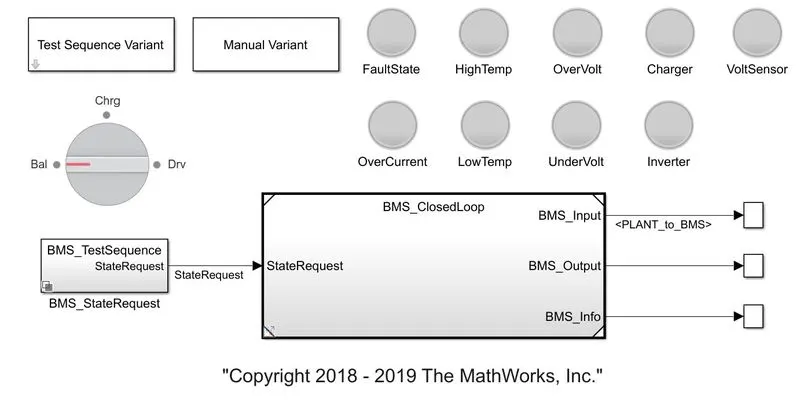
To select one of the 3 test conditions, it can be selected via the Test Sequence Variant block which allows you to select which test needs to be simulated.
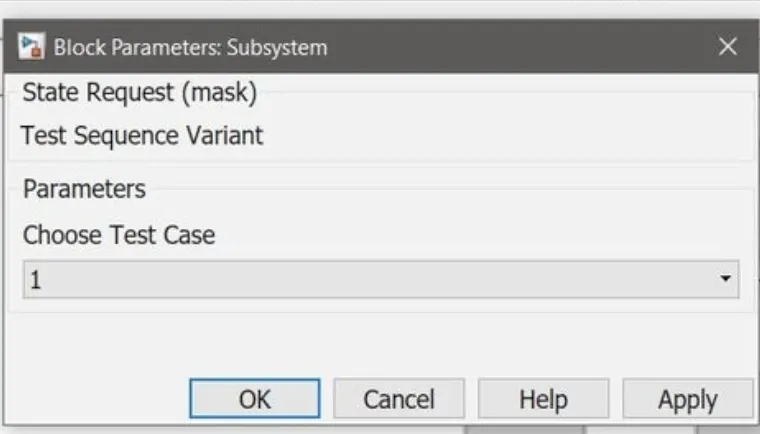
As we look at the test variant as shown below, it states that at the start of the simulation the model will be in the driving condition, thereafter, after 3000 seconds it will be in balancing mode, after 1000 seconds it will be in charging and balancing mode and after 5000 seconds it will be in post charge balancing modal
After simulating the model for 20000 seconds as given default.
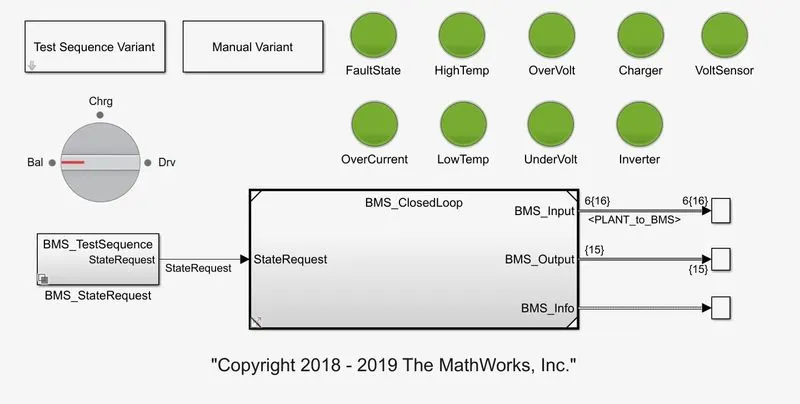
Here we can see all the lights have turned green as there is no fault or errors in the model.
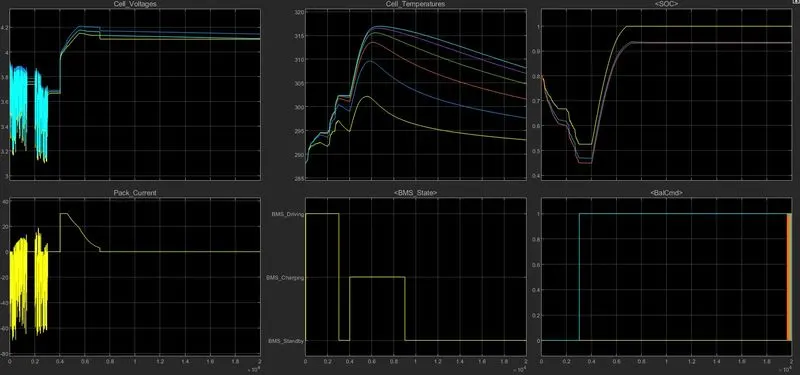
The charging mode it reaches to the standby mode which can be seen from the BMS state plot. From the Cell temperatures plot it is observed that the battery temperature rises in driving and charging. The battery voltage was increased to 4.2 V while charging. The current plot shows the current value supplied to the vehicle while driving. The SOC was observed to be decreased around 50% in driving condition, which increased while charging.
Come the second veriant condition is given below :-
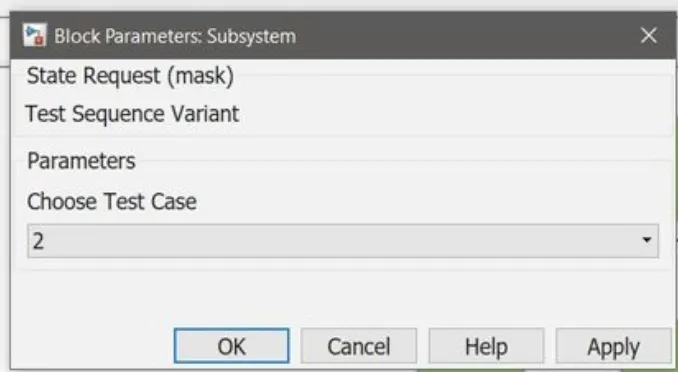
Initially it is the driving condition and after 10000 seconds there is charging condition.
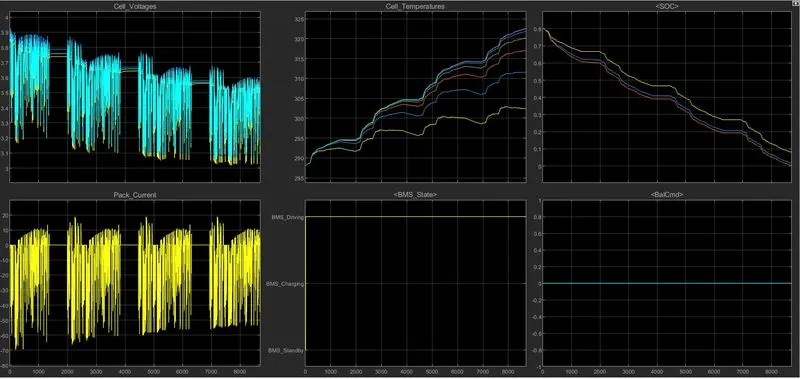
It was observed from the plot that the battery discharges completely in 8692 seconds and the vehicle does not go forward and the charging state was not achieved at 10000 seconds. Hence the vehicle comes to standby condition and simulation stops midway.
Let we move on third condition :-
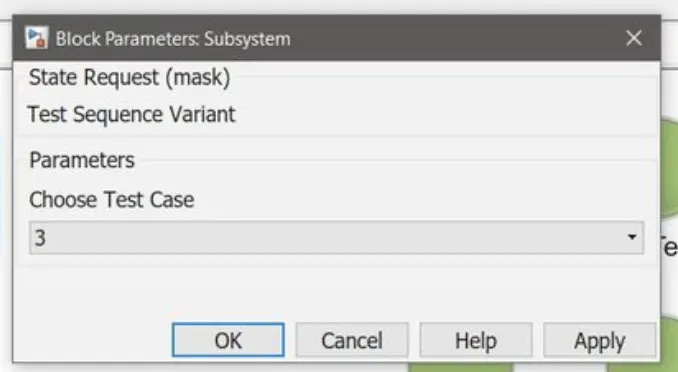
The condition below for third variant of the simulation. It is just the continuous charging condition from the start till the end of 20000 seconds of simulation.
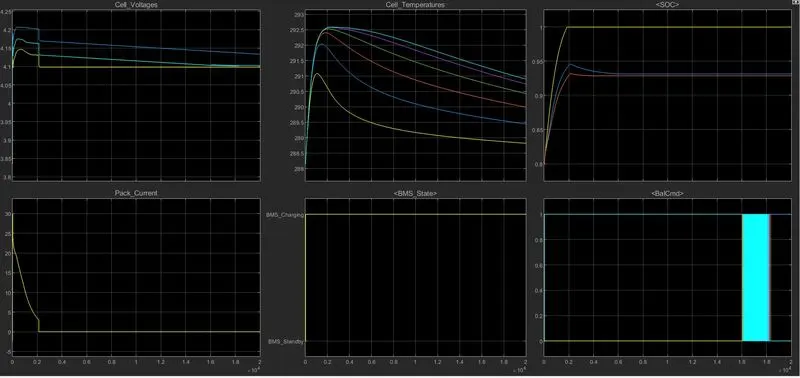
Looking at the plot it can be seen that the battery starts charging and the SOC starts increasing from beginning to around 2000 seconds and stays stable at 100% continuously from 2000 seconds until 20000 seconds. The peak current plot drops from 0 to 2000 seconds and stays constant as the charge is not used anywhere as the driving is not present.
Part 2:-
What is coulomb counting? Refer to the above model and explain how BMS implements coulomb counting for SOC estimation?
The Coulomb counting method measures the discharging current of a battery and integrates the discharging current over time in order to estimate SOC. Coulomb counting method is done to estimate the SOC(t), which is estimated from the discharging current, I(t), and previously estimated SOC values, SOC(t-1). SOC is calculated by the following equation:
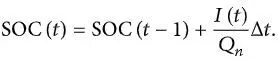
But there are several factors that affect the accuracy of Coulomb counting method including temperature, battery history, discharge current, and cycle life.
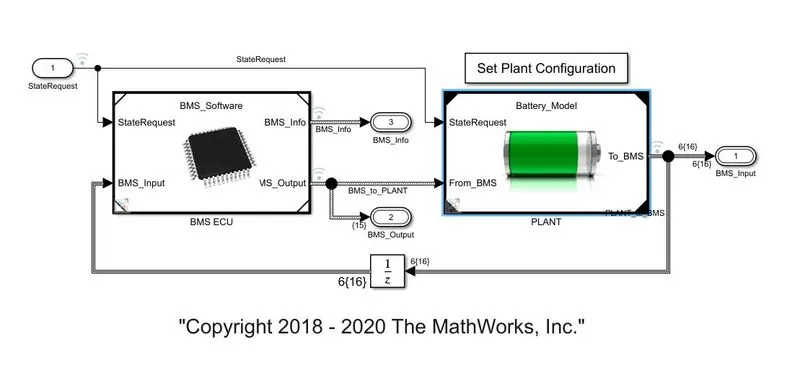
The experimental results show that the accuracy of the modified Coulomb counting method is superior to the conventional Coulomb counting method and Mathworks as shown below of BMS Closed Loop model, when seen inside the BMS ECU,
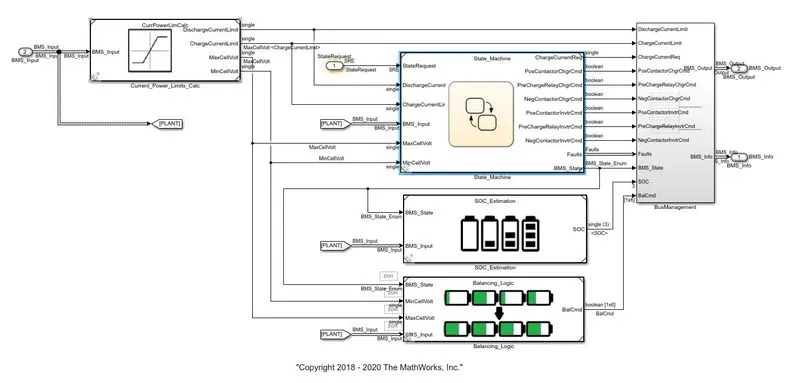
And then inside the SOC estimation block
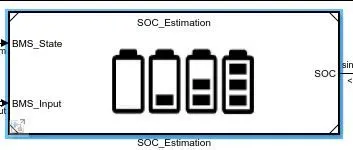
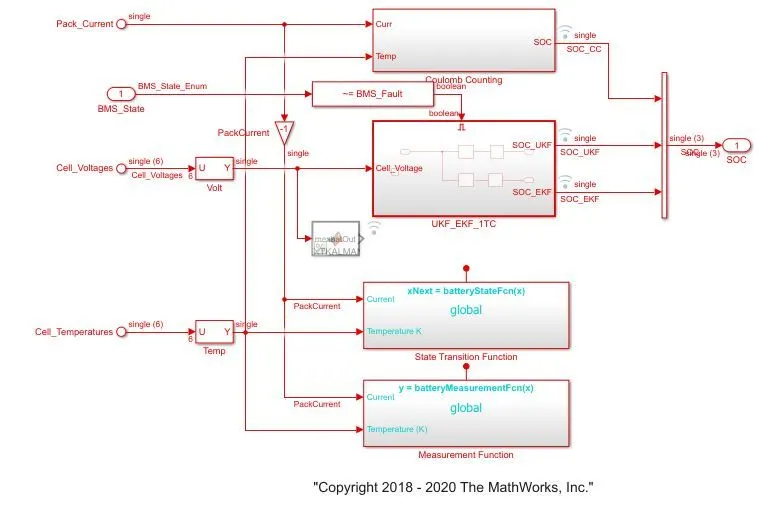
The Coulomb counting block can be observed on the top of the model, where the Coulomb counting was carried out. The model for the same can be seen below.
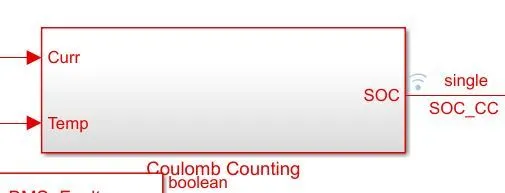
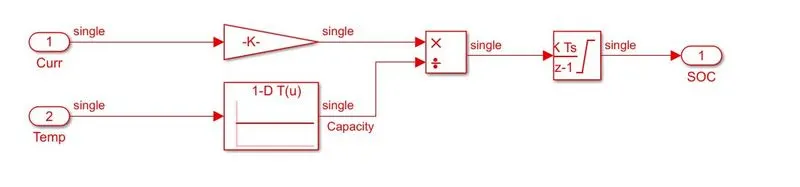
The inputs are given to integration where current will be integrated wrt time. This output is given to another block where it is divided by capacity and henceforth the SOC is estimated.
Conclution :-
dashboard were simulated and discussed successfully along with the coulomb counting done by BMS for SOC estimation. at three test